
Reflex Active REF-200PRO-BK
Reflex Active PRO TWS In-Ear Headphones User Manual
Model: REF-200PRO-BK
1. Introduction
Thank you for choosing the Reflex Active PRO TWS In-Ear Headphones. These true wireless stereo earbuds are designed to provide a superior audio experience with advanced features like Active Noise Cancellation (ANC) and Transparency Mode. Enjoy crystal-clear sound, comfortable fit, and seamless connectivity for music, calls, and more.
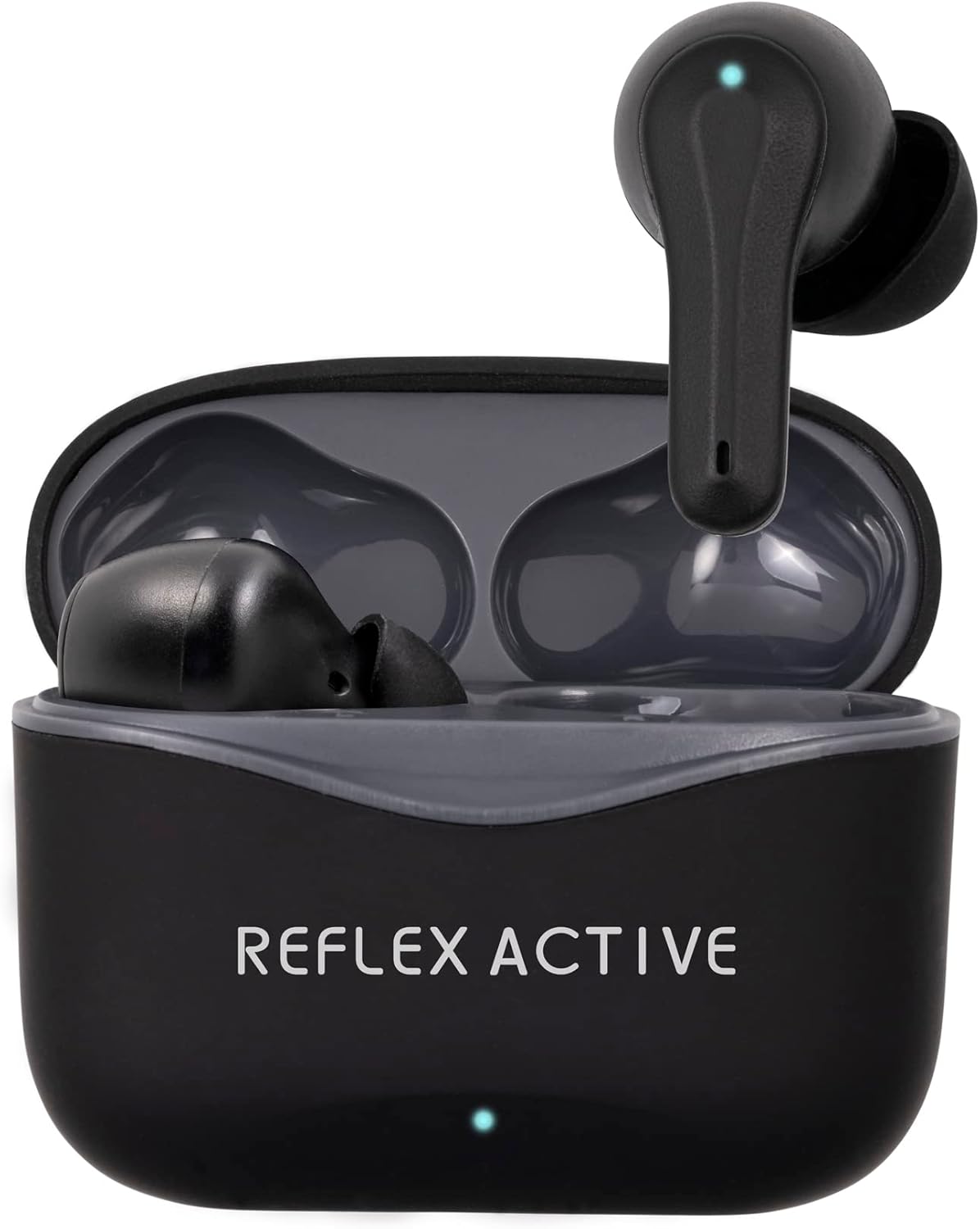
Image: The Reflex Active PRO TWS In-Ear Headphones, black, resting inside their open charging case. A small LED indicator is visible on the front of the case.
2. Safety Information
Please read this manual carefully before using the product to ensure safe and proper operation. Keep this manual for future reference.
- Hearing Protection: Avoid listening at high volume levels for extended periods to prevent hearing damage.
- Driving Safety: Do not use the earbuds while driving or cycling, or in any situation where your inability to hear ambient sounds could pose a danger to yourself or others.
- Water Resistance: The earbuds are water-resistant, but not waterproof. Do not submerge them in water. Avoid exposure to excessive moisture.
- Charging: Use only the provided charging cable and a certified power adapter. Do not attempt to disassemble or modify the product.
- Children: Keep out of reach of children. Small parts may pose a choking hazard.
- Temperature: Do not expose the product to extreme temperatures (hot or cold) or direct sunlight.
3. Package Contents
Ensure all items are present in your package:
- Reflex Active PRO TWS In-Ear Headphones (Left and Right earbuds)
- Charging Case
- USB Charging Cable
- Ear Tips (3 sizes: Small, Medium, Large)
- User Manual
4. Product Overview
Familiarize yourself with the components of your Reflex Active PRO TWS In-Ear Headphones.

Image: Close-up view of the left and right Reflex Active PRO TWS earbuds, showing their ergonomic design and the small LED indicator on each.
Earbud Features:
- Touch Control Area: For playback, call management, and mode switching.
- LED Indicator: Shows pairing status, battery level, and charging status.
- Microphone: For calls and voice assistant.
- Ear Tip: Replaceable silicone tips for comfortable fit and sound isolation.
Charging Case Features:
- Charging Port (USB-C): For charging the case.
- Case LED Indicator: Shows case battery level and charging status.
- Earbud Charging Slots: Securely holds and charges the earbuds.

Image: A graphic displaying key features of the earbuds, including True Wireless Stereo, Voice Control, Active Noise Cancelling, Touch Control, Audio Safe Mode, Wireless Connection, Studio Sound, and 250 Hours Standby.
5. Setup
5.1 Charging the Earbuds and Case
Before first use, fully charge both the earbuds and the charging case.
- Charge the Case: Connect the USB-C charging cable to the charging port on the case and the other end to a USB power source (e.g., wall adapter, computer USB port). The case LED indicator will show charging progress. A full charge takes approximately 2 hours for the base charge.
- Charge the Earbuds: Place the earbuds into their respective slots in the charging case. Ensure they are correctly seated. The earbud LEDs will indicate charging. A full charge for the earbuds takes approximately 1 hour.
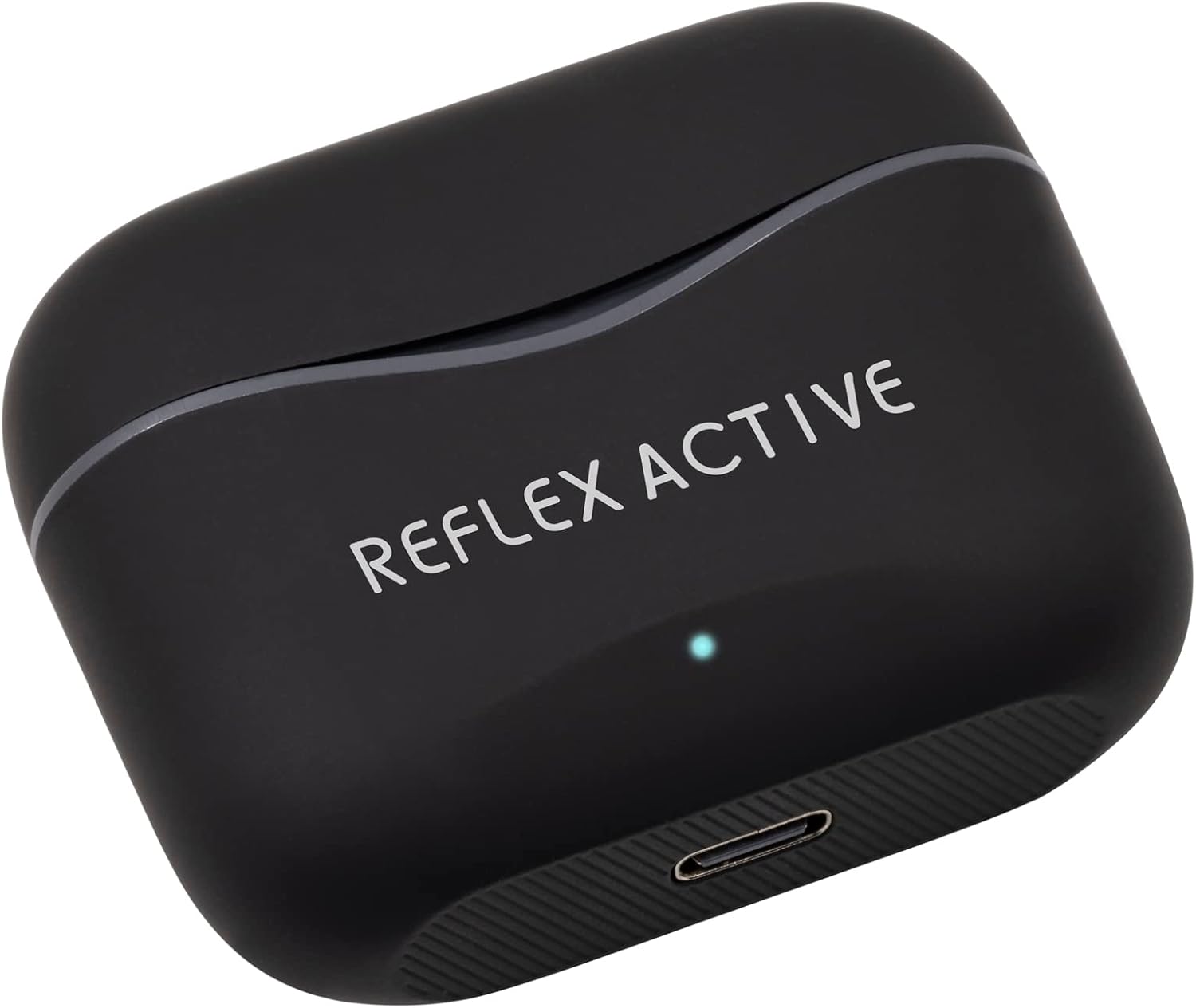
Image: The black Reflex Active PRO TWS charging case, showing the USB-C charging port at the bottom and the brand logo on the lid.
The earbuds provide approximately 5.5 hours of playtime on a single charge, with an additional 22 hours of combined playback time using the fully charged case.
5.2 Pairing with Your Device (Bluetooth)
The earbuds will automatically enter pairing mode when taken out of the charging case.
- Enable Bluetooth: Turn on Bluetooth on your smartphone, tablet, or other compatible device.
- Remove Earbuds: Open the charging case and remove both earbuds. They will automatically power on and attempt to pair with each other.
- Select Device: On your device's Bluetooth settings, look for "Reflex Active PRO TWS" in the list of available devices and select it to connect.
- Confirmation: Once successfully paired, you will hear an audible confirmation from the earbuds, and the earbud LEDs will stop flashing.
If pairing fails, place the earbuds back into the case, close the lid, and repeat the steps. The wireless range is 15-20 meters.
6. Operating Instructions
6.1 Basic Touch Controls
The earbuds feature intuitive touch controls on their outer surface.
| Action | Left Earbud | Right Earbud |
|---|---|---|
| Play/Pause | Single tap | Single tap |
| Next Track | Double tap | Double tap |
| Previous Track | Triple tap | Triple tap |
| Volume Up | N/A | Long press |
| Volume Down | Long press | N/A |
| Answer/End Call | Single tap | Single tap |
| Reject Call | Long press | Long press |
6.2 Active Noise Cancellation (ANC) and Transparency Mode
The Reflex Active PRO TWS earbuds feature both Active Noise Cancellation and Transparency Mode to adapt to your environment.
- Switching Modes: To cycle between ANC On, Transparency Mode, and ANC Off, perform a specific touch gesture (e.g., press and hold the touch area for 2 seconds on either earbud, or as specified in the quick start guide).
- Active Noise Cancellation (ANC): Reduces ambient noise, ideal for travel or noisy environments.
- Transparency Mode: Allows you to hear your surroundings clearly without removing the earbuds, useful for conversations or being aware of traffic.

Image: A person sitting on a train, appearing relaxed with their eyes closed, demonstrating the use of Active Noise Cancellation to block out ambient sounds.
6.3 Voice Control
Activate your device's voice assistant (Siri, Google Assistant, etc.) directly from your earbuds.
- Activation: Typically, a specific touch gesture (e.g., a long press or triple tap on a specific earbud) will activate the voice assistant. Refer to the quick start guide for the exact gesture.
- Commands: Once activated, speak your command clearly into the earbud's microphone.
7. Maintenance
Proper care will extend the life of your earbuds.
- Cleaning: Use a soft, dry, lint-free cloth to clean the earbuds and charging case. Do not use abrasive cleaners or solvents. For ear tips, remove them and clean with mild soap and water, then dry thoroughly before reattaching.
- Storage: When not in use, always store the earbuds in their charging case to protect them and keep them charged. Store in a cool, dry place.
- Avoid Extreme Conditions: Do not expose the earbuds or case to extreme temperatures, humidity, or dust.
8. Troubleshooting
If you encounter any issues, try the following solutions:
| Problem | Solution |
|---|---|
| Earbuds not pairing with device | Ensure Bluetooth is enabled on your device. Place earbuds back in case, close lid, then remove to re-enter pairing mode. Forget "Reflex Active PRO TWS" from your device's Bluetooth list and try pairing again. |
| Only one earbud working | Ensure both earbuds are charged. Place both earbuds back in the case, close the lid, wait a few seconds, then remove them. They should automatically connect to each other. |
| No sound or low volume | Check volume levels on both your device and the earbuds. Ensure earbuds are properly seated in your ears. Try cleaning the ear tips and speaker mesh. |
| Charging case not charging | Check the USB-C cable and power adapter. Ensure the cable is securely connected to both the case and the power source. Try a different cable or power source. |
| ANC/Transparency mode not working | Ensure earbuds are properly seated in your ears for optimal seal. Cycle through the modes using the touch controls. |
9. Specifications
| Feature | Detail |
|---|---|
| Model Number | REF-200PRO-BK |
| Bluetooth Version | 5.2 |
| Wireless Range | 15-20 meters |
| Earbud Playtime | Up to 5.5 hours |
| Total Playtime (with case) | Up to 22 hours |
| Earbud Charge Time | Approx. 1 hour |
| Case Charge Time | Approx. 2 hours |
| Noise Cancellation | Active Noise Cancellation (ANC) |
| Transparency Mode | Yes |
| Control Type | Touch Control, Voice Control |
| Material | Rubber/silicone (and possibly plastic/soft-touch for case) |
| Weight | 19 Grams |
| Water Resistance Level | Water-resistant |
| Battery Composition | Lithium |
| Included Components | Earbuds, Charging Case |
10. Warranty and Support
For warranty information and customer support, please refer to the warranty card included in your product packaging or visit the official Reflex Active website. Keep your proof of purchase for any warranty claims.
Manufacturer: Peers Hardy
Country of Origin: China
Related documentsREF-200PRO-BK

Ask a question about this manual
Ask about setup, troubleshooting, compatibility, parts, safety, or missing instructions. Manuals+ will review the question and use this page’s manual context to help answer it.