NICRON N1

NICRON N1 Mini LED Keychain Flashlight User Manual

Model: N1 (US-N1)

Brand: NICRON

Introduction

This manual provides detailed instructions for the safe and effective use of your NICRON N1 Mini LED Keychain Flashlight. Please read this manual thoroughly before operating the device and retain it for future reference.

The NICRON N1 is a compact and lightweight LED flashlight designed for everyday carry (EDC). It features a durable aluminum body, IPX7 waterproof rating, and a simple twist on/off operation, making it suitable for various outdoor activities and emergency situations.

NICRON N1 Mini LED Keychain Flashlight

Image: The NICRON N1 Mini LED Keychain Flashlight, showcasing its compact design and integrated carabiner clip.

Product Features

  • Tiny & Lightweight: Weighing only 15.2g and measuring 15.4mm in length, it is an excellent companion for hiking and walking.
  • Portable: Includes a customizable black keychain for easy attachment to bags, clothing, or other surfaces.
  • Tough & Secure: Constructed from aluminum, capable of withstanding 1-meter drops and featuring IPX7 waterproof certification. Ideal for outdoor activities like camping, hiking, and dog walking, even in heavy rain.
  • One-hand Operation: Simple twist mechanism to turn the flashlight on and off. Features a single 100 Lumen mode for quick emergency use.
  • Well-Packaged: Comes with the N1 mini flashlight, one AAA battery, and a guidebook.
NICRON N1 Flashlight size comparison in hand

Image: The NICRON N1 flashlight held in a hand, illustrating its compact size (62mm / 2.44 inches) and light weight (0.0152kg / 0.53oz).

NICRON N1 Flashlight attached to a keychain on clothing

Image: The NICRON N1 flashlight attached to a keychain and clipped onto a pocket, demonstrating its portability.

Setup

1. Unpacking

Carefully remove all components from the packaging. Ensure the following items are present:

  • NICRON N1 Mini LED Flashlight
  • 1 x AAA Alkaline Battery
  • User Guidebook
NICRON N1 Flashlight package contents

Image: Contents of the NICRON N1 package, including the flashlight, an AAA battery, and the user manual.

2. Battery Installation

The NICRON N1 flashlight operates on one AAA battery. Follow these steps to install or replace the battery:

  1. Unscrew the head of the flashlight counter-clockwise to open the battery compartment.
  2. Insert one AAA battery with the positive (+) end facing towards the LED (towards the head of the flashlight).
  3. Screw the head back onto the flashlight clockwise until it is securely tightened. Do not overtighten.

Note: Ensure the battery is inserted with the correct polarity to prevent damage to the flashlight.

Exploded view of NICRON N1 Flashlight components

Image: An exploded diagram showing the internal structure of the NICRON N1 flashlight, including the lens, LED, body, and AAA battery compartment.

Operating Instructions

Turning On/Off

The NICRON N1 flashlight features a simple twist mechanism for operation:

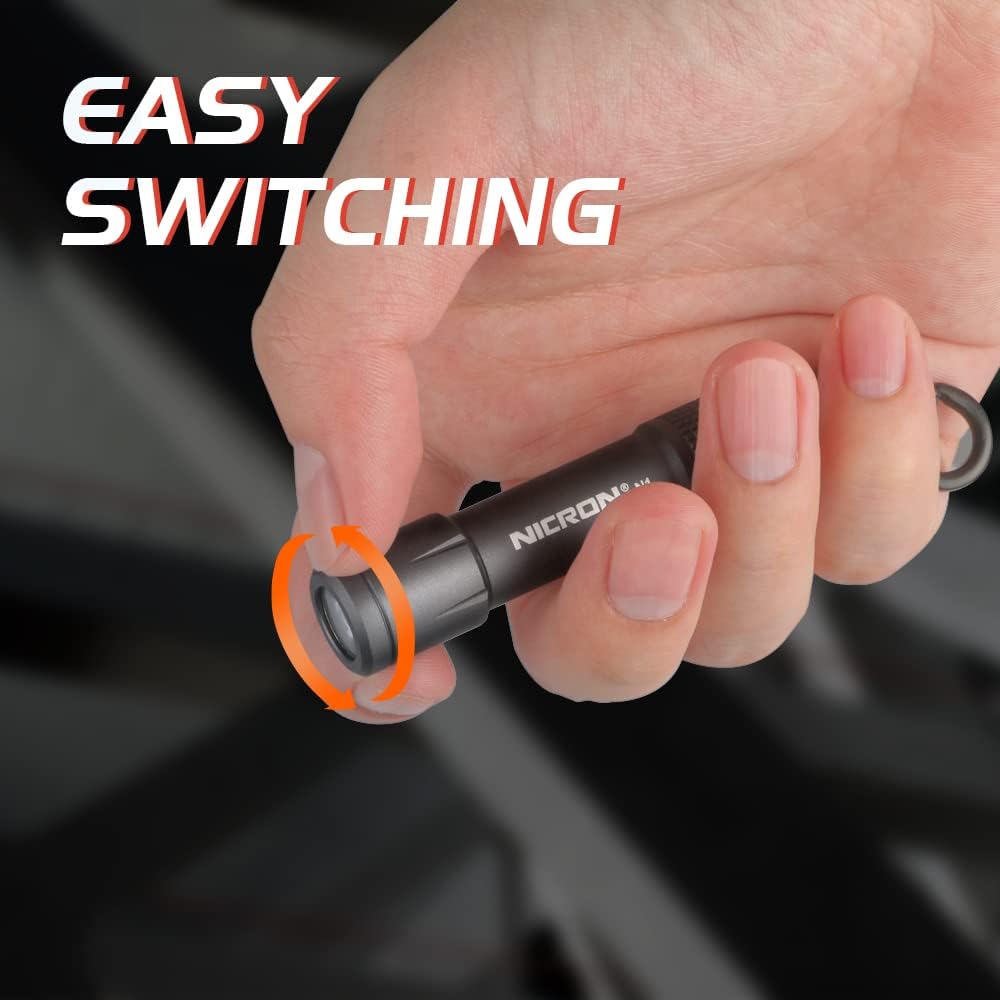
  • To turn the flashlight ON, twist the head of the flashlight clockwise until the light illuminates.
  • To turn the flashlight OFF, twist the head of the flashlight counter-clockwise until the light extinguishes.

The flashlight operates in a single mode, providing 100 Lumens of brightness.

Hand demonstrating twisting the NICRON N1 flashlight head

Image: A hand twisting the head of the NICRON N1 flashlight, indicating the simple on/off operation.

Maintenance

Cleaning

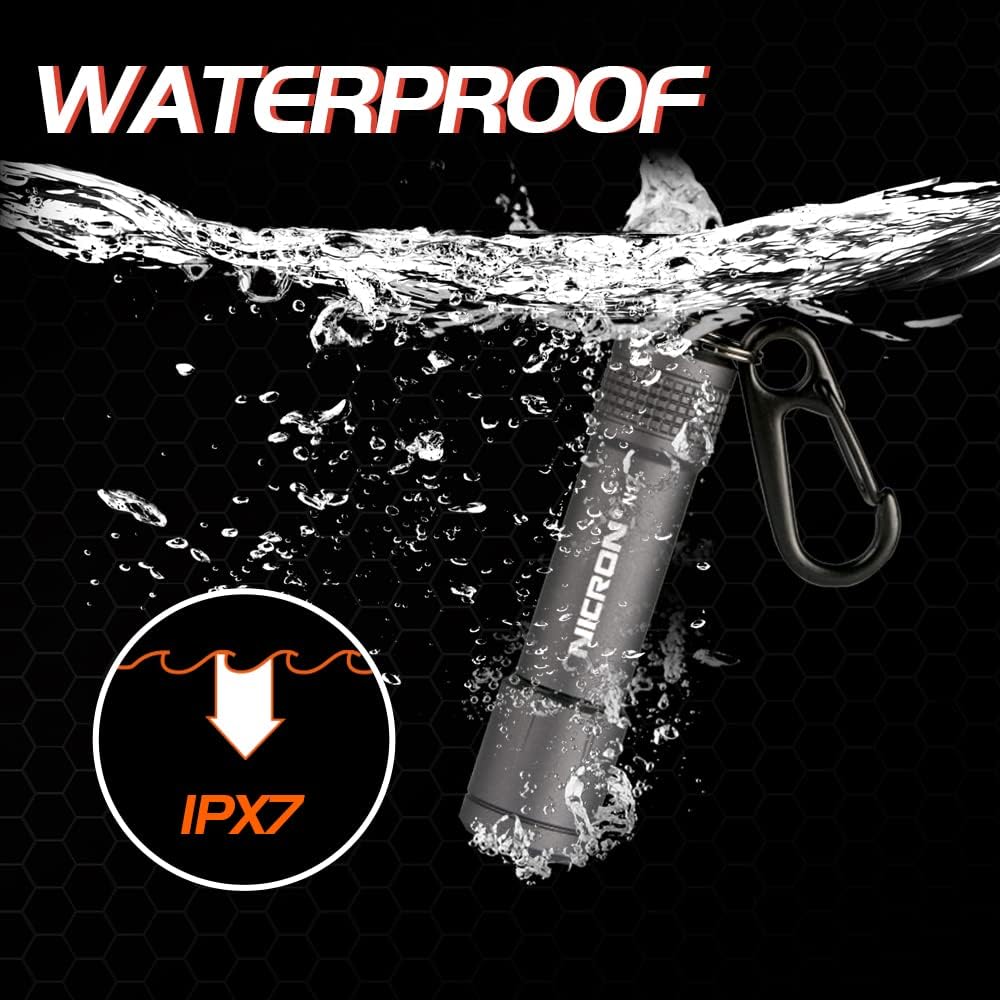
The NICRON N1 is IPX7 waterproof, allowing it to be submerged in water up to 1 meter for 30 minutes. This makes cleaning simple:

  • Wipe the exterior with a damp cloth as needed.
  • For heavier dirt, rinse the flashlight under running water. Ensure the head is securely tightened before rinsing.
  • Dry thoroughly with a soft cloth after cleaning.
NICRON N1 Flashlight submerged in water, demonstrating IPX7 waterproof rating

Image: The NICRON N1 flashlight partially submerged in water, illustrating its IPX7 waterproof capability.

Battery Care

  • Replace the AAA battery when the light becomes dim or fails to turn on.
  • If the flashlight will not be used for an extended period, remove the battery to prevent leakage and potential damage.
  • Dispose of used batteries according to local regulations.

Troubleshooting

ProblemPossible CauseSolution
Flashlight does not turn on.
  • Battery is dead or low.
  • Battery inserted incorrectly.
  • Head not fully tightened.
  • Replace with a new AAA battery.
  • Check battery polarity (+ end towards LED).
  • Ensure the flashlight head is twisted fully clockwise and securely tightened.
Light is dim or flickers.
  • Low battery power.
  • Loose connection.
  • Replace with a new AAA battery.
  • Ensure the flashlight head is securely tightened.
Water ingress after exposure.
  • Head not securely tightened before water exposure.
  • Damaged O-ring seal.
  • Always ensure the head is fully tightened before exposing to water.
  • Inspect the O-ring for damage. If damaged, contact customer support for replacement.

Specifications

FeatureDetail
ModelN1 (US-N1)
Light Source TypeLED
Brightness100 Lumens
Power Source1 x AAA Battery (Alkaline)
MaterialAluminum (Anodized Finish)
ColorGray
Special FeatureWaterproof (IPX7)
Product Dimensions2.3"D x 0.45"W x 0.45"H (approx. 58.4mm x 11.4mm x 11.4mm)
Item Weight15.2 Grams (0.536 ounces)
Mounting TypeClip-on/Keychain Mount
Voltage1.5 Volts
Bulb FeaturesSingle Mode

Warranty and Support

Warranty Information

Specific warranty details for the NICRON N1 flashlight may vary. Please refer to the warranty card included in your product packaging or visit the official NICRON website for the most up-to-date warranty policy.

Typically, NICRON products come with a limited warranty covering manufacturing defects. Keep your proof of purchase for any warranty claims.

Customer Support

For technical assistance, troubleshooting not covered in this manual, or warranty inquiries, please contact NICRON customer support through their official channels:

  • Online: Visit the official NICRON Store on Amazon for product information and support options.
  • Email/Phone: Check the NICRON official website or your product packaging for specific contact details.

When contacting support, please have your product model (N1) and purchase information ready.

Official Product Videos

This section would contain official product videos from the seller, if available and relevant. Videos demonstrating features, setup, or operation would be embedded here.

Example of a video placeholder (actual video links would be inserted if provided in the input data):

Video Description: A demonstration of the NICRON N1 Mini LED Keychain Flashlight's simple twist on/off mechanism. This video would show how to easily activate and deactivate the light with one hand.

Video Description: A visual showcase of the NICRON N1 Mini LED Keychain Flashlight's IPX7 waterproof rating. This video would depict the flashlight functioning reliably even when exposed to water.

Related Documents - N1

Preview Nicron H35 LED Headlamp User Manual
Comprehensive user manual for the Nicron H35 LED headlamp. This guide covers product features, operation, battery management, technical specifications, maintenance, troubleshooting, warranty, and compliance information.
Preview NICRON B70/B70 Plus Rechargeable Twist Flashlight User Manual
Comprehensive user manual for the NICRON B70/B70 Plus rechargeable twist flashlight, covering product features, operating instructions, technical specifications, and safety precautions.
Preview Nicron B71 Flashlight User Manual
User manual for the Nicron B71 flashlight, detailing its features, operating modes, specifications, usage, maintenance, warranty, and compliance information. Includes instructions for operation, charging, and troubleshooting.
Preview Nicron B75 LED Flashlight User Manual and Specifications
Official user manual for the Nicron B75 LED flashlight. This guide provides detailed information on features, operation, maintenance, safety precautions, and technical specifications. Content is primarily in English, with references to Czech, Slovak, Hungarian, and German language sections.
Preview N1 Monitor Stand User Manual and Product Information
Comprehensive guide for the N1 Monitor Stand, covering introduction, safety instructions, product overview, packing list, structure, characteristics, parameters, service conditions, operating instructions, maintenance, storage, and warranty.