
Introduction
This manual provides instructions for the Incipio Grip Series Case, designed specifically for the Apple iPhone 14 Plus. This case offers enhanced protection and improved handling for your device. Please read these instructions carefully to ensure proper installation and use.
Product Overview
The Incipio Grip Series Case features a multi-directional grip design to prevent accidental drops and provides robust protection against impacts. It is engineered with Impact Strut technology for drop protection up to 14 feet (4.3 meters).
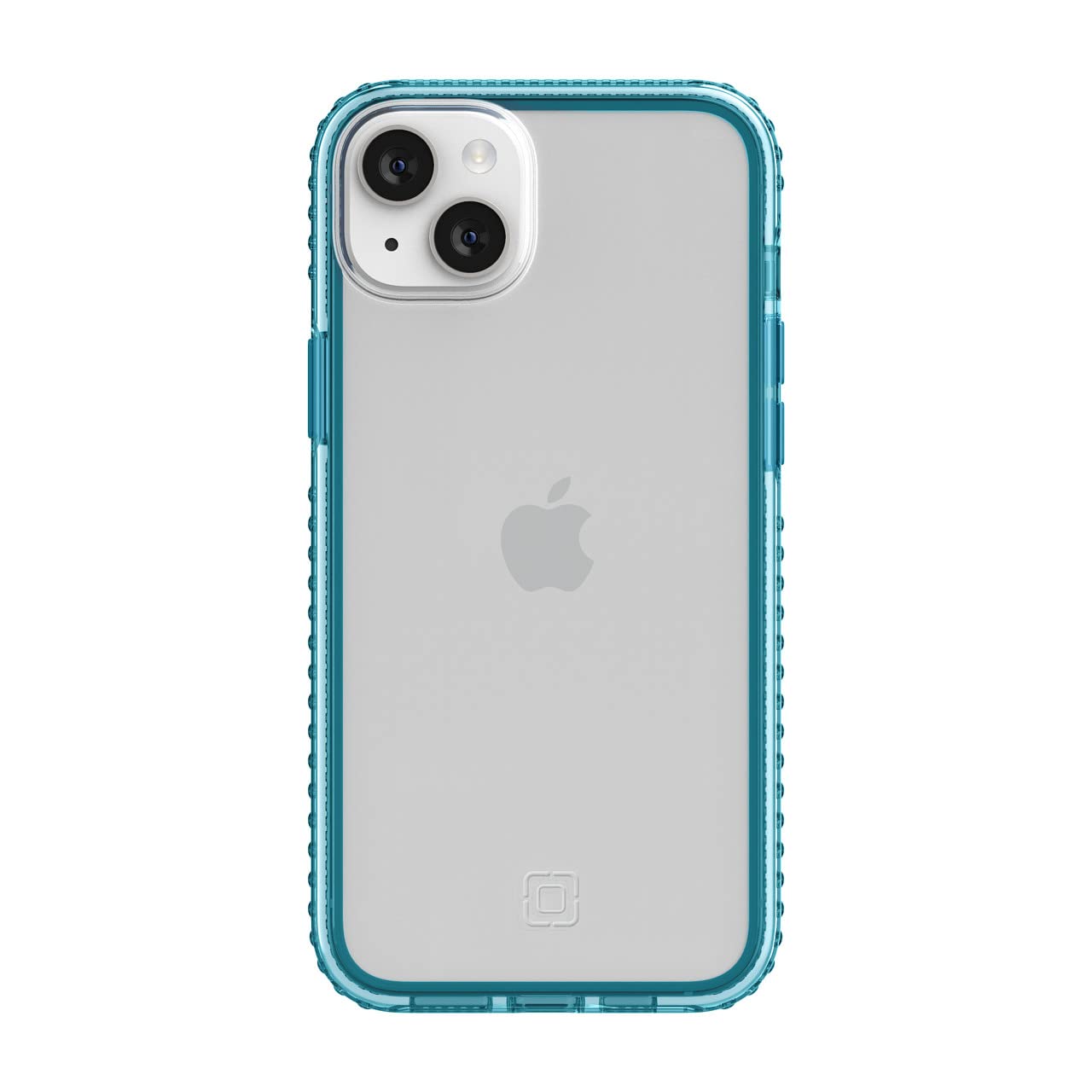
Figure 1: Incipio Grip Series Case (Bluejay/Clear)
Setup and Installation
- Verify Device Compatibility: Ensure your device is an Apple iPhone 14 Plus (6.7-inch display). This case is not compatible with iPhone 14, iPhone 14 Pro, or iPhone 14 Pro Max.
- Clean Your Device: Before installation, ensure your iPhone 14 Plus is clean and free of dust or debris.
- Insert Device: Gently align your iPhone 14 Plus with the case. Start by inserting one side of the phone into the case, then carefully press the other side until the phone is fully seated within the case. Ensure all edges are securely covered.
- Check Fit: Confirm that all buttons (power, volume) are accessible and functional, and that the charging port and speakers are unobstructed.

Figure 2: Confirming iPhone 14 Model Compatibility

Figure 3: iPhone 14 Plus installed in the case (back view)
Operating Instructions and Features
The Incipio Grip Series Case is designed to enhance your iPhone 14 Plus experience with several key features:
- Multi-Directional Grip: The case features raised, multi-directional grips along the sides to prevent slippage in all directions, providing a secure hold.
- 14 ft (4.3m) Drop Protection: Built with Incipio's Impact Strut technology, the case is tested to protect your device from drops up to 14 feet (4.3 meters).
- Raised-Edge Bezel: An extended height raised-edge bezel protects your screen from impacts on uneven surfaces and maintains compatibility with most screen protectors.
- Scratch Resistance: The high-tech, scratch-resistant material helps maintain the case's appearance and prevents discoloration from common elements like blue jeans, lotions, and sunlight.
- Wireless Charging and 5G Compatible: The case is designed to be fully compatible with wireless charging and 5G network functionality without interference.

Figure 4: Multi-Directional Grip Feature

Figure 5: 14-Foot Drop Protection

Figure 6: Raised-Edge Bezel for Screen Protection

Figure 7: Wireless Charging Compatibility
Product Demonstration Video
Video 1: Incipio Grip Product Demo. This video demonstrates the features and benefits of the Incipio Grip Series Case.
Maintenance
To maintain the appearance and functionality of your Incipio Grip Series Case:
- Cleaning: Wipe the case regularly with a soft, damp cloth. For stubborn dirt, a mild soap solution can be used. Avoid harsh chemicals or abrasive cleaners, as these may damage the case material.
- Inspection: Periodically inspect the case for any signs of wear or damage. If the case is significantly damaged, consider replacing it to ensure continued protection for your device.
Troubleshooting
If you encounter any issues with your Incipio Grip Series Case, consider the following:
- Case Not Fitting Correctly: Double-check that you have the correct model (iPhone 14 Plus). Ensure no foreign objects are obstructing the fit between the phone and the case.
- Buttons Not Responding: Ensure the case is properly aligned with your phone's buttons. Remove and re-install the case to correct any misalignment.
- Wireless Charging Issues: Confirm that your wireless charger is functional and that your phone is correctly centered on the charging pad. The case is designed to be compatible with wireless charging.
Specifications
| Feature | Detail |
|---|---|
| Brand | Incipio |
| Model Name | Grip Series |
| Model Number | IPH-2010-BJC |
| Compatible Devices | Apple iPhone 14 Plus (6.7") |
| Color | Bluejay/Clear |
| Material | Silicone |
| Drop Protection | Up to 14 feet (4.3 meters) |
| Additional Features | Multi-directional grip, Raised-edge bezel, Scratch-resistant, Shock-Absorbent, Wireless Charging Compatible, 5G Compatible |
| Item Dimensions (L x W x H) | 6.54 x 3.28 x 0.54 inches |
| Item Weight | 40 Grams |
Warranty Information
The Incipio Grip Series Case comes with a 1 Year Warranty from the date of purchase. This warranty covers manufacturing defects. Please retain your proof of purchase for warranty claims. For detailed warranty terms and conditions, please refer to the official Incipio website or contact customer support.
Support
For further assistance, product inquiries, or technical support, please visit the official Incipio website or contact their customer service department. Contact information can typically be found on the product packaging or the Incipio website.
Online Resources: Visit the Incipio Store on Amazon