1. Introduction
This manual provides detailed instructions for the OPPO Enco Buds2 wireless headphones, model ETE41. Please read this manual thoroughly before using the product to ensure proper operation and to maximize its lifespan.
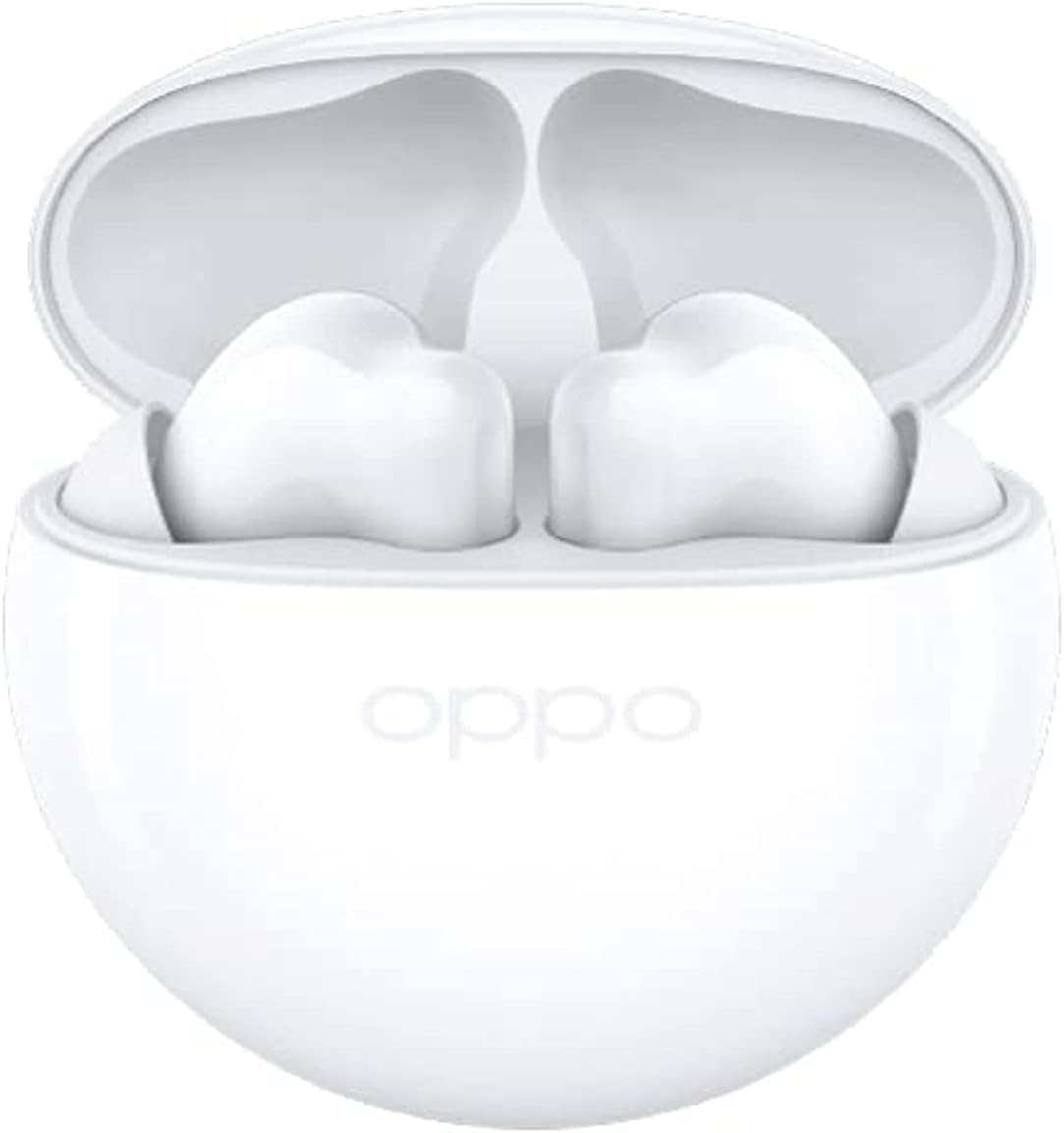
Image 1.1: OPPO Enco Buds2 earbuds in their open charging case.
2. Package Contents
Verify that all items are present in the product packaging:
- OPPO Enco Buds2 Wireless Earbuds (Left and Right)
- Charging Case
- USB-C Charging Cable
- Multiple Sizes of Ear Tips (S, M, L)
- User Manual

Image 2.1: Overview of the OPPO Enco Buds2 package contents.
3. Setup
3.1. Charging the Device
To charge the OPPO Enco Buds2, place both earbuds into the charging case and close the lid. Connect the USB-C charging cable to the charging port on the case and to a power source. The indicator light on the charging case will illuminate to show charging status.
- Indicator Status:
- White and flashing: Charging in progress.
- White (solid): Charging complete.
- Red and flashing: Low battery, charge immediately.

Image 3.1: Charging instructions for the earbuds and case (refer to the right side of the manual page).
3.2. Initial Pairing
Follow these steps to pair your OPPO Enco Buds2 with a new device:
- Ensure the earbuds are in the charging case and the lid is open.
- On your device (e.g., smartphone), enable Bluetooth.
- The earbuds will automatically enter pairing mode when the case is opened for the first time.
- Select "OPPO Enco Buds2" from the list of available Bluetooth devices on your phone.
- For subsequent pairing with a new device, press and hold the function button on the charging case for 4 seconds until the indicator light flashes white, then select the earbuds on your device.
Image 3.2: Pairing instructions (refer to the top right section of the manual page).
4. Operating the Device
4.1. Touch Controls
The OPPO Enco Buds2 feature touch-sensitive areas on each earbud for control. The default functions are:
| Function | Left Earbud | Right Earbud |
|---|---|---|
| Previous Track | Double-tap | |
| Next Track | Double-tap | |
| Answer/End Calls | Double-tap | Double-tap |
| Play/Pause | Double-tap | Double-tap |
| Volume Down | Touch and Hold | |
| Volume Up | Touch and Hold |
Note: Play/Pause function may be disabled by default. Customize touch controls via the HeyMelody app.
Image 4.1: Touch control diagram (refer to the left side of the manual page).
4.2. Camera Control
The earbuds support remote camera control. Double-tap either earbud to take photos remotely. This feature requires OPPO ColorOS 11.3 or later phones and updated Wireless Earphones app (V3.7.200 or later).
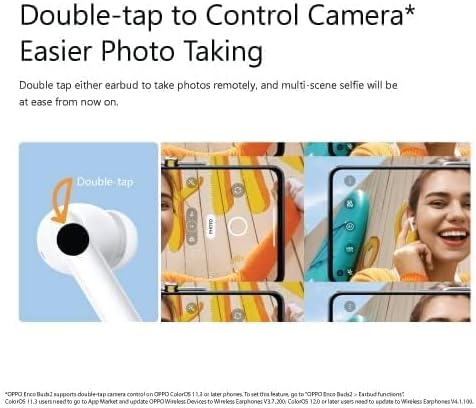
Image 4.2: Double-tap to control camera function.
4.3. Sound Features
The OPPO Enco Buds2 incorporate several audio enhancements:
- 10mm Large Titanized Driver: Designed to deliver stronger bass.
- Enco Live Stereo Sound Effects: Provides various sound effects for an enhanced listening experience.
- AI Deep Noise Cancellation for Calls: Utilizes artificial intelligence to reduce background noise during phone calls, ensuring clearer communication.
- Binaural Low-latency with Bluetooth 5.2 Transmission: Offers faster and more stable connectivity with reduced audio delay.

Image 4.3: Key features of the OPPO Enco Buds2.
5. Maintenance
5.1. Water Resistance
The OPPO Enco Buds2 are rated IPX4 for water resistance. This means they are protected against splashing water from any direction, making them suitable for daily use and light workouts. They are not designed for submersion in water or exposure to heavy rain.
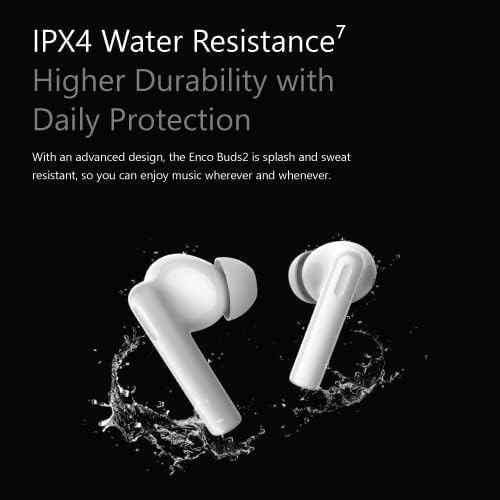
Image 5.1: IPX4 Water Resistance feature.
5.2. Cleaning and Care
To maintain optimal performance and hygiene:
- Regularly clean the earbuds and charging case with a soft, dry, lint-free cloth.
- Remove ear tips and clean them with water and mild soap if necessary, ensuring they are completely dry before reattaching.
- Avoid using abrasive materials, alcohol, or chemical cleaners.
- Keep the charging contacts on both the earbuds and the case clean and free of debris.
6. Troubleshooting
If you encounter issues with your OPPO Enco Buds2, refer to the following common solutions:
- Earbuds not pairing: Ensure Bluetooth is enabled on your device and the earbuds are in pairing mode. Try turning Bluetooth off and on again on your device.
- No sound from one or both earbuds: Check the battery level of the earbuds and charging case. Ensure the earbuds are properly connected to your device.
- Charging issues: Verify the charging cable and adapter are working correctly. Ensure the charging contacts are clean.
- Unresponsive touch controls: Ensure your fingers are clean and dry. If the issue persists, try resetting the device.
6.1. Resetting the Device
To reset your OPPO Enco Buds2 to factory settings:
- Place both earbuds into the charging case.
- Open the charging case lid.
- Touch and hold the touch control areas on both earbuds simultaneously for 15 seconds until you hear an alert tone. This indicates the factory reset is complete.
7. Specifications
Detailed technical specifications for the OPPO Enco Buds2 (Model ETE41):
| Feature | Detail |
|---|---|
| Model Name | HEADPHONES |
| Item Model Number | ETE41 |
| Connectivity Technology | Wireless |
| Headphones Form Factor | In Ear |
| Headphones Ear Placement | In Ear |
| Noise Control | Sound Isolation |
| Impedance | 32 Ohm |
| Sensitivity | 101 dB |
| Headphones Jack | 3.5 mm Jack (Note: This specification might refer to the charging case input or a general headphone jack type, as the earbuds are wireless.) |
| Package Dimensions | 12.7 x 10 x 3.2 cm |
| Item Weight | 10 g |
| Batteries | 1 AA batteries required (Note: This is likely a generic placeholder; the device uses integrated rechargeable batteries.) |
| Manufacturer | OPPO |
| Date First Available | 10 September 2022 |
8. Warranty and Support
For warranty information, technical support, or service inquiries, please refer to the warranty card included in your product packaging or visit the official OPPO website. Keep your proof of purchase for warranty claims.


