
1. Introduction
Thank you for choosing the YDBAO 10A 12V/24V Smart Battery Charger. This device is designed for charging 12V and 24V lead-acid batteries (including AGM, GEL, VRLA, MF, SLA) and lithium-iron (LiFePO4) batteries. It features fully automatic operation, an LCD touch screen, and multiple protection functions to ensure safe and efficient charging for a wide range of vehicles and equipment, such as cars, motorcycles, trucks, boats, ATVs, and lawn mowers.
Note: This product is strictly prohibited for use with ternary lithium batteries.

Image: The YDBAO Smart Battery Charger is suitable for various vehicles and equipment.
2. Safety Instructions
Please read and understand all safety information before using this battery charger. Failure to follow these instructions may result in electric shock, fire, or serious injury.
- Ventilation: Ensure the charging area is well-ventilated. Batteries can produce explosive gases during charging.
- Eye and Skin Protection: Always wear eye protection and protective clothing when working with batteries. Battery acid is corrosive.
- Sparks and Flames: Keep sparks, flames, and smoking materials away from the battery and charger.
- Connection Order: Connect the output clamps to the battery terminals before plugging the charger into the power outlet. Disconnect in reverse order.
- Polarity: Ensure correct polarity. Connect the red (+) clamp to the positive battery terminal and the black (-) clamp to the negative battery terminal.
- Damaged Batteries: Do not attempt to charge frozen, damaged, or non-rechargeable batteries.
- Children and Pets: Keep the charger and battery out of reach of children and pets.
- Indoor Use: This charger is designed for indoor use. Do not expose it to rain or moisture.
- Power Cord: Do not operate the charger with a damaged cord or plug.

Image: The YDBAO Smart Battery Charger features multiple built-in protections for safe operation.
3. Product Overview
The YDBAO Smart Battery Charger is equipped with an intuitive LCD touch screen for easy operation and monitoring. It offers various charging modes tailored for different battery types and conditions.
Key Features:
- LCD Touch Screen: Displays charging status, voltage, current, temperature, and selected mode.
- Multiple Charging Modes: Dedicated modes for AGM, Car, Moto, LiFePO4, and a Repair mode.
- Automatic Detection: Automatically detects 12V or 24V battery voltage.
- Temperature Compensation: Features Summer and Winter modes for optimized charging in varying ambient temperatures.
- Comprehensive Protections: Includes protection against reverse polarity, short circuit, overcharge, over-discharge, over-temperature, and over-voltage.

Image: The charger's LCD screen provides clear, real-time information.

Image: The charger offers five distinct modes for various battery types and functions.
4. Setup
Follow these steps to safely set up your YDBAO Smart Battery Charger:
What's in the Box:
- YDBAO Smart Battery Charger unit
- Battery clamps (red for positive, black for negative)
- AC power cord
- User Manual (this document)

Image: Contents of the YDBAO Smart Battery Charger package.
Connection Steps:
- Prepare the Battery: Ensure the battery terminals are clean and free of corrosion. If necessary, clean them with a wire brush.
- Connect to Battery: First, connect the red (+) positive clamp to the positive terminal of the battery. Then, connect the black (-) negative clamp to the negative terminal of the battery.
- Connect to Power: Plug the AC power cord into a standard wall outlet. The charger will power on and display the current battery voltage.
- Select Mode: Use the 'MODE' button on the touch screen to select the appropriate charging mode for your battery type (e.g., AGM, Car, Moto, LiFePO4).
The charger will automatically begin the charging process once the mode is selected and connections are secure.

Image: Connecting the charger clamps to a battery.
5. Operating Instructions
The YDBAO Smart Battery Charger simplifies the charging process with its automatic functions and clear display.
Charging Modes:
Press the 'MODE' button on the LCD screen to cycle through the available charging modes:
- AGM: For AGM (Absorbent Glass Mat) batteries.
- CAR: Standard charging mode for 12V lead-acid car batteries.
- MOTO: Charging mode for 12V motorcycle batteries.
- LiFePO4: Specifically for Lithium Iron Phosphate batteries.
- REPAIR: Desulfation and repair mode for deeply discharged or sulfated lead-acid batteries. This mode uses pulse technology to attempt to restore battery capacity.
Automatic Charging:
Once a mode is selected, the charger will automatically detect the battery voltage (12V or 24V) and begin the multi-stage charging process. The LCD screen will display real-time information such as voltage, current, charge percentage, and internal temperature.
Summer/Winter Mode:
The charger automatically adjusts charging parameters based on ambient temperature. In colder conditions (Winter Mode), it provides a slightly higher voltage to ensure full charge. In warmer conditions (Summer Mode), it reduces voltage to prevent overcharging. This feature ensures optimal charging performance year-round.

Image: The charger adapts to environmental temperatures with Summer and Winter modes.
Repair Mode:
To use the Repair mode, connect the charger to the battery and select 'REPAIR' mode. This process can take several hours. Monitor the battery during this process. This mode is intended for lead-acid batteries only and may not fully restore severely damaged batteries.
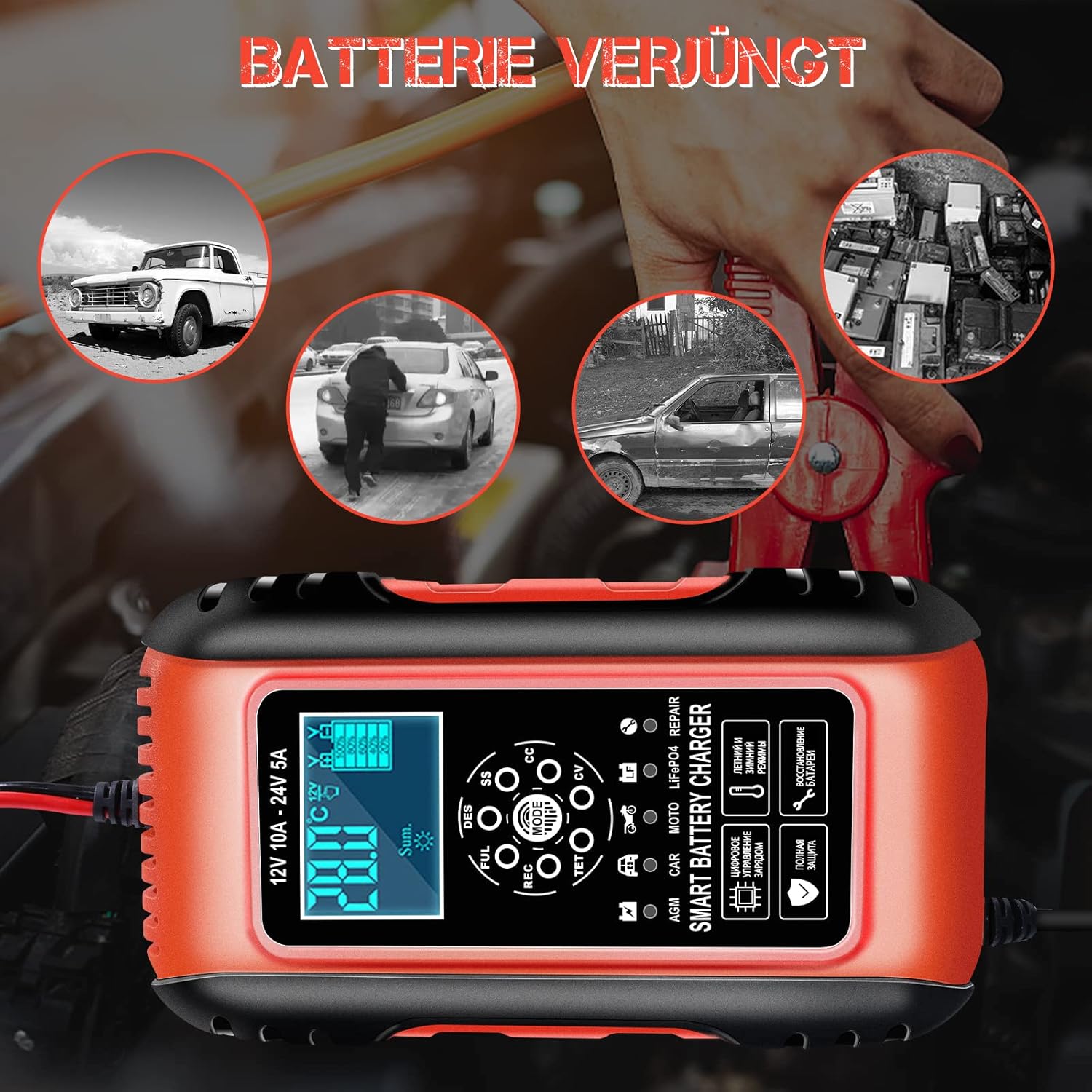
Image: The Repair mode can help rejuvenate deeply discharged or sulfated batteries.
Disconnecting the Charger:
- Unplug the AC power cord from the wall outlet.
- Remove the black (-) negative clamp from the battery terminal.
- Remove the red (+) positive clamp from the battery terminal.
6. Maintenance
Proper maintenance ensures the longevity and optimal performance of your battery charger.
- Cleaning: Disconnect the charger from power before cleaning. Wipe the exterior with a soft, dry cloth. Do not use harsh chemicals or abrasives.
- Storage: Store the charger in a cool, dry place when not in use. Keep the cables neatly coiled to prevent damage.
- Cable Inspection: Periodically inspect the power cord and battery clamps for any signs of damage, such as cuts, fraying, or corrosion. Do not use if damaged.
7. Troubleshooting
If you encounter issues with your YDBAO Smart Battery Charger, refer to the following common problems and solutions:
| Problem | Possible Cause | Solution |
|---|---|---|
| Charger does not turn on. | No power from outlet; loose connection; damaged power cord. | Check power outlet; ensure power cord is securely plugged in; inspect power cord for damage. |
| Charger not charging battery. | Incorrect mode selected; poor connection to battery; battery is severely damaged or non-rechargeable; reverse polarity. | Select correct battery mode; ensure clamps are securely connected to correct terminals; check battery condition; verify polarity. |
| LCD displays an error code or warning. | Over-temperature; short circuit; reverse polarity; battery fault. | Refer to the charger's display for specific error messages. Disconnect, allow to cool if overheating, check connections, and reattempt. |
| LiFePO4 battery BMS not activating. | Battery Management System (BMS) in protection mode due to deep discharge. | Ensure the charger is connected to AC power first, then select the LiFePO4 mode, and finally connect the battery clamps. This sequence can sometimes activate the BMS. |
| Charger gets hot during operation. | Normal operation (some heat is expected); poor ventilation; excessive load. | Ensure adequate ventilation around the charger. If overheating persists or is excessive, disconnect and contact support. |
8. Specifications
| Feature | Detail |
|---|---|
| Brand | YDBAO |
| Model | B0BC8FWV3L |
| Input Voltage | AC 100-240V (typical) |
| Output Voltage | DC 12V / 24V (Automatic Detection) |
| Output Current | 12V 10A / 24V 5A |
| Supported Battery Types | Lead-Acid (AGM, GEL, VRLA, MF, SLA), LiFePO4 |
| Product Dimensions | 5.31 x 9.06 x 2.95 inches (13.5 x 23 x 7.5 cm) |
| Item Weight | 1.45 pounds (0.66 kg) |
| First Available Date | August 9, 2023 |
9. Warranty and Support
For warranty information and customer support, please refer to the product packaging or contact the retailer from whom you purchased the YDBAO Smart Battery Charger. Keep your purchase receipt as proof of purchase.