
1. Introduction
Thank you for choosing the SGNICS TWS Wireless Bluetooth 5.0 Earbuds. These earbuds are designed to provide a high-quality audio experience with advanced features such as Bluetooth V5.0 connectivity, ergonomic design, IPX5 water resistance, and intuitive touch controls. This manual will guide you through the setup, operation, and maintenance of your new earbuds.
2. Package Contents
Please check the package for the following items:
- SGNICS TWS Wireless Bluetooth 5.0 Earbuds (Left and Right)
- Charging Case
- Type-C Charging Cable
- User Manual
3. Setup
3.1 Charging the Earbuds and Case
Before first use, fully charge the earbuds and the charging case.
- Place the earbuds into the charging case. Ensure they are correctly seated.
- Connect the provided Type-C charging cable to the charging port on the case and to a USB power source.
- The indicator light on the charging case will show the charging status. Once fully charged, the indicator light will change or turn off.
A full charge provides up to 4 hours of listening time for the earbuds. The charging case provides an additional 24 hours of battery life, allowing for approximately 6 full charges of the earbuds.
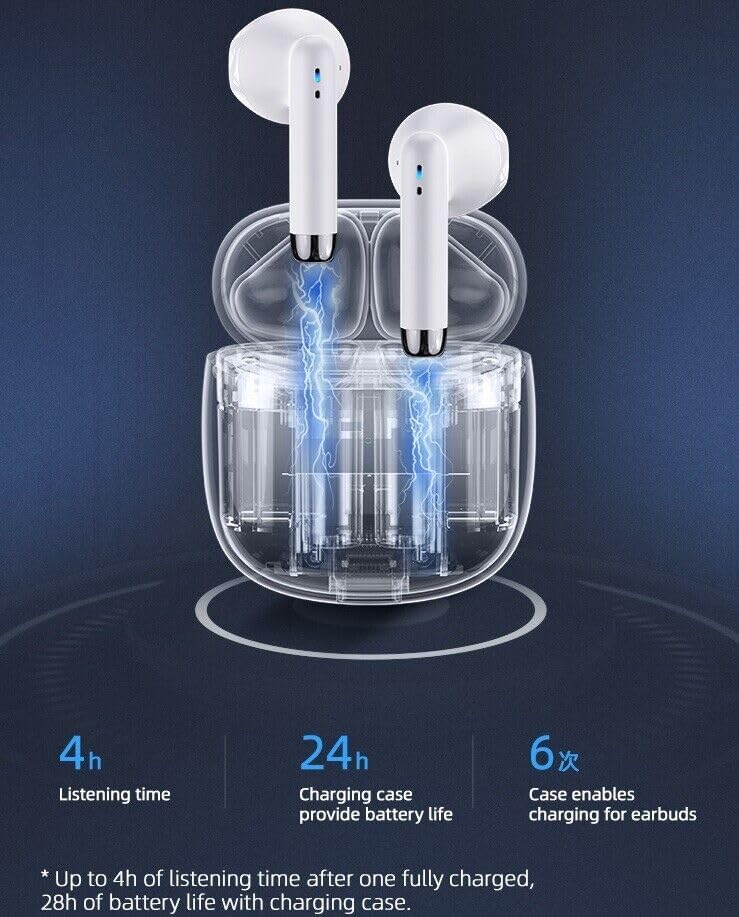
The image shows the SGNICS TWS Wireless Bluetooth 5.0 Earbuds being charged within their transparent case, with blue lightning bolts indicating the charging process. Text highlights 4 hours listening time, 24 hours additional battery life from the charging case, and 6 times the case enables charging for earbuds, totaling 28 hours of playback.
This image illustrates the SGNICS TWS Wireless Bluetooth 5.0 Earbuds and their charging case alongside a smartphone displaying music playback. Key battery life statistics are shown: 4 hours play time, 32 hours standby time, and 1 hour charging time.
3.2 Pairing with a Device
The earbuds feature automatic pairing for convenience.
- First-time Pairing: Open the charging case and remove both earbuds. They will automatically enter pairing mode.
- On your device (smartphone, tablet, etc.), go to Bluetooth settings and enable Bluetooth.
- Search for available devices and select "SGNICS Earbuds" (or similar name) from the list.
- Once connected, you will hear a confirmation tone, and the earbuds will be ready for use.
- Automatic Reconnection: After the initial pairing, the earbuds will automatically connect to the last paired device when removed from the charging case.

A graphic representation of a Bluetooth 5.0 chip, symbolizing advanced connectivity. Below it, a graph compares 'Imported chip' and 'Domestic chip' performance, indicating 'Low latency, smooth performance'.
4. Operating Instructions
4.1 Wearing the Earbuds
The earbuds are ergonomically designed for a comfortable and secure fit. Insert each earbud into the corresponding ear canal and gently twist to ensure a snug fit.

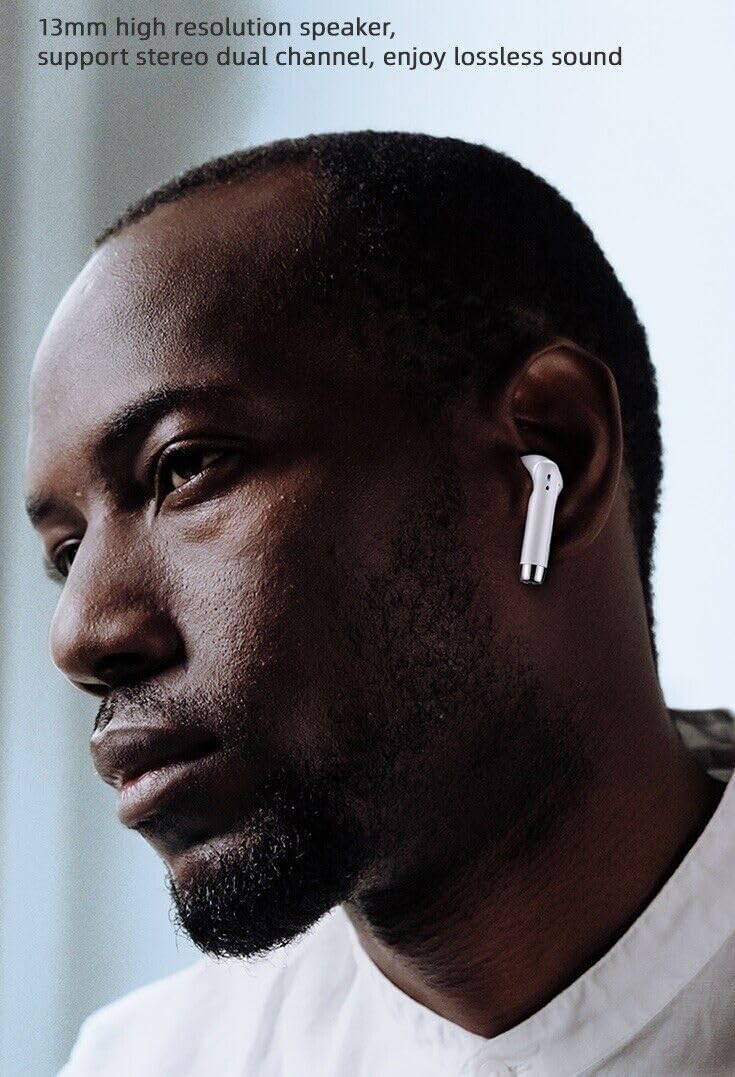
A close-up image of a person wearing one SGNICS TWS Wireless Bluetooth 5.0 Earbud, illustrating its in-ear fit and design. The text on the image mentions '13mm high resolution speaker, support stereo dual channel, enjoy lossless sound'.
4.2 Touch Controls
Each earbud features a multi-functional touch panel for easy control of audio playback and calls.
| Function | Action |
|---|---|
| Play/Pause Music | Single tap on either earbud |
| Answer/End Call | Single tap on either earbud |
| Reject Call | Press and hold either earbud for 2 seconds |
| Next Track | Double tap on the right earbud |
| Previous Track | Double tap on the left earbud |
| Activate Voice Assistant (Siri, Google Assistant) | Triple tap on either earbud |

This image displays the SGNICS TWS Wireless Bluetooth 5.0 Earbuds resting in their open charging case. A blue fingerprint icon highlights the touch control area on one of the earbuds.
4.3 Sound Quality and Noise Reduction
The earbuds feature a 10mm speaker unit for clear, authentic sound with deep bass. Equipped with CVC 8.0 noise-canceling technology and built-in dual microphones, they reduce ambient noise for improved call quality and an immersive listening experience.
5. Maintenance
5.1 Cleaning
Regularly clean your earbuds and charging case to ensure optimal performance and hygiene.
- Use a soft, dry, lint-free cloth to wipe the earbuds and charging case.
- For stubborn dirt, slightly dampen the cloth with water or a mild, non-abrasive cleaner.
- Do not use harsh chemicals or abrasive materials.
- Ensure the charging contacts on both the earbuds and the case are clean and dry.
5.2 Water Resistance
The earbuds are rated IPX5 water resistant, meaning they can withstand splashes and sweat. They are suitable for sports use but should not be submerged in water.
- Do not wear the earbuds while swimming or showering.
- If the earbuds get wet, wipe them dry before placing them back in the charging case.

This image depicts the SGNICS TWS Wireless Bluetooth 5.0 Earbuds and their charging case surrounded by water droplets, emphasizing their sweat-proof and water-resistant design, suitable for sports use.
6. Troubleshooting
If you encounter any issues with your SGNICS TWS Wireless Bluetooth 5.0 Earbuds, please refer to the following common solutions:
- Earbuds not pairing: Ensure both earbuds are removed from the charging case. Turn off and on your device's Bluetooth, then try pairing again.
- Only one earbud working: Place both earbuds back into the charging case, close the lid, wait a few seconds, then remove them again. This often re-syncs them.
- No sound: Check the volume level on your connected device. Ensure the earbuds are properly paired and selected as the audio output.
- Charging issues: Verify that the charging cable is securely connected to both the case and the power source. Clean the charging contacts on the earbuds and inside the case.
- Poor sound quality: Ensure the earbuds are clean and properly seated in your ears. Move closer to your connected device to avoid interference.
- Resetting the earbuds: If issues persist, consult the manufacturer's website or contact customer support for specific reset instructions, as this can vary by model.
7. Specifications
| Feature | Specification |
|---|---|
| Brand | SGNICS |
| Model | TWS Wireless Bluetooth 5.0 Earbuds |
| Connectivity Technology | Wireless |
| Wireless Communication | Bluetooth 5.0 |
| Ear Placement | In Ear |
| Control Type | Touch Control |
| Noise Control | Active Noise Cancellation (CVC 8.0) |
| Water Resistance Level | IPX5 (Water Resistant) |
| Material | Polycarbonate (PC) |
| Earbud Play Time | Up to 4 hours on a single charge |
| Total Play Time (with case) | Up to 28 hours |
| Microphone | Built-in Dual Microphones |
| Speaker Unit | 10mm (High Resolution) |
| Compatible Devices | Tablets, Cell Phones, Computers, Smart Phones (Android and iOS systems, including Samsung Galaxy S20/S21/S22/S23 series, Note 10/20 series, iPhone 11/12/13/14 Pro Max, Pixel 6/7) |
8. Warranty Information
SGNICS products are manufactured with high-quality standards. This product may be covered by a limited warranty from the manufacturer. Please refer to the warranty card included in your package or contact the seller for specific warranty terms and conditions.
9. Customer Support
For further assistance, technical support, or inquiries regarding your SGNICS TWS Wireless Bluetooth 5.0 Earbuds, please contact the seller directly through the platform where you purchased the product. Provide your order number and a detailed description of your issue for prompt support.