
1. Introduction
Thank you for choosing the SGNICS TWS Wireless Bluetooth 5.0 Earbuds. This manual provides detailed instructions on how to set up, operate, and maintain your earbuds to ensure optimal performance and longevity. Please read this manual carefully before using the product.
What's in the Box:
- SGNICS TWS Wireless Bluetooth 5.0 Earbuds (Left and Right)
- Charging Case
- Type-C Charging Cable
- User Manual
- Ear Cushions (various sizes)
2. Product Overview
The SGNICS TWS Wireless Bluetooth 5.0 Earbuds are designed for a seamless audio experience, featuring advanced Bluetooth 5.0 technology, touch controls, and a portable charging case. They offer high-fidelity stereo sound and CVC 8.0 noise reduction for clear audio and calls.

The image displays the SGNICS TWS Wireless Bluetooth 5.0 Earbuds placed inside their charging case. The earbuds are white with metallic accents, and the case is also white, featuring a small LED indicator light on the front.
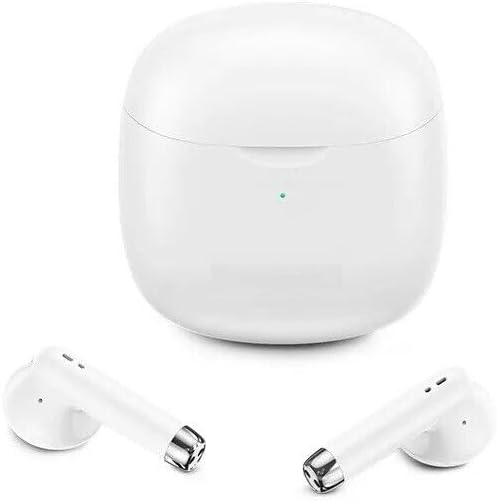
This image shows the SGNICS TWS Wireless Bluetooth 5.0 Earbuds removed from their charging case. The white earbuds are positioned in front of the closed white charging case, highlighting their individual design.
3. Setup
3.1. Charging the Earbuds and Case
Before first use, fully charge both the earbuds and the charging case. Connect the Type-C charging cable to the charging port on the case and a USB power source. The LED indicator on the case will show charging status. Once fully charged, the indicator will change or turn off.
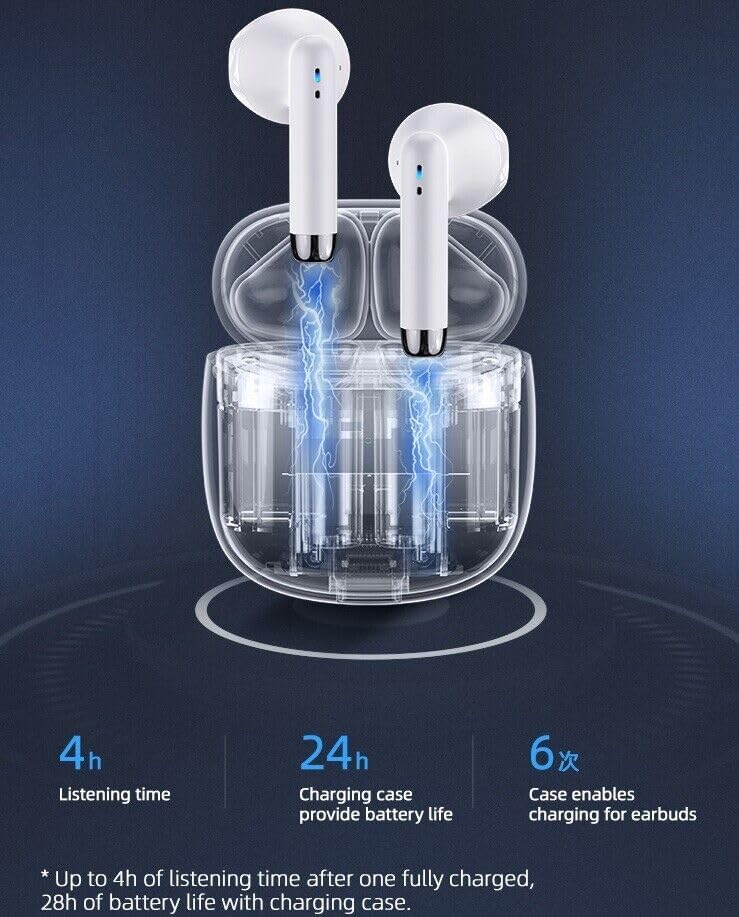
An illustration showing the SGNICS TWS Wireless Bluetooth 5.0 Earbuds inside their transparent charging case, with blue lightning bolts indicating the charging process. Text overlays indicate '4h Listening time', '24h Charging case provide battery life', and '6x Case enables charging for earbuds'.

This graphic illustrates the battery performance: 4 hours of play time per charge, 32 hours of standby time, and 1 hour of charging time for the earbuds.
3.2. First-Time Pairing
- Ensure the earbuds are charged.
- Open the charging case. The earbuds will automatically power on and enter pairing mode.
- On your device (smartphone, tablet, etc.), enable Bluetooth.
- Search for available Bluetooth devices and select "SGNICS Earbuds" (or similar name) from the list.
- Once connected, you will hear a confirmation tone, and the earbuds' indicator lights will turn off or flash slowly.
3.3. Automatic Reconnection
After the initial pairing, the earbuds will automatically connect to the last paired device when removed from the charging case, provided Bluetooth is enabled on your device and it is within range.
4. Operating Instructions
4.1. Power On/Off
- Power On: Open the charging case, and the earbuds will power on automatically. Alternatively, press and hold the touch control area on both earbuds for 3 seconds.
- Power Off: Place the earbuds back into the charging case and close the lid. They will power off automatically. Alternatively, press and hold the touch control area on both earbuds for 5 seconds.
4.2. Touch Controls
Each earbud features a multi-functional touch panel for easy control of music playback, calls, and voice assistant activation.
The main product image of the SGNICS TWS Wireless Bluetooth 5.0 Earbuds in their charging case, with a blue fingerprint icon overlaid on one earbud, indicating the touch control area.
- Play/Pause: Single tap on either earbud.
- Next Track: Double tap on the right earbud.
- Previous Track: Double tap on the left earbud.
- Answer/End Call: Single tap on either earbud.
- Reject Call: Press and hold on either earbud for 2 seconds.
- Activate Voice Assistant (Siri/Google Assistant): Triple tap on either earbud.
4.3. Wearing the Earbuds
For optimal sound quality and comfort, choose the ear cushions that best fit your ears. Insert the earbuds into your ear canal and gently twist them to secure a snug fit.
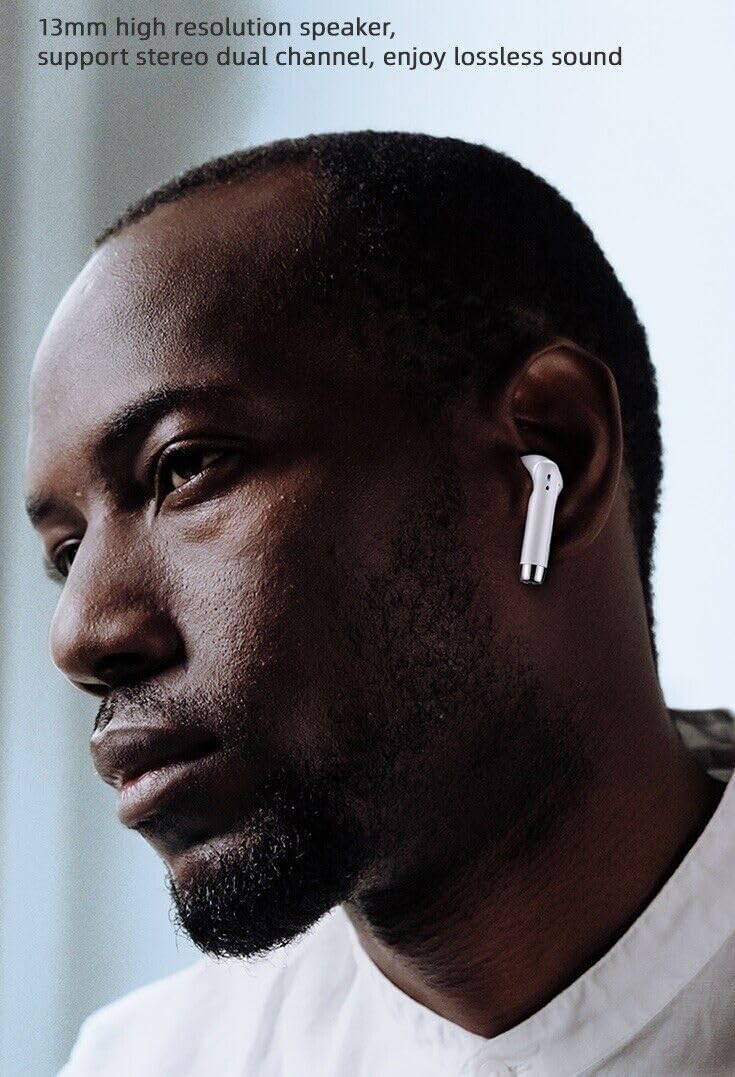
A close-up image of a man wearing one SGNICS TWS Wireless Bluetooth 5.0 Earbud in his ear, demonstrating the in-ear fit.

This image shows a man wearing an SGNICS TWS Wireless Bluetooth 5.0 Earbud, emphasizing the 13mm high-resolution speaker for lossless stereo sound.
5. Maintenance
5.1. Cleaning
Regularly clean your earbuds and charging case to maintain hygiene and performance. Use a soft, dry, lint-free cloth to wipe the surfaces. Do not use harsh chemicals or abrasive materials. For earwax buildup, gently clean the earbud mesh with a small, dry brush.
5.2. Storage
When not in use, store the earbuds in their charging case to protect them from dust, damage, and to keep them charged. Store the case in a cool, dry place away from direct sunlight and extreme temperatures.
5.3. Water Resistance
The earbuds feature an IPX5 water resistance rating, meaning they are protected against low-pressure water jets from any direction. This makes them suitable for workouts and light rain. However, they are not designed for swimming or submersion in water. Do not expose the charging case to water.

An image showing the SGNICS TWS Wireless Bluetooth 5.0 Earbuds and charging case surrounded by water droplets on a surface, illustrating their sweat-proof and water-resistant design suitable for sports use.
6. Troubleshooting
- Earbuds not pairing:
Ensure both earbuds are charged. Place them back in the case, close the lid, then open it again. Delete the earbuds from your device's Bluetooth list and try pairing again. - Only one earbud working:
Try resetting the earbuds. Ensure both earbuds are removed from the case simultaneously during pairing. If the issue persists, try re-pairing them. - No sound:
Check the volume level on your device and on the earbuds. Ensure the earbuds are properly connected to your device. Try playing audio from a different application or device. - Charging issues:
Ensure the charging cable is securely connected to both the case and the power source. Check if the charging port is clean and free of debris. Try using a different charging cable or power adapter. - Poor sound quality/disconnections:
Ensure your device is within the Bluetooth range (typically 10 meters/33 feet) and there are no significant obstacles between the earbuds and your device. Avoid strong electromagnetic interference.
7. Specifications
| Feature | Specification |
|---|---|
| Bluetooth Version | 5.0 |
| Wireless Communication Technology | Bluetooth |
| Speaker Unit | 10mm professional speaker |
| Noise Reduction | CVC 8.0 |
| Play Time (single charge) | Up to 4 hours |
| Total Play Time (with charging case) | Up to 28 hours |
| Charging Time (earbuds) | Approx. 1 hour |
| Water Resistance Rating | IPX5 (Earbuds only) |
| Control Type | Touch Control |
| Weight (per earbud) | Approx. 4 grams |
| Compatible Devices | Tablets, Cell Phones, Computers, Smart Phones |
8. Warranty and Support
SGNICS products are designed for reliability and performance. For warranty information, please refer to the terms and conditions provided at the time of purchase or visit the official SGNICS website. If you encounter any issues or require technical assistance, please contact customer support through your purchase platform or the brand's official support channels.
Please retain your proof of purchase for warranty claims.