
Introduction
Thank you for choosing the SGNICS TWS Wireless Bluetooth 5.0 Earbuds. This manual provides essential information for setting up, operating, and maintaining your earbuds to ensure a high-quality audio experience. Please read these instructions carefully before use.
What's in the Box
Upon unboxing, please verify that all the following items are included:
- True Wireless Earbuds (Left and Right)
- Charging Case
- Type-C Charging Cable
- User Manual

Image: SGNICS TWS Wireless Bluetooth 5.0 Earbuds shown inside their open charging case, ready for use or charging.
Setup
1. Charging the Earbuds and Case
Before first use, fully charge both the earbuds and the charging case. Connect the provided Type-C cable to the charging case and a compatible USB power source. The indicator light on the case will show charging status.
- Earbud Play Time: Up to 4 hours on a single charge.
- Charging Case Additional Play Time: Provides an additional 24 hours of battery life, totaling 28 hours.
- Charging Time: Approximately 1 hour for a full charge.
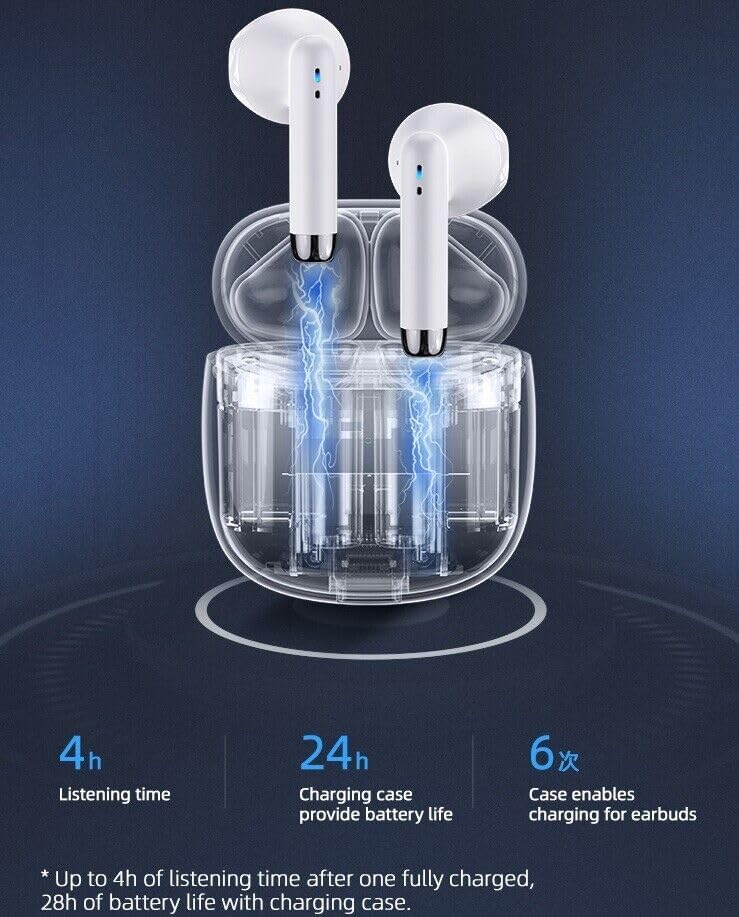
Image: A visual representation detailing the battery life: 4 hours listening time, 24 hours additional charge from the case, and the case providing 6 full charges for the earbuds.

Image: A graphic titled "Mini Size, Mega Juice" showing 4 hours play time, 32 hours standby time, and 1 hour charging time for the earbuds and case.
2. Pairing with Your Device
The earbuds feature smart one-step reconnection. After the initial pairing, they will automatically connect to your last paired device when removed from the charging case.
- Ensure your device's Bluetooth is enabled.
- Open the charging case and remove both earbuds. They will automatically enter pairing mode.
- On your device, search for Bluetooth devices and select "SGNICS Earbuds" (or similar name) from the list.
- Once connected, you will hear an audio confirmation.
The advanced Bluetooth 5.0 technology ensures a stable and swift connection.

Image: A stylized graphic highlighting the Bluetooth 5.0 chip and demonstrating low latency for smooth performance.
Operating the Earbuds
The SGNICS TWS Earbuds feature intuitive touch controls for managing audio playback and calls.
Touch Controls
Each earbud is equipped with a multi-functional touch panel. Specific functions may vary slightly depending on your device and application, but common controls include:
- Play/Pause Music: Single tap on either earbud.
- Next Track: Double tap on the right earbud.
- Previous Track: Double tap on the left earbud.
- Answer/End Call: Single tap on either earbud during an incoming call.
- Reject Call: Press and hold either earbud for 2 seconds during an incoming call.
- Activate Voice Assistant (Siri/Google Assistant): Triple tap on either earbud.
Image: The SGNICS TWS Earbuds in their charging case, with a visual indicator of the touch control area on one of the earbuds.
Wearing the Earbuds
The earbuds are ergonomically designed for comfort. Insert them gently into your ear canal and adjust for a secure fit. This ensures optimal sound quality and noise reduction.
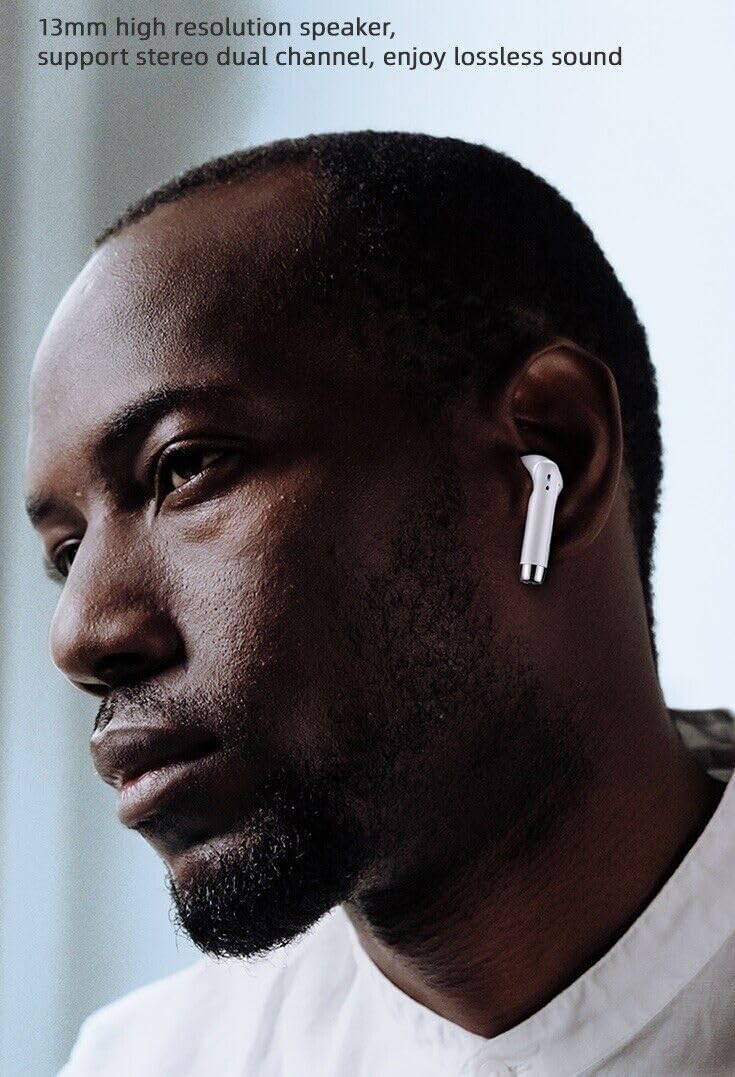
Image: A person wearing one SGNICS TWS Earbud, demonstrating its in-ear fit and design.
Maintenance
Proper care will extend the lifespan and performance of your SGNICS TWS Earbuds.
Cleaning
- Gently wipe the earbuds and charging case with a soft, dry, lint-free cloth.
- Do not use abrasive cleaners, solvents, or aerosol sprays.
- Avoid getting moisture into any openings.
Water Resistance
The earbuds feature an IPX5 water resistance rating, making them sweat-proof and suitable for sports use. However, they are not designed for submersion in water. Avoid exposing them to heavy rain or swimming.

Image: The SGNICS TWS Earbuds and their charging case surrounded by water droplets, illustrating their sweat-proof and water-resistant design suitable for sports.
Storage
When not in use, store the earbuds in their charging case to protect them and keep them charged. Store the case in a cool, dry place away from direct sunlight and extreme temperatures.
Troubleshooting
If you encounter issues with your earbuds, please try the following steps:
- No Sound/Connection Issues:
- Ensure both earbuds are charged.
- Verify Bluetooth is enabled on your device.
- Try unpairing and re-pairing the earbuds with your device.
- Ensure the earbuds are within the Bluetooth range of your device.
- Earbuds Not Charging:
- Check if the charging cable is securely connected to both the case and the power source.
- Ensure the charging contacts on the earbuds and inside the case are clean and free of debris.
- Try a different charging cable or power adapter.
- One Earbud Not Working:
- Place both earbuds back into the charging case, close the lid, wait a few seconds, then remove them to allow them to re-sync.
- Ensure both earbuds are charged.
- Poor Sound Quality:
- Ensure the earbuds are properly seated in your ears for a good seal.
- Clean any earwax or debris from the earbud speakers.
- Move closer to your connected device to avoid interference.
If the issue persists, please refer to the support information provided.
Specifications
| Feature | Specification |
|---|---|
| Brand | SGNICS |
| Model | TWS Wireless Bluetooth 5.0 Earbuds |
| Wireless Communication Technology | Bluetooth 5.0 |
| Ear Placement | In Ear |
| Control Type | Touch Control |
| Water Resistance Level | Water Resistant (IPX5) |
| Battery Life (Earbuds) | Up to 4 Hours |
| Total Battery Life (with Case) | Up to 28 Hours |
| Audio Driver Type | Dynamic Driver (10mm speaker unit) |
| Special Features | Microphone Included, Noise Cancellation (CVC 8.0), Sports & Exercise suitability |
| Material | Polycarbonate (PC) |
| Color | White |
| Compatible Devices | Tablets, Cell Phones, Computers, Smart Phones (Android and iOS systems) |
Warranty and Support
SGNICS is committed to providing high-quality service. For any product-related inquiries, technical support, or warranty claims, please contact your retailer or refer to the contact information provided with your purchase documentation.
This product is manufactured by Shenzhen HUOER Technology.,LTD.