
1. Introduction
Welcome to the user manual for your SGNICS TWS Wireless Bluetooth 5.0 Earbuds. These earbuds are designed to provide a high-quality audio experience with advanced features such as Bluetooth V5.0 connectivity, Hi-fi stereo sound, CVC 8.0 noise reduction, and intuitive touch controls. Their lightweight and ergonomic design ensures comfort for extended use, making them ideal for daily commutes, workouts, and general listening.

The SGNICS TWS Wireless Bluetooth 5.0 Earbuds in their charging case.
2. What's in the Box
Upon opening your product package, please ensure all the following components are present:
- True Wireless Earbuds (Left and Right)
- Charging Case
- Type-C Charging Cable
- User Manual
- Ear Cushions (pre-installed or in a separate bag)
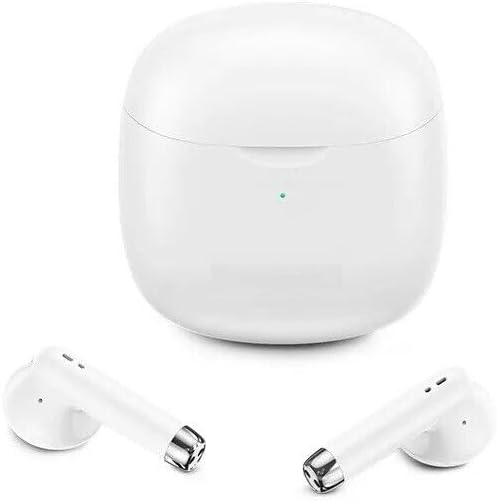
The earbuds and charging case, illustrating the main components.
3. Product Features
- Bluetooth 5.0 Auto Pairing: Utilizes the latest Bluetooth 5.0 technology for stable, swift connection and automatic reconnection to the last paired device.
- Premium Sound Quality: Equipped with a professional 10mm speaker unit for natural, authentic sound with crystal clear audio and deep resonant bass.
- Intelligent Noise Reduction: Features CVC 8.0 noise cancelling technology to reduce ambient noise for improved sound and call quality.
- Ergonomic and Lightweight Design: Weighing only 4 grams, these earbuds are designed for comfort during prolonged wear.
- Intuitive Touch Controls: Easily manage audio playback, calls, and voice assistant activation with simple taps.
- Extended Battery Life: Up to 4 hours of listening time on a single charge, with the charging case providing an additional 24 hours, totaling 28 hours of playback.
- IPX5 Water Resistance: Sweat and water resistant, making them suitable for sports and outdoor activities.
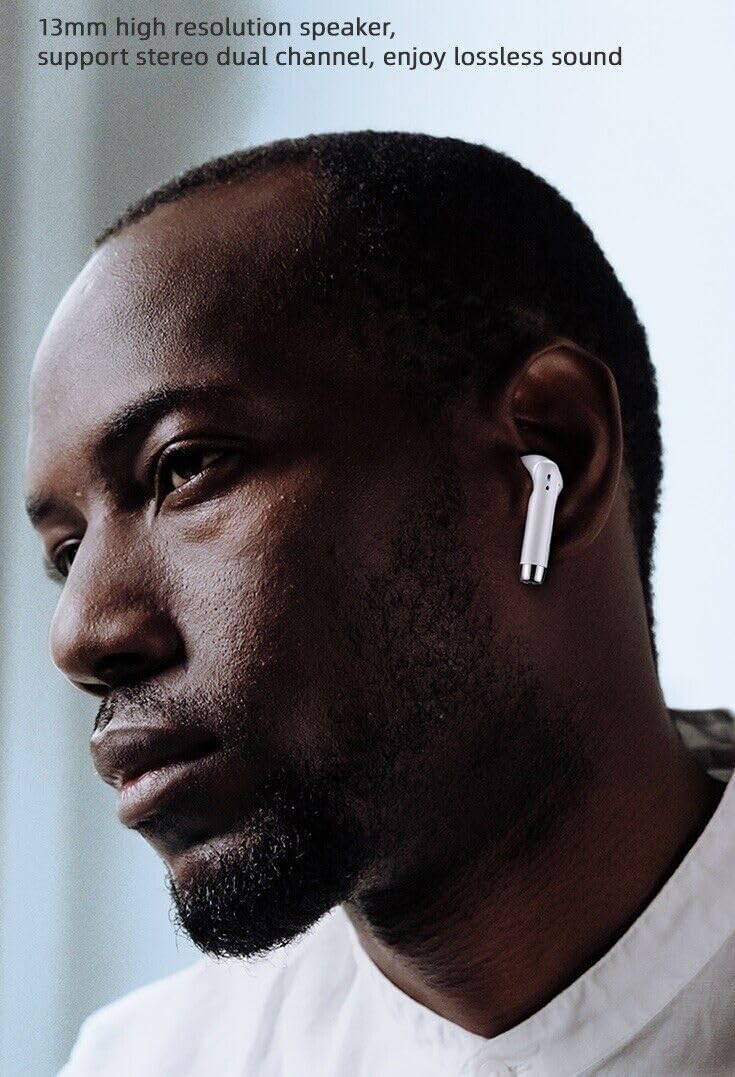
The ergonomic design ensures a comfortable fit for users.

Illustration of the advanced Bluetooth 5.0 chip ensuring low latency and smooth performance.
4. Setup
4.1 Initial Charging
Before first use, it is recommended to fully charge both the earbuds and the charging case. Connect the provided Type-C cable to the charging port on the case and plug the other end into a USB power source. The indicator light on the case will show charging status. A full charge for the case and earbuds typically takes about 1 hour.
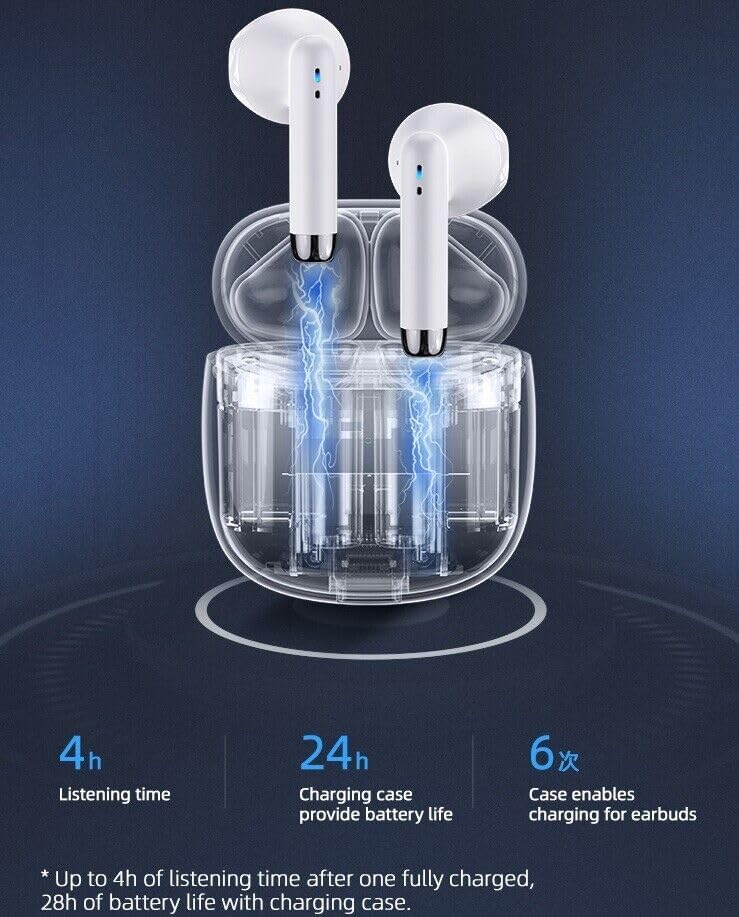
The earbuds charging inside their transparent case, illustrating the power transfer.

Battery life indicators: 4 hours play time, 32 hours standby time, and 1 hour charging time.
4.2 Pairing with Your Device
- Ensure your earbuds are charged.
- Open the charging case. The earbuds will automatically power on and enter pairing mode.
- On your smartphone or Bluetooth-enabled device, go to the Bluetooth settings.
- Search for new devices and select "TWS Earbuds" (or similar name) from the list.
- Once connected, you will hear a confirmation tone, and the earbuds will be ready for use.
Note: After the initial pairing, the earbuds will automatically connect to your device when removed from the charging case, provided Bluetooth is enabled on your device.
5. Operating Instructions
5.1 Touch Controls
The SGNICS TWS Earbuds feature multi-functional touch panels on each earbud for easy control of audio and calls.
| Action | Function |
|---|---|
| Single Tap (Left/Right Earbud) | Play/Pause Music, Answer/End Call |
| Double Tap (Left Earbud) | Previous Track |
| Double Tap (Right Earbud) | Next Track |
| Triple Tap (Left/Right Earbud) | Activate Voice Assistant (Siri, Google Assistant) |
| Long Press (2 seconds) | Reject Call |
5.2 Single Earbud Use
You can use either the left or right earbud independently. Simply take one earbud out of the charging case, and it will automatically connect to your device. The other earbud can remain in the case or be used later.
6. Maintenance & Care
6.1 Cleaning
To maintain optimal performance and hygiene, regularly clean your earbuds and charging case. Use a soft, dry, lint-free cloth. For stubborn dirt, a slightly damp cloth can be used, but ensure no moisture enters the charging ports or speaker grilles. Do not use abrasive cleaners or solvents.
6.2 Storage
When not in use, always store the earbuds in their charging case to protect them from dust, dirt, and physical damage. Store the case in a cool, dry place, away from direct sunlight and extreme temperatures.
6.3 Water Resistance (IPX5)
These earbuds are rated IPX5 water resistant, meaning they can withstand splashes of water and sweat. They are suitable for workouts and light rain. However, they are not designed for submersion in water, showering, or swimming. Do not expose them to pressurized water or high-velocity water streams.

The earbuds and case demonstrating their sweat-proof and water-resistant capabilities.
7. Troubleshooting
If you encounter any issues with your SGNICS TWS Earbuds, please refer to the following common solutions:
- Earbuds not pairing with device:
- Ensure Bluetooth is enabled on your device.
- Make sure the earbuds are charged and removed from the case.
- Turn off and on your device's Bluetooth.
- Forget the device in your phone's Bluetooth settings and try pairing again.
- Ensure earbuds are within the effective range (10 meters) of your device.
- Only one earbud working:
- Place both earbuds back into the charging case, close the lid, wait a few seconds, then take them out again.
- Ensure both earbuds are charged.
- No sound or low volume:
- Check the volume level on both your device and the earbuds.
- Ensure the earbuds are properly connected to your device.
- Clean any debris from the earbud speaker grilles.
- Charging issues:
- Ensure the charging cable is securely connected to both the case and the power source.
- Try a different charging cable or power adapter.
- Clean the charging contacts on both the earbuds and inside the case.
If the problem persists, please refer to the support information provided with your purchase or contact SGNICS customer support.
8. Specifications
| Feature | Detail |
|---|---|
| Brand | SGNICS |
| Model | TWS Wireless Bluetooth 5.0 Earbuds |
| Connectivity Technology | Wireless (Bluetooth 5.0) |
| Ear Placement | In Ear |
| Form Factor | In Ear |
| Control Type | Touch Control |
| Noise Cancellation | CVC 8.0 Noise Cancelling Technology |
| Water Resistance Level | IPX5 (Sweat and Water Resistant) |
| Playback Time (Earbuds) | Up to 4 hours |
| Total Playback Time (with Case) | Up to 28 hours |
| Charging Time | Approx. 1 hour (earbuds and case) |
| Compatible Devices | Tablets, Cell Phones, Computers, Smart Phones (Android & iOS) |
| Color | White |
9. Warranty and Support
SGNICS is committed to providing high-quality products. For warranty information and customer support, please refer to the documentation included with your purchase or visit the official SGNICS website. If you have any questions or require assistance, do not hesitate to contact our customer service team.
Please retain your proof of purchase for warranty claims.