
IDEAPLAY P30
IDEAPLAY 26'' Electric Bike P30 User Manual
Model: P30
1. Introduction
This manual provides comprehensive instructions for the safe and efficient operation, assembly, and maintenance of your IDEAPLAY P30 Electric Bike. Please read this manual thoroughly before using the bike to ensure proper function and to prevent injury or damage.
The IDEAPLAY P30 is a 26-inch electric mountain bike designed for adults, featuring a robust aluminum alloy frame, a 350W high-speed brushless motor, and a 36V removable lithium battery. It offers three distinct riding modes and a Shimano 21-speed gear system for versatile riding on various terrains.
2. Important Safety Instructions
Adherence to these safety guidelines is crucial for your well-being and the longevity of your electric bike. Failure to follow these instructions may result in injury or damage.
- Strictly follow all safety instructions provided in this manual. The manufacturer is not responsible for injuries or accidents resulting from non-compliance.
- Do not exceed the maximum weight capacity of 220 lbs (100 kg). Overloading can lead to instability, falls, and damage to the bike.
- Before starting, raise the kickstand and ensure both feet and the front wheel are firmly on the ground to maintain balance.
- Use this device only in authorized locations. Obtain necessary permissions if required.
- Do not use the product on public roadways unless it is an approved device for such use.
- Respect pedestrians. Avoid startling them, especially children and the elderly. Slow down and provide ample space when passing.
- Do not lend your device to untrained individuals. Ensure anyone using the bike wears appropriate protective gear.
- Be aware of unexpected hazards and dangerous situations while riding, which may result in serious injury. Exercise caution at all times.
- Avoid riding in sand, puddles, mud, or other wet, damp, or rugged surfaces, as this may damage the electronic components.
- Caution: The brake system can become hot during use. Avoid touching the brakes immediately after prolonged use.
3. Product Components and Features

Figure 3.1: Full view of the IDEAPLAY P30 Electric Bike, showcasing its robust frame and overall design.
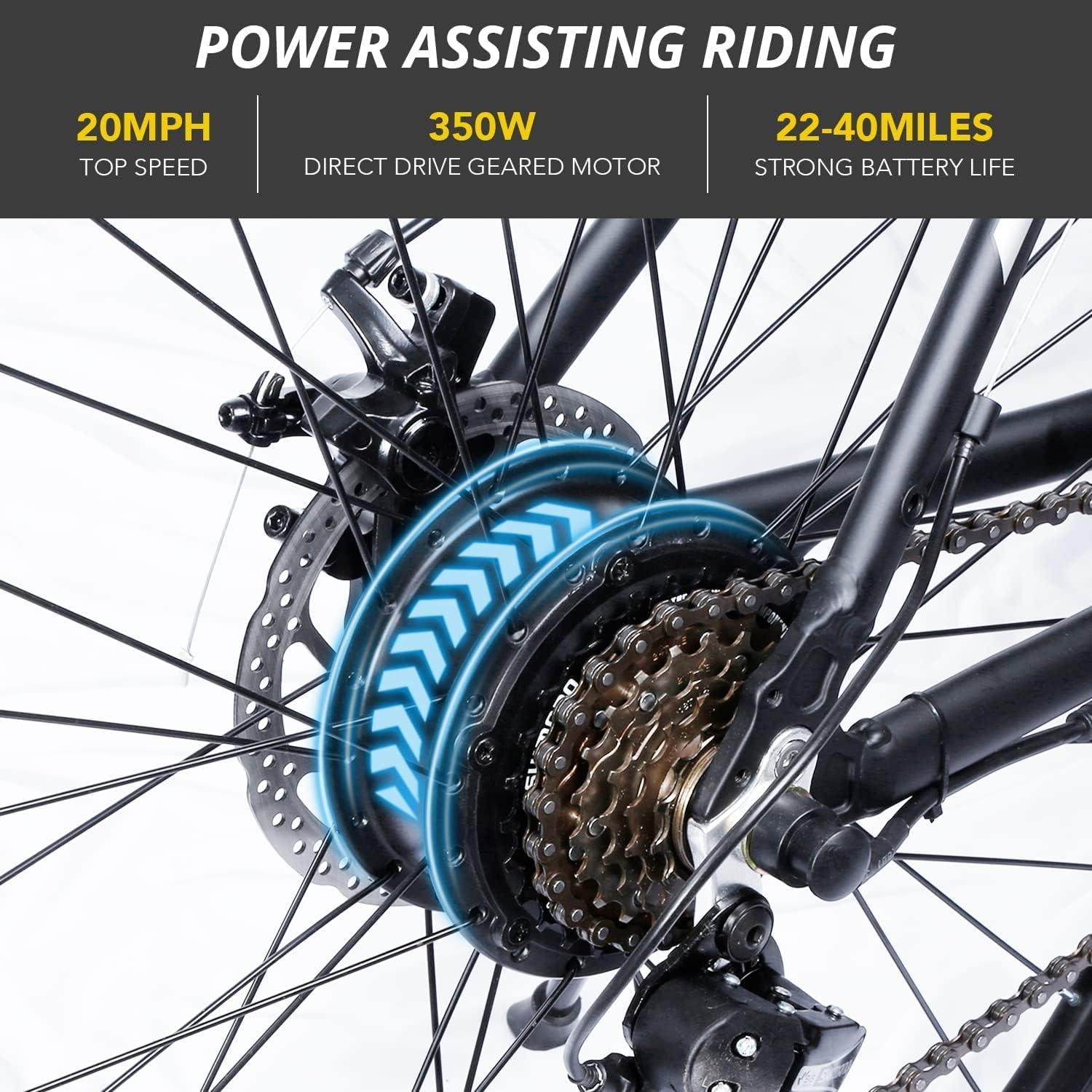
Figure 3.2: Detail of the 350W high-speed brushless direct drive geared motor located on the rear wheel, providing efficient power assistance.

Figure 3.3: The removable 36V 8AH lithium battery, integrated into the bike's frame for easy charging and security.
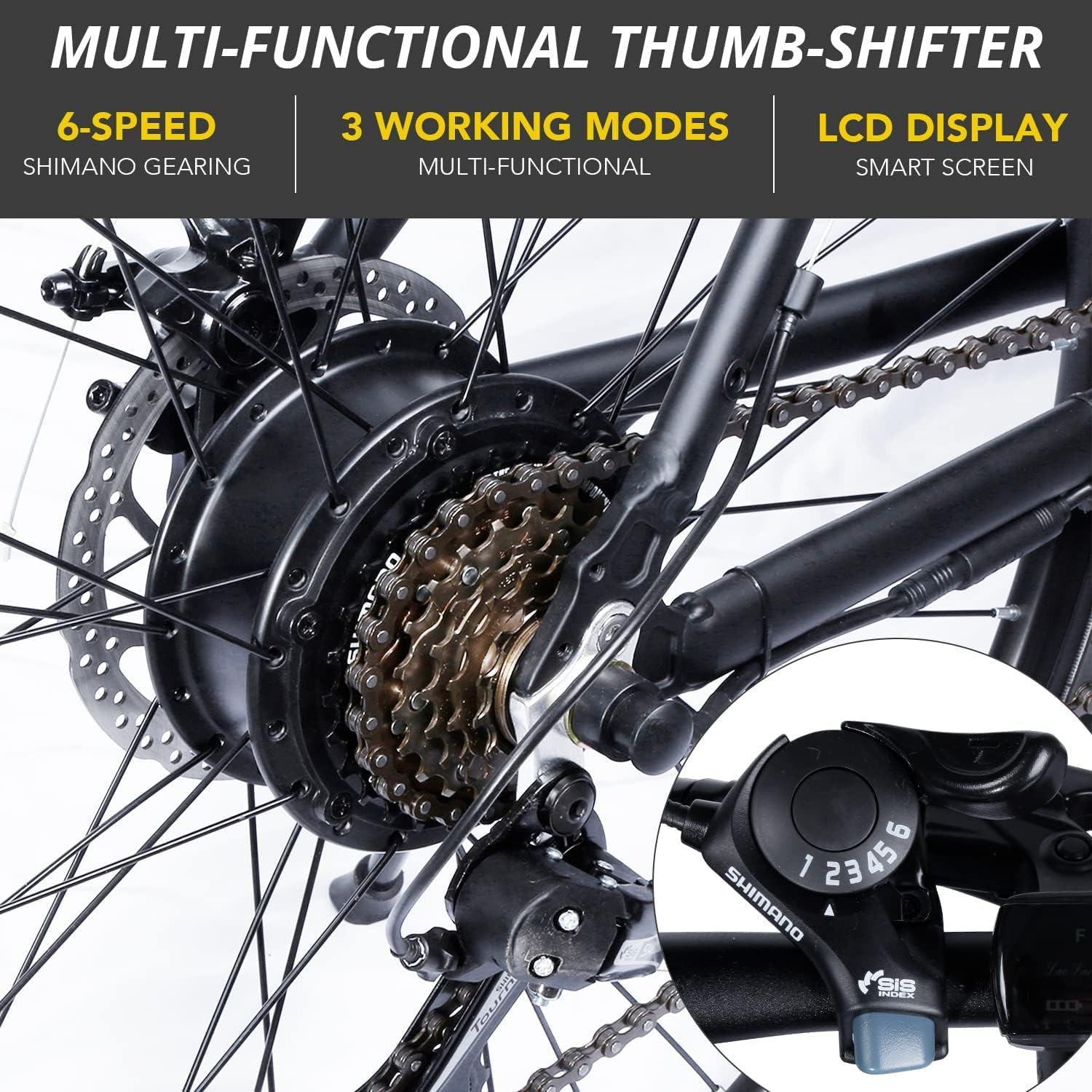
Figure 3.4: Close-up of the multi-functional thumb shifter for 6-speed Shimano gearing and the smart LCD display.

Figure 3.5: Various key components including the Prowheel crankset, front headlight, disc brake system, and the rear hub motor.
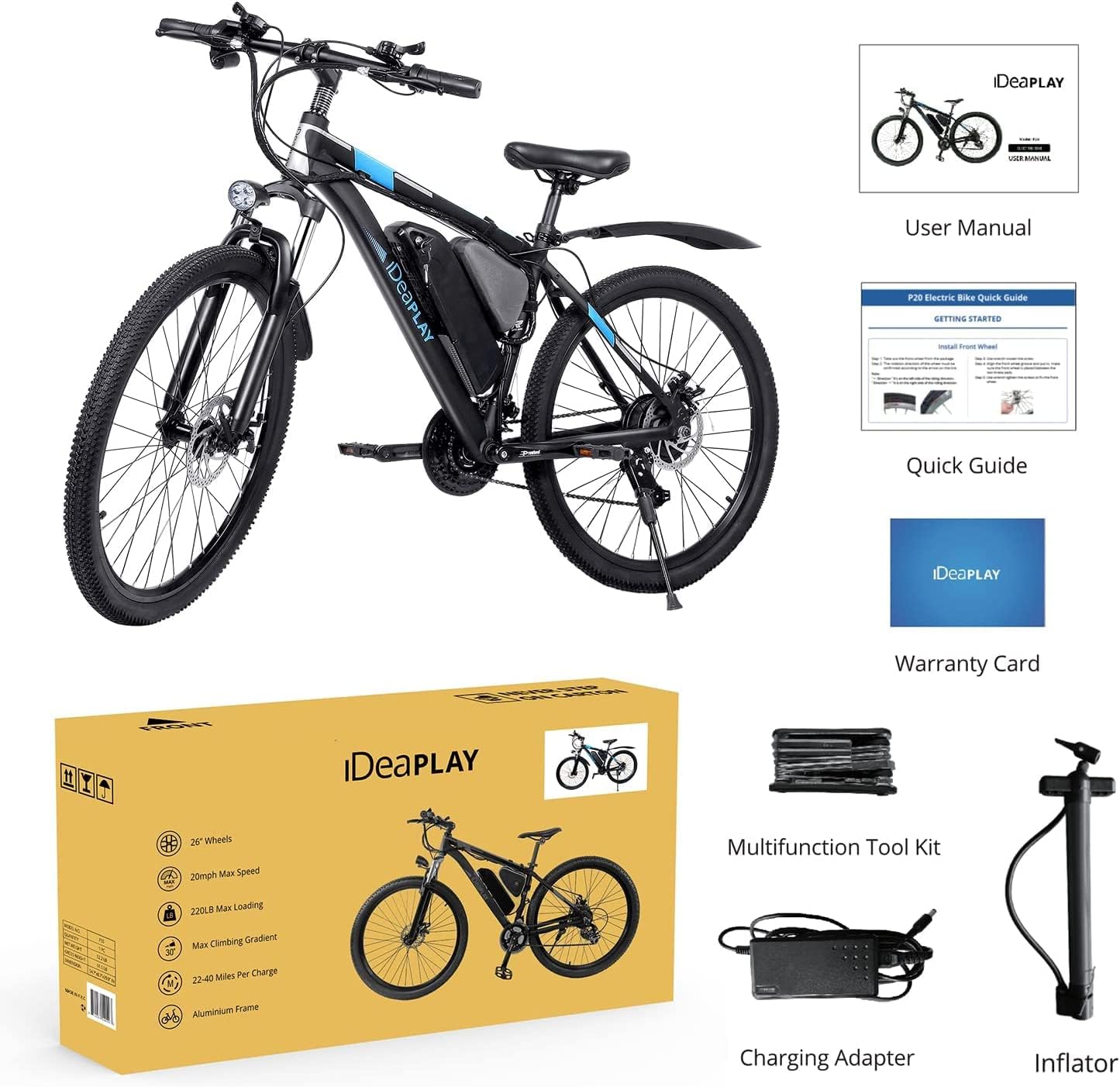
Figure 3.6: All items included in the product package: the P30 Electric Bike, User Manual, Quick Guide, Warranty Card, Multifunction Tool Kit, Battery Charger, and Inflator.
4. Setup and Assembly
The IDEAPLAY P30 Electric Bike comes with its electric system pre-assembled. Minimal assembly is required before your first ride.
Assembly Steps:
- Attach the front fork to the bike frame.
- Install the front wheel.
- Secure the handlebar in place.
- Mount the saddle (seat post and seat).
- Attach the pedals. Note that pedals are typically marked 'L' for left and 'R' for right and thread in opposite directions.
A multifunction tool kit is included to assist with these assembly steps. Refer to the Quick Guide for detailed visual instructions.
5. Operating Instructions
5.1 Riding Modes
The IDEAPLAY P30 offers three distinct riding modes to suit your preference and terrain:
- E-bike Mode: Provides full electric assistance, allowing you to ride with minimal pedaling effort.
- Assisted Bicycle Mode: Offers power assistance while you pedal, extending your range and making climbs easier. You can choose from 6 different assisted cruise speeds.
- Normal Bike Mode: Functions as a traditional bicycle with no electric assistance, relying solely on pedal power.
5.2 LCD Multi-functional Smart Display
The large LCD display provides essential riding information at a glance:
- 6 Speed Display (for assisted mode levels)
- Motor Power Ratio Display
- Battery Level Display
- Mileage (distance traveled)
- Light Signal (headlight status)
Headlights and reflectors are integrated to facilitate safe night riding.
5.3 Battery Charging
The 36V 8.0AH Lithium Battery provides an extra-long range of up to 40 miles per charge, with 22-40 miles in full power assistance mode. Charging from 0% to full takes approximately 6-7 hours. Use only the provided battery charger.
To charge the battery, connect the charger to the battery's charging port and then plug the charger into a standard wall outlet. The battery can be charged while installed on the bike or removed for convenience.
6. Maintenance
Regular maintenance ensures the longevity and safe operation of your IDEAPLAY P30 Electric Bike.
- Tires: Check tire pressure before each ride. Maintain recommended PSI for optimal performance and safety.
- Brakes: Regularly inspect brake pads and cables for wear. Ensure brakes are responsive and provide adequate stopping power. Adjust as needed.
- Chain: Keep the chain clean and lubricated to ensure smooth gear changes and prevent rust.
- Battery: Store the battery in a cool, dry place. If storing for extended periods, charge it to approximately 50-70% and recharge every 1-2 months to prevent deep discharge.
- Frame and Components: Periodically check all bolts and fasteners for tightness. Clean the bike regularly with a damp cloth and mild detergent, avoiding direct water spray on electrical components.
- Suspension Fork: Inspect the front suspension for proper function and cleanliness.
7. Troubleshooting
This section addresses common issues you might encounter with your IDEAPLAY P30 Electric Bike.
- Bike not powering on:
- Check if the battery is properly seated and locked.
- Ensure the battery is charged.
- Verify all electrical connections are secure.
- Motor not assisting:
- Confirm you are in E-bike or Assisted mode.
- Check battery level; assistance may reduce or stop when battery is low.
- Ensure brake levers are not partially engaged, as this can cut motor power.
- Short battery range:
- Ensure tires are properly inflated.
- Riding uphill or against strong winds consumes more power.
- Frequent stops and starts can reduce range.
- Consider using a lower assist level or Normal Bike mode more often.
- Gears not shifting smoothly:
- Inspect the chain for cleanliness and lubrication.
- Check for bent derailleur hanger or damaged derailleur.
- Adjust gear cables if they are too loose or too tight.
For issues not covered here, please contact customer support.
8. Product Specifications

Figure 8.1: Detailed dimensions of the IDEAPLAY P30 Electric Bike and recommended rider height range.
| Specification | Detail |
|---|---|
| Bike Type | Electric Bike |
| Model Name | P30 |
| Age Range (Description) | Adult |
| Brand | IDEAPLAY |
| Number of Speeds | 21 |
| Color | Black&Blue |
| Wheel Size | 26 Inches |
| Frame Material | Aluminum |
| Suspension Type | Front |
| Special Feature | Lightweight, Aluminum Frame, Mountain Bike |
| Included Components | Battery Charger, Inflator, User Manual & Quick Guide, P30 Electric Bike, Tool Kit |
| Brake Style | Disc |
| Power Source | Electric motor (rechargeable battery-powered) |
| Lithium Battery Energy Content | 2.88E+4 Watt Hours |
| Assembly Required | Yes |
| Item Package Dimensions L x W x H | 54.7 x 29.9 x 8.6 inches |
| Package Weight | 61.5 Pounds |
| Suggested Users | Unisex-adult |
| Date First Available | August 22, 2022 |
9. Warranty and Support
9.1 Warranty Information
The IDEAPLAY P30 Electric Bike comes with a Limited Warranty. Please refer to the included Warranty Card for specific terms, conditions, and duration of coverage.
9.2 Customer Support
For any questions, technical assistance, or warranty claims, please contact IDEAPLAY customer support. Contact information can typically be found on the Warranty Card or the official IDEAPLAY website.
You can also visit the IDEAPLAY Store on Amazon for additional product information and support resources.
Ask a question about this manual
Ask about setup, troubleshooting, compatibility, parts, safety, or missing instructions. Manuals+ will review the question and use this page’s manual context to help answer it.