
fojep BX28
fojep BX28 Wireless Earbuds User Manual
Model: BX28 | Brand: fojep
Introduction
Thank you for choosing the fojep BX28 Wireless Earbuds. This manual provides detailed instructions on how to set up, operate, maintain, and troubleshoot your earbuds to ensure optimal performance and longevity. Please read this manual carefully before using the product.
Package Contents
- Wireless Earbuds (L/R)
- Recharging Case
- Type-C Charging Cable
- Earplug/Earfin × 3 pairs (S/M/L, M pre-installed)
- Instruction Manual
Product Overview

Image 1: Earbuds and Charging Case. This image displays the fojep BX28 wireless earbuds resting inside their open charging case. The earbuds feature an earhook design and an LED indicator. The charging case has a digital LED display showing battery levels.

Image 2: Battery Life and Charging. This image highlights the 75-hour total playtime, individual LED battery display for the charging case and earbuds, and the Type-C charging port for convenient power replenishment.

Image 3: Superior Sound Quality. An exploded view of an earbud illustrating its internal components, including the 8mm graphene driver responsible for Hi-Fi stereo sound and powerful bass. It also mentions CVC Noise Cancelling Microphone technology.

Image 4: Ergonomic Design for Sports. This image shows a person cycling while wearing the earbuds, emphasizing the comfortable fit, flexible earhooks, and included S/M/L earplug/earfin sizes for secure wear during physical activity.

Image 5: IPX7 Sweatproof. The image depicts the earbuds with water droplets, indicating their IPX7 rating for resistance against rain, sweat, and splashes, making them suitable for various environments.
Setup
1. Initial Charging
Before first use, fully charge the earbuds and the charging case. Connect the provided Type-C charging cable to the charging case and a USB power source. The LED digital display on the case will show the charging status. Ensure both earbuds are placed correctly in the case during charging.
2. Pairing with Your Device
- Remove both earbuds from the charging case. They will automatically power on and enter pairing mode.
- On your device (e.g., smartphone, tablet), go to the Bluetooth settings.
- Search for available devices and select "BX28" from the list to connect.
- Once connected, you will hear a confirmation tone, and the earbuds will be ready for use.
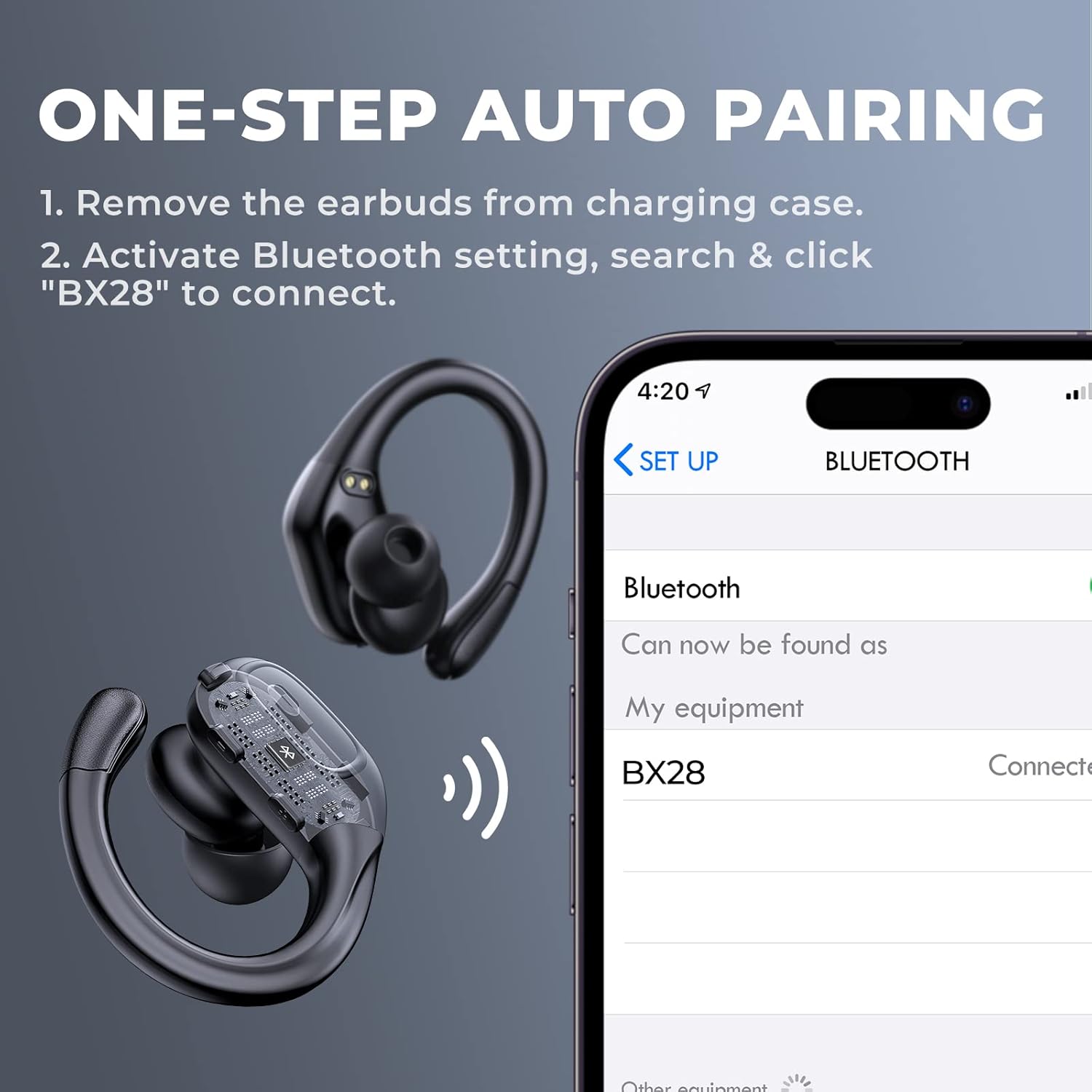
Image 6: One-Step Auto Pairing. This graphic illustrates the simple pairing process: remove earbuds from the case, activate Bluetooth on your device, and select "BX28" to connect.
Operating Instructions
1. Wearing the Earbuds
Select the appropriate earplug/earfin size for a comfortable and secure fit. Gently insert the earbud into your ear canal and adjust the flexible earhook over your ear until it feels stable. The ergonomic design ensures they stay in place during activities.
2. Button Controls
The fojep BX28 earbuds feature physical buttons for easy control:
- Power ON/OFF: Press and hold the button for a few seconds.
- Play/Pause: Single press the button on either earbud.
- Next Song: Double press the button on the right earbud.
- Previous Song: Double press the button on the left earbud.
- Volume Up: Triple press the button on the right earbud.
- Volume Down: Triple press the button on the left earbud.
- Answer/End Call: Single press the button on either earbud during an incoming call.
- Reject Call: Press and hold the button on either earbud during an incoming call.
- Activate Voice Assistant: Press and hold the button on either earbud for 2 seconds (when not on a call).

Image 7: Dual Audio Controls. This image visually maps out the various functions assigned to the physical buttons on the earbuds, including call management, music playback, volume control, and voice assistant activation.
3. Making and Receiving Calls
The built-in microphones with CVC noise cancellation ensure clear voice transmission during calls. Use the button controls as described above to manage your calls.
Maintenance
- Cleaning: Regularly clean the earbuds and charging case with a soft, dry, lint-free cloth. Do not use harsh chemicals or abrasive materials.
- Ear Tips: Remove and clean the ear tips periodically to prevent wax buildup, which can affect sound quality.
- Storage: When not in use, store the earbuds in their charging case to protect them and keep them charged. Store in a cool, dry place away from extreme temperatures.
- Water Resistance: The earbuds are IPX7 sweatproof, meaning they can withstand sweat, rain, and splashes. However, they are not designed for swimming or submersion in water. Ensure the charging port is dry before charging.
Troubleshooting
- Earbuds not pairing:
- Ensure both earbuds are fully charged.
- Place earbuds back into the charging case, close the lid, then open it and remove them again to re-initiate pairing mode.
- Turn off and on your device's Bluetooth, then try searching for "BX28" again.
- If previously paired, forget "BX28" from your device's Bluetooth list and re-pair.
- Only one earbud working:
- Ensure both earbuds are charged.
- Place both earbuds back into the charging case, close the lid, and then take them out simultaneously.
- If the issue persists, try resetting the earbuds (refer to specific reset instructions if available in the full product manual, or try forgetting the device and re-pairing).
- Poor sound quality or low volume:
- Check the volume level on both your earbuds and your connected device.
- Ensure the earbuds are clean and free of debris, especially the speaker mesh.
- Try different sized ear tips to ensure a proper seal in your ear canal.
- Ensure there are no obstructions between the earbuds and your device, and that you are within the Bluetooth range (up to 15 meters).
- Charging case not charging:
- Verify the Type-C charging cable is securely connected to both the case and the power source.
- Try using a different charging cable or power adapter.
- Ensure the charging port on the case is clean and free of debris.
Specifications
| Model Name | BX28 |
| Bluetooth Version | 5.3 |
| Playtime (Single Charge) | Up to 7 hours |
| Total Playtime (with Charging Case) | Up to 75 hours |
| Water Resistance Rating | IPX7 (Sweatproof, Rainproof, Splashproof) |
| Driver Size | 8mm Graphene Drivers |
| Microphone | Built-in with CVC Noise Cancellation |
| Charging Port | Type-C |
| Control Type | Physical Button Control |
| Material | Plastic |
| Maximum Operating Distance | 15 Metres |
Warranty and Support
The fojep BX28 Wireless Earbuds come with a 180-day warranty period from the date of purchase. If you encounter any quality problems with your sports headphones during this period, please contact us via Amazon. We are committed to providing a refund or replacement for eligible issues.
For further assistance or inquiries, please refer to your purchase platform or contact fojep customer support directly through the Amazon messaging system.
Related documentsBX28

Ask a question about this manual
Ask about setup, troubleshooting, compatibility, parts, safety, or missing instructions. Manuals+ will review the question and use this page’s manual context to help answer it.