
SP CONNECT 52808
SP Connect Charging Anti Vibration Module SPC+ Single User Manual
Model: 52808
Product Overview
The SP Connect Charging Anti Vibration Module SPC+ is designed to provide secure mounting, vibration dampening, and inductive charging for your smartphone on compatible mounts. It integrates seamlessly with the SP Connect SPC+ system, offering enhanced protection and functionality for modern smartphones.

Image: A close-up view of the SP Connect Charging Anti Vibration Module SPC+, showing its circular design and integrated charging port.
Key Features:
- Vibration Dampening: Reduces vibrations by up to 60% using a specially developed elastomer inlay, protecting sensitive smartphone components.
- Inductive Charging: Enables wireless charging of your smartphone while mounted.
- SPC+ Compatibility: Designed for use with the SP Connect SPC+ mounting system.
- Weatherproof Design: Ensures reliable performance in various weather conditions.
- 360° Adjustable: Allows for flexible positioning of your smartphone.
Package Contents
Verify that all items are present in the package:
- 1 × Charging Anti Vibration Module SPC+
- 1 × screw (M5x16mm)
- 1 × screw (M5x21mm)
- 1 × USB-A/USB-C cable (QC 3.0)
Setup and Installation
Follow these steps to properly set up and install your SP Connect Charging Anti Vibration Module SPC+:
- Prepare Your Mount: Ensure you have a compatible SP Connect mount. The Charging Anti Vibration Module SPC+ replaces the head of your existing compatible mount.
- Attach the Module: Carefully remove the existing head from your SP Connect mount. Align the Charging Anti Vibration Module SPC+ with the mount and secure it using the provided screws (M5x16mm or M5x21mm, depending on your mount's requirements). Ensure it is firmly attached.
- Connect Power: Connect the USB-A/USB-C cable (QC 3.0) to the module's charging port and to a suitable power source on your vehicle (e.g., motorcycle USB port, power bank). Ensure the connection is secure and protected from the elements.

Image: Top view of the SP Connect Charging Anti Vibration Module SPC+, showing the screw points for attachment to a compatible mount.
Image: The SP Connect Charging Anti Vibration Module SPC+ with its power cable connected, ready for installation.
Operating Instructions
Once the module is installed and powered, you can begin using it with your SPC+ compatible smartphone case.
- Attach Your Smartphone: With your smartphone in an SP Connect SPC+ compatible case, align the phone with the module.
- Secure the Phone: Fix your smartphone directly onto the module with a 90° clockwise rotation until it clicks securely into place. The module's design ensures a firm hold and activates the inductive charging.
- Adjust Viewing Angle: The module is 360° adjustable, allowing you to rotate your phone to the optimal viewing angle for navigation or other uses.
- Remove Your Smartphone: To remove your smartphone, rotate it 90° counter-clockwise and lift it off the module.

Image: A hand holding a smartphone equipped with an SP Connect case, positioned next to the mounted module, ready for attachment.
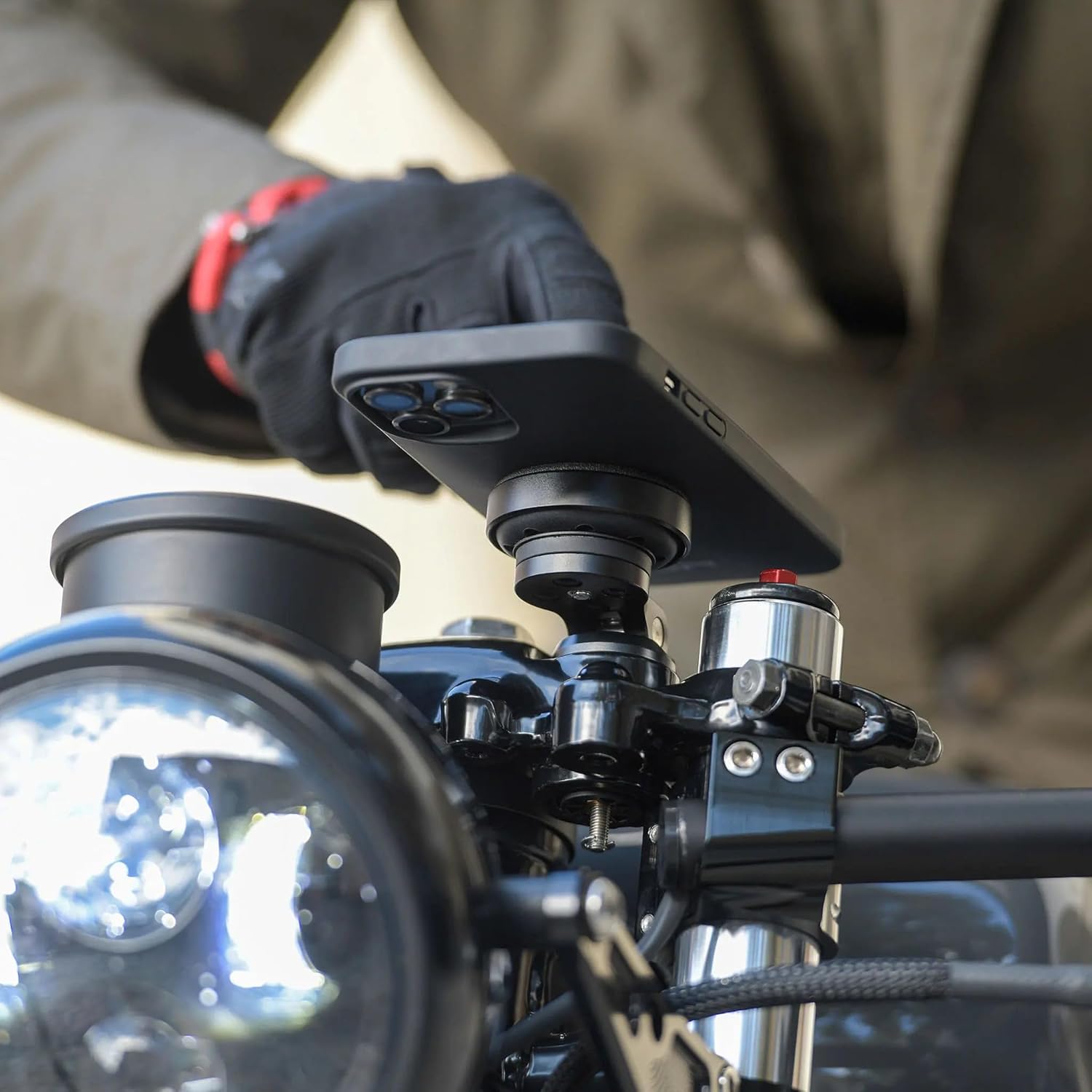
Image: A close-up shot demonstrating the rotation of a smartphone onto the SP Connect module for secure locking.

Image: A smartphone securely mounted on a motorcycle handlebar, displaying a navigation map, demonstrating its use during a ride.
Maintenance
To ensure the longevity and optimal performance of your SP Connect Charging Anti Vibration Module SPC+, follow these maintenance guidelines:
- Cleaning: Wipe the module regularly with a soft, damp cloth to remove dust and dirt. Avoid using harsh chemicals or abrasive cleaners.
- Inspect Connections: Periodically check the power cable and its connection points for any signs of wear, fraying, or corrosion. Ensure the cable is securely plugged into both the module and the power source.
- Check Mounting Screws: Verify that the mounting screws remain tight. If they loosen over time, gently tighten them to ensure the module is securely fixed to your mount.
- Elastomer Inlay: Inspect the elastomer inlay for any damage or excessive wear. While designed for durability, extreme conditions or impacts could affect its vibration dampening properties.
- Storage: If storing the module for an extended period, disconnect it from the power source and store it in a cool, dry place away from direct sunlight.
Troubleshooting
If you encounter issues with your SP Connect Charging Anti Vibration Module SPC+, refer to the following common problems and solutions:
| Problem | Possible Cause | Solution |
|---|---|---|
| Phone not charging wirelessly. |
|
|
| Phone feels loose or vibrates excessively. |
|
|
| Module does not fit existing mount. |
|
|
Specifications
| Model Number | 52808 |
| Brand | SP CONNECT |
| Product Dimensions | 5.1 x 3.9 x 1.3 inches |
| Item Weight | 0.035 ounces |
| Material | Aluminum |
| Color | Black |
| Compatible Phone Models | iPhone 12 series, Samsung Galaxy S20 and later, Pixel 5 and later |
| Fastener Type | Magnetic |
Warranty Information
Specific warranty details for the SP Connect Charging Anti Vibration Module SPC+ are typically provided with the product packaging or available on the official SP Connect website. Please refer to these resources for the most accurate and up-to-date warranty terms and conditions.
Customer Support
For further assistance, technical support, or inquiries regarding your SP Connect Charging Anti Vibration Module SPC+, please visit the official SP Connect website or contact their customer service department. Contact information can usually be found on the product packaging or the brand's official online presence.
Note: No official product videos from the seller were found in the provided data.
Related documents52808


Ask a question about this manual
Ask about setup, troubleshooting, compatibility, parts, safety, or missing instructions. Manuals+ will review the question and use this page’s manual context to help answer it.