
Introduction
Thank you for choosing EZVALO Under Cabinet Lights. This manual provides detailed instructions for the safe and efficient use of your new motion sensor puck lights. These rechargeable lights feature adjustable color temperatures, dimming capabilities, and group control, making them ideal for various indoor applications such as kitchens, cabinets, and closets.

Image: EZVALO Under Cabinet Lights demonstrating both warm (3000K) and cool (5000K) light settings in a kitchen environment.
Package Contents
- 3 x EZVALO Motion Sensor Puck Lights
- 3 x Adhesive Iron Sheets
- 1 x Type C Charging Cable
- 1 x Remote Control
- 1 x Instruction Manual
Setup and Installation
Initial Charge
Before first use, fully charge all puck lights using the provided Type C charging cable. The indicator light will turn red during charging and green when fully charged.

Image: A diagram illustrating the internal components of the EZVALO puck light, highlighting the 1200mAh rechargeable battery and the USB-C charging port with charging status indicators (red for charging, green for fully charged).
Installation Methods
The EZVALO puck lights offer two convenient installation methods:
- Magnetic Mount: Each puck light has a built-in strong magnet. If installing on an iron or magnetic surface, simply attach the light directly.
- Adhesive Mount: For non-magnetic surfaces, use the included adhesive iron sheets.
- Clean the desired installation surface to ensure it is dry and free of dust.
- Peel off the protective film from one side of an adhesive iron sheet and firmly press it onto the cleaned surface.
- Attach the puck light magnetically to the installed iron sheet.
This design allows for easy removal and repositioning of the lights for charging or temporary use.

Image: A visual guide demonstrating two installation methods: direct magnetic attachment to a magnetic surface and using an adhesive metal plate for non-magnetic surfaces.
Operating Instructions
Motion Sensor Modes
The puck lights feature an advanced motion sensor with a 120° sensing angle and a range of up to 10 feet. The lights will automatically turn off approximately 25 seconds after the last detected movement.
- Day Mode: Lights turn on when motion is detected, regardless of ambient light conditions.
- Night Mode: Lights turn on only when motion is detected in a dark environment, conserving battery life during daylight hours.
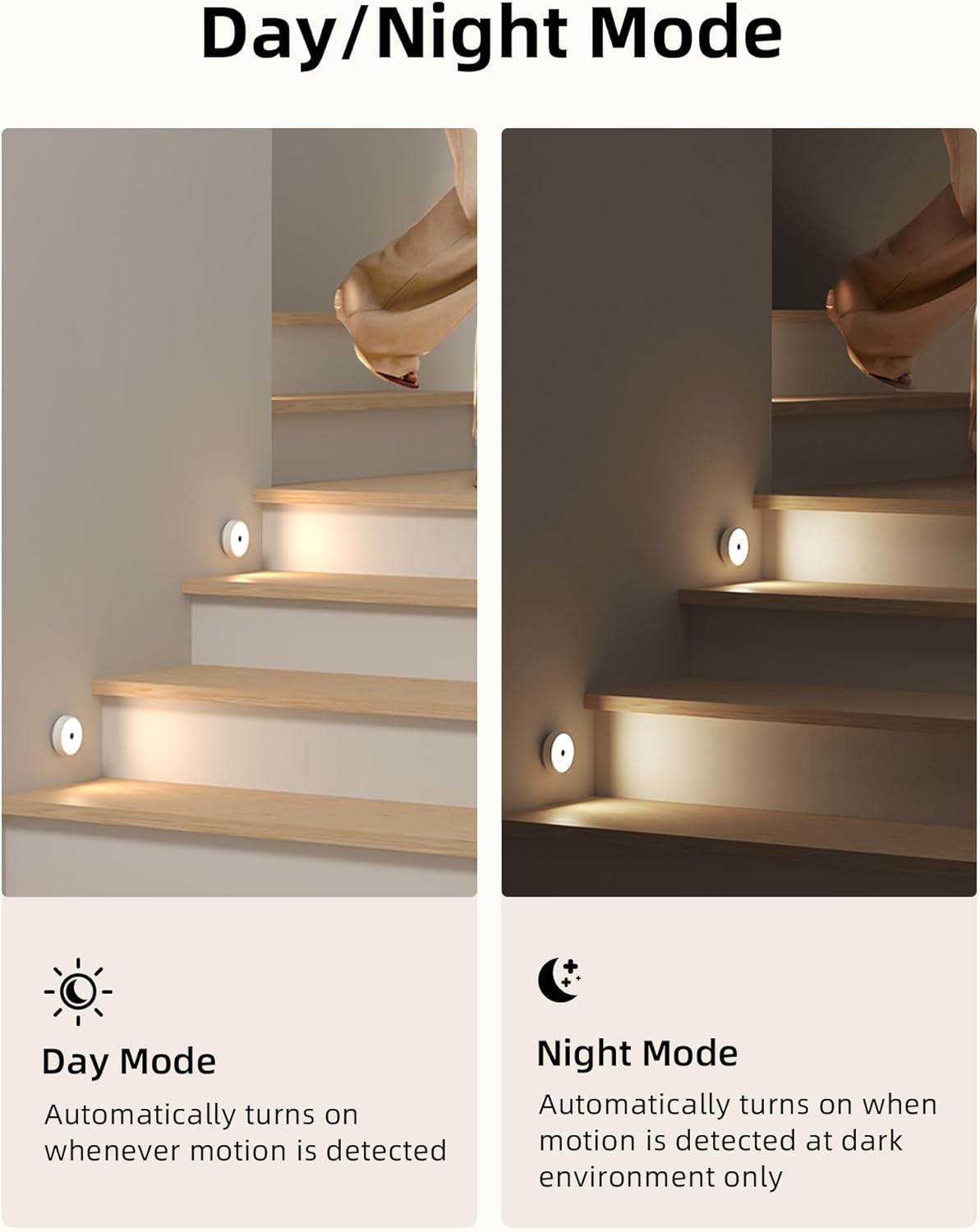
Image: A visual comparison of Day Mode, where lights activate with motion in any light condition, and Night Mode, where lights activate with motion only in dark environments.

Image: A kitchen scene illustrating the motion-activated feature of the EZVALO lights, highlighting the 120° sensing angle, 10 ft sensing distance, and 20-second auto-off function.
Remote Control Functions
The included remote control allows for convenient adjustment of your puck lights. It operates up to 10 feet away and can control lights assigned to two separate groups (G1 and G2).

Image: A detailed view of the remote control, showing buttons for Group 1 (G1), Group 2 (G2), ON/OFF, brightness adjustment (5%-100%), color temperature selection (3000K/5000K), Day/Night mode, and timing off settings (15/60/120 minutes).
- ON/OFF: Power the lights on or off.
- G1/G2: Assign lights to Group 1 or Group 2 for independent control.
- Brightness Adjustment: Increase or decrease brightness from 5% to 100%.
- Color Temperature: Switch between 3000K (warm light) and 5000K (cold white).
- Day/Night Mode: Select the desired motion sensor operating mode.
- Timing Off: Set the lights to automatically turn off after 15, 30, 60, 90, or 120 minutes.

Image: An infographic detailing the functions of each button on the remote control, including group selection, brightness adjustment, color temperature, Day/Night mode, and timing options.
Color Temperature and Dimming
The lights offer two distinct color temperatures and 10 levels of dimming to suit various preferences and environments.
- 3000K (Warm Light): Provides a cozy and inviting ambiance.
- 5000K (Cold White): Offers a bright and clear illumination, ideal for task lighting.
- Dimming: Adjust brightness from 5% to 100% using the remote control.

Image: A split image demonstrating the difference between 3000K warm light and 5000K cold white light, followed by a gradient showing 10 dimming levels from 5% to 100% brightness.
Maintenance
Charging
The puck lights are equipped with a 1200mAh rechargeable battery. When the battery is low, the indicator light will signal the need for charging. Connect the light to a power source using the Type C charging cable. The indicator light will be red during charging and turn green when fully charged. A full charge typically takes 2 hours and provides approximately 9 hours of illumination at maximum brightness in 'Always On' mode, or 15-45 days in motion-activated mode (depending on usage frequency).

Image: An illustration showing the dimensions of the puck light and details about its 1200mAh USB rechargeable battery, including a 2-hour full charge time and 9 hours of illumination at max brightness.
Cleaning
To clean the lights, gently wipe the surface with a soft, dry cloth. Do not use abrasive cleaners or immerse the lights in water, as they are not water-resistant.
Troubleshooting
- Lights not turning on: Ensure the lights are charged. Check if they are in the correct mode (Day/Night) for the ambient light conditions. Verify motion sensor is not obstructed.
- Lights turning off too quickly: Ensure there is continuous motion within the sensor's range. The lights are designed to turn off 25 seconds after the last detected movement.
- Remote control not working: Ensure the remote is within 10 feet of the lights and there are no significant obstructions. Check if the lights are assigned to the correct group (G1 or G2) that the remote is controlling.
- Inconsistent brightness or color: Ensure all lights are fully charged. Use the remote control to reset brightness and color temperature settings.
- Short battery life: Battery life varies based on usage frequency, brightness level, and mode (Day/Night). Frequent activation or continuous 'Always On' mode will deplete the battery faster. Ensure lights are fully charged.
If you encounter issues not covered here, please refer to the Warranty & Support section for assistance.
Specifications
| Brand | EZVALO |
| Model Name | LR02 |
| Dimensions | 3.3"L x 3.3"W x 1.2"H |
| Weight | 12.6 ounces (for 3-pack) |
| Power Source | Battery Powered (1200mAh Lithium Ion, included) |
| Charging Port | Type C |
| Light Source Type | LED |
| Wattage | 1 Watt |
| Voltage | 5 Volts |
| Color Temperatures | 3000K (Warm Light), 5000K (Cold White) |
| Dimming Range | 5% - 100% (10 levels) |
| Motion Sensor Angle | 120° |
| Motion Sensor Distance | Up to 10 feet |
| Auto-Off Time | 25 seconds after last motion |
| Control Method | Remote Control |
| Installation Type | Magnetic Mount, Adhesive Mount |
| Indoor/Outdoor Usage | Indoor |
| Water Resistance Level | Not Water Resistant |
Warranty and Support
EZVALO guarantees the quality of this product. If you have any questions, concerns, or require assistance with your EZVALO Under Cabinet Lights, please contact our customer service team. We are committed to providing a satisfactory after-sales solution.
For support, please refer to the contact information provided with your purchase or visit the official EZVALO website.