
Introduction
Thank you for choosing the INIU 3-in-1 Wireless Charging Station. This device is designed to simplify your charging experience by allowing you to simultaneously charge your iPhone, Apple Watch, and AirPods with a single, compact unit. Featuring 15W fast charging, a built-in watch charger, and an adaptive time display, this station provides a convenient and efficient power solution for your essential Apple devices.
Package Contents
Please verify that all items are present in your package:
- INIU 3-in-1 Wireless Charging Station x 1
- 25W Mini USB-C Power Adapter x 1
- USB-C Cable x 1
- User Manual x 1

Image: Contents of the INIU 3-in-1 Wireless Charging Station package.
Setup Guide
- Connect Power: Plug the provided USB-C cable into the charging station's input port and connect the other end to the 25W mini USB-C power adapter. Plug the adapter into a wall outlet.
- Placement: Place the charging station on a flat, stable surface, such as a nightstand or desk.
- Initial Use: The adaptive time display will activate upon power connection.

Image: The INIU 3-in-1 Wireless Charging Station in use, charging multiple devices.
Operating Instructions
Charging Your Devices
- For iPhone: Place your iPhone vertically on the charging stand. Ensure it is centered for optimal charging. The station supports up to 15W fast wireless charging for compatible iPhone models (iPhone 8 and later).
- For Apple Watch: Place your Apple Watch on the integrated magnetic charging module. The module is designed for hassle-free charging without needing to install your original watch charger.
- For AirPods: Place your AirPods case on the flat charging pad at the base of the station. For the smoothest charging experience, it is recommended to remove any silicon cases from your AirPods.

Image: Fast charging capabilities of the INIU Wireless Charging Station.
Device Compatibility
The charging station is compatible with a wide range of devices:
- Phones: Up to 15W for LG G7/V30+/ThinQ Q70; 10W for Samsung S8 and later; 7.5W for iPhone 8 and later; 5W for other wireless charging devices.
- Watches: Apple Watch Series 1/2/3/4/5/6/7/8/SE/Ultra.
- Earphones: AirPods Series.

Image: Detailed compatibility and power output for various devices.
Adaptive Time Display & Indicator
The built-in time display automatically adjusts its brightness based on ambient light conditions. It features a Daytime Mode for clear visibility and a Sleep Mode to prevent disturbing light during rest, ensuring a comfortable user experience.

Image: Adaptive time display with auto-dimming feature.
Through-Case Charging
The charging station supports wireless charging through phone cases up to 5mm thick. However, for optimal performance, avoid cases made of metal, those with metal rings or grips, and remove any credit cards or other foreign objects from between your phone and the charging surface.

Image: Information on through-case charging and limitations.
Optimal Viewing Angle
The design of the charging stand provides a 65-degree angle, which is optimized for comfortable viewing of your phone's screen while charging, whether for video calls or media consumption, reducing neck strain.

Image: Ergonomic design for optimal viewing angle.
Maintenance
To ensure the longevity and optimal performance of your INIU Wireless Charging Station, follow these maintenance guidelines:
- Cleaning: Disconnect the power before cleaning. Use a soft, dry cloth to wipe the surface of the charging station. Avoid using abrasive cleaners, solvents, or harsh chemicals.
- Storage: When not in use for extended periods, store the device in a cool, dry place away from direct sunlight and extreme temperatures.
- TempGuard2.0 Protection: The charging station is equipped with TempGuard2.0 technology, which helps prevent overheating and protects your device's battery health during charging. This system actively monitors temperature to ensure safe operation.
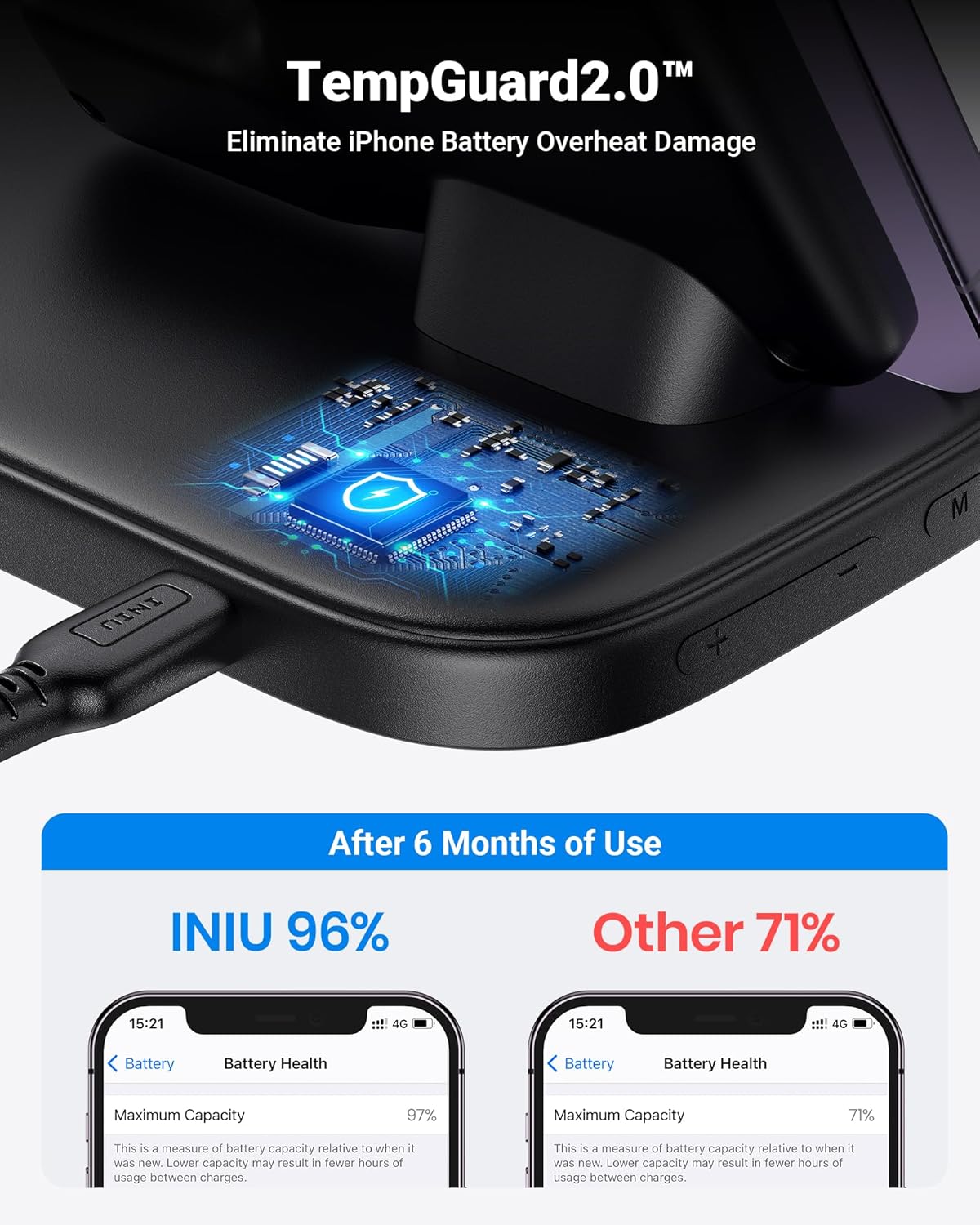
Image: TempGuard2.0 technology for battery protection.
Troubleshooting
If you encounter issues with your charging station, please refer to the following common problems and solutions:
- Device Not Charging:
- Ensure the power adapter is securely plugged into both the charging station and a working wall outlet.
- Verify that your device is properly aligned on the charging surface.
- Check if your phone case is thicker than 5mm or contains metal. Remove the case or any metal objects.
- For AirPods, ensure any silicon case is removed for optimal contact.
- Slow Charging:
- Ensure you are using the provided 25W mini USB-C power adapter and cable. Using a lower wattage adapter may result in slower charging.
- Confirm your device supports fast wireless charging.
- Apple Watch Not Charging:
- Ensure the Apple Watch is correctly placed on the magnetic module.
- Some watch cases, especially those with a backside, might interfere with charging. Try removing the watch case.
- Time Display Issues:
- Ensure the charging station is powered on.
- The clock has a coin battery for backup; if the unit was unplugged for an extended period or the battery is dislodged, the time may need to be reset.
Specifications
| Feature | Detail |
|---|---|
| Model Number | WI-220 |
| Package Dimensions | 6.42 x 5.12 x 3.62 inches |
| Item Weight | 10.5 ounces |
| Connectivity Technology | Wireless |
| Connector Type | Lightning (for AirPods charging area, though primary charging is wireless) |
| Input Voltage | 9 Volts |
| Special Feature | Fast Charging, Wireless Charger, Adaptive Time Display |
| Mounting Type | Tabletop Mount |
Warranty and Support
INIU stands behind the quality of its products. This INIU 3-in-1 Wireless Charging Station comes with an industry-leading 3-year warranty. This warranty covers manufacturing defects and ensures product reliability. For any support inquiries, technical assistance, or warranty claims, please refer to the contact information provided in the physical user manual included with your product or visit the official INIU store online.
Visit the INIU Official Store for more information and product updates.


