
AWEI A950BL
AWEI A950BL ANC Wireless Bluetooth Headphones User Manual
Model: A950BL | Brand: AWEI
Introduction

Figure 1: AWEI A950BL Headphones Overview
This image provides a clear front view of the AWEI A950BL ANC Wireless Bluetooth Headphones, showcasing their sleek black design.
Thank you for choosing the AWEI A950BL ANC Active Noise Cancelling Wireless Bluetooth Headphones. This manual provides detailed instructions on how to set up, operate, and maintain your headphones to ensure optimal performance and longevity. Please read this manual carefully before using the product.
Key Features
- Active Noise Cancelling (ANC): Immerse yourself in your audio by reducing ambient noise.
- Wireless Bluetooth Connectivity: Seamless connection to your devices for untethered listening.
- Wired Mode Option: Use with a 3.5mm audio cable for traditional wired listening or when battery is low.
- High-Quality Stereo Sound: Enjoy rich, clear audio with deep bass and crisp highs.
- Clear Calls: Integrated microphone for hands-free communication.
- Long Battery Life: Extended playback time for prolonged use.
- Compact Folding Design: Easy to store and carry, ideal for travel.
- Retractable Metal Arm: Durable and convenient for one-hand folding storage.
Package Contents

Figure 2: Product Appearance and Package Contents
This image displays the AWEI A950BL headphones and a list of items included in the package, such as the Bluetooth earphone, audio cable, charging cable, and manual.
- Bluetooth earphone x1
- Audio cable x1
- Charging cable x1
- Manual and 3 certificates x1
Setup
1. Charging the Headphones
Before first use, fully charge your AWEI A950BL headphones. Connect the provided charging cable to the charging port on the headphones and the other end to a USB power source (e.g., computer USB port, wall adapter). The charging indicator light will show the charging status and turn off or change color when fully charged.
Charging time is approximately 2-3 hours.
2. Powering On/Off
To power on, press and hold the Power button until you hear a prompt or see the indicator light flash. To power off, press and hold the Power button again until the indicator light turns off.
3. Bluetooth Pairing
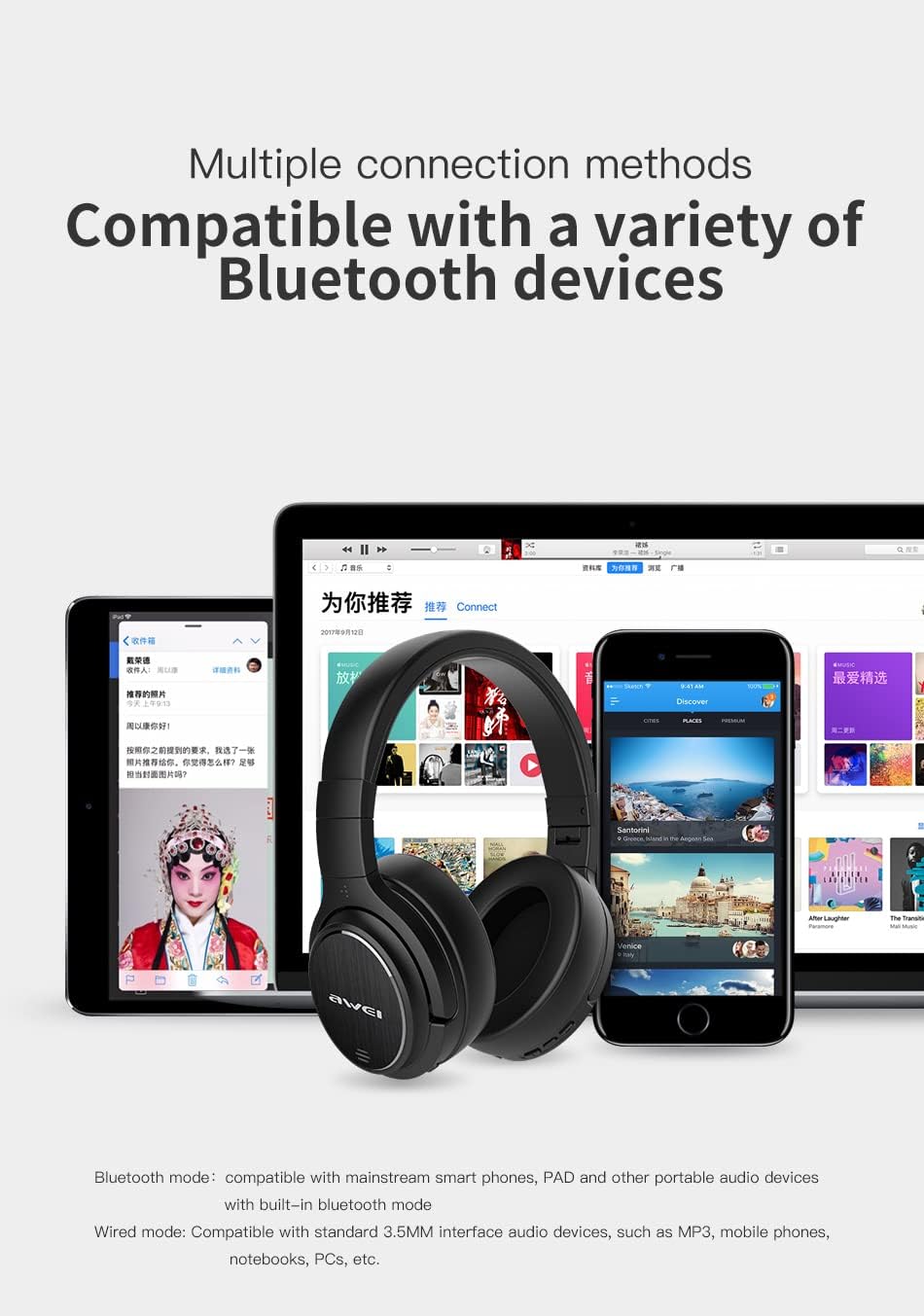
Figure 3: Multiple Device Connectivity
This image illustrates the AWEI A950BL headphones' compatibility with various Bluetooth devices, including smartphones, tablets, and laptops.
- Ensure the headphones are powered off.
- Press and hold the Power button for approximately 5-7 seconds until the indicator light flashes red and blue alternately, indicating pairing mode.
- On your device (smartphone, tablet, laptop), enable Bluetooth and search for available devices.
- Select "AWEI A950BL" from the list of found devices.
- Once paired, the indicator light on the headphones will flash blue slowly, and you will hear a confirmation tone.
The headphones support Bluetooth V4.1 and are compatible with mainstream smart phones, PAD, and other portable audio devices.
Operating Instructions
1. Basic Controls

Figure 4: Headphone Controls and Design
This image highlights the touch buttons located on the earcups for easy control and the retractable metal arm for adjustable fit and compact storage.
- Power On/Off: Press and hold the Power button.
- Volume Up/Down: Use the Volume + and - buttons.
- Play/Pause: Press the Multi-function button (often the Power button or a dedicated play/pause button).
- Next Track: Press and hold Volume + (or double-press).
- Previous Track: Press and hold Volume - (or double-press).
- Answer/End Call: Press the Multi-function button.
- Reject Call: Press and hold the Multi-function button.
- Activate Voice Assistant: Triple-press the Multi-function button (if supported).
2. Active Noise Cancelling (ANC)

Figure 5: Active Noise Cancelling in Use
This image depicts a user enjoying music with the AWEI A950BL headphones, emphasizing the effectiveness of the ANC technology for an immersive audio experience.
To activate or deactivate the ANC function, locate the dedicated ANC button (if available) or refer to the specific control on your headphones. When ANC is active, you will notice a significant reduction in ambient noise, enhancing your listening experience.
3. Wired Mode Operation

Figure 6: Wired and Wireless Switching
This image demonstrates the flexibility of the AWEI A950BL headphones, allowing users to switch between wireless Bluetooth mode and wired mode using the included 3.5mm audio cable.
The AWEI A950BL headphones can be used in wired mode. Connect the provided 3.5mm audio cable to the audio input jack on the headphones and the other end to your audio source. This mode is useful when the battery is depleted or for devices without Bluetooth connectivity. In wired mode, some electronic functions like ANC might still be available if the headphones have power, but Bluetooth functions will be disabled.
4. Battery Life

Figure 7: Extended Battery Performance
This image illustrates the AWEI A950BL headphones' long battery life, making them suitable for extended travel or listening sessions without frequent recharging.
The headphones feature a large-capacity lithium battery. Music time in single Bluetooth mode is approximately 46 hours. When Bluetooth and noise reduction are turned on simultaneously, the battery life is up to 25 hours.
Maintenance
- Cleaning: Use a soft, dry cloth to clean the headphones. Do not use abrasive cleaners or solvents.
- Storage: When not in use, store the headphones in a cool, dry place, away from direct sunlight and extreme temperatures. The compact folding design (Figure 8) allows for easy storage.
- Avoid Moisture: While the product may have some water resistance, avoid exposing it to excessive moisture or submerging it in water.
- Charging: Charge the headphones regularly, even if not in frequent use, to maintain battery health.

Figure 8: Compact Folding Design
This image demonstrates the AWEI A950BL headphones' ability to fold compactly, making them easy to store and transport, and protecting them when not in use.
Troubleshooting
| Problem | Possible Cause | Solution |
|---|---|---|
| Headphones won't turn on. | Low battery. | Charge the headphones fully. |
| Cannot pair with device. | Headphones not in pairing mode; device Bluetooth off; too far from device. | Ensure headphones are in pairing mode (flashing red/blue). Turn device Bluetooth on/off. Move closer to device (within 10M). |
| No sound. | Volume too low; incorrect audio source; headphones not connected. | Increase volume on headphones and device. Check if headphones are properly paired/connected. Try wired mode. |
| ANC not working effectively. | ANC feature not activated; very high-frequency noise. | Ensure ANC is turned on. ANC is most effective for low-frequency ambient noise. |
Specifications
Figure 9: Product Specifications Overview
This image provides a visual representation of the AWEI A950BL headphones and lists their key technical specifications, including model number, Bluetooth version, battery life, and communication distance.
| Parameter | Value |
|---|---|
| Model | A950BL |
| Bluetooth Version | Bluetooth V4.1 |
| Standby Time | 2160 hours |
| Talking Time | 50 hours |
| Music Time | 26-46 hours |
| Charging Time | 2-3 hours |
| Frequency Response | 2.402G-2.480G |
| Battery Capacity | 1050mAh/3.7V |
| Communication Distance | 10M |
| Supporting Agreement | HSP, HFP, A2DP, AVRCP |
| Net Weight | 260g |
| Water Resistance Level | Water Repellent |
| Control Type | Media Control |
Warranty and Support
AWEI products are designed and manufactured to the highest quality standards. For warranty information and customer support, please refer to the warranty card included in your package or visit the official AWEI website. Keep your purchase receipt as proof of purchase for warranty claims.
For further assistance, you may contact AWEI customer service through their official channels. The AWEI brand was established in 2005, focusing on the design, development and sales of smart accessories and hardware, with products certified by international testing agencies (CE/FCC/RoHS/SMETA/SRRC/BQB).
You can also visit the AWEI Store on Amazon for more information and product updates.
Related documentsA950BL


Ask a question about this manual
Ask about setup, troubleshooting, compatibility, parts, safety, or missing instructions. Manuals+ will review the question and use this page’s manual context to help answer it.