1. Introduction
This manual provides essential information for the proper use and maintenance of your LEXIBOOK Disney Princess Educational Bilingual Laptop. Please read it thoroughly before operating the device to ensure optimal performance and safety. This educational laptop offers 124 activities in both French and English, designed to enhance learning in mathematics, dactylography, logic, clock reading, and music, alongside engaging games.
2. Safety Information
WARNING! Not suitable for children under 36 months. Choking Hazard - Small parts.
- Always supervise children during use.
- Do not expose the device to water or excessive moisture.
- Avoid dropping or subjecting the device to strong impacts.
- Batteries should be handled by an adult. Do not mix old and new batteries, or different types of batteries.
- Dispose of batteries responsibly according to local regulations.
3. Package Contents
Please check that all items are present in the package:
- 1 x LEXIBOOK Disney Princess Educational Bilingual Laptop
- 1 x Wired Mouse
- 1 x Instruction Manual (this document)
4. Setup
4.1 Battery Installation
- Locate the battery compartment on the underside of the laptop.
- Using a screwdriver, open the battery compartment cover.
- Insert 2 x AA batteries (not included), ensuring correct polarity (+/-).
- Replace the battery compartment cover and secure it with the screw.
4.2 Connecting the Mouse
Plug the wired mouse connector into the designated port on the side of the laptop. The mouse is designed for easy handgrip and navigation.

Image: The LEXIBOOK Disney Princess Educational Laptop shown open with its screen displaying activities and a pink wired mouse connected. The laptop features a pink casing and a white keyboard.
5. Operating Instructions
5.1 Power On/Off
- To turn on the laptop, press the ON/OFF button located on the keyboard.
- To turn off the laptop, press the ON/OFF button again. The device will also automatically power off after a period of inactivity to conserve battery life.
5.2 Language Selection
The laptop is bilingual (French/English). To switch between languages, refer to the specific language selection button or menu option as indicated on the screen or in the quick start guide included with the product.
5.3 Activity Categories
The laptop features 124 educational activities across various categories:
- Language: Activities for learning letters, words, typing, and spelling in both French and English.
- Mathematics: Exercises covering numbers and basic calculations (addition, subtraction, multiplication, division).
- Dactylography: Typing practice to improve keyboard skills.
- Logic: Puzzles and challenges to develop logical thinking.
- Clock Reading: Activities to learn how to read analog and digital clocks.
- Music: Introduction to musical notes, composing simple melodies, and playing pre-programmed tunes.
- Games: Fun games designed to test logic, memory, and speed.
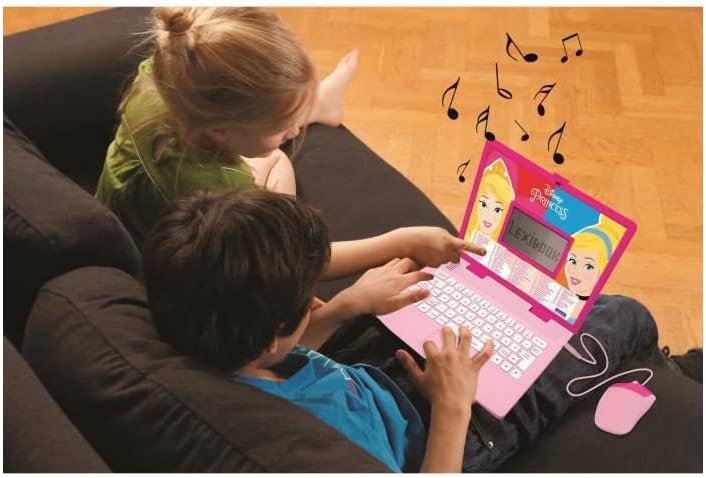
Image: Two young children are seated on a couch, looking at the open LEXIBOOK Disney Princess Educational Laptop. Musical notes are depicted floating above the screen, indicating a music activity.
5.4 Navigation and Interaction
- Keyboard: Use the QWERTY keyboard to input answers, type words, and navigate through menus.
- Mouse: The connected mouse allows for intuitive point-and-click interaction with on-screen elements.
- Volume Control: Adjust the sound level using the dedicated volume buttons (Vol+ / Vol-) on the keyboard.
- LCD Screen: The LCD screen displays animations and activity content.
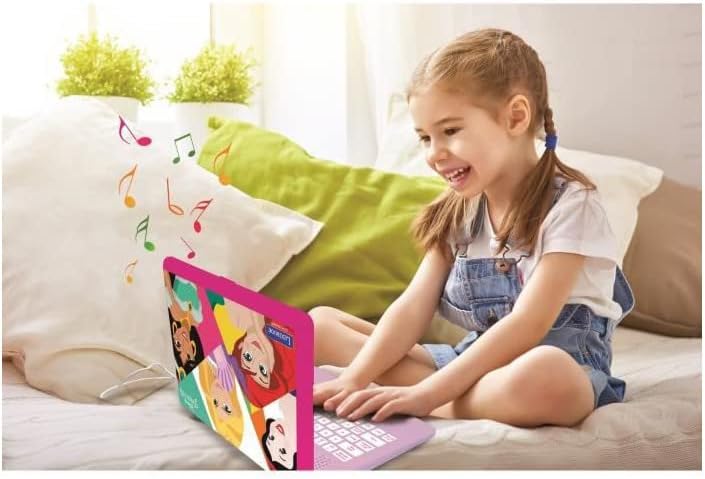
Image: A young girl is happily using the LEXIBOOK Disney Princess Educational Laptop while sitting on a bed. Musical notes are shown on the screen, suggesting a music-related activity.
6. Maintenance
6.1 Cleaning
- Wipe the laptop's surface with a soft, dry cloth.
- Do not use abrasive cleaners or solvents, as they may damage the finish.
- For the screen, use a screen-specific cleaning cloth or solution if necessary, applied to the cloth, not directly to the screen.
6.2 Storage
- Store the laptop in a cool, dry place away from direct sunlight and extreme temperatures.
- If the device will not be used for an extended period, remove the batteries to prevent leakage.
7. Troubleshooting
- Device does not turn on:
Check if the batteries are correctly inserted with the right polarity. Replace with fresh batteries if needed. Ensure the ON/OFF button is pressed firmly. - Screen is blank or flickering:
Ensure batteries are fresh. If the issue persists, try turning the device off and on again. - Sound is not working or too low:
Adjust the volume using the Vol+ button. Check if the device is muted. Ensure batteries are not low. - Mouse is not responding:
Ensure the mouse is securely plugged into its port. Try unplugging and re-plugging the mouse. - Activities are not progressing:
Ensure instructions for the current activity are being followed. Some activities may require specific key presses or mouse clicks to advance.
8. Specifications
| Model Number | JC598DPi1 |
| Brand | LEXiBOOK |
| Product Dimensions | 9.45 x 7.09 x 0.1 inches |
| Item Weight | 1.39 pounds |
| Recommended Age | 3 years and up |
| Batteries Required | 2 AA batteries (not included) |
| Manufacturer | Lexibook |
9. Warranty and Support
For warranty information and customer support, please refer to the warranty card included in your product packaging or visit the official LEXIBOOK website. You may also contact LEXIBOOK customer service directly for assistance with product inquiries, technical support, or replacement parts.
For further assistance, please visit: www.lexibook.com


