
1. Important Safety Information
Please read all instructions carefully before beginning installation and retain this manual for future reference. Improper installation or use can lead to electric shock, fire, or personal injury.
- Electrical Safety: Always disconnect power at the circuit breaker before installation, cleaning, or servicing. Ensure all electrical connections comply with local codes and ordinances. If you are unsure about wiring, consult a qualified electrician.
- Mounting: The ceiling fan must be mounted to a structurally sound ceiling joist or an outlet box rated for fan support (at least 35 lbs / 15.9 kg). Use only the hardware provided with the fan.
- Blade Clearance: Ensure there is adequate clearance from the fan blades to any obstructions, walls, or furniture.
- Remote Control: Keep the remote control out of reach of children.
2. Package Contents
Verify that all components are present before beginning installation:
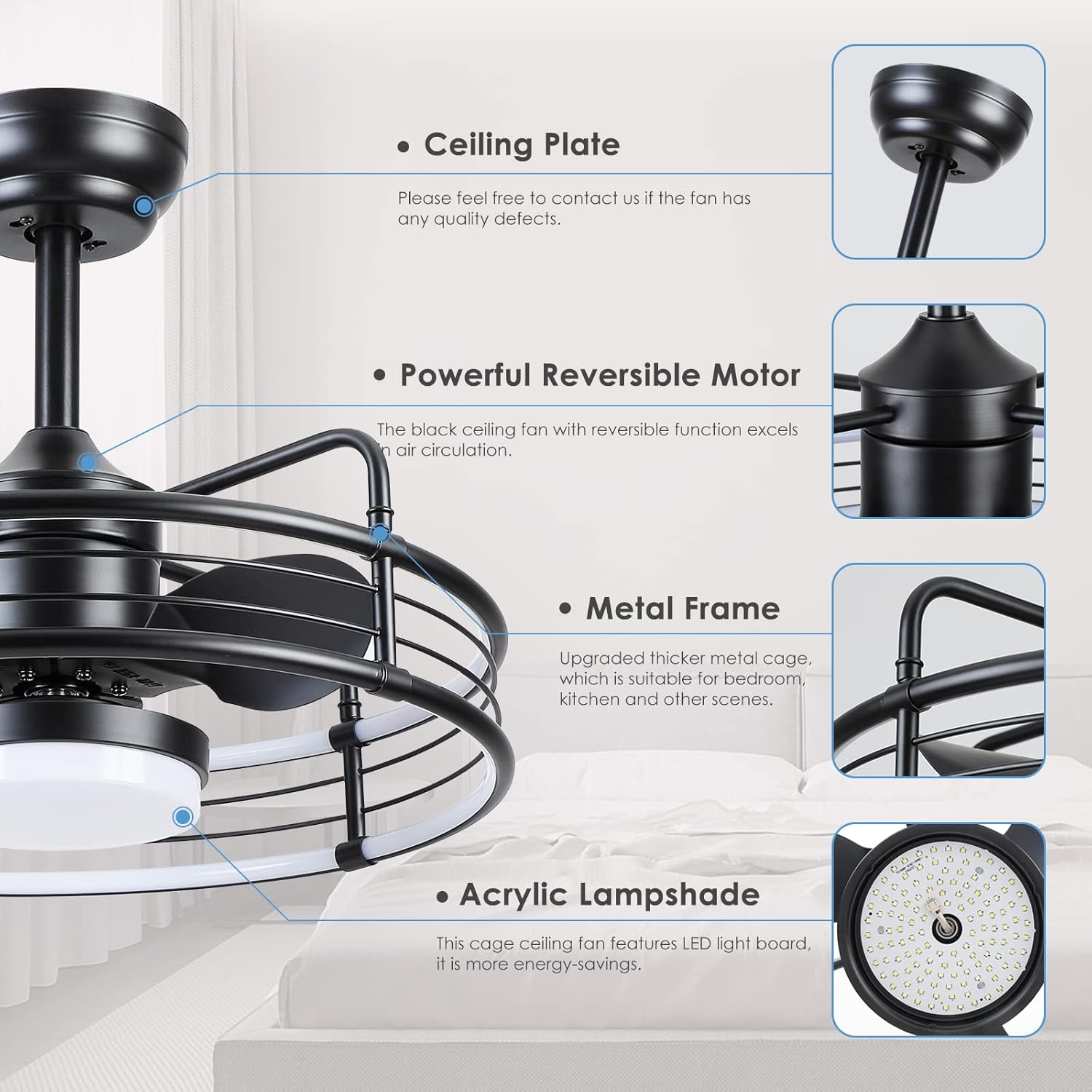
- Caged Ceiling Fan Unit (with integrated LED light)
- Remote Control
- Mounting Bracket
- Downrods (various lengths, if applicable)
- Hardware Pack (screws, wire nuts, washers)
- Instruction Manual
If any parts are missing or damaged, please contact Mpayel customer service.
3. Setup and Installation
3.1 Pre-Installation Checklist
- Ensure power is OFF at the circuit breaker.
- Confirm your electrical box is rated for fan support (a 4-inch electrical box may be required).
- Gather necessary tools: screwdriver, wire strippers, ladder, electrical tape.
3.2 Installation Steps (Flush Mount)
- Mounting Bracket: Secure the mounting bracket to the ceiling electrical box using the provided screws. Ensure it is firmly attached.
- Wiring: Connect the fan's electrical wires to your household wiring according to the wiring diagram in the manual. Typically, this involves connecting live, neutral, and ground wires. Use wire nuts to secure connections.
- Attach Fan Body: Carefully lift the fan body and attach it to the mounting bracket. Ensure all connections are secure and the fan is properly seated.
- Secure Fan: Fasten the fan body to the mounting bracket using the designated screws.
- Power On: Restore power at the circuit breaker and test the fan and light functions.

4. Operating Instructions
The Mpayel ceiling fan is operated using the included remote control.
4.1 Remote Control Functions
- Power ON/OFF: Turns the fan and/or light on or off.
- Fan Speed: Adjusts fan speed through 6 settings.
- Light ON/OFF: Controls the LED light independently from the fan.
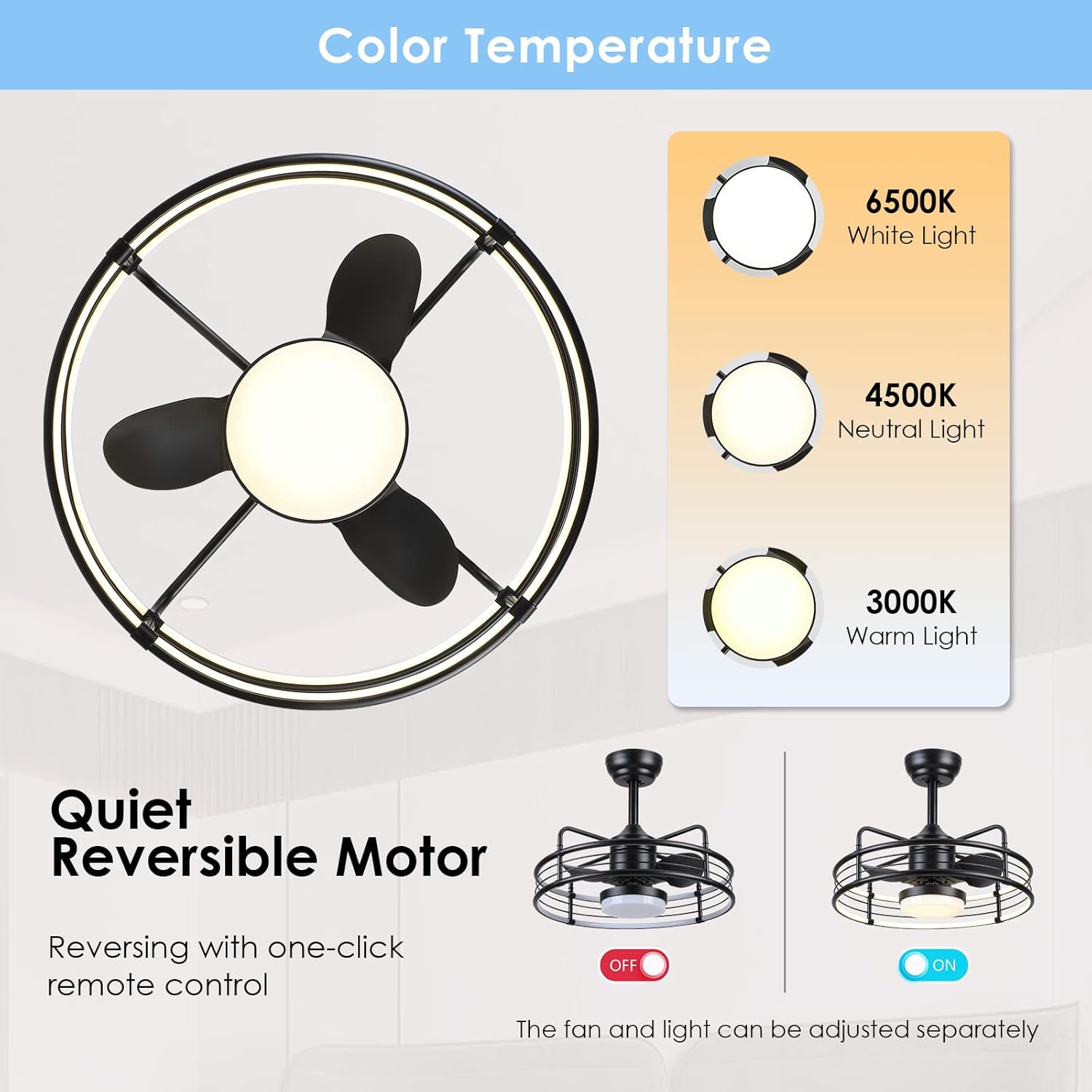
- Color Temperature Adjustment: Cycles through 3 color temperatures: 3000K (Warm Light), 4500K (Neutral Light), and 6500K (White Light).
- Stepless Dimming: Adjusts light brightness from 0% to 100%.
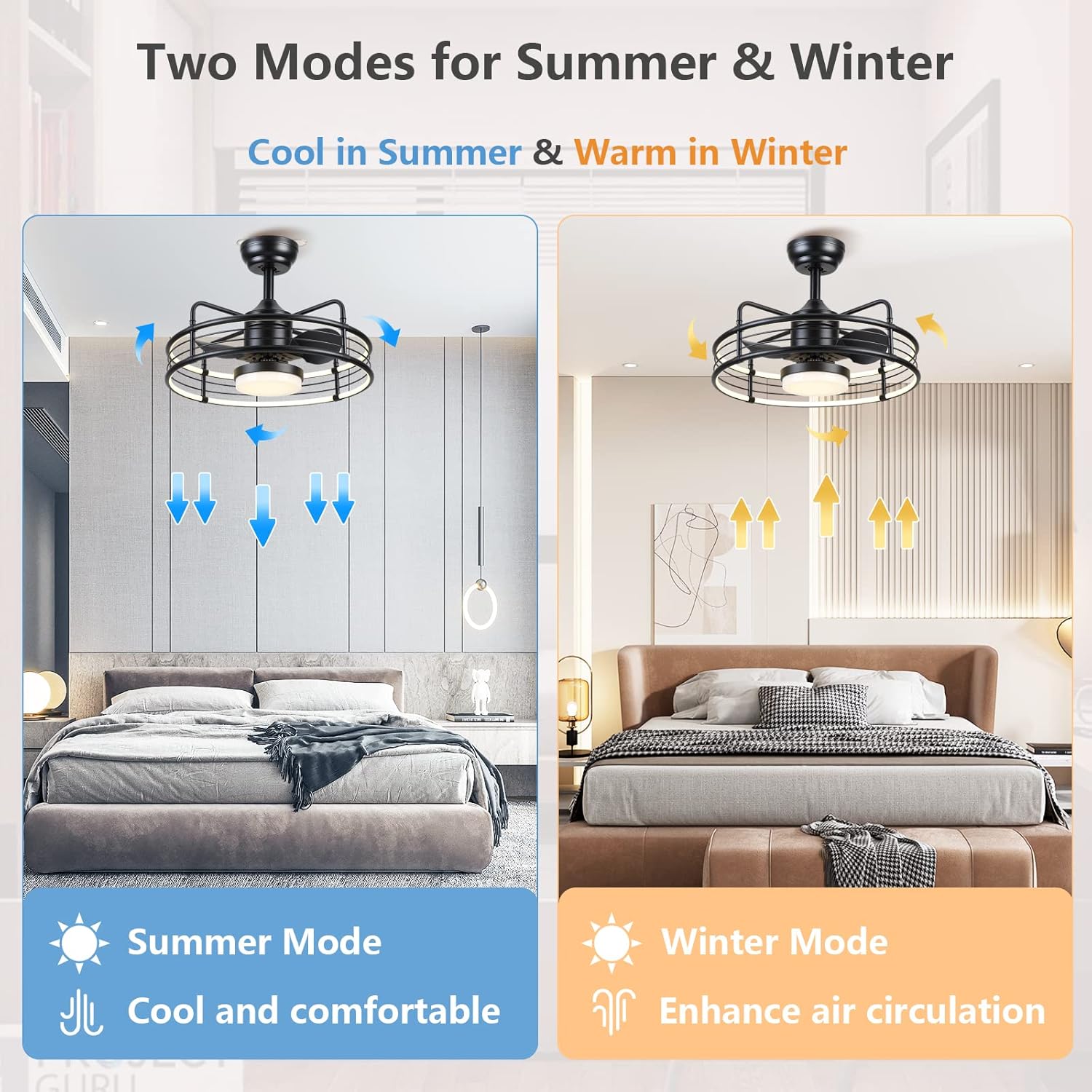
- Reversible Wind Direction: Changes the direction of the fan blades for summer (downward airflow) or winter (upward airflow) modes.
- Timer: Sets the fan to turn off automatically after 2 hours.

4.2 Summer and Winter Modes
The reversible motor allows for optimal air circulation throughout the year:
- Summer Mode: Blades rotate counter-clockwise, pushing air downwards to create a cooling breeze.
- Winter Mode: Blades rotate clockwise, drawing air upwards to circulate warm air trapped near the ceiling, enhancing air circulation without creating a direct draft.
4.3 Quiet Operation
The fan is designed with a DC motor for low noise operation, typically below 30dBM, ensuring a comfortable environment.

5. Maintenance
Regular maintenance ensures the longevity and optimal performance of your ceiling fan.
- Cleaning: Periodically wipe the fan blades, motor housing, and light fixture with a soft, damp cloth. Do not use abrasive cleaners or solvents. Ensure power is off before cleaning.
- Tighten Fasteners: Check all screws and fasteners annually to ensure they are secure. Loose connections can cause noise or wobble.
- Light Source: The LED light source is integrated and not user-replaceable. If the light fails, contact customer service.
6. Troubleshooting
If you encounter issues with your fan, refer to the following common problems and solutions:
| Problem | Possible Cause | Solution |
|---|---|---|
| Fan does not start | No power to the fan; Remote control battery low or dead; Incorrect wiring. | Check circuit breaker; Replace remote battery; Verify wiring connections (power off first). |
| Light does not work | No power to the light; Remote control battery low or dead; Integrated LED failure. | Check circuit breaker; Replace remote battery; Contact customer service if LED fails. |
| Fan is noisy | Loose screws or mounting; Unbalanced blades (less common with caged design); Motor issue. | Ensure all mounting screws are tight; Contact customer service if noise persists, especially from the motor. |
| Remote control not working | Low or dead battery; Obstruction between remote and receiver; Remote not paired. | Replace battery; Ensure clear line of sight; Refer to remote pairing instructions (if applicable, usually automatic). |
If the problem persists after attempting these solutions, please contact Mpayel customer service.
7. Specifications
| Feature | Specification |
|---|---|
| Brand | Mpayel |
| Model Number | B6007M-US |
| Product Dimensions (L x W x H) | 50.8 x 50.8 x 20.3 cm (19.7 x 19.7 x 7.5 inches) |
| Item Weight | 5.78 kg |
| Material | Metal |
| Style | Modern |
| Light Fixture Form | Close to Ceiling |
| Power Source | Corded Electric |
| Control Method | Remote Control |
| Light Source | LED |
| Wattage | 48 watts |
| Brightness | 4800 lumen |
| Installation Type | Flush Mount |
| Special Features | Bladeless, LED Light, Reversible Motor, 6 Fan Speeds, Dimmable, Adjustable Color Temperature (3000K/4500K/6500K) |
8. Warranty and Support
8.1 Warranty Information
Mpayel offers a 12-month warranty on quality-related replacements or refunds from the date of purchase. This warranty covers manufacturing defects and issues arising from normal use.
8.2 Customer Support
If you have any questions about your Mpayel Caged Ceiling Fan, require technical assistance, or need to claim warranty service, please do not hesitate to contact our customer service team. We aim to respond to all inquiries within 24 hours.
Please have your model number (B6007M-US) and purchase information ready when contacting support.