
OFANTOP 7068
OFANTOP 52 Inch Indoor Outdoor Ceiling Fan User Manual
Model: 7068
1. Introduction
Thank you for choosing the OFANTOP 52 Inch Indoor Outdoor Ceiling Fan. This manual provides detailed instructions for the safe installation, operation, and maintenance of your new ceiling fan. Please read this manual thoroughly before installation and keep it for future reference. This fan is designed for both indoor and outdoor use, featuring a quiet DC motor, integrated dimmable LED light, and multiple control methods including remote, smart app, and voice control.

Image: The OFANTOP 52 Inch Indoor Outdoor Ceiling Fan with dark brown blades and a black motor housing, installed in a contemporary living room setting.
2. Safety Information
Always follow basic safety precautions when installing and operating electrical appliances to reduce the risk of fire, electric shock, and personal injury.
- Read all instructions before beginning installation.
- Ensure the power is turned off at the circuit breaker before installation or maintenance.
- All wiring must be in accordance with national and local electrical codes. If you are unfamiliar with wiring, consult a qualified electrician.
- The mounting structure must be capable of supporting a minimum of 35 lbs (15.9 kg).
- Do not operate the fan with a damaged power cord or plug.
- Keep hands, hair, and clothing away from moving fan blades.
- This fan is ETL certified, ensuring it meets specific safety standards.
3. Package Contents
Verify that all components listed below are included in your package. If any parts are missing or damaged, contact OFANTOP customer support.
- Ceiling Fan Motor Housing
- Fan Blades (3)
- Downrod (5" and 10" options included)
- Mounting Bracket
- Canopy
- Integrated LED Light Kit
- Remote Control with Wall Mount
- Hardware Pack (screws, wire nuts, washers)
- Instruction Manual
4. Installation Guide
The OFANTOP ceiling fan is designed for straightforward installation. Follow these general steps. For detailed diagrams and specific wiring instructions, refer to the included printed manual.
- Turn off Power: Before starting, ensure the power supply to the fan location is turned off at the main circuit breaker.
- Mounting Bracket Installation: Secure the mounting bracket to the ceiling junction box. Ensure the junction box is securely fastened to the building structure and can support the fan's weight.
- Assemble Downrod and Fan: Attach the chosen downrod (5" or 10") to the fan motor housing. Carefully lift the fan assembly and hang it on the mounting bracket.
- Wiring Connections: Connect the fan's electrical wires to the household wiring according to the wiring diagram provided in the detailed manual. Use the included wire nuts to secure connections.
- Attach Fan Blades: Securely attach the three fan blades to the motor housing.
- Install Light Kit: Connect and install the integrated LED light kit to the bottom of the fan motor housing.
- Secure Canopy: Raise the canopy to cover the mounting bracket and wiring, and secure it with the provided screws.
- Restore Power: Once installation is complete and all connections are secure, restore power at the circuit breaker.
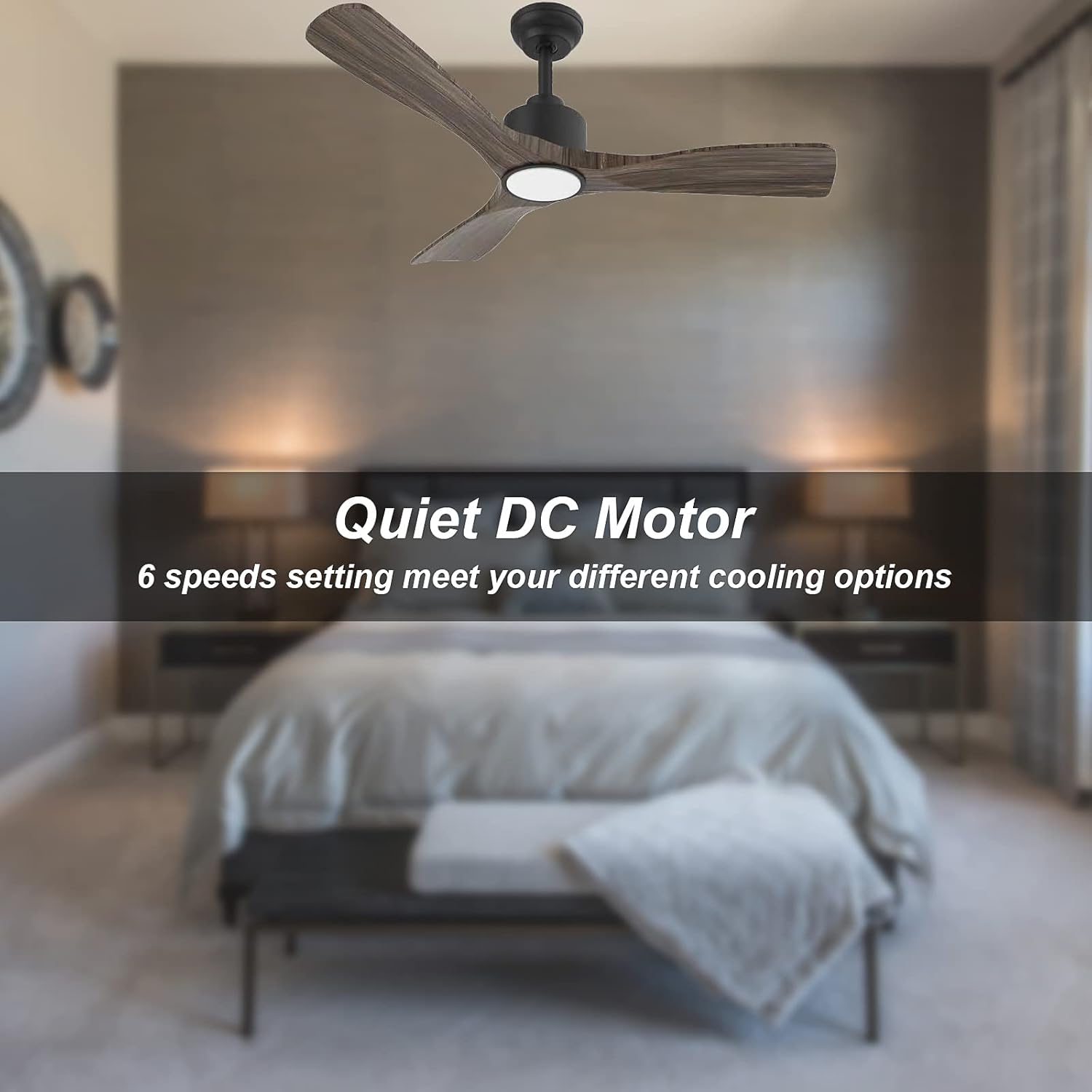
Image: A diagram illustrating the fan's dimensions (52" diameter, 11.6"/16.6" height with different downrods) and recommended room sizes (12 ft x 12 ft to 17 ft x 17 ft) for optimal air circulation.
5. Operating Instructions
Your OFANTOP ceiling fan offers versatile control and functionality for optimal comfort.
5.1. Control Methods
The fan can be controlled via the included remote, a smart app, or voice commands (Alexa and Google Assistant compatible). Please note that for smart app and voice control, the fan initially requires a 2.4GHz Wi-Fi connection for setup; it can then operate on 5GHz networks.

Image: Visual representation of the multiple control methods: a physical remote control, a smartphone displaying the control app, and logos for Amazon Alexa and Google Assistant, indicating voice control compatibility.
5.2. Fan Speed and DC Motor
The fan features a quiet and energy-efficient DC motor with 6 adjustable speeds. This allows for precise control over airflow, providing comfortable cooling for various room sizes and conditions.

Image: The ceiling fan in a bedroom setting, highlighting its quiet DC motor and 6-speed settings for various cooling options.
5.3. Dimmable LED Light
The integrated 20W LED light offers three color temperature settings (3000K warm white, 4500K natural white, and 6000K cool white) and is fully dimmable. Adjust the brightness and color temperature using the remote control to suit your preference and mood.

Image: A visual comparison of the fan's integrated LED light at three different color temperatures: 6000K (cool white), 4500K (natural white), and 3000K (warm white), demonstrating its dimmable capability from 0% to 100%.
5.4. Reverse Function (Summer/Winter Mode)
The fan features a reverse function, allowing you to change the direction of the blades for year-round comfort. In summer, blades rotate counter-clockwise to create a downdraft, providing a cooling breeze. In winter, blades rotate clockwise to create an updraft, circulating warm air trapped near the ceiling.

Image: A diagram illustrating the fan's reverse function, showing counter-clockwise rotation for summer (downward airflow) and clockwise rotation for winter (upward airflow), with the remote control icon indicating how to switch modes.
5.5. Indoor/Outdoor Application
This fan is rated IP44, making it suitable for both indoor and outdoor covered spaces such as bedrooms, living rooms, kitchens, and patios. Its robust design ensures durability in various environments.

Image: The OFANTOP ceiling fan installed on a covered outdoor patio, demonstrating its suitability for outdoor use. The image also highlights its IP44 rating, high CFM (6335 CFM), and sloped ceiling compatibility (15° max).

Image: A collage showing the OFANTOP ceiling fan installed in three different settings: a living room, a kitchen, and a covered porch, illustrating its versatility for various indoor and outdoor applications.
6. Maintenance
Regular maintenance will ensure the longevity and optimal performance of your ceiling fan.
- Cleaning: To clean the fan, wipe with a soft, damp cloth. Do not use abrasive cleaners or solvents, as they may damage the finish.
- Blade Cleaning: Dust the fan blades regularly to prevent dust buildup, which can affect balance and airflow.
- Tighten Fasteners: Periodically check all screws and fasteners on the fan and mounting hardware to ensure they are secure.
- No Lubrication Needed: The DC motor is permanently lubricated and does not require oiling.
7. Troubleshooting
If you experience issues with your fan, consult the following common troubleshooting steps before contacting customer service.
| Problem | Possible Cause | Solution |
|---|---|---|
| Fan does not start | No power to the fan; Loose wire connections; Remote control battery low. | Check circuit breaker; Verify all wire connections are secure; Replace remote control battery. |
| Light does not work | Loose wire connection to light kit; LED driver issue. | Check light kit wiring; Contact customer support if LED driver is suspected. |
| Remote control not working | Battery low or incorrectly installed; Remote not paired with fan. | Replace battery, ensure correct polarity; Refer to pairing instructions in the full manual. |
| Fan wobbles | Loose blades or mounting hardware; Unbalanced blades. | Ensure all blade screws and mounting screws are tight; Use a balancing kit (not included) if necessary. |
8. Product Specifications
| Feature | Specification |
|---|---|
| Brand | OFANTOP |
| Model Name | 7068 |
| Product Dimensions | 52"D x 52"W x 11.6"H |
| Color | Dark Brown |
| Electric Fan Design | Ceiling Fan |
| Room Type | Bedroom, Kitchen, Living Room |
| Special Feature | App Operable, ETL Listed, IP44 Outdoor |
| Recommended Uses | Cooling |
| Wattage | 20 watts (for light) |
| Number of Blades | 3 |
| Air Flow Capacity | 6031 Cubic Feet Per Minute |
| Voltage | 120V |
| Switch Type | Remote |
| Included Components | Remote |
| Indoor/Outdoor Usage | Indoor, Outdoor |
| Specification Met | ETL |
| Control Method | App, Remote, Voice |
| Light Type | LED |
| Blade Material | Plastic |
| Item Weight | 19.26 pounds |
| Date First Available | September 27, 2022 |
9. Warranty Information
OFANTOP products are manufactured to the highest quality standards. This product is covered by a manufacturer's warranty against defects in materials and workmanship. Please refer to the warranty card included in your product packaging for specific terms, conditions, and duration. Keep your purchase receipt as proof of purchase for warranty claims.
10. Customer Support
For any questions, technical assistance, or warranty claims, please contact OFANTOP customer support. Our team is available to assist you with any issues you may encounter.
- Online Support: Visit the official OFANTOP website for FAQs and support resources.
- Email Support: Refer to your warranty card or product packaging for the customer service email address.
- Phone Support: Refer to your warranty card or product packaging for the customer service phone number.
Related documents7068


Ask a question about this manual
Ask about setup, troubleshooting, compatibility, parts, safety, or missing instructions. Manuals+ will review the question and use this page’s manual context to help answer it.