Introduction
This manual provides detailed instructions for the setup, operation, maintenance, and troubleshooting of your Timex UFC Redemption 50mm Digital Watch. Please read this guide thoroughly to ensure proper use and longevity of your timepiece.

Image: Front view of the Timex UFC Redemption 50mm Digital Watch, displaying its digital time, date, and various function indicators. The watch features a black case with red accents and a black strap.
Setup
Initial Time and Date Setting
Your watch is equipped with multiple buttons for navigation and setting. While specific button functions may vary slightly, the general procedure for setting time and date on most digital watches involves:
- Accessing Set Mode: Press and hold the MODE button (often located on the left side) until the display begins to flash, indicating it is in setting mode.
- Navigating Settings: Use the MODE button to cycle through different settings such as hours, minutes, year, month, and day.
- Adjusting Values: Use the ADJUST or START/STOP button (often on the right side) to increase or decrease the flashing value.
- Confirming Settings: Once all desired settings are adjusted, press the MODE button again, or a dedicated SET button, to exit the setting mode and save your changes.
Refer to the watch's side view image to identify the buttons:
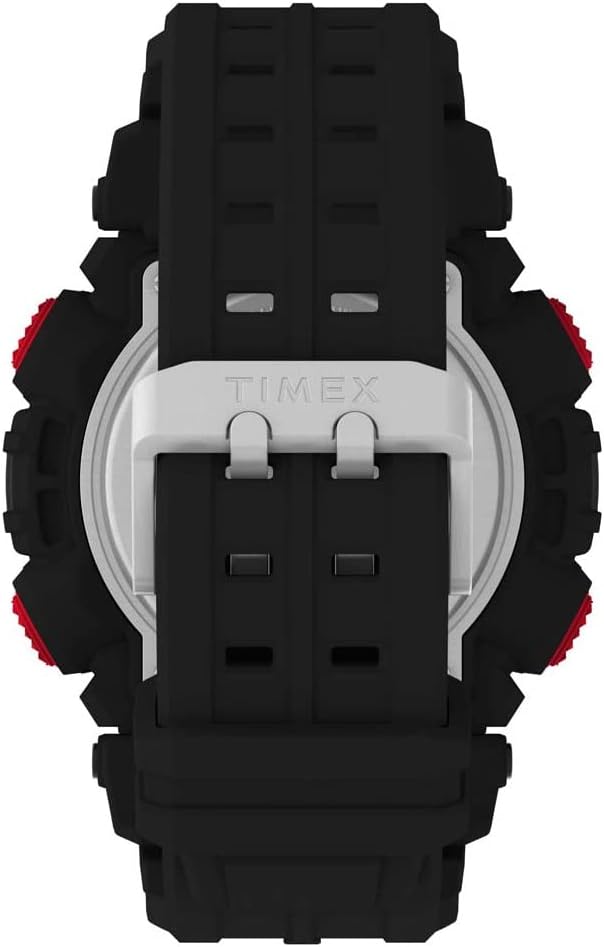
Image: Side view of the Timex UFC Redemption 50mm Digital Watch, highlighting the various control buttons on the left and right sides of the watch case.
Battery Information
The watch comes with one Lithium Metal battery included. Battery life varies depending on usage of features like the backlight and alarm. When the display dims or functions become erratic, it may be time for a battery replacement.
Operating the Watch
Basic Time Display
The watch primarily displays time in a digital format. It may offer 12-hour or 24-hour formats, which can typically be toggled in the setting mode.
Indiglo Backlight
To illuminate the watch face in low-light conditions, press the LIGHT button (usually located on the top right). The Indiglo feature provides even illumination across the entire digital display for easy readability.
Water Resistance
This watch is water resistant to 50 meters (164 feet). This rating means it can withstand splashes or brief immersion in water. It is not suitable for swimming, bathing, or diving. Avoid pressing buttons while the watch is wet or submerged to prevent water ingress.
Additional Functions
Your digital watch may include various functions accessible via the MODE button. These commonly include:
- Stopwatch: For timing events. Typically uses START/STOP and RESET buttons.
- Alarm: To set a daily alarm.
- Timer: A countdown timer function.
- Second Time Zone: For tracking time in a different region.
Maintenance
Cleaning
To clean your watch, wipe it with a soft, damp cloth. Avoid using harsh chemicals or abrasive materials, which can damage the case, strap, or acrylic lens.
Battery Replacement
Battery replacement should ideally be performed by a qualified watch technician to ensure proper sealing and maintain water resistance. If replacing yourself, ensure the correct battery type (CR2025 Cell, as indicated on the back case) is used and the gasket is properly seated.
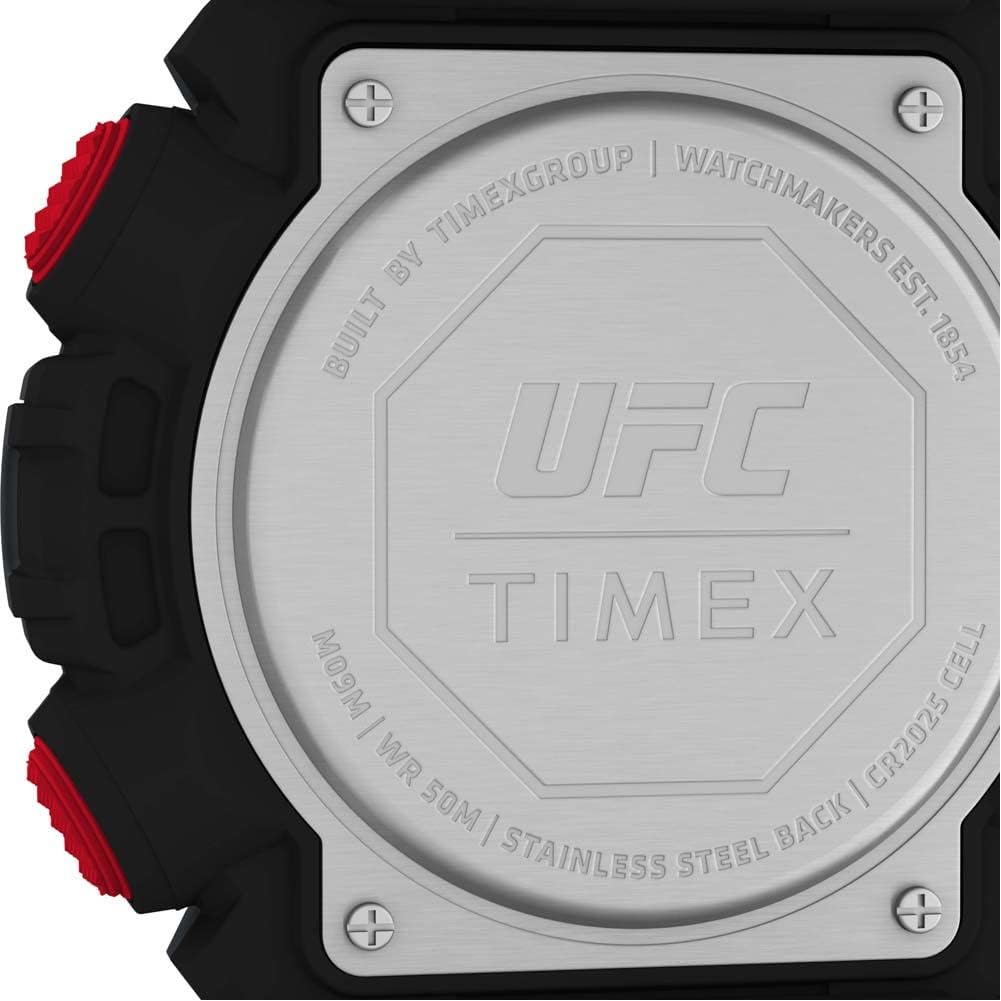
Image: Close-up view of the watch's stainless steel back case, showing the UFC and Timex logos, water resistance rating (WR 50M), and battery type (CR2025 Cell).
Strap Care
The watch features a durable black strap. Clean the strap regularly to remove dirt and sweat, which can prolong its life and prevent skin irritation.

Image: Back view of the Timex UFC Redemption 50mm Digital Watch, showing the black strap and the stainless steel case back with the Timex logo.
Troubleshooting
- Display is blank or dim: The battery may be low or depleted. Replace the battery.
- Time is incorrect: Re-enter the time setting mode and adjust the time and date as described in the Setup section.
- Buttons are unresponsive: Ensure the watch is not in a locked mode (if applicable) or that no water is interfering with button operation. If the issue persists, a reset may be necessary (consult Timex support).
- Water inside the watch: Immediately cease use and seek professional service. Water damage is typically not covered under warranty.
For more complex issues, please contact Timex customer support or visit their official website for detailed model-specific instructions.
Specifications
| Feature | Detail |
|---|---|
| Model Number | TW5M53700JT |
| Case Size | 50mm |
| Product Dimensions | 1.57 x 3.94 x 2.36 inches |
| Weight | 4.76 ounces |
| Water Resistance | 50m (164ft) |
| Lens Material | Acrylic |
| Strap Material | Resin/Silicone (Black 8 inch strap) |
| Battery Type | 1 Lithium Metal (CR2025 Cell) |
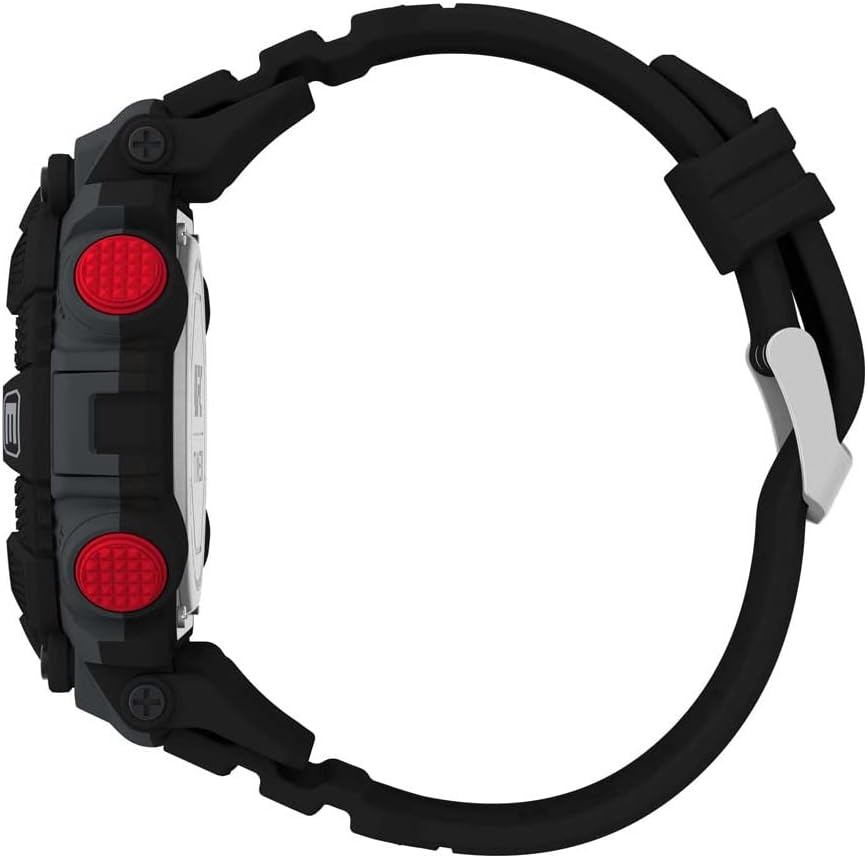
Image: Side profile view of the Timex UFC Redemption 50mm Digital Watch, illustrating its thickness and the curvature of the strap.
Warranty and Support
Warranty Information
Timex watches typically come with a limited warranty covering manufacturing defects. The duration and terms of the warranty may vary by region. Please retain your proof of purchase. For specific warranty details, visit the official Timex website or contact their customer service.
Customer Support
For further assistance, technical support, or warranty claims, please contact Timex customer service through their official website or the contact information provided with your purchase. When contacting support, please have your watch model number (TW5M53700JT) and purchase details readily available.


