
1. Important Safety Information
WARNING: Small parts may be generated. Not for children under 3 years.
EYEWEAR: Always wear eye protection when using this product to prevent injury. Do not modify darts or blasters. Do not aim at eyes or face. Use only official Nerf darts.
2. What's Included
Your package contains the following items:
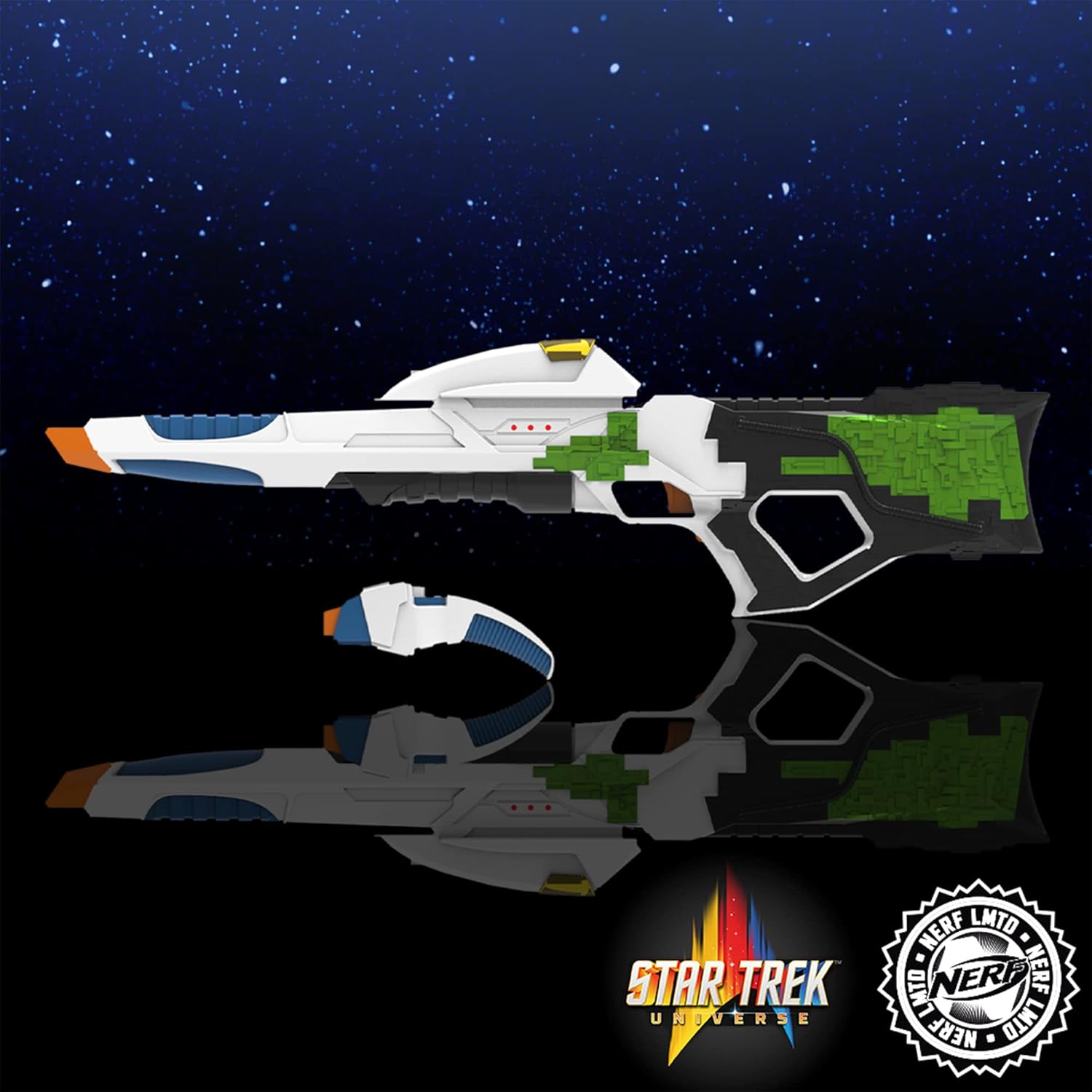
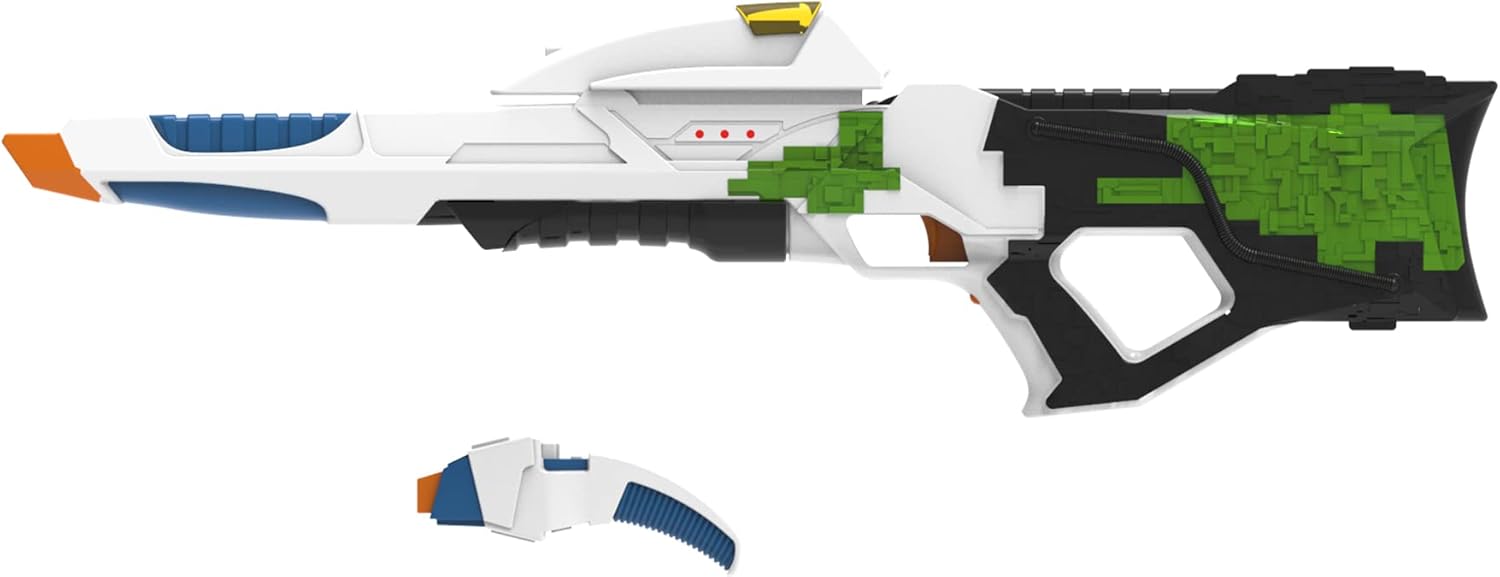
- 1x Nerf LMTD Star Trek Starfleet Type 3 Motorized Blaster
- 1x Nerf LMTD Star Trek Starfleet Type 2 Phaser
- 7x Official Nerf Elite Foam Darts
- Instruction Manual
3. Setup
3.1. Type 3 Phaser Battery Installation
The Type 3 Phaser requires 4x 1.5V C alkaline batteries (not included) for motorized dart blasting, lights, and sounds.
- Locate the battery compartment on the Type 3 Phaser, typically near the butt of the blaster.
- Using a Phillips head screwdriver (not included), unscrew the battery compartment cover.
- Insert 4x 1.5V C alkaline batteries, ensuring correct polarity (+/-) as indicated inside the compartment.
- Replace the battery compartment cover and secure it with the screw.
3.2. Dart Loading
Use only Official Nerf Elite foam darts with these blasters.
Type 3 Phaser (Motorized Blaster)
- Locate the internal 5-dart clip opening on the side of the blaster.
- Insert up to 5 Nerf Elite darts into the clip, pushing them in until they are fully seated.
Type 2 Phaser (Manual Blaster)
- Locate the dart loading port at the front of the blaster.
- Insert one Nerf Elite dart into the port until it is fully seated.

4. Operating Instructions
4.1. Type 3 Phaser (Motorized Blaster)
The Type 3 Phaser features motorized dart blasting, light-up effects, and authentic sounds from the Star Trek: First Contact film.
- Ensure batteries are correctly installed (refer to Section 3.1).
- Load up to 5 darts into the internal clip (refer to Section 3.2).
- Locate the power switch. This blaster may feature a 'Cosplay Mode' (lights and sounds only) and a 'Full Mode' (lights, sounds, and motor). Select your desired mode.
- Press and hold the acceleration button (usually located on the handle) to power up the motor. You will hear the motor whirring.
- While holding the acceleration button, pull the trigger to fire one dart. The blaster will emit phaser sounds and light effects.
- Release the acceleration button and trigger when finished firing.
4.2. Type 2 Phaser (Manual Blaster)
The Type 2 Phaser is a single-shot manual blaster.
- Load one dart into the front loading port (refer to Section 3.2).
- Pull back the priming handle, located at the rear of the blaster, until it clicks into place.
- Push the priming handle forward to return it to its original position. The blaster is now primed.
- Press the trigger to launch the dart.
5. Maintenance
- Cleaning: Wipe the blasters with a clean, damp cloth. Do not immerse in water.
- Dart Care: Store darts in a clean, dry place. Avoid bending or crushing darts, as this can affect performance and accuracy.
- Battery Storage: Remove batteries from the Type 3 Phaser if it will not be used for an extended period to prevent leakage.
6. Troubleshooting
- Type 3 Phaser not firing or motor not spinning: Check battery installation and ensure batteries are fresh. Make sure the power switch is in 'Full Mode' and the acceleration button is fully pressed before pulling the trigger.
- Darts jamming: Ensure only official Nerf Elite darts are used. Check darts for damage or deformation. Do not overfill the Type 3 Phaser's internal clip (maximum 5 darts). For the Type 2 Phaser, ensure the priming handle is fully pulled back and pushed forward.
- No lights or sounds on Type 3 Phaser: Check battery installation. Ensure the power switch is not in the 'OFF' position.
7. Specifications
| Brand | Nerf |
| Model Number | F8203 |
| Age Range | 8+ Years |
| Included Components | 1x Type 3 Blaster, 1x Type 2 Phaser, 7x Elite Darts |
| Type 3 Blaster Battery Type | 4x 1.5V C Alkaline Batteries (not included) |
| Material Type | Plastic |
| Item Weight | 2.72 kg (approx. 6 lbs) |
| Item Dimensions (L x W x H) | 35.51" x 3.27" x 10.51" (Type 3 Blaster) |
8. Warranty and Support
For warranty information and customer support, please refer to the documentation included with your product packaging or visit the official Nerf/Hasbro website. Specific warranty terms may vary by region and retailer.
Online Support: Hasbro Customer Service