Introduction
Thank you for choosing the HOMCOM 5-Tier Wall-Mounted Display Cabinet. This manual provides essential information for the safe assembly, installation, operation, and maintenance of your new display cabinet. Please read these instructions thoroughly before beginning assembly and retain them for future reference.

Image: The HOMCOM 5-Tier Wall-Mounted Display Cabinet, shown installed in a room, displaying various small items and collectibles.
Safety Information
- Always assemble and mount the cabinet horizontally.
- Do not place heavy items on the middle partition.
- Ensure the cabinet is securely mounted to the wall to prevent it from falling.
- Keep small parts away from children during assembly to prevent choking hazards.
- Use appropriate tools and follow all steps carefully to avoid injury or damage to the product.
Package Contents
Before assembly, verify that all components listed below are present and undamaged. If any parts are missing or damaged, please contact customer support.
- Cabinet Panels (Top, Bottom, Side, Back)
- Glass Sliding Doors
- Adjustable Shelves (4 pieces)
- Shelf Pins/Supports
- Assembly Hardware (screws, dowels, etc.)
- Wall Mounting Hardware
Assembly Instructions
Follow these steps carefully for proper assembly. It is recommended to assemble the cabinet on a soft, clean surface to prevent scratches.
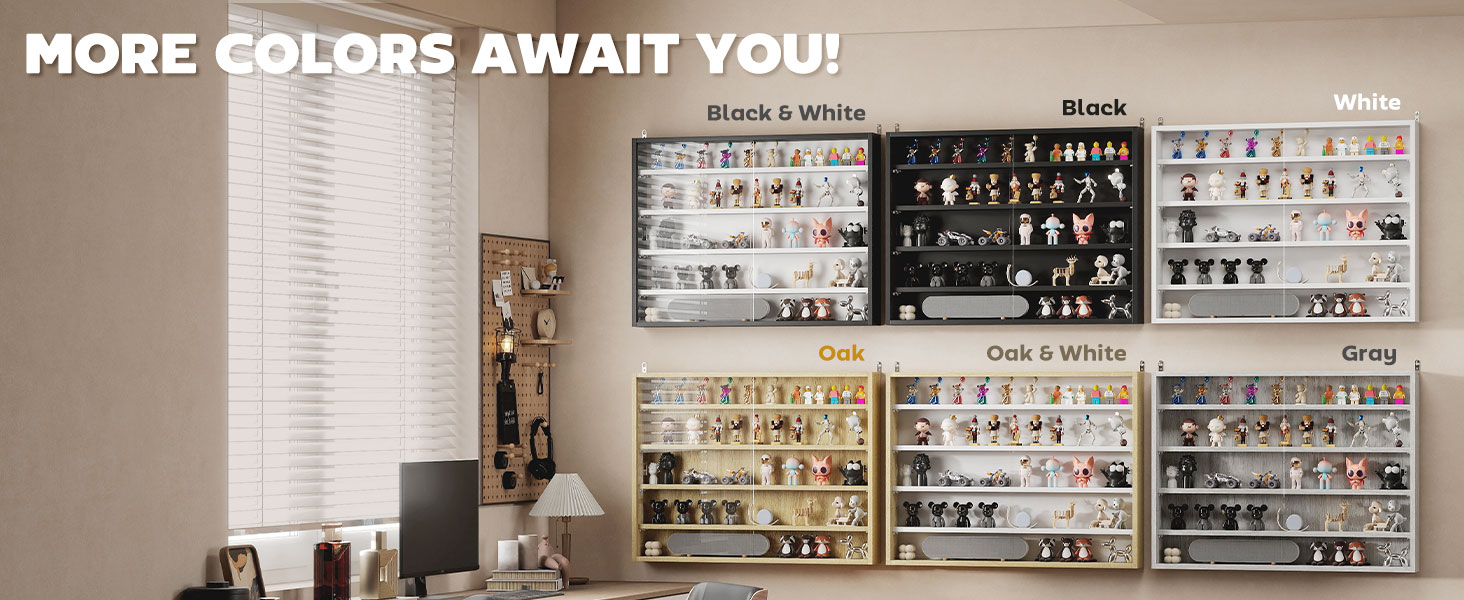
Image: Step-by-step assembly diagram for the display cabinet.
- Step 1: Assemble Outer Panels
Connect the top, bottom, and left side boards using the provided hardware. Ensure all connections are secure. - Step 2: Install Glass Doors
Carefully slide the glass panels into the front tracks of the assembled frame. Ensure they move smoothly. - Step 3: Attach Right Panel
Secure the right side board in place, completing the main frame of the cabinet. - Step 4: Insert Shelves
Insert the shelf pins into the desired slots. There are seven different positions available for the four adjustable shelves. Place the shelves onto the pins. - Step 5: Fix to Wall
Secure the cabinet firmly to the wall using the provided wall mounting hardware. Ensure the cabinet is level and stable.
Installation (Wall Mounting)
This display cabinet is designed for wall mounting. Proper installation is crucial for safety and stability.
- Identify a suitable wall location. Ensure the wall material can support the weight of the cabinet and its contents.
- Use a level to mark the desired mounting height and ensure the cabinet will be horizontal.
- Drill pilot holes according to the wall mounting hardware instructions.
- Attach the mounting brackets to the wall, then carefully lift and secure the cabinet onto the brackets.
- Double-check all connections and ensure the cabinet is firmly attached to the wall before placing items inside.

Image: Detail of the wall mounting mechanism.
Operating Instructions
Adjusting Shelves
The cabinet features four adjustable shelves with seven possible positions, allowing you to customize the display space for various item sizes.
- Empty the shelf you wish to adjust.
- Remove the shelf by lifting it off its pins.
- Relocate the shelf pins to the desired new slots.
- Place the shelf back onto the pins, ensuring it is level and secure.

Image: Illustration of the flexible display options with adjustable shelves.
Using Glass Sliding Doors
The cabinet is equipped with full-size glass sliding doors to protect your displayed items from dust and allow clear viewing.
- To open or close the doors, gently slide them along the tracks using the integrated groove handles.
- Ensure the doors are properly aligned in their tracks for smooth operation.

Image: Detail of the glass sliding door with groove handle.
Maintenance
- To clean the cabinet, wipe surfaces with a damp cloth. Avoid harsh chemicals or abrasive cleaners.
- Regularly check wall mounting hardware for tightness to ensure the cabinet remains secure.
- Inspect glass doors and tracks periodically for any debris that might hinder smooth operation.
Specifications
| Brand | HOMCOM |
| Model Name | Display Cabinet |
| Item Model Number | 833-761GY |
| Color | Grey |
| Product Dimensions | 31.5" W x 3.75" D x 23.5" H |
| Item Weight | 24 Pounds |
| Material | Engineered Wood, Glass |
| Number of Shelves | 4 (adjustable) |
| Number of Levels | 5 |
| Weight Capacity (each shelf) | 4.4 lbs. |
| Mounting Type | Wall Mount |
| Special Features | Adjustable Shelf, Large Storage, Sliding Door |

Image: Detailed dimensions of the display cabinet.
Troubleshooting
If you encounter any issues with your display cabinet, please refer to the following common solutions:
- Glass doors do not slide smoothly: Ensure the cabinet is assembled squarely and is level on the wall. Check the tracks for any obstructions or debris.
- Cabinet feels unstable after mounting: Verify that all wall mounting hardware is securely fastened and that the wall material is appropriate for supporting the cabinet's weight. Re-tighten screws if necessary.
- Missing parts: Double-check the package contents against the list. If parts are genuinely missing, contact customer support for assistance.
Warranty and Support
For warranty information or technical support, please refer to the documentation included with your purchase or visit the official HOMCOM website. Keep your purchase receipt as proof of purchase.
Product Video Overview
Video: An overview of the HOMCOM 5-Tier Wall-Mounted Display Cabinet, demonstrating its features and potential uses.


