
Aigostar 300105B3G
Aigostar 12-Cup Programmable Coffee Maker User Manual
Model: 300105B3G
Introduction
Thank you for choosing the Aigostar 12-Cup Programmable Coffee Maker. This manual provides essential information for the safe and efficient operation, maintenance, and troubleshooting of your new coffee maker. Please read it thoroughly before first use and keep it for future reference.
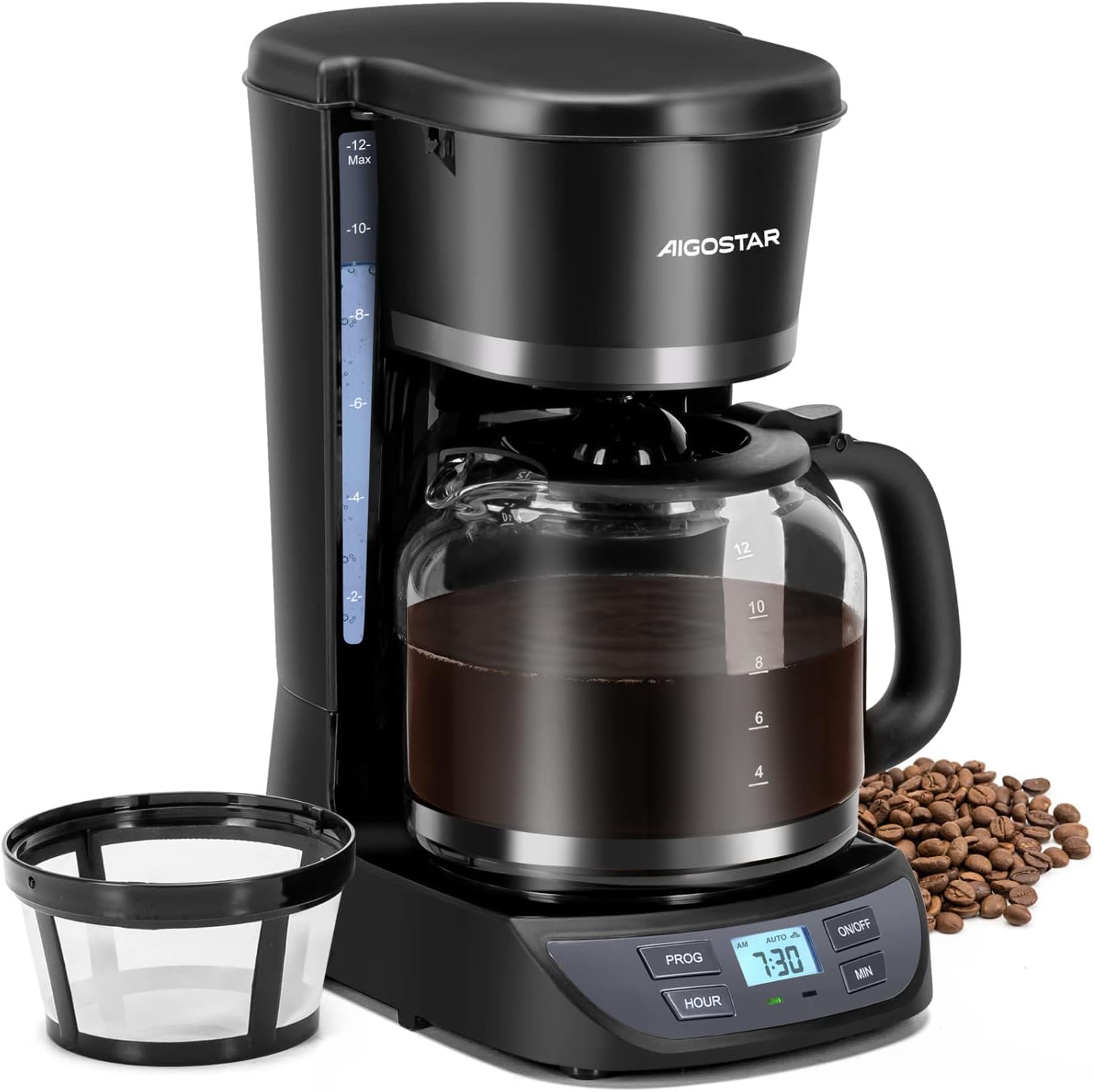
Image: The Aigostar 12-Cup Programmable Coffee Maker with its glass carafe and control panel.
Important Safeguards
When using electrical appliances, basic safety precautions should always be followed, including the following:
- Read all instructions.
- Do not touch hot surfaces. Use handles or knobs.
- To protect against fire, electric shock, and injury to persons, do not immerse cord, plugs, or coffee maker in water or other liquid.
- Close supervision is necessary when any appliance is used by or near children.
- Unplug from outlet when not in use and before cleaning. Allow to cool before putting on or taking off parts, and before cleaning the appliance.
- Do not operate any appliance with a damaged cord or plug or after the appliance malfunctions, or has been damaged in any manner. Return appliance to the nearest authorized service facility for examination, repair, or adjustment.
- The use of accessory attachments not recommended by the appliance manufacturer may result in fire, electric shock, or injury to persons.
- Do not use outdoors.
- Do not let cord hang over edge of table or counter, or touch hot surfaces.
- Do not place on or near a hot gas or electric burner, or in a heated oven.
- Always attach plug to appliance first, then plug cord into the wall outlet. To disconnect, turn any control to "off", then remove plug from wall outlet.
- Do not use appliance for other than intended use.
- Scalding may occur if the lid is removed during the brewing cycles.
Product Components
Familiarize yourself with the parts of your Aigostar coffee maker:
- Top Lid: Covers the water reservoir and brew basket.
- Water Level Indicator: Transparent window on the side to show water volume.
- Basket Filter: Holds the coffee grounds.
- Swing-open Brew Basket: Allows easy access for adding grounds and cleaning.
- Anti-Drip Function: Prevents dripping when the carafe is removed during brewing.
- Power Cord Storage: Integrated storage at the base for tidy storage.
- Keep Warm Plate: Maintains coffee temperature after brewing.
- High Borosilicate Coffee Pot (Carafe): Durable glass carafe for brewed coffee.
- Control Panel - 24H Timer: Digital display and buttons for programming and operation.

Image: Detailed diagram showing the various components of the coffee maker, including the top lid, water tank, brew basket, carafe, and control panel.

Image: Visual representation of key features: front-view water tank, large flat bottom filter, borosilicate glass carafe, and cord storage design.
Setup and First Use
- Unpack: Carefully unpack the coffee maker and remove all packaging materials.
- Clean: Before first use, clean all removable parts (carafe, filter basket) in warm, soapy water. Wipe the exterior of the coffee maker with a damp cloth.
- Initial Rinse: To clean the internal components, fill the water reservoir to the "12-cup" mark with clean water. Place the empty carafe on the warming plate. Run a full brewing cycle without coffee grounds. Discard the water and repeat once more.
- Positioning: Place the coffee maker on a flat, stable, heat-resistant surface. Ensure adequate ventilation around the unit.
- Cord Storage: Utilize the integrated cord storage at the base to keep your counter tidy.

Image: A user filling the coffee maker's water tank and adding coffee grounds to the swing-open brew basket.
Operating Instructions
Brewing Coffee
- Fill Water Reservoir: Open the top lid and fill the water reservoir with fresh, cold water using the carafe. Refer to the water level indicator on the side for desired cups (up to 12 cups).
- Add Coffee Grounds: Open the swing-open brew basket. Place a permanent filter (included) or a paper filter into the basket. Add the desired amount of ground coffee. A general guideline is one tablespoon of coffee grounds per cup. Close the brew basket and top lid securely.
- Place Carafe: Ensure the glass carafe is correctly placed on the warming plate.
- Start Brewing: Press the "ON/OFF" button. The indicator light will illuminate, and brewing will begin.
- Pause & Serve: The anti-drip feature allows you to temporarily remove the carafe during brewing to pour a cup. Replace the carafe within 30 seconds to prevent overflow.
- Keep Warm: After brewing is complete, the warming plate will keep the coffee hot for up to 2 hours.
- Auto Shutoff: The coffee maker will automatically shut off after 2 hours for safety and energy saving.

Image: Close-up of the coffee maker showing the water level indicator and the swing-open brew basket design.

Image: A hand demonstrating the "Pause & Serve" feature, allowing a cup to be poured during the brewing cycle without dripping.

Image: Visual explanation of the "Keep Warm" function (2 hours) and the "Auto-Shut Off" safety feature.
Setting the 24-Hour Programmable Timer
- Set Current Time:
- Press the "HOUR" button to set the hour. The time will advance.
- Press the "MIN" button to set the minute. The time will advance.
- Hold the buttons to advance quickly.
- Set Programmed Brew Time:
- Press the "PROG" button. The display will show "AUTO" and the programmed time.
- Use the "HOUR" and "MIN" buttons to set your desired future brew time.
- After setting, press the "PROG" button again to confirm. The "AUTO" indicator will light up.
- Activate Programmed Brew: Ensure the coffee maker is loaded with water and coffee grounds. The coffee maker will automatically start brewing at the set programmed time.

Image: The control panel displaying the 24-hour programmable timer feature, allowing users to set a wake-up ready coffee time.
Official Product Videos
Maintenance and Cleaning
Regular cleaning ensures optimal performance and extends the life of your coffee maker.
- Daily Cleaning:
- Always unplug the coffee maker before cleaning and allow it to cool completely.
- Remove the filter basket and discard used coffee grounds. Wash the filter basket and glass carafe in warm, soapy water. Rinse thoroughly and dry. These parts are also top-rack dishwasher safe.
- Wipe the exterior of the coffee maker with a soft, damp cloth. Do not use abrasive cleaners or scouring pads.
- Do not immerse the coffee maker base, cord, or plug in water or any other liquid.
- Descaling (Mineral Deposit Removal):
Mineral deposits (calcium) can build up in your coffee maker and affect its performance. Descale your coffee maker every 2-4 weeks, depending on water hardness.
- Fill the water reservoir with a mixture of white vinegar and cold water (1:2 ratio).
- Place the empty carafe on the warming plate.
- Press the "ON/OFF" button to start a brewing cycle.
- After about 10 minutes, turn off the coffee maker and let it soak for at least 30 minutes to allow the solution to clean the internal components.
- Turn the coffee maker back on and let the remaining solution brew through.
- Discard the vinegar solution.
- Run 2-3 cycles with clean, cold water to rinse out any remaining vinegar taste or odor.

Image: A hand removing the permanent filter from the brew basket and rinsing it under running water, demonstrating ease of cleaning.
Troubleshooting
| Problem | Possible Cause | Solution |
|---|---|---|
| Coffee does not brew. |
|
|
| Coffee tastes weak or too strong. |
|
|
| Water overflows from filter basket. |
|
|
| Coffee drips when carafe is removed. | Anti-drip mechanism may be clogged or malfunctioning. | Clean the anti-drip valve located at the bottom of the filter basket. If the problem persists, contact customer support. |
Specifications
- Brand: Aigostar
- Model: 300105B3G
- Capacity: 12 Cups
- Color: Black
- Product Dimensions: 12.52"D x 7.68"W x 14.09"H
- Special Feature: Programmable, 24-Hour Timer, Auto Pause, Auto Keep Warm (2 hours), Auto Shutoff
- Coffee Maker Type: Drip Coffee Machine
- Filter Type: Permanent Round Mesh Filter
- Carafe Material: High Borosilicate Glass (BPA-Free)
- Human Interface Input: Buttons
- Item Weight: 4.36 pounds
- UPC: 850027654010

Image: Diagram showing the dimensions of the Aigostar Coffee Maker: 14.09 inches height, 12.52 inches depth, and 7.68 inches width.
Warranty and Support
This Aigostar product comes with a 1-year guarantee from the date of purchase. This warranty covers defects in materials and workmanship under normal use.
What is Covered:
- Defects in materials or workmanship.
What is Not Covered:
- Damage caused by accident, misuse, abuse, alteration, or improper installation.
- Damage from unauthorized service or repair.
- Normal wear and tear.
- Damage from failure to follow cleaning and maintenance instructions.
For warranty claims or technical support, please contact Aigostar customer service. Have your model number and proof of purchase ready.
You may also find additional support and FAQs on the official Aigostar website or through your retailer's support channels.
Related documents300105B3G


Ask a question about this manual
Ask about setup, troubleshooting, compatibility, parts, safety, or missing instructions. Manuals+ will review the question and use this page’s manual context to help answer it.