
1. Product Overview
The BioLite SolarPanel 100 is a 100-watt folding solar panel designed to provide portable power for various outdoor and off-grid applications. It can directly charge devices via integrated USB-A and USB-C PD ports or connect to BioLite BaseCharge Series power stations (sold separately) to create a complete solar generator system. Its design emphasizes portability, durability, and efficient solar energy capture.
Key features include high-efficiency cells with ETFE lamination for enhanced weather resistance, an analog sundial for optimal panel positioning, and adjustable kickstands for easy setup. The panel folds into a compact profile for convenient storage and transport.
2. Package Contents
Ensure all items are present in your package:
- 1 x BioLite SolarPanel 100
- 1 x Instruction Manual (this document)
- 1 x HPP Cable (for connecting to BioLite BaseCharge Series)
3. Features
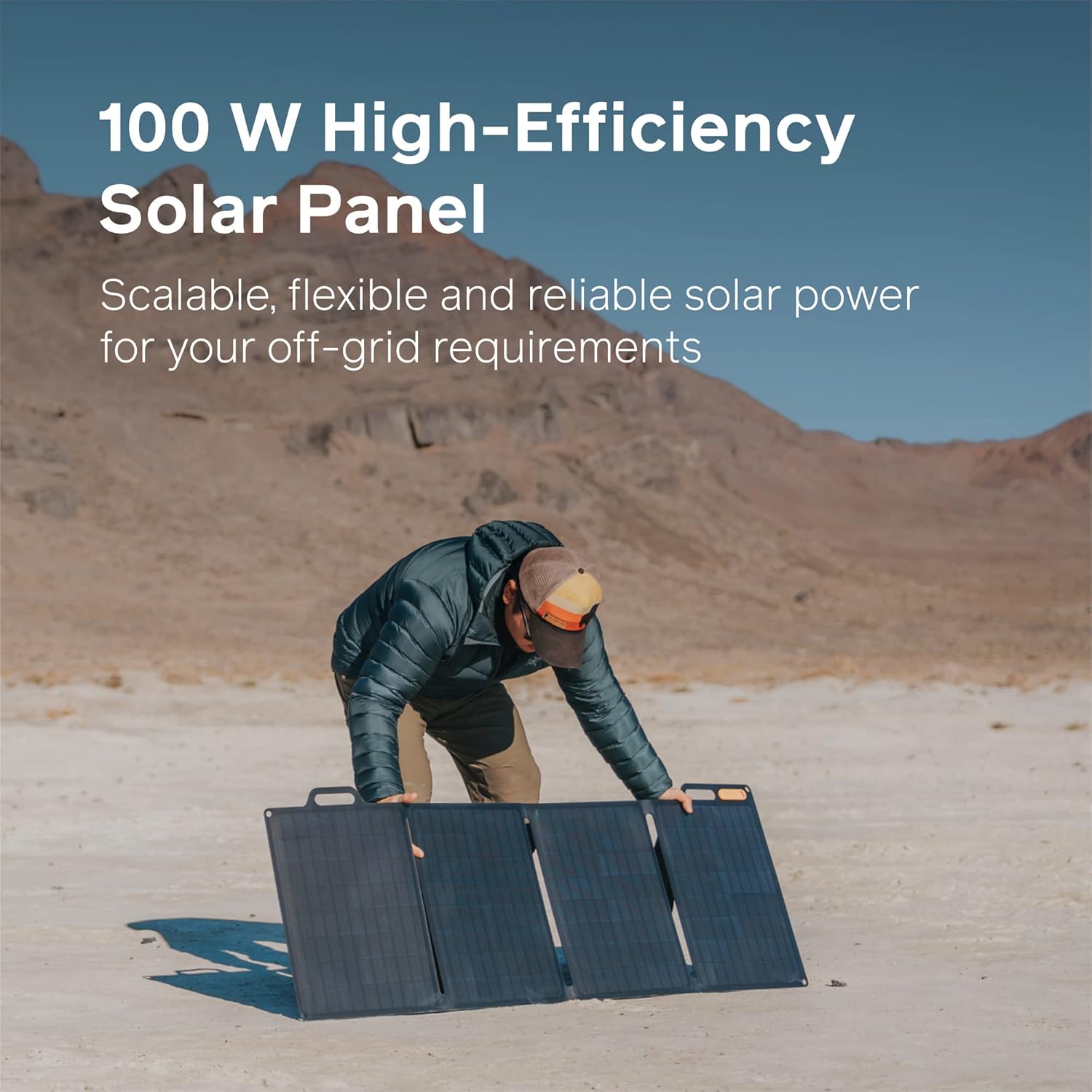
100 Watt High-Efficiency Solar Panel: The panel provides 100 watts of power, suitable for various off-grid requirements.

Foldable Design for Portability: The panel folds flat into a compact, carry-friendly profile, making it easy to transport and store.

Integrated USB-A & USB-C PD Ports: Charge your devices directly using the built-in USB-A and USB-C Power Delivery ports.

Compatibility with BioLite BaseCharge Series: Connect the SolarPanel 100 to BioLite BaseCharge 600 & 1500 via the included HPP port for a scalable solar generator system.

Daisy-Chain Capability: Up to four SolarPanel 100 units can be daisy-chained to achieve up to 400W output for faster charging times with BaseCharge 1500.

Optimal Sun System with Analog Sundial and Kickstands: Features an analog sundial to help find direct sun rays and adjustable kickstands to position the panel for maximum power.
Video: BioLite Product Overview
This video provides a general overview of BioLite products, showcasing their use in various outdoor scenarios. It highlights the versatility and design philosophy behind BioLite's renewable energy solutions.
4. Setup Instructions
- Unfold the Panel: Carefully unfold the BioLite SolarPanel 100 completely on a flat surface.
- Position for Sunlight: Locate an area with direct sunlight. Avoid shaded areas, as even partial shading can significantly reduce efficiency.
- Use the Analog Sundial: On the panel, locate the analog sundial. Adjust the panel's orientation until the shadow cast by the pin aligns with the center target on the sundial. This indicates optimal alignment with the sun.
- Deploy Kickstands: Extend the integrated kickstands on the back of the panel. Adjust them to angle the panel towards the sun, maintaining the optimal alignment indicated by the sundial.
- Connect Devices/Power Station: Open the waterproof zipper on the back of the panel to access the connection ports.
5. Operating Instructions
Direct Device Charging
- Connect your USB-A or USB-C PD compatible devices directly to the corresponding ports located in the zippered compartment on the back of the panel.
- The LED indicator next to the ports will illuminate when the panel is receiving sufficient sunlight and is ready to charge your devices.
Charging BioLite BaseCharge Series
- Use the included HPP cable to connect the SolarPanel 100 to the HPP input port on your BioLite BaseCharge 600 or BaseCharge 1500 power station.
- Ensure the panel is optimally positioned using the sundial and kickstands for maximum charging efficiency.
Daisy-Chaining Multiple Panels
- For increased power output (up to 400W with BaseCharge 1500), you can connect up to four SolarPanel 100 units in a daisy-chain configuration. Refer to your BaseCharge power station manual for specific daisy-chaining instructions and cable requirements.
6. Charging Performance
The charging times for your devices and BioLite BaseCharge power stations will vary based on sunlight intensity, panel orientation, and the capacity of the device being charged. The table below provides estimated charging times under optimal sun conditions and proper panel orientation.
| Number of SolarPanel 100s | USB-C, 45W (Laptop 86-100 Wh) | HPP, 70-100W (BioLite BaseCharge 600) | HPP, 70-100W (BioLite BaseCharge 1500) |
|---|---|---|---|
| x1 | 2.5 - 3 hours | 6 - 8.5 hours | 15 - 21 hours |
| x4 | NA | NA | 4 - 5.5 hours |
7. Maintenance
- Cleaning: Regularly wipe the solar panel surfaces with a soft, damp cloth to remove dust, dirt, or debris that may accumulate and reduce efficiency. Avoid abrasive cleaners or harsh chemicals.
- Storage: When not in use, fold the panel and store it in a dry, cool place away from direct sunlight and extreme temperatures. Ensure the zippered compartment is closed to protect the ports.
- Inspection: Periodically inspect the panel and cables for any signs of damage, wear, or corrosion. Do not use if any components are damaged.
- Weather Resistance: The ETFE lamination provides durability and weather resistance. While the panel can withstand rain and moisture, avoid prolonged submersion or exposure to extreme weather conditions. Ensure ports are covered when not in use in wet environments.
8. Troubleshooting
- Panel Not Charging:
- Ensure the panel is in direct sunlight and not shaded by objects.
- Verify the analog sundial indicates optimal sun alignment.
- Check that all cables are securely connected to both the panel and the device/power station.
- Confirm the LED indicator on the panel's port module is lit, indicating power generation.
- Slow Charging:
- Adjust the panel's angle using the kickstands and sundial to maximize direct sun exposure.
- Clean the panel surface if it's dirty.
- Charging speed is affected by weather conditions (cloud cover, haze) and time of day. Peak performance is typically around midday.
- Device Not Recognized:
- Try a different USB cable.
- Ensure your device is compatible with the USB-A or USB-C PD output specifications.
9. Specifications
| Attribute | Detail |
|---|---|
| Brand | BioLite |
| Model Number | SPD0100 |
| Maximum Power | 100 Watts |
| Material | Monocrystalline Silicon |
| Product Dimensions (Unfolded) | 14.57"L x 1.57"W x 20.08"H (approx. 37cm L x 4cm W x 51cm H) |
| Folded Size | 50.8 cm x 36.3 cm x 3.8 cm (approx. 20" x 14.3" x 1.5") |
| Item Weight | 9.5 Grams (Note: This weight seems incorrect based on typical solar panel weights and video content. Actual weight is likely higher, please refer to product packaging for accurate weight.) |
| Efficiency | High Efficiency |
| Maximum Voltage | 12 Volts |
| AC Adapter Current | 5 Amps |
| Special Features | Foldable design, high efficiency cells, durable ETFE lamination, multi-port charging (USB-A, USB-C PD) |
| UPC | 850024316164 |
| Date First Available | August 23, 2022 |
10. Warranty and Support
The BioLite SolarPanel 100 comes with a manufacturer's warranty. For detailed information regarding warranty coverage, terms, and conditions, please refer to the warranty card included with your product or visit the official BioLite website. For technical support, troubleshooting assistance, or to inquire about replacement parts, please contact BioLite customer service through their official channels.
Online Support: www.bioliteenergy.com/support
Contact Information: Refer to the BioLite website for the most current contact details.