
1. Introduction
The Sky-Watcher Evoguide 50 Field Flattener is an optical accessory designed to correct field curvature when using the Sky-Watcher Evoguide 50ED or Evoguide 50DX refractor telescopes for astrophotography. This device ensures that stars appear sharp and undistorted across the entire imaging field, improving the quality of your astronomical images.
2. Setup and Installation
Follow these steps to properly install and set up your Evoguide 50 Field Flattener:
- Prepare the Evoguide Telescope: Ensure your Sky-Watcher Evoguide 50ED or 50DX refractor is securely mounted and ready for accessory attachment.
- Attach the Field Flattener: Carefully thread the field flattener onto the rear cell of your Evoguide 50ED or 50DX telescope. Ensure it is securely tightened to prevent any movement during imaging.
- Connect Your Camera:
- T-thread Connection: If your astrophotography camera has a T-thread, it can be directly threaded onto the field flattener.
- 1.25" Opening: For cameras or accessories with a 1.25-inch barrel, insert them into the designated opening on the field flattener and secure with the thumbscrew, if present.
- Achieve Correct Back Focus: The field flattener requires a specific back focus distance of 17.5mm from the rear face of the flattener to your camera's sensor. Achieving this precise distance is critical for optimal field correction. You may need to use appropriate spacers or adapters to reach this exact distance, depending on your camera's design.
- Secure Caps: Ensure all threaded metal caps are removed before use and replaced after use to protect the optics.
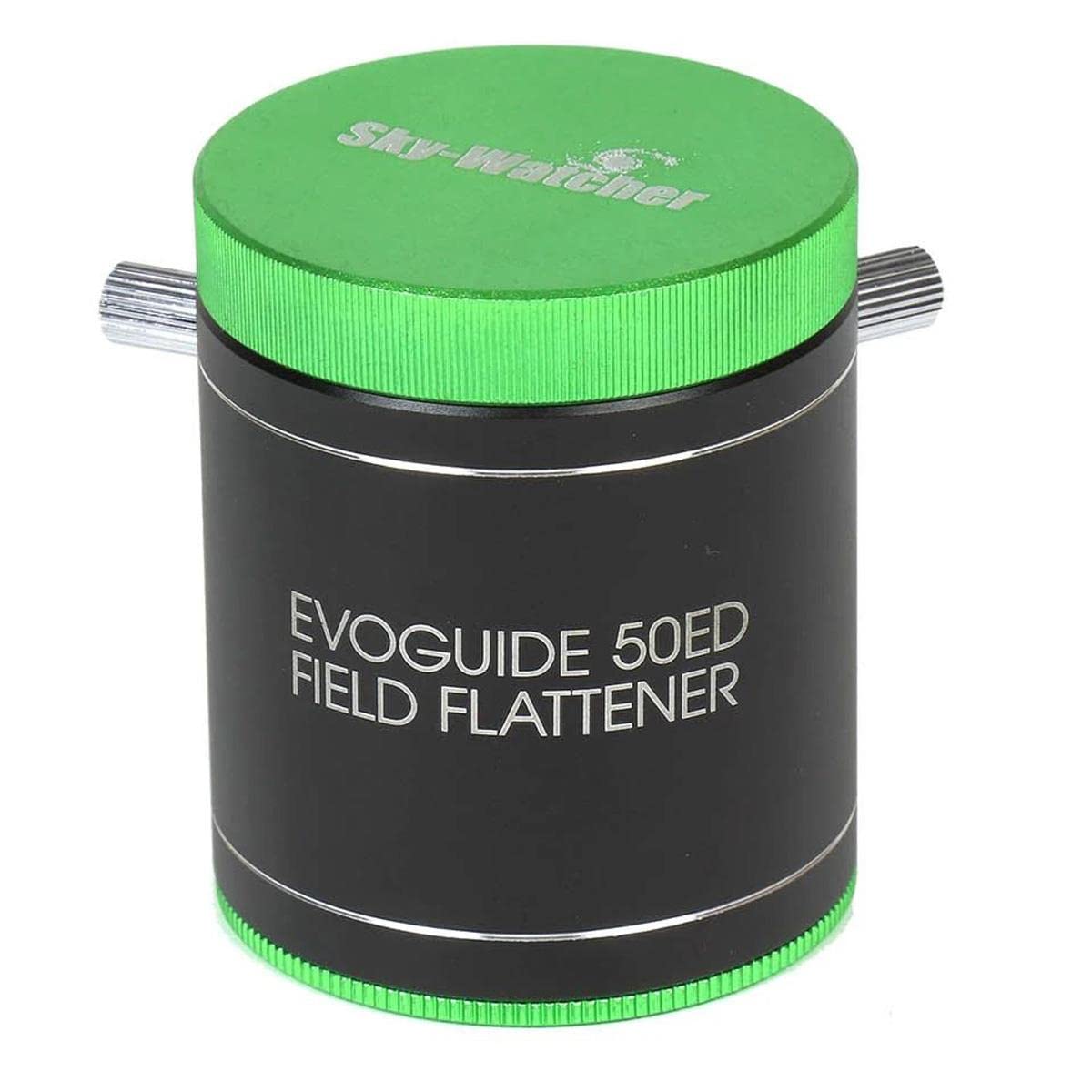
Image 1: The Sky-Watcher Evoguide 50 Field Flattener shown with its retail packaging. The flattener itself is a black cylindrical device with green accents, designed to connect to a telescope and camera for astrophotography.
3. Operating Instructions
Once installed, the field flattener operates passively to correct optical aberrations. Its primary function is to ensure a flat imaging field, which is essential for capturing sharp, undistorted stars across the entire frame in astrophotography.
- Field Correction: The flattener is specifically designed to correct the inherent field curvature of the Evoguide 50ED and 50DX refractors, making them suitable for wide-field astrophotography.
- Imaging Circle: The flattener provides a 28mm imaging circle, which is compatible with many common astrophotography cameras. Ensure your camera's sensor size falls within this imaging circle for optimal results.
- Focusing: Focusing will be performed manually using the focuser of your Evoguide telescope. The field flattener itself does not have focusing mechanisms. Precise focus is crucial for sharp images.
- Filter Considerations: Due to the critical 17.5mm back focus requirement, integrating additional accessories like filters between the flattener and the camera sensor can be challenging. If filters are necessary, consider using smaller 1.25-inch filters that can be threaded close to the camera sensor, or explore filter drawers designed for minimal back focus impact.
4. Care and Maintenance
Proper care ensures the longevity and optimal performance of your field flattener:
- Cleaning Optics: The lenses are multi-coated. Use a soft, lint-free microfiber cloth specifically designed for optics. For stubborn smudges, a small amount of optical cleaning fluid can be applied to the cloth, never directly to the lens. Avoid touching the optical surfaces with bare hands.
- Dust Protection: Always keep the threaded metal caps on the field flattener when not in use to protect the optical surfaces from dust and debris.
- Storage: Store the field flattener in a clean, dry environment, preferably in its original packaging or a padded case, away from extreme temperatures and humidity.
- Handling: Handle the flattener by its body, avoiding direct contact with the optical elements.
5. Troubleshooting
If you encounter issues while using your field flattener, consider the following:
- Stars Not Sharp Across the Field:
- Check Back Focus: The most common cause for poor field correction is incorrect back focus. Re-measure and adjust the distance between the flattener's rear face and your camera sensor to precisely 17.5mm. Even small deviations can affect performance.
- Camera Sensor Size: Ensure your camera's sensor fits within the 28mm imaging circle. Larger sensors may experience vignetting or uncorrected edges.
- Focus Accuracy: Verify that the telescope is precisely focused. Use a Bahtinov mask or similar focusing aid for critical focus.
- Difficulty Achieving Focus:
- Excessive Spacers/Adapters: If you are using too many spacers or adapters, you might exceed the available back focus travel of your telescope's focuser. Remove unnecessary components to bring the camera closer to the flattener.
- Filter Interference: As noted, filters can consume valuable back focus. If you are struggling to reach focus with a filter installed, try removing it to see if focus can be achieved.
- Loose Connections: Ensure all connections, including the flattener to the telescope and the camera to the flattener, are secure. Any play can introduce image artifacts.
6. Specifications
| Feature | Detail |
|---|---|
| Brand | Sky-Watcher |
| Model Name | Field Flattener for EvoGuide 50 |
| Model Number | S20214 |
| Objective Lens Diameter | 28 Millimeters |
| Back Focus | 17.5mm |
| Imaging Circle | 28mm |
| Compatible Devices | Sky-Watcher Evoguide 50ED, Sky-Watcher Evoguide 50DX |
| Coating | Multi-Coated |
| Connection Type | T-thread, 1.25" opening |
| Product Dimensions (D x W x H) | 3.54"D x 3.54"W x 4.13"H |
| Item Weight | 0.22 Kilograms |
| UPC | 050234202145 |
7. Warranty Information
This Sky-Watcher Evoguide 50 Field Flattener is covered by a Two-Year Limited Warranty. This warranty covers defects in materials and workmanship under normal use. Please retain your proof of purchase for warranty claims. For full details regarding warranty terms and conditions, please refer to the official Sky-Watcher website or contact their customer support.
8. Customer Support
For technical assistance, troubleshooting beyond this manual, or warranty inquiries, please contact Sky-Watcher customer support. You can typically find contact information, including phone numbers and email addresses, on the official Sky-Watcher website or through your authorized dealer.
Online Resources:
- Visit the Sky-Watcher Store on Amazon
- Refer to the official Sky-Watcher website for product updates, FAQs, and additional support documentation.
