
PHILCO PAC12000F5
Contents
Philco PAC12000F5 Portable Air Conditioner 12000 BTUs Cold 220V User Manual
Model: PAC12000F5 | Brand: PHILCO
1. Introduction
The Philco PAC12000F5 Portable Air Conditioner 12000 BTUs Cold is an ideal choice for thermal comfort, mobility, and daily convenience. With a 12000 BTUs capacity, this 3-in-1 portable air conditioner cools, ventilates, and dehumidifies the environment, enhancing well-being in any season. Compact and versatile, it requires no fixed installation and can be easily moved between rooms thanks to its wheels and side handles. Its modern digital display and remote control allow for simple and practical function adjustments, including a timer, sleep function, and automatic oscillation for uniform air distribution. The removable antibacterial filter ensures cleaner, healthier air, while the auto-evaporation function reduces the need to drain condensed water, making use even more convenient. Featuring a copper coil, the PAC12000F5 offers greater thermal efficiency, durability, and corrosion resistance, extending the appliance's lifespan. Additionally, the ecological R410a refrigerant contributes to efficient and sustainable cooling. Quiet, efficient, and portable, the Philco PAC12000F5 Portable Air Conditioner 12000 BTUs Cold is perfect for cooling different environments with practicality, economy, and Philco's quality standard.
Key Features:
- 3-in-1 Functionality: Cools, ventilates, and dehumidifies.
- Portable Design: Equipped with wheels and side handles for easy movement.
- Digital Display & Remote Control: For convenient operation and setting adjustments.
- Antibacterial Filter: Ensures cleaner and healthier air, easy to remove and clean.
- Auto-Evaporation Function: Reduces the need for manual water drainage.
- Copper Coil: Enhances thermal efficiency, durability, and corrosion resistance.
- Eco-friendly Refrigerant: Uses R410a for efficient and sustainable cooling.
- Multiple Fan Speeds: High, Medium, Low for customized airflow.
- Oscillation Function: Distributes air evenly throughout the room.
- Timer Function: Program operation for up to 24 hours.
- Sleep Function: Adjusts settings for comfortable sleep.
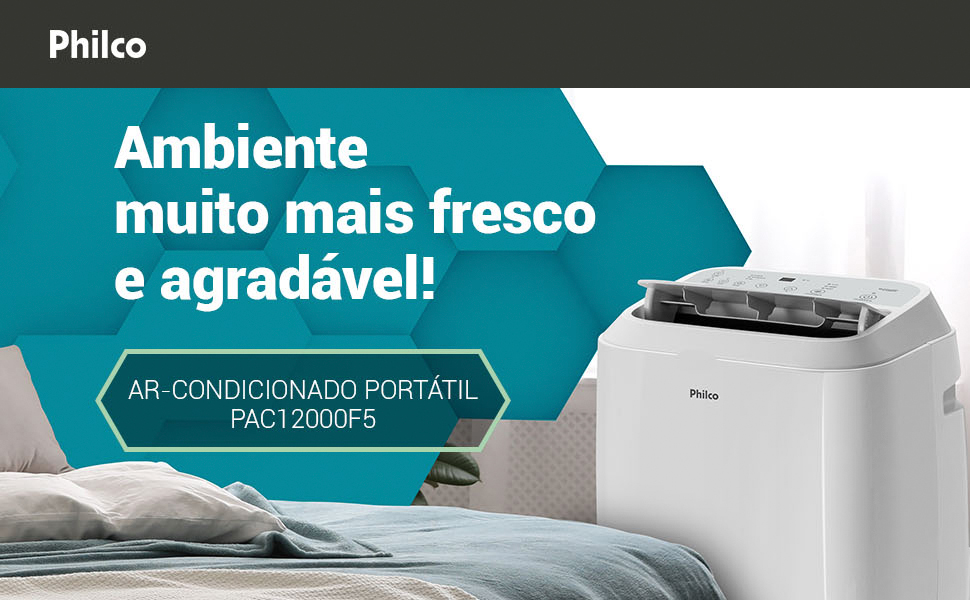
Image: The Philco PAC12000F5 Portable Air Conditioner positioned in a bedroom, demonstrating its compact size and portability.
2. Setup and Installation
The Philco PAC12000F5 is designed for easy setup without permanent installation. Follow these steps to prepare your unit for operation.
2.1 Unpacking
- Carefully remove the air conditioner and all accessories from the packaging.
- Check for any damage during transit. If damaged, contact customer support immediately.
- Retain the original packaging for future storage or transport.
2.2 Components Overview

Image: Front view of the Philco PAC12000F5 Portable Air Conditioner, showing its sleek design.

Image: Back view of the Philco PAC12000F5 Portable Air Conditioner, highlighting the exhaust hose connection point.
The unit typically includes:
- Portable Air Conditioner Unit
- Exhaust Hose
- Window Sealing Kit (adapter, slider kit)
- Remote Control
- User Manual
2.3 Exhaust Hose and Window Kit Installation
- Attach the exhaust hose to the air outlet on the back of the unit. Ensure it is securely fastened.
- Extend the window sealing kit to fit your window opening.
- Insert the exhaust hose adapter into the opening of the window sealing kit.
- Close the window to secure the kit and prevent outside air from entering.
- Position the unit on a flat, stable surface, ensuring there is at least 20 cm (8 inches) of space around the unit for proper airflow.
Note: The unit is equipped with wheels and side handles for easy repositioning. Always ensure the exhaust hose is properly vented to the outside when using cooling or dehumidifying functions.
3. Operating Instructions
Familiarize yourself with the control panel and remote control to operate your Philco PAC12000F5 effectively.
3.1 Control Panel and Remote Control

Image: The top control panel with digital display and the remote control for the Philco PAC12000F5.

Image: Close-up of the remote control for the Philco PAC12000F5, showing various function buttons.
The unit can be operated via the digital display on the top panel or the included remote control. The remote control offers full functionality for convenience.
3.2 Operating Modes
- Cooling Mode: Press the "MODE" button until the cooling indicator lights up. Adjust the desired temperature using the "TEMP+" or "TEMP-" buttons.
- Fan Mode: Press the "MODE" button until the fan indicator lights up. Adjust fan speed (High, Medium, Low) using the "VEL." button.
- Dehumidifying Mode: Press the "MODE" button until the dehumidifying indicator lights up. The unit will automatically remove moisture from the air.
Image: Visual representation of the 3-in-1 functionality: cooling, ventilation, and dehumidification.
3.3 Additional Functions
- Fan Speed (VEL.): Cycle through High, Medium, and Low fan speeds.
- Oscillation (OSCILAR): Activates or deactivates the automatic louver swing for wider air distribution.
- Timer (TEMPO): Set the unit to turn on or off automatically after a specified period (up to 24 hours).
- Sleep Function (DORMIR): Optimizes cooling and fan speed for quiet and comfortable sleep.
- Auto-Evaporation: This function automatically evaporates condensed water, reducing the need for manual drainage. In high humidity conditions, manual drainage might still be necessary.
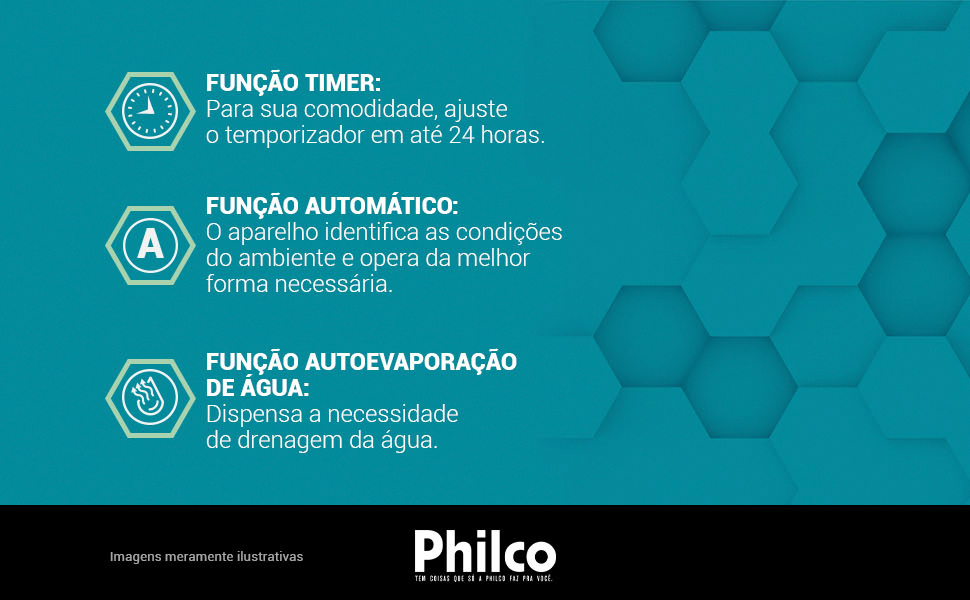
Image: Illustrations of the Timer, Automatic, and Auto-Evaporation functions.
4. Maintenance
Regular maintenance ensures optimal performance and extends the lifespan of your air conditioner.
4.1 Cleaning the Air Filter
The Philco PAC12000F5 features a removable antibacterial filter for cleaner air. Clean the filter every two weeks or more frequently depending on usage and air quality.
- Unplug the unit from the power outlet.
- Locate and remove the air filter (usually at the back or side of the unit).
- Wash the filter with lukewarm water and a mild detergent. Rinse thoroughly.
- Allow the filter to air dry completely before reinstalling. Do not expose to direct sunlight or high heat.
- Reinstall the dry filter into the unit.
Caution: Never operate the unit without the air filter installed.
4.2 Draining Condensed Water
While the unit has an auto-evaporation function, in high humidity environments, the water tank may fill up. The unit will indicate when drainage is required.
- Turn off and unplug the unit.
- Place a shallow pan or tray under the drainage outlet (usually at the bottom rear of the unit).
- Remove the drain plug. Water will flow out.
- Once all water has drained, replace the drain plug securely.
4.3 Cleaning the Unit Exterior
- Wipe the exterior with a soft, damp cloth.
- Do not use harsh chemicals, abrasives, or solvents, as these can damage the surface.
5. Troubleshooting
Before contacting customer support, refer to the following table for common issues and their solutions.
| Problem | Possible Cause | Solution |
|---|---|---|
| Unit does not turn on. | No power, power cord unplugged, circuit breaker tripped. | Ensure unit is plugged in. Check power outlet and circuit breaker. |
| Unit does not cool effectively. | Dirty air filter, exhaust hose not properly installed/vented, room too large, windows/doors open. | Clean air filter. Ensure exhaust hose is securely vented. Close all windows and doors. Check room size against unit capacity. |
| Unit is noisy. | Unit not on a flat surface, fan speed too high, normal compressor operation. | Place unit on a flat, stable surface. Reduce fan speed. Some noise from the compressor is normal for portable ACs. |
| Water leaks from the unit. | Drain plug loose, water tank full (in high humidity). | Ensure drain plug is securely closed. Drain the water tank if full. |
| Remote control not working. | Dead batteries, obstruction between remote and unit. | Replace batteries. Ensure clear line of sight to the unit's receiver. |
6. Specifications
Detailed technical specifications for the Philco PAC12000F5 Portable Air Conditioner.
| Feature | Detail |
|---|---|
| Brand | PHILCO |
| Model Name | PAC12000F5 |
| Cooling Capacity | 12000 BTUs |
| Functions | Cooling, Ventilation, Dehumidification |
| Refrigerant | R-410A (Ecological) |
| Voltage | 220V |
| Power Consumption | 1200 Watts |
| Annual Energy Consumption | 25.2 Kilowatt Hours |
| Energy Efficiency Rating | A |
| Recommended Floor Area | Up to 20 Square Meters |
| Dimensions (D x W x H) | 35 cm x 41.5 cm x 71.5 cm (13.8" x 16.3" x 28.1") |
| Item Weight | 25 Kilograms (55.1 lbs) |
| Control Method | Remote Control, Digital Display |
| Filter Type | Antimicrobial Air Filter |
| Compressor Type | Rotary Scroll |
| Special Features | Remote Controlled, Antibacterial Filter, Auto-Evaporation, Copper Coil, Wheels, Side Handles |
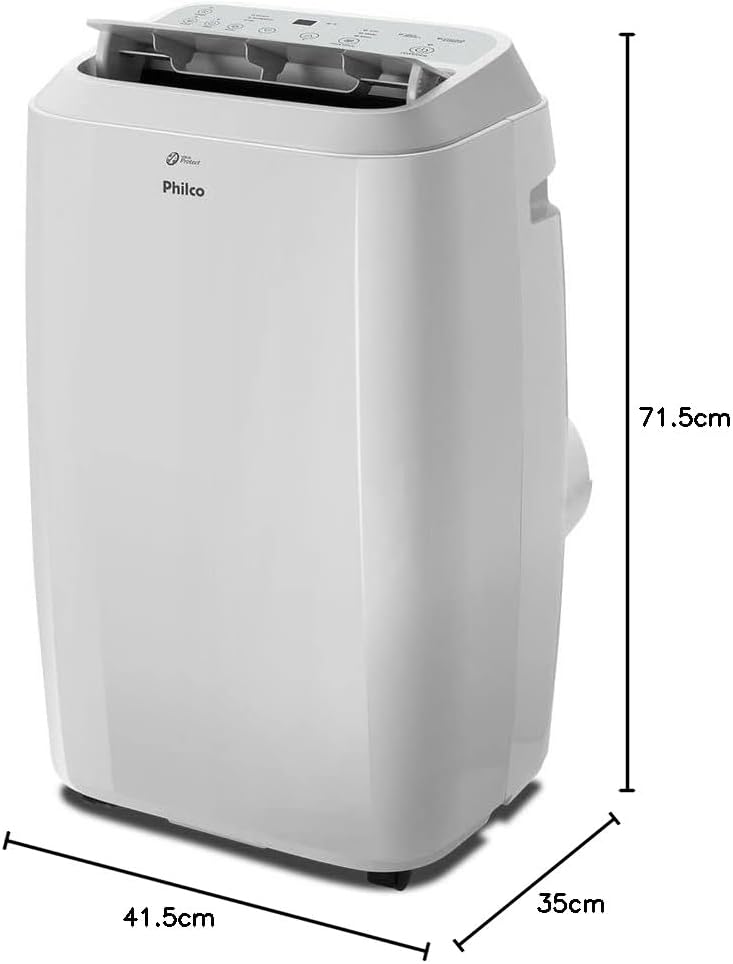
Image: Diagram showing the dimensions (depth, width, height) of the Philco PAC12000F5 Portable Air Conditioner.
7. Warranty Information
The Philco PAC12000F5 Portable Air Conditioner comes with a 1-year limited warranty from the date of purchase. This warranty covers manufacturing defects and malfunctions under normal use.
Please retain your proof of purchase (receipt or invoice) to validate your warranty claim. The warranty does not cover damage caused by improper installation, misuse, neglect, unauthorized repairs, or acts of nature.
For detailed warranty terms and conditions, please refer to the warranty card included with your product or visit the official Philco website.
8. Customer Support
If you encounter any issues not covered in the troubleshooting section or require further assistance, please contact Philco customer support.
- Official Website: Visit the Philco Official Store on Amazon for product information and support resources.
- Contact Information: Refer to the contact details provided in your product packaging or on the official Philco website for phone and email support.
When contacting support, please have your product model (PAC12000F5) and serial number ready.
9. Video Resources
No official product videos with 'Seller' as creator type were provided in the product data. Please refer to the Philco official website or authorized channels for any available video guides or demonstrations.
Ask a question about this manual
Ask about setup, troubleshooting, compatibility, parts, safety, or missing instructions. Manuals+ will review the question and use this page’s manual context to help answer it.