
1. Introduction
Thank you for choosing the Billboard Carbono Chroma Soundbar 2.0. This soundbar is designed to enhance your audio experience for movies, video games, and music, featuring high-quality sound and dynamic LED lighting. This manual provides essential information for setting up, operating, and maintaining your device.

Image 1.1: The Billboard Carbono Chroma Soundbar 2.0, showcasing its sleek design and integrated LED lighting.
2. Safety Information
- Read all instructions before operating the device.
- Keep the soundbar away from water or moisture.
- Do not block any ventilation openings.
- Use only attachments/accessories specified by the manufacturer.
- Unplug the device during lightning storms or when unused for long periods.
- Refer all servicing to qualified service personnel.
3. Package Contents
Please check the package for the following items:
- Billboard Carbono Chroma Soundbar 2.0
- Remote Control
- Power Adapter
- Audio Cables (Optical, 3.5mm Aux)
- User Manual (this document)

Image 3.1: The included remote control for the soundbar, featuring power, LED mode, volume, and playback controls.
4. Product Overview
4.1 Front and Top View
The soundbar features a sleek design with integrated LED lighting along its base. The front grille covers the speaker drivers, and the Billboard logo is subtly placed on the top surface.

Image 4.1: A close-up view of the soundbar, highlighting the LED lighting effects and the speaker grille.
4.2 Rear Panel Connections
The rear panel houses all input ports for connecting external audio sources.
- Optical Input: For digital audio connection from TVs or other devices.
- AUX Input (3.5mm): For analog audio connection from smartphones, tablets, or other devices.
- DC Power Input: For connecting the power adapter.
4.3 Remote Control Functions
The included remote control allows for convenient operation of the soundbar:
- Power Button: Turns the soundbar on or off.
- LED Button: Cycles through 7 different LED lighting modes.
- Volume Up/Down: Adjusts the master volume.
- Mute Button: Mutes or unmutes the sound.
- Playback Controls: (Play/Pause, Next Track, Previous Track) for Bluetooth mode.
5. Setup
5.1 Placement
Place the soundbar on a stable, flat surface directly in front of your television or monitor. Its discreet profile, with only 6.5 cm (approximately 2.5 inches) in height, allows it to fit comfortably under most screens.
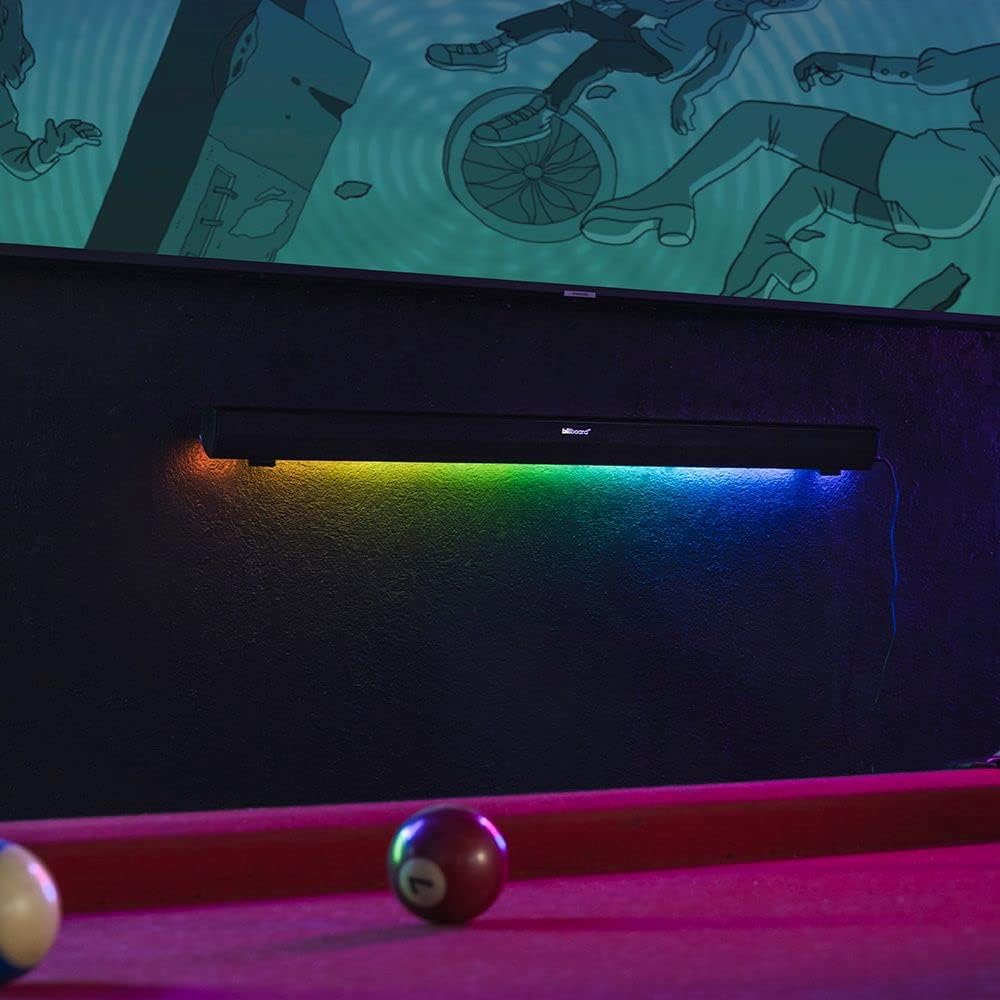
Image 5.1: The soundbar positioned below a television, demonstrating its compact size and ambient LED lighting.
5.2 Power Connection
- Connect the power adapter to the DC Power Input port on the back of the soundbar.
- Plug the other end of the power adapter into a wall outlet.
5.3 Audio Connections
Choose one of the following methods to connect your audio source:
5.3.1 Optical Connection
- Connect one end of the optical cable to the Optical Output port on your TV or audio device.
- Connect the other end of the optical cable to the Optical Input port on the soundbar.
- Select "Optical" as the input source on the soundbar using the remote control.
5.3.2 Auxiliary (AUX) Connection
- Connect one end of the 3.5mm audio cable to the headphone jack or AUX output on your device.
- Connect the other end of the 3.5mm audio cable to the AUX Input port on the soundbar.
- Select "AUX" as the input source on the soundbar using the remote control.
5.3.3 Bluetooth Connection
- Turn on the soundbar. It will automatically enter Bluetooth pairing mode (indicated by a flashing LED).
- On your smartphone, tablet, or other Bluetooth-enabled device, go to the Bluetooth settings.
- Search for available devices and select "Billboard Carbono" (or similar name) from the list.
- Once paired, the LED indicator on the soundbar will stop flashing and remain solid.
6. Operating Instructions
6.1 Power On/Off
Press the Power button on the remote control or on the soundbar to turn the unit on or off.
6.2 Adjusting Volume
Use the VOL+ and VOL- buttons on the remote control to adjust the volume level. Press the Mute button to temporarily silence the audio.
6.3 Changing Input Source
Press the Input button (often represented by a symbol like a square with an arrow or a specific input name) on the remote control to cycle through available input sources: Bluetooth, Optical, and AUX.
6.4 LED Lighting Modes
The soundbar features 7 different LED lighting modes. Press the LED button on the remote control to cycle through these modes and select your preferred ambient lighting effect.

Image 6.1: The soundbar providing ambient lighting and audio during a leisure activity.
7. Maintenance
7.1 Cleaning
- Ensure the soundbar is turned off and unplugged before cleaning.
- Use a soft, dry cloth to wipe the exterior surfaces.
- Do not use liquid cleaners, aerosols, or abrasive chemicals, as these may damage the finish.
7.2 Storage
If storing the soundbar for an extended period, unplug it from the power outlet and store it in a cool, dry place, away from direct sunlight and extreme temperatures.
8. Troubleshooting
| Problem | Possible Cause | Solution |
|---|---|---|
| No power | Power adapter not connected or outlet not working. | Check power connections. Try a different outlet. |
| No sound | Incorrect input selected, volume too low, or cable issues. | Ensure correct input is selected. Increase volume. Check audio cables for secure connection. |
| Bluetooth not connecting | Soundbar not in pairing mode, or device too far. | Ensure soundbar is in pairing mode. Move device closer. Unpair and re-pair if necessary. |
| Remote control not working | Batteries are dead or remote is out of range. | Replace remote control batteries. Ensure line of sight to the soundbar. |
9. Specifications
- Model Name: Carbono Chroma Soundbar 2.0
- Wireless Connection: Bluetooth 5.0
- Speaker Size: 2" x 4 (5.08 cm)
- Impedance: 4 Ohm
- Power Output: 50 W
- Power Supply: 9 Vcc 2 A (DC Power Adapter)
- Connectors: Optical, 3.5 mm (Aux)
- Wireless Range: Up to 10 meters (33 feet)
- Dimensions: 93 cm (L) x 6 cm (W) x 8 cm (H) (approx. 36.6 x 2.4 x 3.1 inches)
- Special Features: 7 LED Lighting Modes
- Compatible Devices: Smartphone, Tablet, Laptop, Television
10. Warranty and Support
This product comes with a Limited Warranty. For specific terms and conditions, please refer to the warranty card included in your package or contact Billboard customer support.
For technical support or service inquiries, please visit the official Billboard website or contact their customer service department using the information provided on the product packaging or warranty documentation.