
Nebula N-B
Nebula Boost Botanical Decarboxylator User Manual
Model: N-B | Brand: Nebula
Introduction
The Nebula Boost Botanical Decarboxylator is an advanced device designed to activate botanical compounds and infuse herbs into oils and butters. This manual provides essential information for the safe and effective operation, maintenance, and troubleshooting of your Nebula Boost.
Important Safety Information
Please read all instructions carefully before using the Nebula Boost. Failure to follow these instructions may result in injury or damage to the device.
- Always place the device on a stable, heat-resistant surface.
- Do not immerse the main unit in water or any other liquid.
- Ensure the lid is properly sealed before operation to prevent odor and ensure proper function.
- Allow the device and its components to cool completely before handling or cleaning.
- Keep out of reach of children and pets.
- Use only as intended for botanical decarboxylation and infusion.
Product Overview and Components
The Nebula Boost consists of the main heating unit, an aluminum container, and a silicone sleeve with an updated lid design.

Figure 1: Nebula Boost Decarboxylator main unit (left) and separate aluminum container with lid (right).

Figure 2: Components of the Nebula Boost, including the main unit, green silicone sleeve, and aluminum container.
Key Features:
- Digital Display: Shows time and temperature settings.
- Control Buttons: Dedicated buttons for Time+, Time-, Temp+, Temp-, and Play/Pause.
- Updated Lid Design: Ensures a secure seal for increased potency and purity.
- Aluminum Container: Holds botanicals during processing.
- Silicone Sleeve: Provides insulation and helps with mess-free operation.
Setup
- Unpack: Carefully remove all components from the packaging.
- Clean Components: Before first use, wash the aluminum container and silicone sleeve with warm, soapy water. Rinse thoroughly and dry completely. The main unit should be wiped clean with a damp cloth.
- Assemble: Place the silicone sleeve inside the aluminum container, ensuring it fits snugly.
- Placement: Position the Nebula Boost main unit on a flat, stable, and heat-resistant surface away from flammable materials.
- Power Connection: Plug the power cord into a standard electrical outlet. The digital display will illuminate.
Operating Instructions
The Nebula Boost offers simple one-button operation with customizable time and temperature settings for optimal botanical formulation.

Figure 3: The control panel allows for precise time and temperature adjustments.
Decarboxylation Process:
- Prepare Botanicals: Gently break apart your botanicals into small, uniform pieces. Do not grind them into a fine powder.
- Load Container: Place the prepared botanicals into the silicone sleeve within the aluminum container. Do not overfill.
- Secure Lid: Place the lid firmly onto the aluminum container, ensuring a tight seal.
- Insert Container: Carefully place the sealed aluminum container into the main heating unit.
- Set Temperature: Use the Temp+ and Temp- buttons to set your desired decarboxylation temperature. Refer to botanical-specific guidelines for optimal temperatures.
- Set Time: Use the Time+ and Time- buttons to set the desired decarboxylation time.
- Start Process: Press the Play/Pause button to begin the decarboxylation cycle. The device will heat up to the set temperature and maintain it for the specified duration.
- Cool Down: Once the cycle is complete, the device will enter a cool-down phase. Allow the unit to cool completely before removing the container. This typically takes 20-30 minutes.
- Remove and Use: Carefully remove the container. Your activated botanicals are now ready for further processing or infusion.
Infusion Process (Optional):
The Nebula Boost can also be used for infusing activated botanicals into oils or butters.
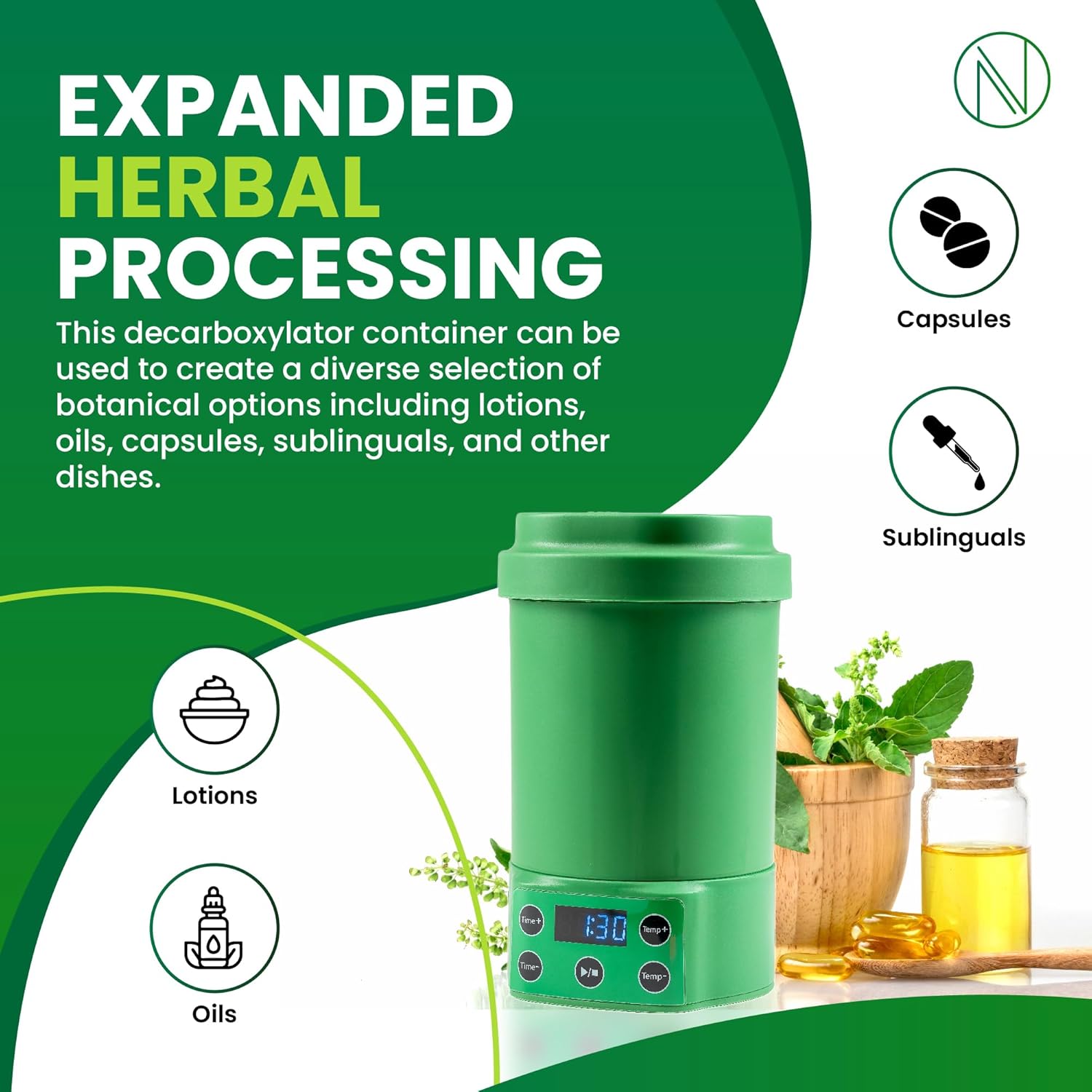
Figure 4: The Nebula Boost supports various botanical applications, including lotions, oils, capsules, and sublinguals.
- Prepare Infusion: After decarboxylation, add your desired oil or butter to the activated botanicals in the silicone sleeve. Ensure the liquid level is below the top edge of the sleeve.
- Secure Lid: Place the lid firmly onto the aluminum container.
- Insert Container: Place the sealed container into the main heating unit.
- Set Temperature: Use the Temp+ and Temp- buttons to set the desired infusion temperature (e.g., 180°F / 82°C).
- Set Time: Use the Time+ and Time- buttons to set the desired infusion time (e.g., 60 minutes).
- Start Process: Press the Play/Pause button to begin the infusion cycle.
- Cool Down: Once the cycle is complete, allow the unit to cool before carefully removing the container.
- Strain and Store: Strain the infused oil/butter to separate the botanical material. Store your finished product in an airtight container in a cool, dark place.
Maintenance and Cleaning
Regular cleaning ensures the longevity and optimal performance of your Nebula Boost.
- Always Unplug: Disconnect the device from the power outlet before cleaning.
- Allow to Cool: Ensure the device and all components have cooled down completely.
- Container and Sleeve: The aluminum container and silicone sleeve are dishwasher safe or can be hand-washed with warm, soapy water. Rinse thoroughly and dry completely before reassembly or storage.
- Main Unit: Wipe the exterior of the main unit with a soft, damp cloth. Do not use abrasive cleaners or immerse the unit in water.
- Storage: Store the Nebula Boost in a clean, dry place when not in use.
Troubleshooting
If you encounter issues with your Nebula Boost, refer to the following common problems and solutions:
| Problem | Possible Cause | Solution |
|---|---|---|
| Device does not turn on. | Not plugged in; Power outlet issue. | Ensure power cord is securely plugged in. Try a different outlet. |
| Strong odor during operation. | Lid not sealed properly; Overfilling. | Ensure the silicone lid is pushed down completely to create a seal. Do not overfill the container. |
| Botanicals not fully activated/infused. | Incorrect time/temperature settings; Uneven botanical distribution. | Verify recommended time and temperature settings. Ensure botanicals are evenly distributed and not packed too tightly. |
| Device stops mid-cycle. | Power interruption; Overheating protection. | Check power connection. Allow device to cool down and restart. If problem persists, contact support. |
If the problem persists after attempting these solutions, please contact Nebula customer support.
Specifications
| Feature | Detail |
|---|---|
| Brand | Nebula |
| Model Name | Nebula Boost |
| Item Model Number | N-B |
| Color | Green Boost |
| Product Dimensions | 4"D x 7.5"W x 4"H |
| Item Weight | 2.7 Pounds |
| Special Feature | Digital Display |
| Included Components | Nebula Boost (main unit), Aluminum Container, Silicone Sleeve |
| Manufacturer | Nebula |
| Date First Available | February 26, 2025 |
Warranty and Support
For warranty information or technical support, please refer to the product packaging or visit the official Nebula website. Keep your purchase receipt for warranty claims.
For further assistance, please contact Nebula customer service.
Related documentsN-B


Ask a question about this manual
Ask about setup, troubleshooting, compatibility, parts, safety, or missing instructions. Manuals+ will review the question and use this page’s manual context to help answer it.