
1. Product Overview
The Famiworths Single Serve Coffee Maker is designed to brew both hot and iced coffee using either K-cups or your preferred ground coffee. It features deep coffee extraction technology for strong brews and includes a descaling reminder and self-cleaning function for ease of maintenance. This compact unit is suitable for various settings including home, office, and RV use.
Key features include:
- All-in-one iced and hot coffee brewing capability.
- Compatibility with K-pods and ground coffee.
- Equipped with a reusable ground coffee filter with a lid.
- Compact design, suitable for small spaces and travel mugs up to 6.7 inches tall.
- Integrated self-cleaning and descaling reminder system.
- Constructed from BPA-free materials, ensuring fresh water for each brew.
- Automatic shut-off after brewing for safety.
2. Setup
- Unpacking: Carefully remove all components from the packaging. Ensure all protective tapes and materials are removed from the unit, especially from the drip tray and K-cup holder area.
- Placement: Place the coffee maker on a stable, flat surface. Ensure it is near a power outlet and has adequate clearance for opening the lid and placing cups.
- Initial Cleaning: Before first use, clean all removable parts (K-cup holder, reusable filter, drip tray) with warm, soapy water. Wipe the exterior of the machine with a damp cloth.
- First Brew Cycle (Cleaning): Fill the water reservoir to the MAX line with fresh water. Do not add coffee. Close the lid and place an empty mug on the drip tray. Press the "REGULAR" brew button to run a cleaning cycle. Discard the hot water. Repeat this process once more to ensure the machine is thoroughly cleaned.
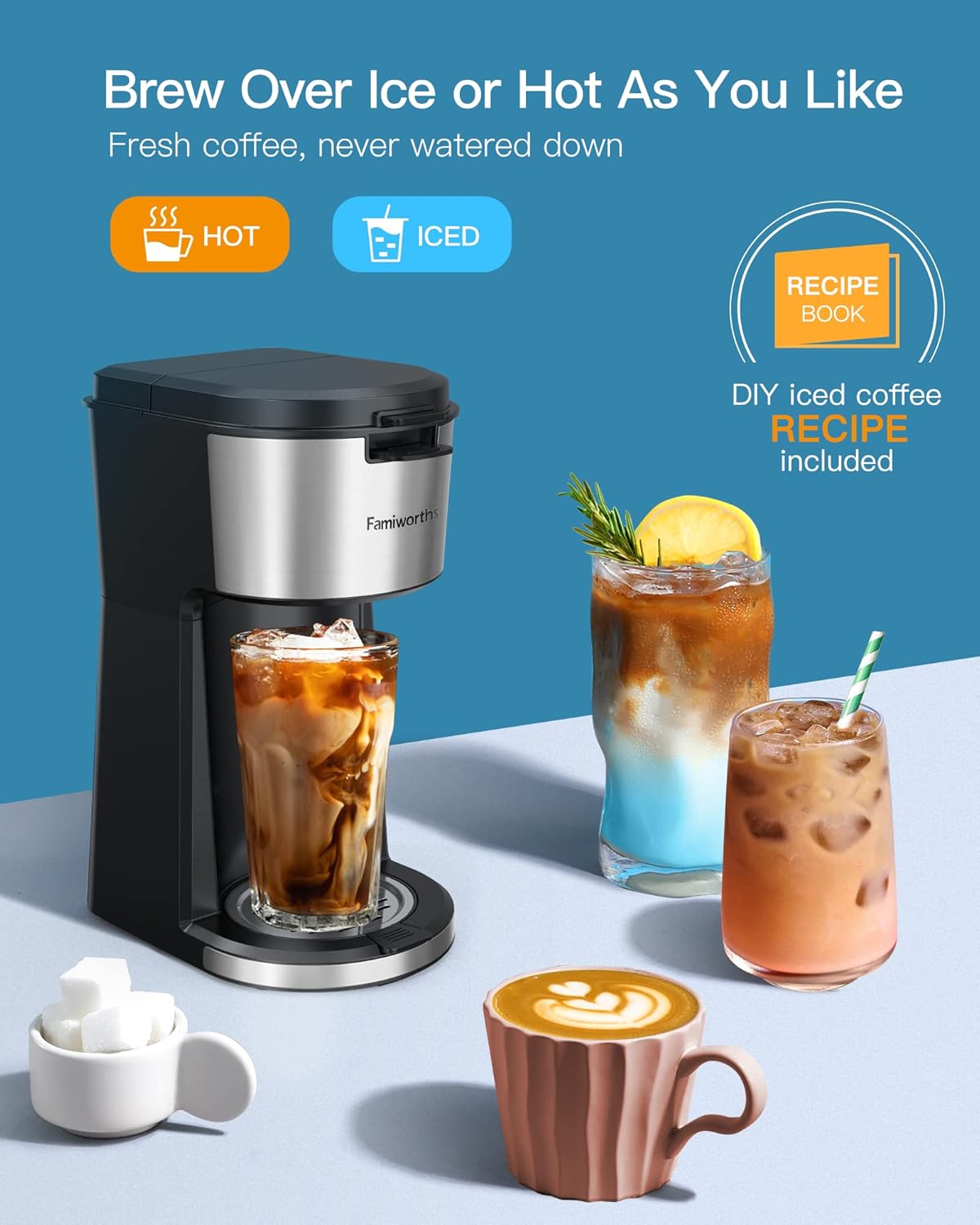
Image: The Famiworths coffee maker ready for use on a countertop.
3. Operating Instructions
3.1. Brewing Hot Coffee (K-Cup)
- Prepare K-Cup: Open the lid of the coffee maker and insert a K-cup into the K-cup holder. Close the lid firmly.
- Add Water: Open the water reservoir lid and pour fresh water into the reservoir. Refer to the measurement markings inside the lid for desired cup size (e.g., 8oz, 10oz, 12oz, 14oz). Do not exceed the MAX fill line.
- Place Mug: Place your coffee mug on the drip tray. Ensure the mug is large enough to hold the selected brew volume.
- Select Brew: Press the "REGULAR" brew button. The indicator light will illuminate, and brewing will begin.
- Enjoy: Once brewing is complete (approximately 4 minutes), the machine will automatically shut off. Carefully remove your hot coffee.

Image: Brewing hot coffee with a single button press.
3.2. Brewing Hot Coffee (Ground Coffee)
- Prepare Ground Coffee: Open the lid of the coffee maker. Remove the K-cup holder and insert the reusable ground coffee filter. Add your desired amount of ground coffee (up to 0.88 oz) into the filter. Close the filter lid and then close the coffee maker lid firmly.
- Add Water: Open the water reservoir lid and pour fresh water into the reservoir, matching your desired cup size.
- Place Mug: Place your coffee mug on the drip tray.
- Select Brew: Press the "REGULAR" brew button. The indicator light will illuminate, and brewing will begin.
- Enjoy: Once brewing is complete, the machine will automatically shut off. Carefully remove your hot coffee.

Image: Reusable ground coffee filter with a lid to prevent grounds from flowing into the cup.
3.3. Brewing Iced Coffee (K-Cup or Ground Coffee)
- Prepare Coffee: Insert either a K-cup or the reusable ground coffee filter with ground coffee into the machine. Close the lid.
- Add Water: Open the water reservoir lid and pour fresh water into the reservoir. For best iced coffee flavor, use 6 oz of water if using pods. Refer to the chart on the lid for recommended water-to-coffee ratios for iced coffee.
- Prepare Ice: Fill your serving cup with ice.
- Place Cup: Place the ice-filled cup on the drip tray.
- Select Brew: Press the "OVER ICE" brew button. The indicator light will illuminate, and brewing will begin. The machine brews a stronger coffee to compensate for ice dilution.
- Enjoy: Once brewing is complete, the machine will automatically shut off. Stir and enjoy your fresh iced coffee.

Image: The coffee maker dispensing coffee over ice for an iced beverage.
Video: Demonstration of brewing iced coffee with the Famiworths coffee maker. The video shows the process of adding ice to a cup, placing it under the dispenser, and initiating the brew cycle for iced coffee.
4. Maintenance
4.1. Regular Cleaning
- Removable Parts: The K-cup holder, reusable ground coffee filter, and drip tray are removable for easy cleaning. Wash these parts with warm, soapy water after each use.
- Exterior: Wipe the exterior of the coffee maker with a damp cloth. Do not immerse the unit in water.

Image: The reusable filter and K-cup holder are easily removable for cleaning.
4.2. Descaling
Over time, mineral deposits can build up inside your coffee maker, affecting performance and taste. The Famiworths coffee maker includes a built-in descaling reminder.
- Descaling Reminder: The two brew buttons will alternately flash red when it's time to descale the machine.
- Descaling Process:
- Pour 14 oz of descaling solution (or a vinegar-water mixture) into the water reservoir.
- Place an empty mug on the drip tray.
- Press both brew buttons simultaneously for 2 seconds to initiate the descaling cycle.
- The machine will run a cleaning cycle. Discard the solution.
- Run two full cycles with fresh water to rinse the machine thoroughly.

Image: Visual guide for the self-cleaning and descaling process.
5. Troubleshooting
| Problem | Possible Cause | Solution |
|---|---|---|
| Coffee not brewing. | No water in reservoir; lid not closed properly; K-cup/filter not seated correctly. | Fill reservoir; ensure lid is closed and K-cup/filter is properly inserted. |
| Weak coffee. | Insufficient coffee grounds/K-cup strength; too much water; descaling needed. | Use more coffee/stronger K-cup; reduce water volume; perform descaling. |
| Water leaking. | Reservoir overfilled; K-cup/filter not seated correctly; drip tray full. | Do not overfill; ensure K-cup/filter is correctly placed; empty drip tray. |
| Descaling reminder light flashing. | Machine requires descaling. | Perform the descaling process as described in Section 4.2. |
6. Specifications
- Brand: Famiworths
- Model Number: 739a524a-b1a5-4590-a30a-8c605ba54483
- Color: Black
- Product Dimensions: 5.6"D x 8.2"W x 12"H
- Special Feature: Auto Clean Function
- Coffee Maker Type: Drip Coffee Machine
- Style: 2 in 1 (Hot & Iced, K-Cup & Ground)
- Specific Uses For Product: Iced Coffee, Hot Coffee
- Included Components: Filter (reusable ground coffee filter)
- Operation Mode: Fully Automatic
- Voltage: 120 Volts
- Number of Items: 1
- Human Interface Input: Buttons
- Coffee Input Type: K-Pod and Ground Coffee
- Item Weight: 2.64 pounds
- Capacity: 14 ounces (water reservoir)
- First Available: August 22, 2022
7. Warranty and Support
For warranty information and customer support, please refer to the details provided on the product packaging or contact Famiworths directly. A one-year warranty is typically offered. Contact information may include:
- Phone: 1-872-854-8113
- Email: support@myfamiworths.com
Please retain your proof of purchase for warranty claims.