
1. Safety Information
Please read all safety instructions before using this product. Failure to follow these instructions may result in injury or damage to the product.
- Keep the device away from water and other liquids.
- Do not expose the device to extreme temperatures.
- Avoid dropping or subjecting the device to strong impacts.
- Do not attempt to disassemble or repair the device yourself. Contact customer support for assistance.
- Ensure all cables are securely connected to prevent accidental disconnection during use.
2. Product Overview
The NBCP Racing Wheel R808 is a versatile gaming steering wheel designed to enhance your racing simulation experience across multiple platforms. It features a full 1080° rotation, a 6-speed manual shifter, and a responsive 3-pedal set.

Key features include:
- Adjustable 270° to 1080° steering rotation.
- Multi-platform compatibility (Xbox One, Xbox Series X|S, PS4, PS3, Switch, PC, Android).
- Dual-motor vibration feedback for immersive gameplay.
- Secure clamp mounting system.
- Plug & Play setup.
3. Package Contents
Verify that all items are present in the package:
- NBCP Racing Wheel Unit
- 6-Speed H-Shifter
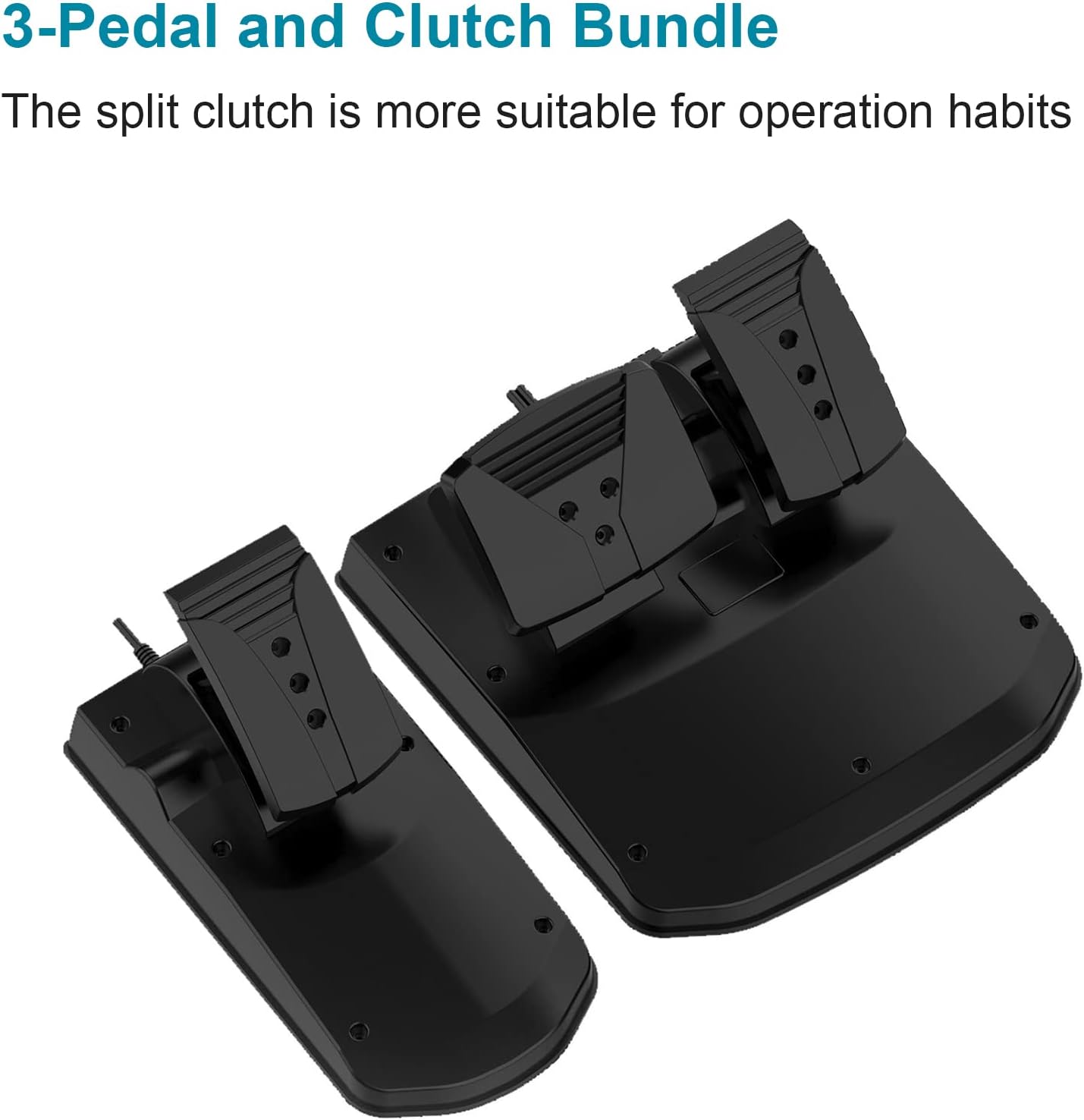
- 3-Pedal Unit (Accelerator, Brake, Clutch)
- Desk Clamp Mounting System
- USB Connection Cable
- User Manual (this document)
4. Setup
4.1 Mounting the Racing Wheel
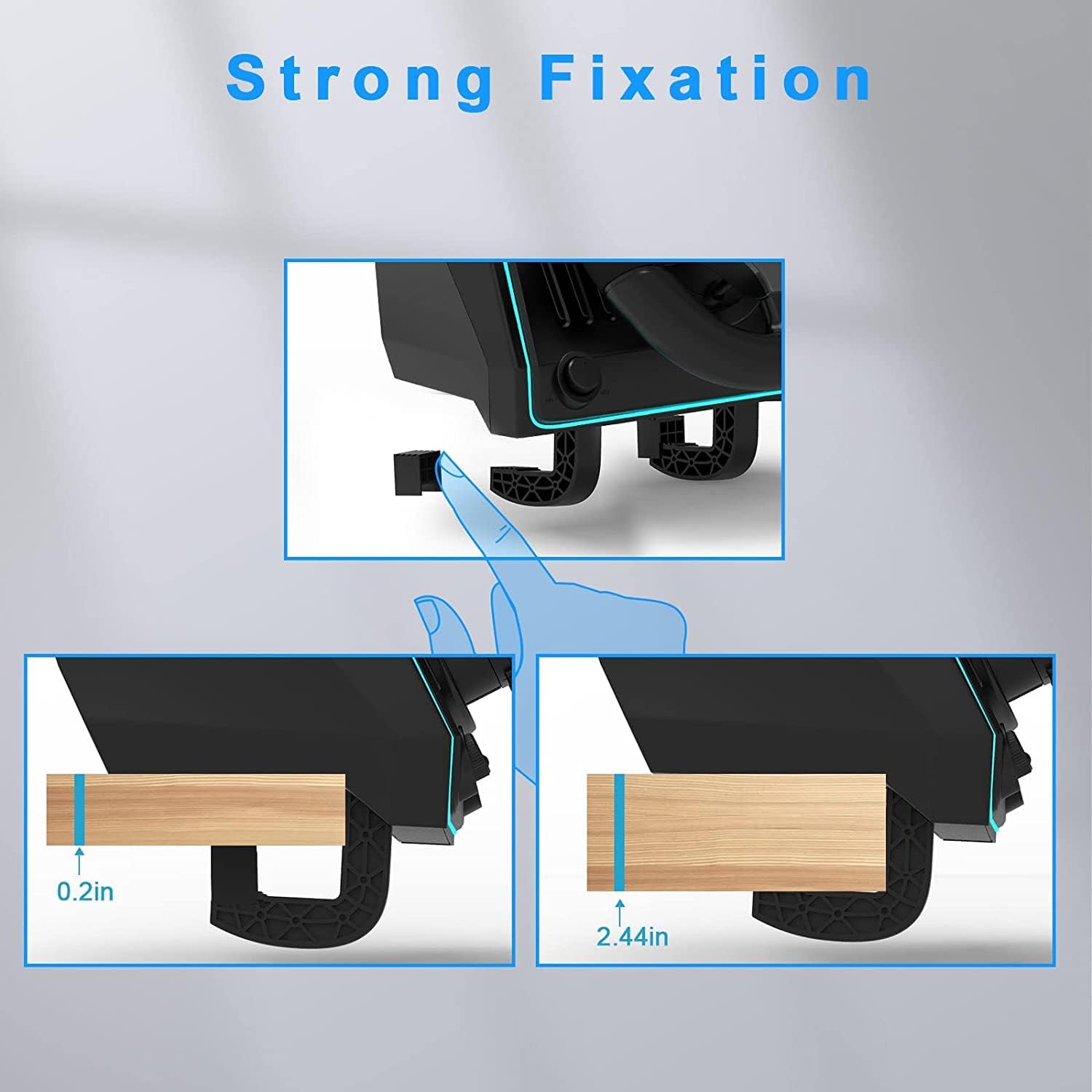
The racing wheel can be securely mounted to a desk or racing rig using the integrated clamp system.
- Place the racing wheel unit on a stable, flat surface.
- Extend the clamp arms from the bottom of the wheel unit.
- Tighten the clamps to secure the wheel to your desk or rig. Ensure it is firmly attached to prevent movement during use.
- The wheel features an unlock/lock mechanism for easy attachment and detachment of the wheel from its base. Rotate to unlock, then pull to detach. Push to attach, then rotate to lock.

4.2 Connecting the Pedals and Shifter
Connect the pedal unit and shifter to the main racing wheel unit.
- Connect the pedal unit cable to the designated port on the back of the racing wheel.
- Connect the shifter unit cable to its designated port on the racing wheel.
- Place the pedal unit on the floor. The included suction cups on the pedal base help keep it in place on smooth surfaces.

4.3 Connecting to Console/PC
Connect the racing wheel to your gaming platform using the USB cable.
- Plug the USB cable from the racing wheel into an available USB port on your console or PC.
- The wheel will automatically detect the platform. For PC use, ensure 'Xinput Mode' is enabled in your game settings for proper recognition.
- LED indicators on the wheel will confirm connection status.
4.4 Initial Calibration
After connecting, the wheel may require a brief calibration:
- Turn the steering wheel fully to the left, then fully to the right, and then return it to the center position. This helps the system recognize the full range of motion.
- Press each pedal fully once to calibrate their range.
5. Operation
5.1 Platform Compatibility
The NBCP Racing Wheel R808 is compatible with a wide range of gaming platforms:
- Xbox One
- Xbox Series X|S
- PlayStation 4 (PS4)
- PlayStation 3 (PS3)
- Nintendo Switch
- PC (Windows 7/8/10/11)
- Android
For optimal performance on PC, ensure that 'Xinput Mode' is selected within your game's controller settings if available.

5.2 Steering Wheel Rotation Adjustment
The steering wheel offers an adjustable rotation range from 270° to 1080° (three full turnings). This allows for fine-tuning sensitivity to match different racing styles and game types.
- 270° Rotation: Suitable for fast-paced competitive racing games where quick steering response is crucial.
- 900°/1080° Rotation: Provides a more realistic driving experience for simulation games like truck simulators, allowing for larger steering angles.
Refer to your game's controller settings to adjust the steering sensitivity and rotation angle to your preference.


5.3 Shifter Operation
The included 6-speed H-shifter allows for manual gear changes, providing a more realistic driving experience.
- The shifter features six forward gears and a push-down reverse gear.
- Engage gears by moving the shifter into the desired position.
- To engage reverse, push down on the shifter knob and move it into the reverse position.
5.4 Pedal Operation
The 3-pedal set includes an accelerator, brake, and independent clutch pedal.
- Accelerator: Controls vehicle speed.
- Brake: Applies braking force. The brake pedal offers progressive resistance for enhanced realism.
- Clutch: Used for manual gear shifting in games that support it.
The pedal sensitivity can be adjusted within game settings for nuanced acceleration and braking.

5.5 Vibration Feedback
The racing wheel incorporates dual-motor vibration feedback, providing tactile sensations that respond to in-game events such as collisions, road textures, and engine RPM. This enhances the immersive quality of your racing experience.

5.6 LED Indicators
The racing wheel features LED decorative lights that illuminate when powered on. These lights also serve as indicators for connection and calibration status, providing visual feedback during setup and operation.

6. Maintenance
To ensure the longevity and optimal performance of your NBCP Racing Wheel R808, follow these maintenance guidelines:
- Cleaning: Use a soft, dry cloth to wipe down the steering wheel, pedals, and shifter. Avoid using abrasive cleaners or solvents, as these can damage the finish.
- Storage: When not in use, store the racing wheel in a clean, dry place away from direct sunlight and extreme temperatures.
- Cable Care: Avoid sharply bending or twisting cables. Always grasp the plug, not the cable, when disconnecting.
7. Troubleshooting
If you encounter issues with your NBCP Racing Wheel R808, refer to the following common problems and solutions:
| Problem | Possible Cause | Solution |
|---|---|---|
| Wheel not recognized by PC/Console | Incorrect platform mode, loose USB connection, missing PC driver (Xinput) | Ensure USB cable is firmly connected. For PC, enable 'Xinput Mode' in game settings. Try a different USB port. |
| No vibration feedback | Vibration feature disabled in game, game does not support vibration, loose connection | Check in-game settings for vibration options. Ensure the game supports vibration feedback. Verify all connections. |
| Steering or pedals unresponsive/inaccurate | Improper calibration, loose connections, game settings | Perform initial calibration (Section 4.4). Check all cable connections. Adjust sensitivity settings in the game. |
| Shifter not working | Loose connection, game does not support manual shifting, incorrect game settings | Ensure shifter cable is securely connected. Verify the game supports manual shifting and that it is enabled in game settings. |
If these solutions do not resolve the issue, please contact NBCP customer support for further assistance.
8. Specifications
- Brand: NBCP
- Model: R808
- Item Weight: 10.68 pounds
- Package Dimensions: 14.2 x 12.2 x 12.1 inches
- Special Features: Ergonomic, Motion Sensing, Multiuse
- Compatible Devices: Windows, Xbox One, Xbox Series X, PS4, PS3, Nintendo Switch, Android
- Controller Type: Pedals, Steering Wheel, Shifter
- Connectivity Technology: USB
- Steering Rotation: 270° to 1080° adjustable
9. Warranty and Support
The NBCP Racing Wheel R808 comes with a 1-year warranty from the date of purchase. This warranty covers manufacturing defects under normal use.
For technical support, setup assistance, or warranty claims, please contact the NBCP dedicated support team. Contact information can typically be found on the product packaging or the official NBCP website.
Please have your model number (R808) and proof of purchase ready when contacting support.

