1. Introduction
The LOVENSE Flexer is a versatile, app-controlled wearable vibrator designed for discreet and customizable pleasure. Its ergonomic, curved design ensures a comfortable and secure fit, providing targeted stimulation to multiple sensitive areas. This manual provides essential information for the safe and effective use of your Flexer.
2. Product Features
- 3-in-1 Stimulation: Designed to stimulate the C-spot, G-spot, and clitoral areas simultaneously, mimicking a 'fingering' sensation.
- App Remote Control: Connects via Bluetooth to the Lovense Remote app for real-time control, customizable patterns, and long-distance play.
- Stable Bluetooth Connection: Compatible with iOS, Android, Mac, and Windows PC (requires Lovense USB Bluetooth Adapter for PC).
- Customizable Vibration: Features 3 vibration levels and 7 built-in patterns. The app allows for creating and exploring over 100,000 unique vibration patterns.
- USB Rechargeable: Offers up to 120 minutes of use time and up to 120 hours of standby time on a single charge.
- IPX7 Waterproof: Fully waterproof for easy cleaning and use in wet environments.
- Discreet Design: Small, lightweight, and designed to be worn comfortably with most panties for discreet use.
3. Getting Started
3.1 Unboxing
Carefully open the product packaging. The box contains the LOVENSE Flexer device, a USB charging cable, a user manual, and a storage bag.

Image: Contents of the LOVENSE Flexer package.
3.2 Charging the Device
Before first use, fully charge your Flexer. Connect the magnetic USB charging cable to the charging points on the device and plug the USB end into a compatible power source (e.g., computer, USB wall adapter). The indicator light will show charging status. A full charge takes approximately 120 minutes.
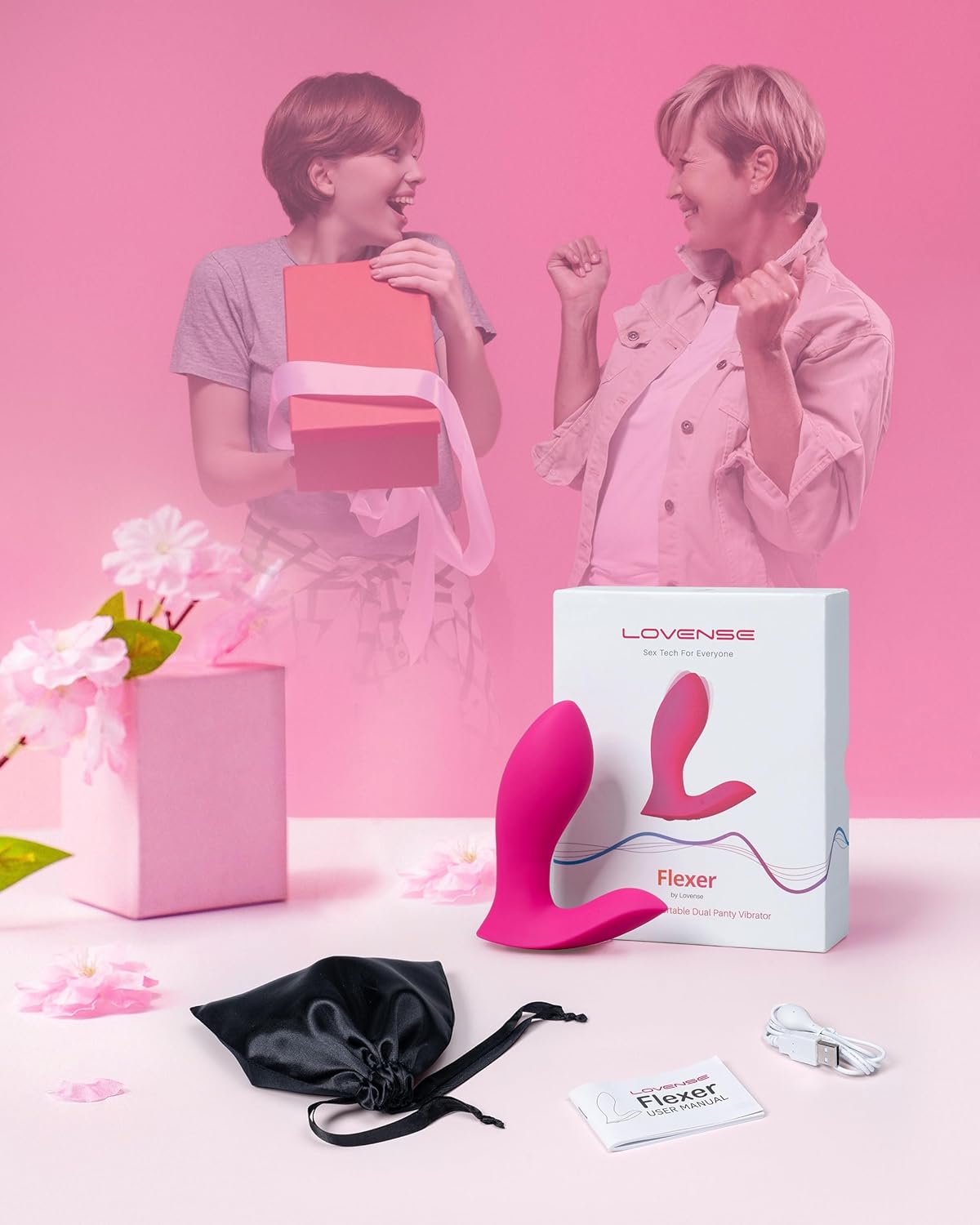
Image: Connecting the USB charging cable to the Flexer.
3.3 App Download and Connection
Download the 'Lovense Remote' app from your device's app store (available on iOS and Android). Follow the in-app instructions to connect your Flexer via Bluetooth. Ensure your device's Bluetooth is enabled.

Image: The Lovense Remote app interface.
4. Operation
4.1 Basic Device Controls
The Flexer features physical buttons for basic control. Press and hold the power button for 2-3 seconds to turn the device on or off. Short presses will cycle through the 7 built-in vibration patterns.

Image: Physical controls and dimensions of the Flexer.
4.2 App Control Features
The Lovense Remote app unlocks the full potential of your Flexer:
- Remote Control: Adjust vibration intensity and patterns directly from your smartphone.
- Custom Patterns: Create and save your own unique vibration patterns. Explore a library of over 100,000 user-generated patterns.
- Music Sync: Sync vibrations to the beat of your favorite music.
- Sound Activated: The device can respond to ambient sounds.
- Alarm Clock: Set the Flexer to wake you up with a gentle vibration.
- Long-Distance Play: Connect with a partner remotely to control each other's devices.

Image: App remote control with various patterns and button control options.
4.3 Wearing Instructions
The Flexer is designed to be worn with panties. Position the device so that the stimulating parts align with your clitoral and G-spot areas. The ergonomic shape helps keep it securely in place during use.

Image: Internal components and stimulation points of the Flexer.
5. Maintenance
5.1 Cleaning
The Flexer is IPX7 waterproof, making it easy to clean. Wash the device thoroughly with warm water and a mild, toy-safe soap after each use. Rinse completely and allow it to air dry.
Video: Demonstrating the waterproof feature and ease of cleaning of the Flexer.
5.2 Storage
Store your Flexer in the provided storage bag in a cool, dry place, away from direct sunlight and extreme temperatures. Avoid storing it with other toys made of different materials to prevent damage.
6. Specifications
| Feature | Detail |
|---|---|
| Product Dimensions | 4 x 3.3 x 1.3 inches; 7.83 ounces |
| Material | Silicone |
| Waterproof Rating | IPX7 |
| Battery Life (Use) | Up to 120 minutes |
| Battery Life (Standby) | Up to 120 hours |
| Connectivity | Bluetooth |
7. Troubleshooting
- Device not turning on: Ensure the device is fully charged.
- App connection issues: Verify Bluetooth is enabled on your phone and the Flexer is turned on. Try restarting both the app and the device.
- Weak vibrations: Recharge the device. If the issue persists, check the strength settings in the Lovense Remote app.
For further assistance, please refer to the comprehensive troubleshooting guide within the Lovense Remote app or contact customer support.
8. Warranty and Support
LOVENSE products come with a manufacturer's warranty. Please refer to the warranty information provided in the product packaging or on the official LOVENSE website for details regarding coverage and duration.
If you have any questions, concerns, or require technical support, please do not hesitate to reach out to the LOVENSE Official Store. Our support team is available to assist you.
Contact information can be found on the official LOVENSE website: www.lovense.com


