
Introduction
Thank you for choosing the SOKANY SK-9917 3-in-1 Electric Shaver. This versatile grooming tool is designed for personal use, offering a shaver head, a hair clipper head, and a nose trimmer head for various grooming needs. Please read this instruction manual carefully before using the device to ensure safe operation and optimal performance. Keep this manual for future reference.
Safety Information
- Do not immerse the device in water or use it in wet conditions to prevent electric shock.
- Keep the device away from children.
- Always disconnect the device from the power source before cleaning.
- Do not use the device if it is damaged or malfunctioning. Contact customer support for assistance.
- Use only the provided USB charging cable.
- Avoid placing the device near heat sources or in direct sunlight.
Package Contents
The SOKANY SK-9917 package typically includes the following items:
- SOKANY SK-9917 Main Unit
- Shaver Head Attachment
- Hair Clipper Head Attachment
- Nose Trimmer Head Attachment
- USB Charging Cable
- Cleaning Brush
- User Manual
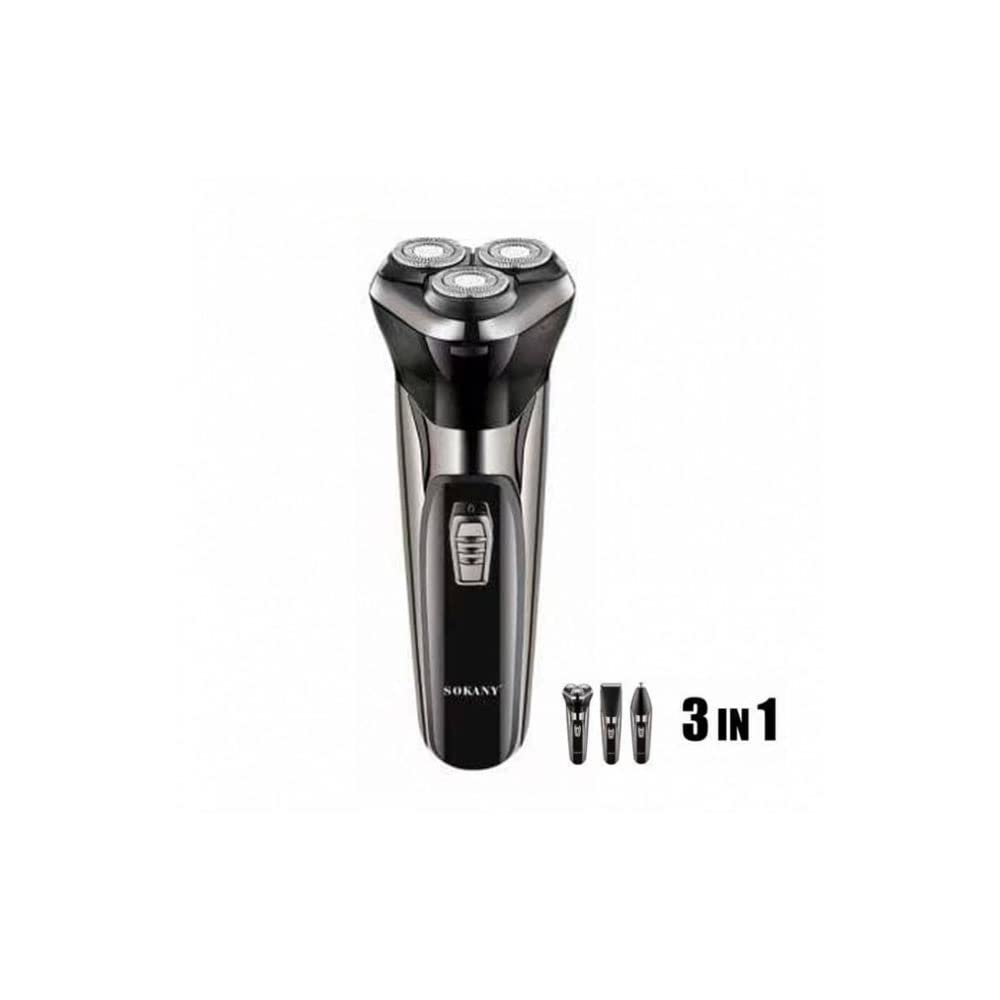
Image: SOKANY SK-9917 3-in-1 Electric Shaver retail box.
Product Overview
The SOKANY SK-9917 is a versatile 3-in-1 grooming device. It consists of a main body and three interchangeable heads, each designed for a specific function:
- Shaver Head: For smooth shaving of facial hair.
- Hair Clipper Head: For trimming and styling hair.
- Nose Trimmer Head: For safely trimming nose and ear hair.

Image: SOKANY SK-9917 main unit with interchangeable heads.
Setup
1. Charging the Device
Before first use, fully charge the device. The SOKANY SK-9917 is battery-operated and charges via a USB cable.
- Connect the USB charging cable to the charging port on the device.
- Plug the other end of the USB cable into a compatible USB power adapter (not included) or a computer USB port.
- The charging indicator light will illuminate.
- A full charge takes approximately 8 hours.
- Once fully charged, disconnect the device from the power source.
2. Attaching and Detaching Heads
To change the grooming head:
- Ensure the device is turned off.
- To detach a head, gently pull it upwards from the main unit.
- To attach a new head, align it with the main unit and push it down until it clicks securely into place.
Operating Instructions
The device has an operating time of approximately 40 minutes on a full charge.
1. Using the Shaver Head
- Attach the shaver head to the main unit.
- Press the power button to turn on the device.
- Hold the shaver at a right angle to your skin and move it gently against the direction of hair growth.
- Stretch your skin with your free hand to ensure a close shave.
- After use, turn off the device and clean the shaver head.
2. Using the Hair Clipper Head
- Attach the hair clipper head to the main unit.
- Press the power button to turn on the device.
- Move the clipper against the direction of hair growth, using smooth, even strokes.
- For different hair lengths, use the appropriate attachment comb (if included) or adjust the clipper settings.
- After use, turn off the device and clean the clipper head.
3. Using the Nose Trimmer Head
- Attach the nose trimmer head to the main unit.
- Press the power button to turn on the device.
- Gently insert the trimmer tip into your nostril or ear canal.
- Move the trimmer in a circular motion to cut unwanted hair.
- Do not insert the trimmer too deeply to avoid injury.
- After use, turn off the device and clean the trimmer head.
Maintenance
1. Cleaning
Regular cleaning ensures optimal performance and hygiene.
- Always turn off and unplug the device before cleaning.
- Use the provided cleaning brush to remove hair clippings from the shaver, clipper, and nose trimmer heads.
- The heads can be rinsed under running water. Ensure they are completely dry before reattaching or storing.
- Do not rinse the main unit under water. Wipe it with a damp cloth if necessary.
- Periodically apply a drop of lubricating oil (not included) to the blades for smooth operation and longevity.
2. Storage
- Store the device in a cool, dry place, away from direct sunlight and moisture.
- Keep all attachments and the charging cable together to prevent loss.
Troubleshooting
| Problem | Possible Cause | Solution |
|---|---|---|
| Device does not turn on. | Battery is depleted. | Charge the device for 8 hours. |
| Poor trimming/shaving performance. | Blades are dull or clogged with hair. | Clean the blades thoroughly. Consider lubricating the blades. |
| Device makes unusual noise. | Hair caught in blades or head not properly attached. | Clean the heads. Reattach the head securely. |
| Charging indicator not lighting up. | Faulty cable or power source. | Try a different USB cable or power adapter. Ensure connections are secure. |
Specifications
| Feature | Detail |
|---|---|
| Model Number | SK-9917 |
| Brand | SOKANY |
| Type | 3-in-1 Electric Shaver (Shaver, Hair Clipper, Nose Trimmer) |
| Power Source | Battery Operated |
| Charging Time | 8 hours (via USB) |
| Operating Time | 40 minutes |
| Blade Material | High Hardness Cutting Blade |
| Included Components | Cleaning brush, Clipper, Attachment heads |
| Item Weight | 400 grams |
| Package Dimensions | 22 x 16.8 x 6 cm |
| Recommended Uses | Personal grooming, Family use, Travel or on-the-go use |
Warranty and Support
For warranty information, please refer to the documentation provided at the time of purchase. If you encounter any issues or require technical support, please contact the retailer or SOKANY customer service through their official channels.
