
Aramox IPROG Pro V87
Contents
Aramox IPROG Pro V87 ECU Programmer Kit
Instruction Manual
1. Product Overview
The Aramox IPROG Pro V87 ECU Programmer Kit is a professional automotive diagnostic and programming tool designed for various vehicle repair and maintenance tasks. This kit is compatible with Windows XP, Vista, 7, and 8 operating systems and features a robust design made from high-quality metal and monocrystalline silicon, ensuring durability and stable performance.
Key functions include dashboard programming, car radio unlocking, ECU management (Immo Off, DPF Off), EEPROM read/write, IMMO key programming, MCU chip programming, and special functions like mile to km conversion.

Image 1.1: Overview of the Aramox IPROG Pro V87 ECU Programmer Kit components.
2. Package Contents
Upon opening the package, verify that all 22 pieces of the programming kit are present. The kit typically includes:
- 1x IPROG Pro V87 Main Programmer Unit
- Various Adapters (e.g., RFID, EEPROM, UARTBDM, CAN, K-line, IR MB, PCF79xx, 35080-160)
- OBDII Cable
- USB Cable
- Probe Adapters
- Software CD(s)

Image 2.1: Detailed view of the main programmer unit, several adapters, and connection cables.
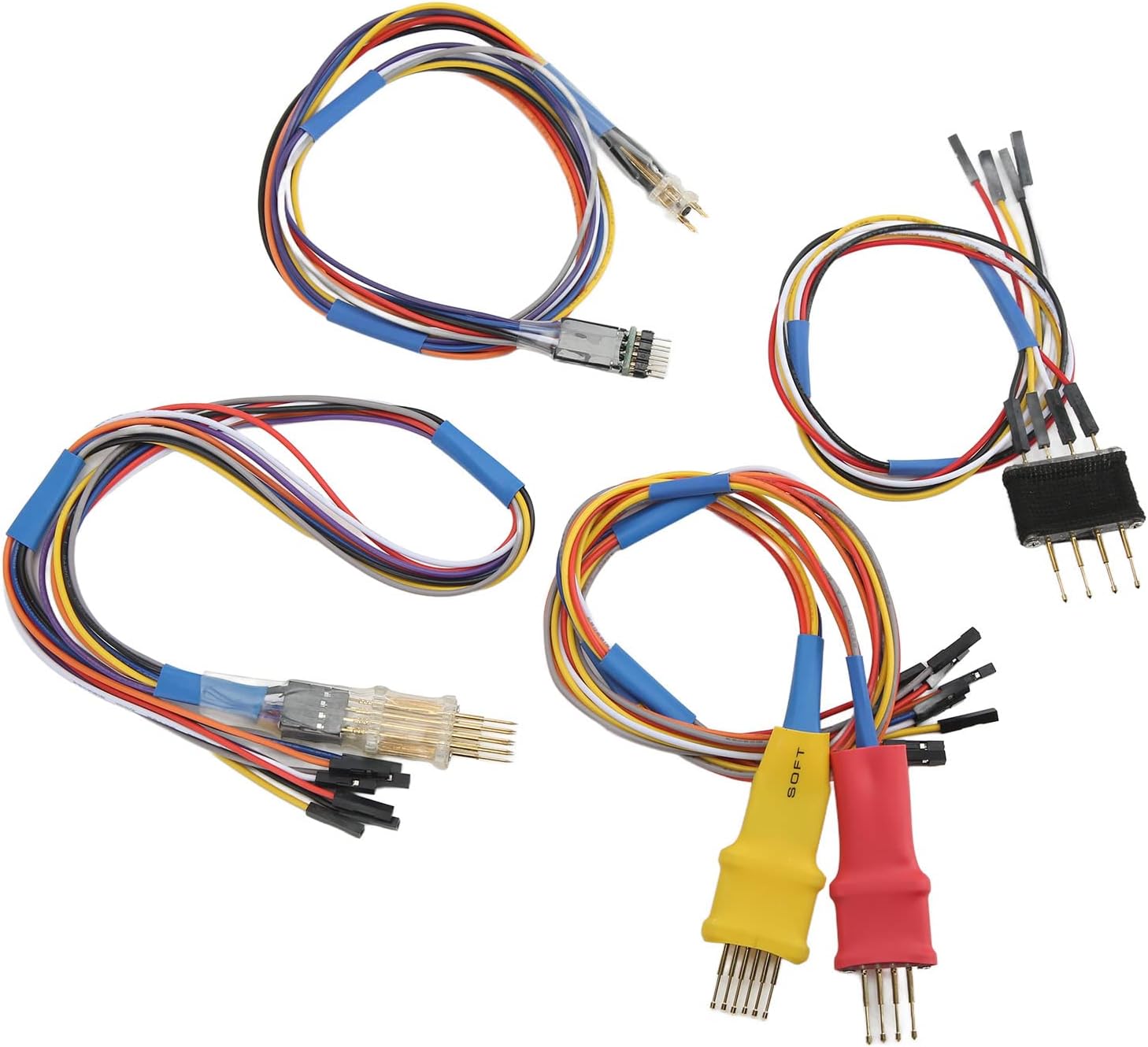
Image 2.2: Close-up view of the diverse range of adapters provided with the kit.
3. Setup and Installation
3.1 System Requirements
- Operating System: Windows XP, Windows Vista, Windows 7, or Windows 8.
- Available USB Port.
- CD-ROM drive for software installation (or internet access for download).

Image 3.1: The IPROG Pro V87 main unit connected to a laptop, illustrating system compatibility.
3.2 Software Installation
- Insert the provided software CD into your computer's CD-ROM drive.
- Follow the on-screen instructions to install the IPROG Pro V87 software and necessary drivers.
- If a CD-ROM drive is not available, download the software from the official Aramox support website (refer to the product packaging or included documentation for the URL).
- Ensure all drivers are correctly installed before connecting the hardware.
3.3 Hardware Connection
- Connect the IPROG Pro V87 main programmer unit to your computer using the supplied USB cable.
- Depending on the task, select the appropriate adapter (e.g., OBDII cable for in-car diagnostics, specific adapters for bench programming).
- Connect the chosen adapter to the main programmer unit.
- For in-car operations, connect the OBDII cable to the vehicle's OBDII port. For bench operations, connect the adapter to the component (e.g., EEPROM chip, dashboard) as per the specific task requirements.

Image 3.2: Connection diagram illustrating how to connect the IPROG Pro V87 for different programming tasks.
4. Operating Instructions
The IPROG Pro V87 software provides a user-friendly interface to access its various functions. Launch the software after successful installation and hardware connection.

Image 4.1: The IPROG Pro V87 main unit highlighting its multi-functional capabilities.
4.1 Core Functions
- Odometer Programming: Works with odometers via OBDII connector or on the bench using specific adapters. Supports mileage readings transfer from miles to kilometers.
- Key Programming (IMMO): Programs and copies chips for cars and trucks, unlocks keys, supports smart key functions (e.g., preparation of reset keys), and writes keys by IMMO dump.
- ECU Functions: Includes 'Immo Off' and 'DPF Disabled' functionalities. Also works with the computer to eliminate fault data and remove particulate filter data from dumps.
- EEPROM: Reads, writes, and erases EEPROM data.
- MCU: Reads and writes various microcontroller chips, including Atmel, Fujitsu, Motorola microchips, and NEC v850.
- Dashboard: Reads and writes new kilometer values.
- Car Radio: Reads and clears information, and resets counts for car radios.
4.2 Advanced Functions
- ABRS (Airbag Reset System): Reads and clears accident data on certain cars, reads and clears Diagnostic Trouble Codes (DTCs), and supports CFG repair.
- Special Functions: Includes mile to km conversion and PIN code extraction from dumps (for certain brands).
- Intercom Keys: Supports operations with intercom keys.
- Script Database: Features a comprehensive basic script database with upgrade capability.
Always refer to the software's specific instructions and vehicle compatibility lists before performing any programming operations. Incorrect procedures can lead to vehicle damage.
5. Maintenance
To ensure the longevity and optimal performance of your Aramox IPROG Pro V87 ECU Programmer Kit, follow these maintenance guidelines:
- Cleaning: Keep the main unit, adapters, and cables clean and free from dust and debris. Use a soft, dry cloth for cleaning. Avoid liquid cleaners.
- Storage: Store the kit in a cool, dry place, away from direct sunlight and extreme temperatures. Keep all components organized in the original packaging or a suitable storage case to prevent damage.
- Cable Care: Avoid bending or twisting cables excessively. Always grasp the connector when plugging or unplugging to prevent damage to the wires.
- Software Updates: Regularly check for software updates from the manufacturer to ensure compatibility with new vehicle models and to access new features or bug fixes.
6. Troubleshooting
If you encounter issues while using the Aramox IPROG Pro V87 ECU Programmer Kit, consider the following troubleshooting steps:
6.1 Installation Difficulties
- Software Not Installing: Ensure your operating system (Windows XP, Vista, 7, or 8) meets the requirements. Temporarily disable antivirus software during installation, as it may interfere with driver setup. Run the installer as an administrator.
- Drivers Not Recognized: After connecting the device, check Device Manager in Windows to see if the device is listed correctly without any error symbols. If not, try reinstalling the drivers from the provided CD or manufacturer's website.
- "Installation too complicated": If you find the installation process challenging, review the software installation steps carefully. Ensure all components are connected as shown in the connection diagram (Image 3.2). If issues persist, seek assistance from technical support.
6.2 Operation Issues
- Device Not Connecting to Vehicle/Component: Verify all cables and adapters are securely connected. Ensure the correct adapter is used for the specific task. Check the vehicle's power supply if performing in-car diagnostics.
- Software Errors: If the software displays error messages, consult the software's help documentation or error code reference. Ensure the software version is up-to-date.
- Inaccurate Readings/Programming Failures: Double-check that the correct vehicle model, ECU type, or chip is selected in the software. Ensure stable power supply to both the programmer and the vehicle/component.
7. Specifications
| Item Type | Programming Kit |
| Material | Metal and Monocrystalline Silicon |
| Compatible Systems | Windows XP, Vista, 7, 8 |
| Software Version | V87 |
| Item Weight | 970 g |
| Package Dimensions | 26.7 x 19.5 x 8.4 cm |
| Item Model Number | Aramoxzfs2p37dyb14230 |
| Manufacturer Serial Number | Aramoxzfs2p37dyb14230 |
| Date First Available | August 19, 2022 |
8. Warranty and Support
For warranty information, please refer to the documentation included with your purchase or contact Aramox customer support directly. If you require technical assistance or have questions regarding the operation of your IPROG Pro V87 ECU Programmer Kit, please reach out to the manufacturer's support channels.
Documents and downloads
Ask a question about this manual
Ask about setup, troubleshooting, compatibility, parts, safety, or missing instructions. Manuals+ will review the question and use this page’s manual context to help answer it.