
Introduction
This manual provides detailed instructions for the installation, operation, and maintenance of your VOCOlinc BR30 Smart Light Bulb. This RGBW color-changing LED bulb offers smart control via voice assistants like Alexa, Apple HomeKit, and Google Home, as well as remote control through the VOCOlinc mobile application. Please read this manual thoroughly before use to ensure proper functionality and safety.
Setup
Follow these steps to set up your VOCOlinc Smart Light Bulb:
- Physical Installation: Screw the BR30 smart light bulb into a standard E26 light socket. Ensure the power is off before installation.
- Power On: Turn on the power to the light fixture. The bulb should light up, indicating it is ready for pairing.
- Download VOCOlinc App: Download the free VOCOlinc app from the App Store (iOS) or Google Play Store (Android).
- Connect to Wi-Fi: Open the VOCOlinc app and follow the on-screen instructions to connect the bulb to your 2.4GHz Wi-Fi network. Note: This bulb only supports 2.4GHz Wi-Fi.
- Pair with Smart Home Platforms: Once connected to the VOCOlinc app, you can link your bulb to Alexa, Apple HomeKit, or Google Home by following the respective app's instructions for adding new smart devices. No additional hub is required.

Figure 1: VOCOlinc BR30 Smart Light Bulb with app interface.
This image displays the VOCOlinc BR30 smart light bulb alongside a smartphone illustrating its compatibility with Apple Home, Alexa, Google Home, and the VOCOlinc app, highlighting its smart control capabilities.
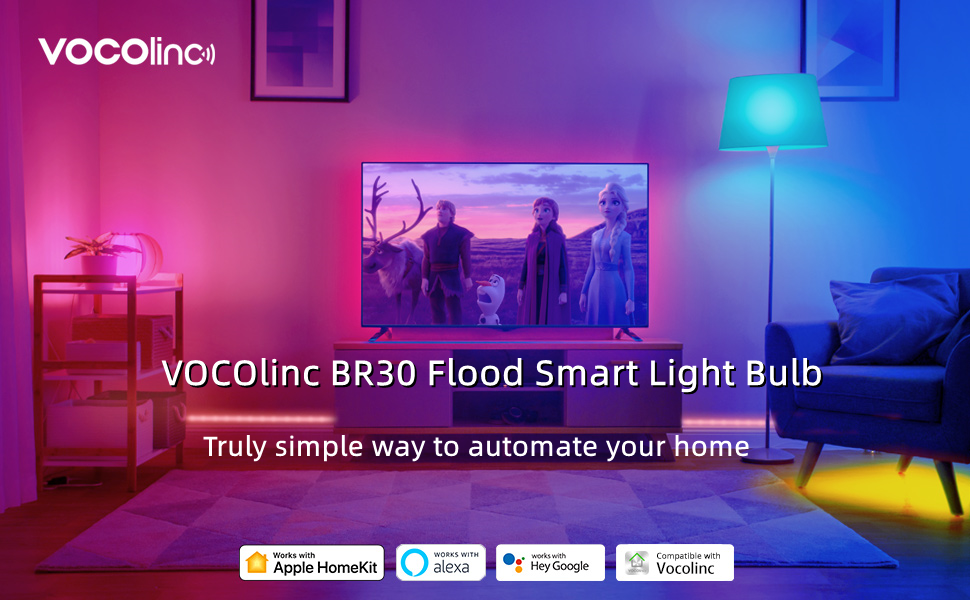
Figure 2: VOCOlinc BR30 Flood Smart Light Bulb in a home environment.
This image shows the VOCOlinc BR30 Flood Smart Light Bulb integrated into a modern living room, emphasizing its role in automating home lighting with compatibility for Apple HomeKit, Amazon Alexa, and Google Assistant.
Operating the Smart Light Bulb
Your VOCOlinc Smart Light Bulb offers a variety of control options and features:
1. App Control
Use the VOCOlinc app to control your bulb from anywhere at any time. Features include:
- On/Off: Toggle the light on or off.
- Dimming: Adjust brightness from 1% to 100%.
- Color Changing: Select from 16 million colors.
- Tunable White: Adjust color temperature from 2200K (warm white) to 7000K (cool white).
- Light Effects: Choose from 5 preset light effects (e.g., Blink, Breathe, Flicker, Candle, Flow) for various moods or occasions.

Figure 3: Overview of VOCOlinc Smart Bulb features.
This graphic illustrates the powerful features of the VOCOlinc smart bulb, including App Control, Multi-Color options, 5 Effects Modes, Dimmable functionality, Energy Saving, Schedule/Timer, and Voice Control.
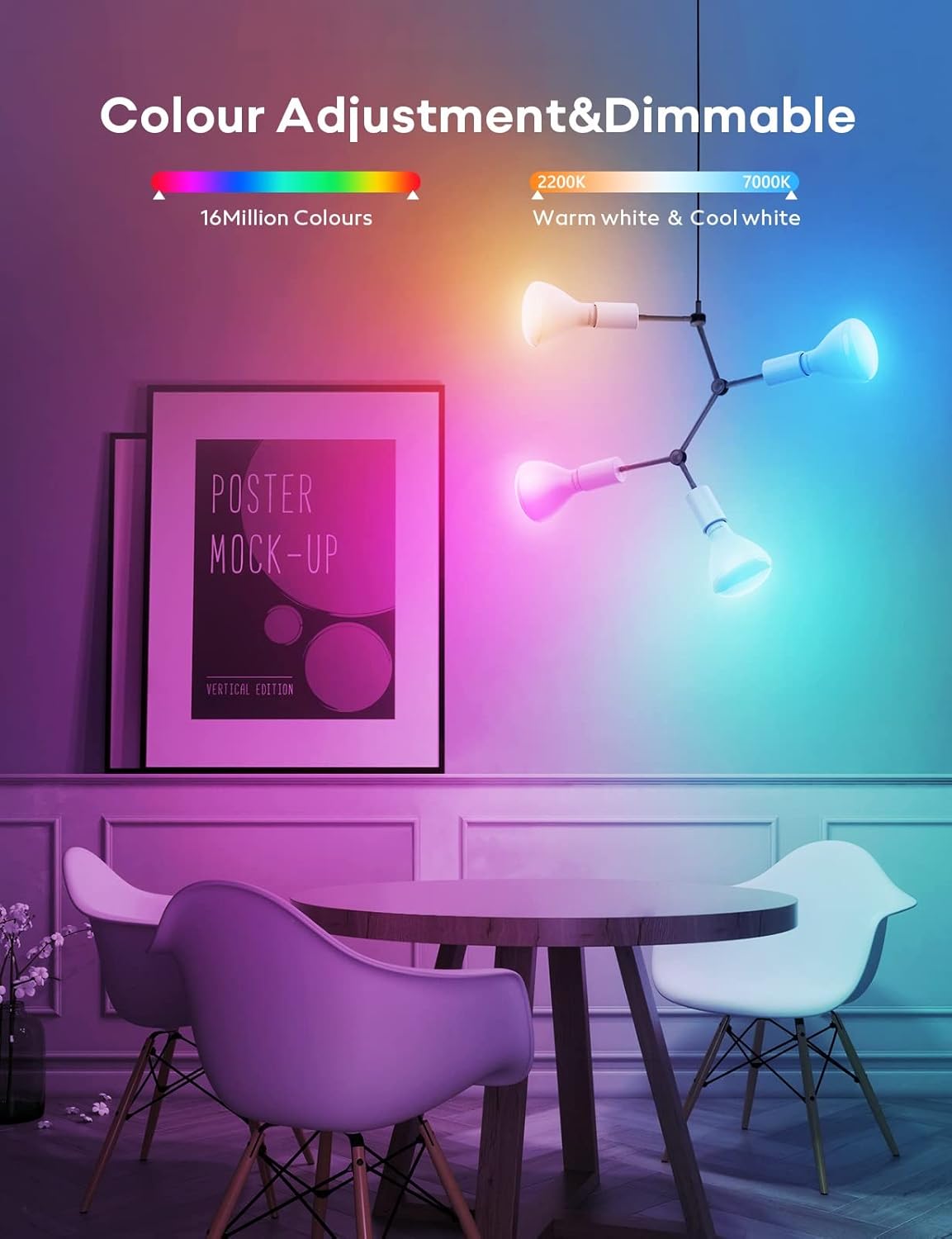
Figure 4: Color adjustment and dimming.
This image demonstrates the extensive color adjustment capabilities of the smart bulb, offering 16 million colors and tunable white light from 2200K to 7000K, suitable for various lighting needs.

Figure 5: Five Effects Modes.
This image highlights the five distinct light effects modes available: Blink, Breathe, Flicker, Candle, and Flow, allowing for dynamic lighting experiences.

Figure 6: Warm white vs. cool white light.
This image visually compares the warm white and cool white light settings of the bulb, demonstrating the range of color temperatures available.
2. Voice Control
Control your VOCOlinc Smart Light Bulb using voice commands with compatible smart home assistants:
- Alexa: "Alexa, set the bedroom to blue."
- Google Home: "Hey Google, dim the kitchen lights to 50%."
- Apple HomeKit (Siri): "Hey Siri, turn on the living room lights."

Figure 7: Voice control in action.
This image depicts a user controlling their smart light bulb with voice commands, showcasing seamless integration with Apple Home, Alexa, and Google Assistant for hands-free operation.
3. Remote Control & Group Control
Manage your lights even when you're away from home, and control multiple bulbs simultaneously:
- Remote Access: Control your smart bulb from anywhere using the VOCOlinc app, ensuring your home always appears occupied.
- Group Control: Create groups for multiple VOCOlinc smart bulbs to control them all with a single command, simplifying lighting management for entire rooms or areas.

Figure 8: Remote control via app.
This image illustrates the remote control capability of the smart light bulb, allowing users to manage their lighting from any location using the mobile application.

Figure 9: Group control setup.
This image demonstrates the group control feature, where multiple smart bulbs can be added to a group and controlled simultaneously, simplifying lighting management for entire areas.
4. Scheduling and Timers
Automate your lighting to fit your daily routine and enhance security:
- Set Schedules: Program your lights to turn on or off at specific times, such as waking up gently with light or simulating occupancy when you're away.
- Timers: Utilize countdown timers for specific lighting durations.

Figure 10: Setting a personal schedule.
This image illustrates how to set a personalized lighting schedule within the app, allowing the bulb to automatically adjust brightness for comfortable waking and sleeping routines.
Maintenance
To ensure the longevity and optimal performance of your VOCOlinc Smart Light Bulb, follow these simple maintenance guidelines:
- Cleaning: Ensure the bulb is cool and the power is off before cleaning. Wipe the bulb with a soft, dry cloth. Do not use liquid cleaners or abrasive materials.
- Bulb Replacement: The VOCOlinc Smart Light Bulb has an average lifespan of approximately 25,000 hours. When the bulb reaches the end of its life, replace it with another compatible smart LED bulb.
- Storage: If storing the bulb for an extended period, keep it in a cool, dry place away from direct sunlight and extreme temperatures.
Troubleshooting
If you encounter issues with your VOCOlinc Smart Light Bulb, refer to the following common problems and solutions:
| Problem | Possible Cause | Solution |
|---|---|---|
| Bulb not turning on. | No power to the socket; bulb not screwed in properly; bulb malfunction. | Check power switch and circuit breaker. Ensure bulb is securely screwed in. Test bulb in another working socket. |
| Bulb not connecting to Wi-Fi. | Incorrect Wi-Fi band (not 2.4GHz); weak Wi-Fi signal; incorrect password. | Ensure your router is broadcasting a 2.4GHz network. Move bulb closer to the router. Double-check Wi-Fi password. |
| Bulb unresponsive in app/voice control. | Loss of Wi-Fi connection; app glitch; smart home platform issue. | Check Wi-Fi connection. Restart the VOCOlinc app. Unlink and relink the bulb from your smart home platform. Power cycle the bulb (turn off/on at switch). |
| Colors are inaccurate or inconsistent. | Software calibration issue; environmental factors. | Recalibrate colors in the VOCOlinc app. Ensure the bulb is not in direct sunlight or extreme temperatures. |
If problems persist after attempting these solutions, please contact VOCOlinc customer service for further assistance.
Specifications
| Feature | Specification |
|---|---|
| Brand | VOCOlinc |
| Model | BR30 1 PACK |
| Light Type | RGBW Color Changing |
| Wattage | 9.5 Watts (60W Equivalent) |
| Bulb Shape Size | BR30 |
| Bulb Base | E26 |
| Brightness | 800 Lumens |
| Color Temperature | 2200K-7000K |
| Connectivity Technology | Wi-Fi (2.4GHz only) |
| Control Method | App, Voice (Apple HomeKit, Alexa, Google Home) |
| Average Life | 25,000 Hours |
| Voltage | 120 Volts |
| Material | Copper |
| Product Dimensions | 3"W x 5"H |
| Item Weight | 4.6 ounces |
Warranty and Support
VOCOlinc is committed to providing high-quality products and excellent customer service. If you have any questions, concerns, or require assistance with your BR30 Smart Light Bulb, please utilize the following support options:
- Email Support: We offer 24-hour email service for all customer inquiries. Please refer to the VOCOlinc app or official website for the most current contact email address.
- Return Service: If you are not satisfied with your product, please contact customer service regarding our return policy and procedures.
For the latest product information, FAQs, and support resources, please visit the official VOCOlinc website.