
1. Introduction
Thank you for choosing the UGREEN Magnetic Wireless Charger. This portable charging pad is designed to provide efficient and convenient wireless charging for compatible devices. This manual will guide you through the setup, operation, maintenance, and troubleshooting of your new charger.

Image 1.1: UGREEN Magnetic Wireless Charger in use, demonstrating magnetic attachment and efficient charging.
Key Features:
- Magnetic Alignment: Ensures precise placement for optimal charging efficiency.
- Portable Design: Slim and lightweight for easy transport.
- Extended Cable: Features a 5-foot (1.5m) cable for flexible use.
- Multi-Protection: Built-in safeguards against overcharge, foreign object detection, temperature control, and short circuits.
Compatibility: This charger is compatible with iPhone 15 series, iPhone 14, iPhone 13 series, iPhone 12 series, and AirPods (2nd generation, 3rd generation, and Pro models).
2. Setup Instructions
Follow these steps to set up your UGREEN Magnetic Wireless Charger:
- Connect to Power: Plug the USB-C connector of the wireless charger into a compatible power adapter (not included). For optimal charging performance, a power adapter with at least 20W output is recommended.
- Power Source: Ensure the power adapter is plugged into a functional wall outlet.
- Indicator: The charger may briefly illuminate or show an indicator light upon successful power connection (specific indicator behavior may vary).

Image 2.1: Charger connected and ready for use, demonstrating its compact design.
3. Operating Instructions
Using your UGREEN Magnetic Wireless Charger is straightforward:
- Place Device: Position your compatible iPhone (12 series or newer) or AirPods charging case directly onto the center of the UGREEN Magnetic Wireless Charger.
- Magnetic Alignment: The charger will magnetically snap into place, ensuring correct alignment for wireless charging.
- Charging Confirmation: Your device's screen will indicate that charging has begun. For iPhones, the MagSafe charging animation will appear.
- Optimal Use: You can continue to use your device, including playing games or making calls, while it is charging. The magnetic attachment allows for flexible orientation.
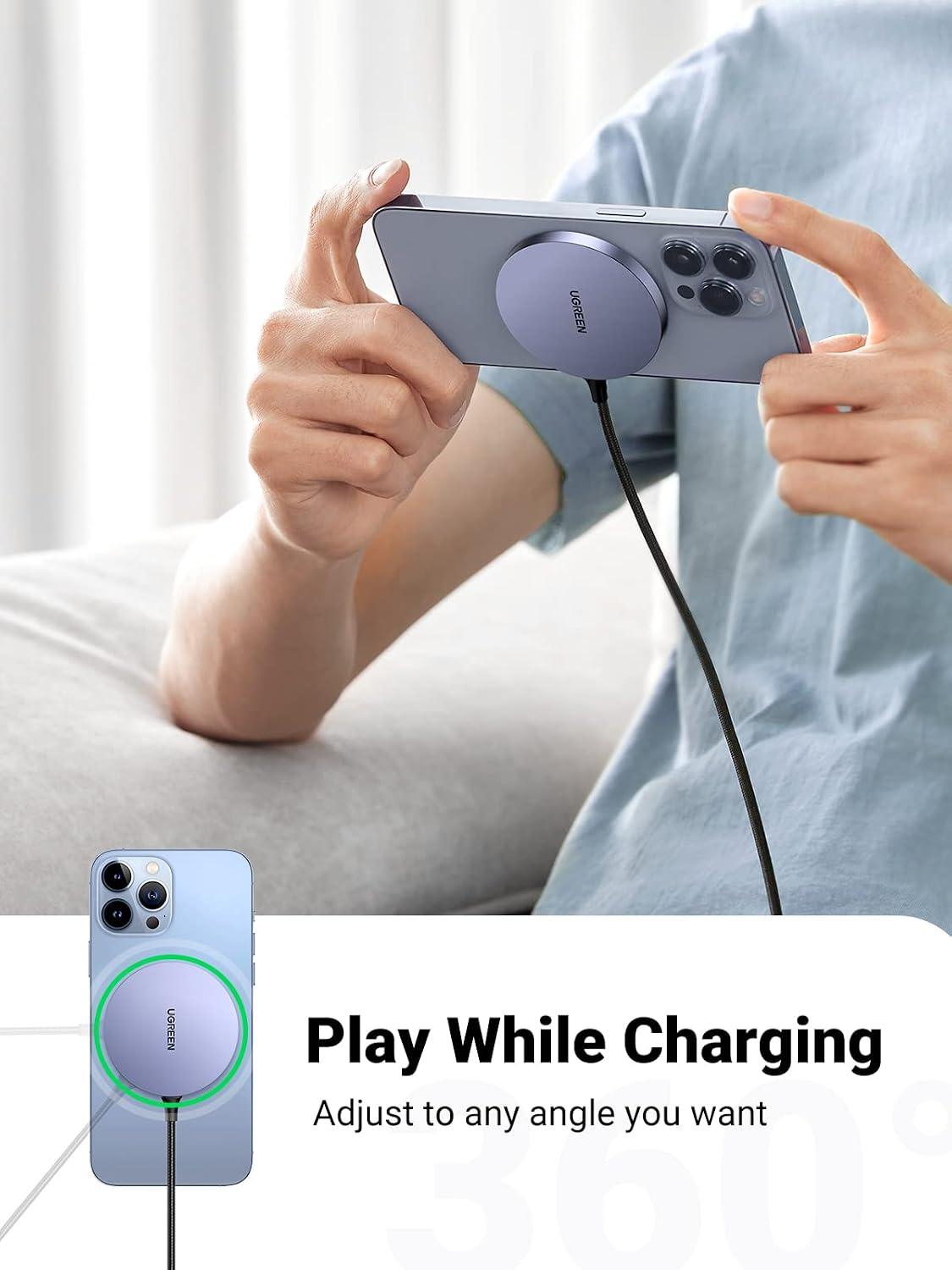
Image 3.1: Using the charger while holding the phone, showcasing flexibility.
Compatibility Details:

Image 3.2: Compatibility chart for UGREEN Magnetic Wireless Charger.
- iPhone 13 Series / iPhone 12 Series: Supports up to 7.5W wireless charging.
- AirPods / AirPods Pro: Supports up to 5W wireless charging.
- For optimal magnetic attachment and charging, use an iPhone 12 series or newer, or an iPhone with a MagSafe-compatible case.
4. Maintenance
To ensure the longevity and optimal performance of your UGREEN Magnetic Wireless Charger, follow these maintenance guidelines:
- Cleaning: Disconnect the charger from the power source before cleaning. Use a soft, dry, lint-free cloth to wipe the surface. Avoid using harsh chemicals, abrasive cleaners, or sprays.
- Storage: When not in use, store the charger in a cool, dry place away from direct sunlight and extreme temperatures.
- Handling: Avoid dropping the charger or subjecting it to strong impacts. Do not attempt to disassemble or modify the charger, as this will void the warranty and may cause damage.
- Cable Care: Do not bend or crimp the cable excessively. Always hold the plug when disconnecting from a power source, rather than pulling the cable itself.
5. Troubleshooting
If you encounter issues with your UGREEN Magnetic Wireless Charger, refer to the following common problems and solutions:
- Device is not charging:
- Ensure the charger is properly connected to a working power adapter and wall outlet.
- Verify that your device is correctly aligned on the center of the charging pad. The magnetic attachment should confirm proper placement.
- Check for any foreign objects (e.g., metal, credit cards) between the charger and your device, as these can interfere with wireless charging.
- Confirm your device is compatible with wireless charging and MagSafe technology (for magnetic attachment).
- Charging is slow or intermittent:
- Use a power adapter that provides sufficient wattage (at least 20W recommended) to ensure optimal charging speed. Lower wattage adapters may result in slower charging.
- Ensure the device is perfectly centered on the charging pad. Misalignment can reduce charging efficiency.
- Remove any thick cases or non-MagSafe compatible cases from your device, as they can hinder wireless charging performance.
- If the charger stops charging after a period, it might be due to a safety feature or an unstable power supply. Try reconnecting the charger and device.
- Charger or device feels warm during charging:
- It is normal for wireless chargers and devices to become slightly warm during operation.
- If the device or charger becomes excessively hot, disconnect it immediately. Ensure proper ventilation and avoid charging in direct sunlight or confined spaces.
- The charger includes temperature control protection to prevent overheating.
If these steps do not resolve the issue, please contact UGREEN customer support for further assistance.
6. Specifications
| Feature | Specification |
|---|---|
| Brand | UGREEN |
| Model | B0BB6F2TM1 |
| Connector Type | USB Type C |
| Compatible Devices | iPhone (15, 14, 13, 12 series), AirPods |
| Special Feature | Magnetic, Portable, Wireless Charger |
| Wattage (Max) | 7.5W for iPhone, 5W for AirPods (requires compatible power adapter) |
| Output Current | 3 Amps (DC) |
| Output Voltage | 5 Volts (DC) |
| Cable Length | 5 feet (1.5 meters) |
| Connectivity Technology | Wireless |
| Mounting Type | Tabletop Mount |
| Power Source | AC (via power adapter) |
| Dimensions (Approx.) | 6.2mm thickness (refer to Image 6.1) |
| Weight (Approx.) | 67g (refer to Image 6.1) |

Image 6.1: Physical dimensions and weight of the UGREEN Magnetic Wireless Charger.
7. Warranty and Support
UGREEN products are designed with quality and reliability in mind. This product comes with a standard manufacturer's warranty. Please refer to the warranty card included in your product packaging or visit the official UGREEN website for detailed warranty terms and conditions.
Customer Support:
If you have any questions, require technical assistance, or need to claim warranty service, please contact UGREEN customer support through one of the following methods:
- Official Website: Visit www.ugreen.com for support resources, FAQs, and contact information.
- Email Support: Refer to your product packaging or the UGREEN website for the dedicated support email address.
Please have your product model (B0BB6F2TM1) and purchase details ready when contacting support.