
Mignova MB1001 Compatible Tablet Case
Contents
Mignova 10.1-inch Tablet Case User Manual
Model: MB1001 Compatible Tablet Case
1. Introduction
Thank you for choosing the Mignova 10.1-inch Tablet Case. This sturdy case is designed to provide comprehensive protection for your tablet, featuring a durable multi-layer structure, a functional kickstand, and precise cutouts for full accessibility. It also includes a detachable shoulder strap for convenient portability and a tempered glass screen protector for enhanced display protection. This manual provides detailed instructions for setup, operation, maintenance, and troubleshooting to ensure optimal use of your new tablet case.
Package Contents:
- 1 x Mignova 10.1-inch Tablet Case
- 1 x Adjustable Shoulder Strap
- 1 x Tempered Glass Screen Protector

Figure 1.1: Complete package contents including the tablet case, shoulder strap, and tempered glass screen protector.
2. Setup and Installation
Follow these steps to properly install your tablet into the Mignova case and apply the screen protector.
2.1 Case Installation
- Disassemble the Case: The case features a 3-layer structure. Carefully separate the outer silicone layer from the inner hard PC frame. The inner hard PC frame consists of a front frame and a back cover.
- Insert Tablet: Place your 10.1-inch tablet into the front hard PC frame, ensuring it fits snugly and all edges are aligned.
- Attach Back Cover: Snap the hard PC back cover onto the front frame, securing your tablet firmly within the inner hard shell.
- Apply Silicone Layer: Gently stretch and fit the outer silicone layer over the assembled hard PC case. Ensure all corners and edges are fully covered by the silicone for maximum shock absorption.

Figure 2.1: Illustration of the 3-layer structure (silicone, back PC, hard PC frame) for proper assembly.
2.2 Tempered Glass Screen Protector Application
The included tempered glass screen protector offers 9H hardness for maximum protection and maintains high transparency and touch sensitivity.
- Clean Tablet Screen: Use a microfiber cloth to thoroughly clean your tablet's screen, removing all dust, fingerprints, and smudges. Ensure the screen is completely dry.
- Align Protector: Carefully align the tempered glass screen protector with your tablet's screen, paying attention to cutouts for the camera and sensors.
- Apply Protector: Once aligned, gently lower the protector onto the screen. It will adhere automatically. If bubbles appear, gently push them towards the edges using a soft cloth.
2.3 Attaching the Shoulder Strap
The adjustable and detachable shoulder strap provides convenient carrying options.
- Locate Attachment Points: Identify the four reinforced loops on the corners of the tablet case.
- Attach Buckles: Clip the buckles of the shoulder strap onto any two or four of these loops, depending on your preferred carrying style (e.g., horizontal or vertical).
- Adjust Length: Use the adjustable buckle on the strap to customize its length for comfortable carrying or for mounting the tablet (e.g., on a car headrest).

Figure 2.2: Various ways to utilize the adjustable and detachable shoulder strap for carrying or mounting.
3. Operating Instructions
This section details the functional aspects of your Mignova tablet case.
3.1 Using the Built-in Kickstand
The integrated kickstand allows for hands-free viewing and typing.
- Viewing Angle: Extend the kickstand fully to prop up your tablet at an optimal angle for watching videos or making video calls.
- Typing Angle: Partially extend the kickstand to achieve a lower, more ergonomic angle suitable for typing or drawing.
- The kickstand supports both landscape and portrait orientations for versatile use.

Figure 3.1: The kickstand allows for easy switching between landscape and portrait modes for various activities.
3.2 Accessing Ports and Buttons
The case is designed with precise cutouts and protective flaps to ensure full functionality of your tablet.
- Port Plugs: Rubber flaps cover charging ports, headphone jacks, and other openings to prevent dust and debris from entering. Gently lift these flaps to access the ports.
- Button Covers: The silicone layer provides tactile button covers for power and volume buttons, maintaining responsiveness while offering protection.
- Camera and Speaker Cutouts: Dedicated cutouts ensure unobstructed use of your tablet's camera and speakers.

Figure 3.2: Rubber flaps on port openings help keep out dust and debris, extending the life of your tablet.
4. Maintenance and Care
Proper care will extend the lifespan and maintain the appearance of your Mignova tablet case and screen protector.
- Cleaning the Case:
- Wipe the silicone and hard PC parts of the case with a damp cloth and mild soap if necessary.
- Avoid using harsh chemicals or abrasive cleaners, as these can damage the material.
- Ensure the case is completely dry before re-installing your tablet.
- Cleaning the Screen Protector:
- Use a soft, lint-free cloth (like a microfiber cloth) to gently wipe the tempered glass screen protector.
- For stubborn smudges, a small amount of screen cleaner designed for electronics can be used.
- Storage: When not in use, store the case and strap in a cool, dry place away from direct sunlight to prevent material degradation.
5. Troubleshooting
This section addresses common issues you might encounter.
| Problem | Possible Cause | Solution |
|---|---|---|
| Tablet does not fit in case. | Incorrect tablet size or model. | Ensure your tablet is 10.1 inches and listed as compatible. Refer to the compatibility list in Section 1. |
| Bubbles under screen protector. | Dust particles or improper application. | Carefully lift one edge of the protector and reapply after ensuring the screen is dust-free. Use a soft cloth to push bubbles to the edge. |
| Ports are difficult to access. | Rubber flaps are too stiff or case not fully seated. | Ensure the case is correctly installed and fully snapped into place. The rubber flaps may soften slightly with use. |
| Kickstand is loose or doesn't stay open. | Wear and tear or manufacturing defect. | If the kickstand becomes excessively loose, contact customer support for assistance. |
6. Specifications
| Feature | Detail |
|---|---|
| Product Name | Mignova 10.1-inch Tablet Case with Shoulder Strap and Tempered Glass |
| Model Compatibility | For Moderness Tablet MB1001 10.1 inch, CZZ Tablet 10.1 inch, Okaysea 10.1 inch Tablet, HAPPYBE 10 inch tablet, ANYLAKE 10 inch Tablet, Freeski OLEXEX Bestski Tablet 10 inch, Velorim 10 inch tablet, ZZB 10 inch tablet, JUNINKE GA10lfl, Yqsavior nv10, Novojoy, Atozee atnv10, Zzb cp20, Baken b10-2022, Mouikei Mke1001, Urao URa10031, Volentex M10, Freeski Fsk10018, Higrace Kt1006, Colorroom 10.1, Xgody N01, Cheerjoy cjy, Aiprotablet Ai-k10, wetap y10, Lville Lville10051 (10.1 inch tablets) |
| Material | Silicone (outer), Hard PC (inner frame and back) |
| Protection Features | Heavy Duty Protection, Shockproof, Drop Design, Port Plugs |
| Kickstand | Built-in, 2 angles (Typing & Viewing), supports landscape & portrait |
| Shoulder Strap | Adjustable and Detachable |
| Screen Protector | Tempered Glass, 9H Hardness, High Transparency (98.86%), Sensitive-touch |
| Color | Navy+Green (as per current product variant) |
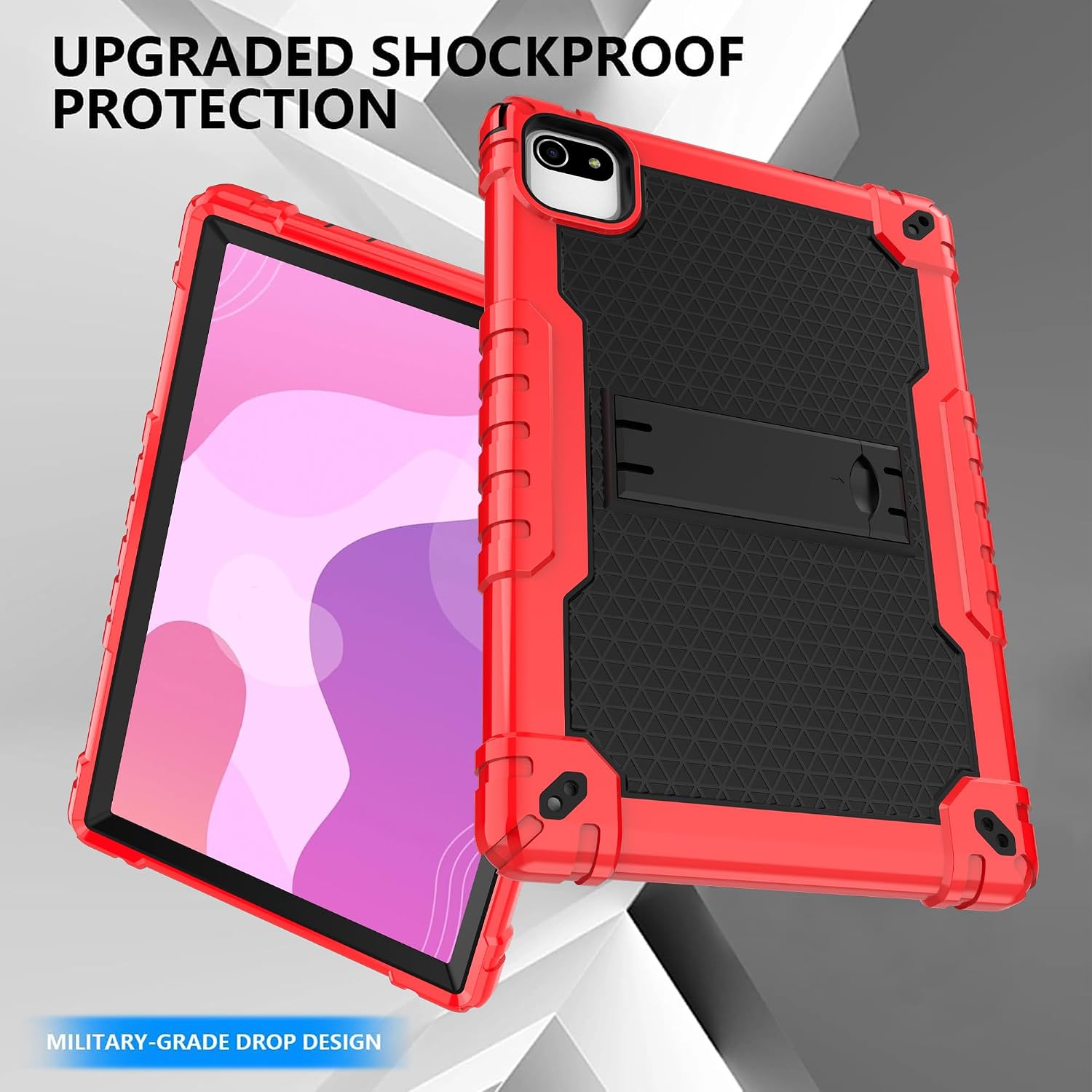
Figure 6.1: The case offers upgraded shockproof protection with a military-grade drop design.
7. Warranty and Support
This product is manufactured by Mignova. For any issues or inquiries regarding your Mignova tablet case, please refer to the seller's return policy or contact the seller directly through the platform where you purchased the product.
Return Policy: The buybox winner indicates a 30-day refund/replacement return policy. Please check the specific terms and conditions provided by your seller at the time of purchase.
For further assistance, you may also visit the Mignova brand page or contact their customer service if available.
Documents and downloads
Ask a question about this manual
Ask about setup, troubleshooting, compatibility, parts, safety, or missing instructions. Manuals+ will review the question and use this page’s manual context to help answer it.