
Introduction
Thank you for choosing the Nivona NICR550 Fully Automatic Coffee Machine. This manual provides essential information for the safe and efficient operation, maintenance, and care of your new appliance. Please read these instructions carefully before first use and keep them for future reference.
Safety Information
Always observe basic safety precautions when using electrical appliances to reduce the risk of fire, electric shock, and injury.
- Read all instructions before operating the appliance.
- Do not immerse the appliance, power cord, or plug in water or other liquids.
- Keep the appliance out of reach of children.
- Do not operate the appliance with a damaged cord or plug.
- Always unplug the appliance before cleaning or when not in use.
- Use only cold, fresh water in the water tank.
- Be cautious of hot surfaces and steam during operation.
Setup
Unpacking and Initial Placement
Carefully remove all packaging materials. Place the machine on a stable, level, and heat-resistant surface, away from water sources and direct sunlight. Ensure adequate ventilation around the machine.
Initial Cleaning
Before first use, clean the water tank, drip tray, and coffee grounds container with warm water and a mild detergent. Rinse thoroughly and dry.
Filling the Water Tank
Remove the water tank and fill it with fresh, cold tap water up to the MAX mark. Reinsert the tank securely.
Filling the Bean Container
Open the lid of the bean container and fill it with whole coffee beans. Do not use ground coffee in the bean container.
Power Connection and First Use
Plug the power cord into a grounded electrical outlet. Follow the on-screen instructions for the initial setup process, which typically includes rinsing cycles to prime the system.
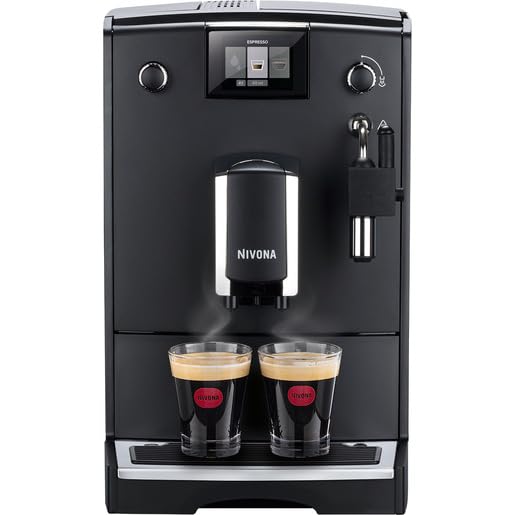
Image: Front view of the Nivona NICR550 coffee machine, ideal for initial placement reference.
Operating Instructions
Basic Coffee Preparation
Place a cup under the coffee spout. Select your desired coffee specialty (e.g., Espresso, Coffee) from the display. The machine will automatically grind the beans, brew, and dispense your coffee.

Image: The Nivona NICR550 in operation, brewing two espressos.
Adjusting Coffee Settings
- Grind Strength: Adjust the grinder setting using the dial in the bean container. Finer grind for stronger coffee, coarser for milder. Adjust only when the grinder is running.
- Water Volume: Customize the amount of water for your coffee by navigating through the menu options on the display.
- Coffee Temperature: Select your preferred brewing temperature from the machine's settings menu.
Milk Frothing (for Cappuccino, Latte)
The machine features a steam wand for manual milk frothing. Fill a pitcher with cold milk. Position the steam wand just below the milk surface and open the steam valve. Move the pitcher up and down to create foam. Close the steam valve when done. Clean the steam wand immediately after use.
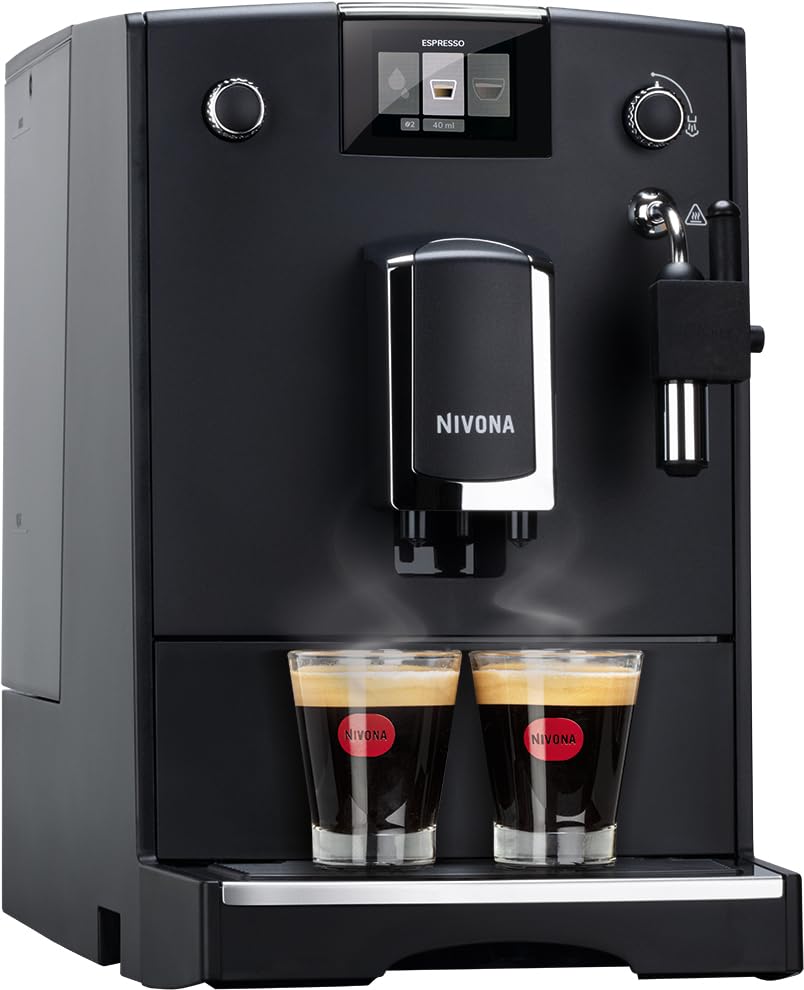
Image: Angled view of the Nivona NICR550, showing the steam wand for milk frothing.
Maintenance
Regular cleaning and maintenance ensure optimal performance and longevity of your coffee machine.
Daily Cleaning
- Drip Tray and Coffee Grounds Container: Empty and rinse daily.
- Brewing Unit: The brewing unit is removable for easy cleaning. Remove it, rinse thoroughly under running water, and allow it to air dry before reinserting. This prevents mold and residue buildup.
- Steam Wand: Wipe immediately after each use with a damp cloth. Perform a short steam burst to clear any milk residue from the nozzle.
Descaling
The machine will prompt you when descaling is required. Follow the on-screen instructions and use Nivona-approved descaling solutions. Regular descaling prevents limescale buildup and maintains heating efficiency.
Water Filter Replacement
If using a water filter, replace it as indicated by the machine or every two months, whichever comes first. This helps maintain water quality and reduces descaling frequency.
Troubleshooting
Refer to this section for common issues and their solutions.
- No Coffee Dispensed: Check water tank level, ensure brewing unit is correctly inserted, and coffee beans are present.
- Weak Coffee: Adjust grind setting to finer, increase coffee strength in settings, or check bean quality.
- Machine Leaking: Ensure drip tray is correctly positioned and not overflowing. Check for proper seating of the water tank and brewing unit.
- Error Message on Display: Consult the machine's display for specific error codes and follow the recommended actions. If the issue persists, contact customer support.
Specifications
| Brand | Nivona |
| Model Number | NICR550 |
| Product Dimensions | 46D x 24W x 34H Centimeters |
| Item Weight | 9 kg 660 g |
| Power Source | AC adapter |
| Operation Mode | Fully Automatic |
| Coffee Maker Type | Espresso Machine |
| Special Feature | Programmable |
| Material | Stainless Steel, Plastic |
| Specific Uses | Cappuccino, Espresso, Latte |
Warranty and Support
Your Nivona NICR550 coffee machine comes with a manufacturer's warranty. Please refer to the warranty card included with your purchase for specific terms and conditions. For technical support, service, or spare parts, please contact your local Nivona service center or the retailer where you purchased the product.
Note: Keep your proof of purchase for warranty claims.


