
1. Introduction
This manual provides essential information for the safe and efficient operation of your JENABOM 8 in 1 Electric Screwdriver. Please read this manual thoroughly before use and retain it for future reference.
The JENABOM 8 in 1 Electric Screwdriver is a versatile and portable tool designed for small home projects, furniture assembly, and general household tasks. Its cordless design, adjustable handle, and integrated LED light make it convenient for various applications.
2. Package Contents
Upon unpacking, please ensure all items listed below are present and in good condition:
- 1x JENABOM Handheld Electric Screwdriver (269 grams)
- 4x Long Screwdriver Bits
- 2x Twist Drill Bits
- 1x USB Charging Cord

Image: The JENABOM 8 in 1 Electric Screwdriver, along with its accessory kit including various screwdriver bits, drill bits, and a USB charging cable.
3. Product Features
- Dual-Position Handle: Switches between straight and pistol grips for enhanced flexibility and access to confined spaces.
- Forward/Reverse Button: Allows quick change of rotation direction for driving or removing screws.
- Cordless Design: Offers portability and ease of use without the restriction of power cords.
- Integrated LED Light: Automatically illuminates the work area for improved visibility in dark environments.
- Durable Rechargeable Battery: Provides long-lasting performance for extended use.
- Micro-USB Charging: Conveniently charges using any Micro-USB cable from various power sources.
- Quiet Operation: Designed for low noise during use.

Image: Detailed diagram illustrating the key components of the electric screwdriver, including the durable chuck, LED headlamp, rotary switch, forward/reverse switch, trigger button, pilot lamp, and ergonomic handle.

Image: Visual guide demonstrating the 90-degree rotatable handle feature, allowing the screwdriver to switch between pistol and straight grip configurations for versatile use.
4. Setup
4.1 Charging the Screwdriver
Before first use, fully charge the screwdriver. The charging port is located on the handle.
- Connect the provided USB Charging Cord to the Micro-USB port on the screwdriver.
- Connect the other end of the USB cable to a compatible USB power source (e.g., laptop, car charger, power bank).
- The LED Charging Indicator will illuminate red during charging.
- Once fully charged, the LED Charging Indicator will turn green.
- Important: Do not charge for more than 5 hours to prevent battery damage.

Image: The electric screwdriver connected to a USB charging cable, highlighting the LED charging indicator that changes color to show charging status.
4.2 Installing Bits
- Select the appropriate screwdriver bit or drill bit for your task.
- Insert the bit firmly into the durable chuck at the front of the screwdriver until it clicks into place.
- To remove, pull the bit straight out from the chuck.
5. Operating Instructions
5.1 Adjusting Handle Position
- To change the handle position from pistol grip to straight or vice-versa, press the button on top of the handle with your thumb.
- Rotate the handle to the desired 90-degree position.
- Release the button; the handle will lock into place.
5.2 Driving/Removing Screws
- Ensure the correct bit is installed.
- Use the forward/reverse button (typically a slider switch near the trigger) to select the desired rotation direction:
- Forward (clockwise) for driving screws.
- Reverse (counter-clockwise) for removing screws.
- Place the bit onto the screw head.
- Press the switch button (trigger) to activate the screwdriver. The front LED light will automatically turn on.
- Apply gentle, steady pressure while operating.
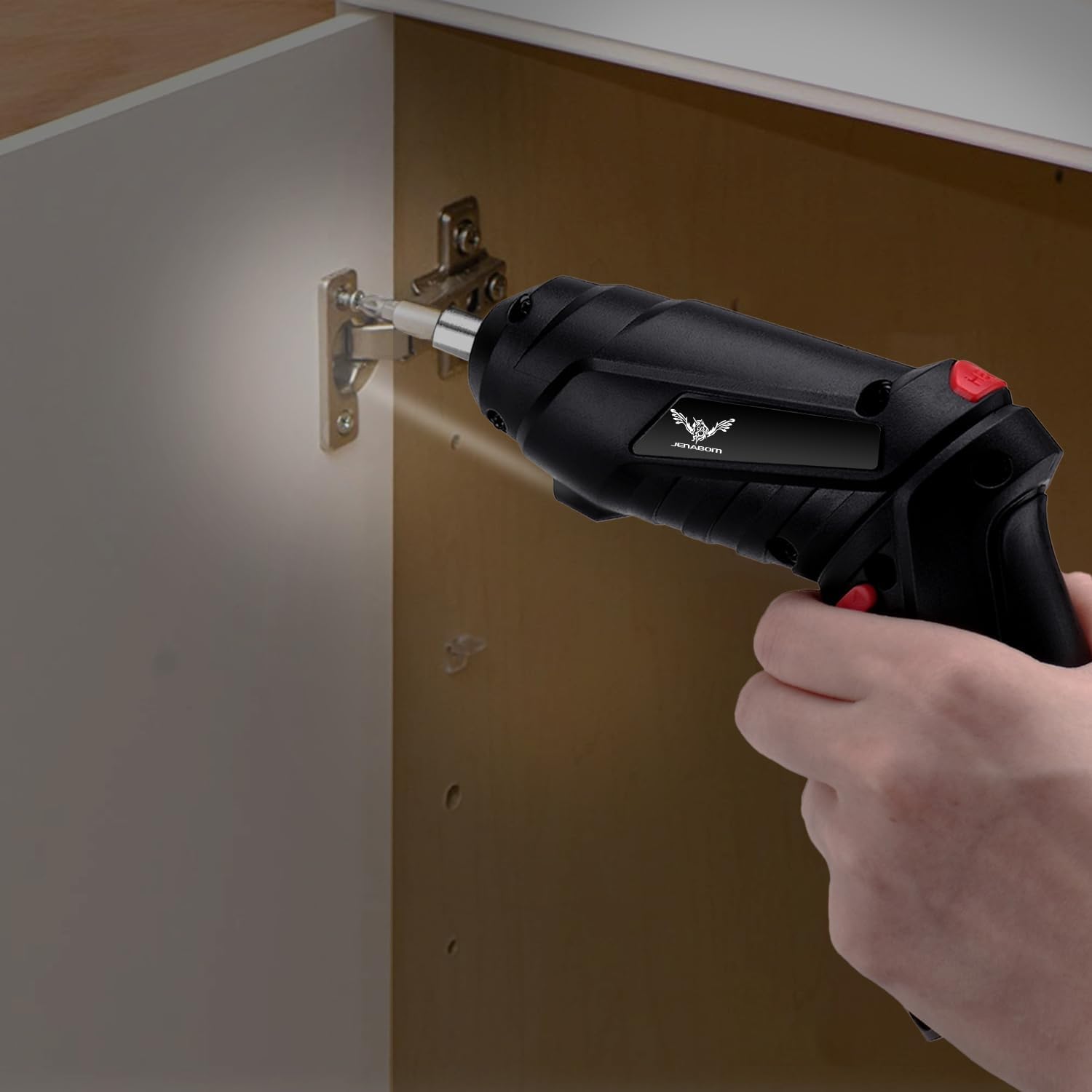
Image: The electric screwdriver in use, demonstrating its effectiveness for tasks like installing cabinet hinges, with the integrated LED light providing illumination.
5.3 Versatile Applications
This electric screwdriver is suitable for a wide range of light-duty tasks, including:
- Furniture assembly
- Mounting shelves or pictures
- Small appliance maintenance
- Drilling into soft materials like wood or plastic (with appropriate drill bits)

Image: A collage showcasing the screwdriver's versatility in different scenarios, such as assembling furniture, installing wall fixtures, and light drilling.

Image: Further examples of the screwdriver's utility, including home appliance repair, vehicle assembly, drilling into different materials, and general maintenance tasks.
6. Maintenance
- Cleaning: Wipe the screwdriver with a clean, dry cloth after each use. Do not use harsh chemicals or abrasive cleaners.
- Storage: Store the screwdriver and its accessories in a dry, cool place, away from direct sunlight and moisture. Keep out of reach of children.
- Battery Care: For optimal battery life, avoid completely draining the battery frequently. Charge it regularly, but do not overcharge (max 5 hours).
7. Troubleshooting
| Problem | Possible Cause | Solution |
|---|---|---|
| Screwdriver not turning on. | Battery is low or depleted. | Charge the screwdriver for up to 5 hours. |
| Bit not holding securely. | Bit not fully inserted. | Ensure the bit is pushed firmly into the chuck until it clicks. |
| Screwdriver lacks power. | Battery is low; attempting to drive into too hard a material. | Recharge the battery. This tool is designed for small home projects and light materials; avoid heavy-duty applications. |
8. Specifications
| Feature | Detail |
|---|---|
| Brand | JENABOM |
| Model | B0B9XMJ335 (8 in 1) |
| Power Source | Battery Powered |
| Voltage | 3.6 Volts |
| Max Torque | 3.5 Newton Meters |
| Speed | 250 RPM |
| Color | Black, Red, Silver |
| Material | Metal, Plastic |
| Item Weight | 13.7 ounces |
| Charging Port | Micro USB |
9. Warranty and Support
For warranty information or technical support, please contact JENABOM customer service through the retailer where the product was purchased or visit the official JENABOM store on Amazon: JENABOM Store.
Please retain your proof of purchase for any warranty claims.