
1. Introduction
This manual provides detailed instructions for the QCCAN VHM-314 Bluetooth 5.0 Audio Receiver Board. It covers the product's features, setup procedures, operating instructions, technical specifications, and troubleshooting tips to ensure optimal performance and user experience. Please read this manual thoroughly before using the device.
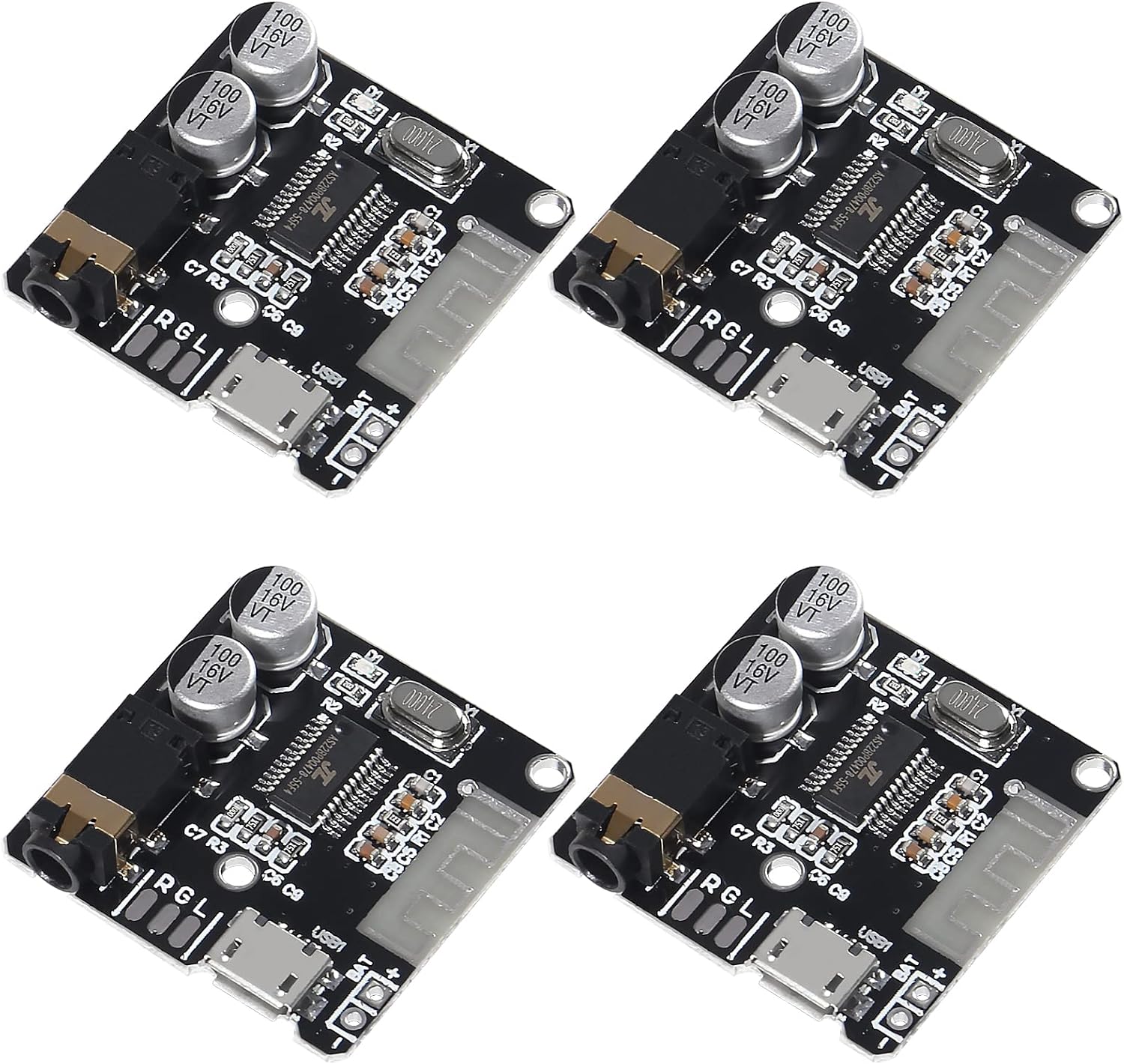
Image: Overview of four QCCAN VHM-314 Bluetooth 5.0 Audio Receiver Boards.
2. Product Features
The QCCAN VHM-314 Bluetooth Audio Receiver Board offers a range of functionalities for integrating wireless audio into various projects:
- Bluetooth 5.0 Connectivity: Ensures stable and efficient wireless audio streaming, backward compatible with Bluetooth V4.2, V4.1, and V4.0.
- Automatic Connection: Supports automatic reconnection to previously paired devices.
- Lossless Audio Decoding: Compatible with WAV, APE, FLAC, and MP3 audio formats for high-quality sound reproduction.
- Stereo Output: Provides standard stereo audio output.
- Flexible Power Supply: Can be powered via a universal Micro USB 5V supply or an external 3.7-5V lithium battery.
- LED Indicator: A blue LED indicates the Bluetooth mode status.
- Standard Audio Interface: Features a 3.5mm stereo audio jack for easy connection to headphones, amplifiers, and other audio devices.

Image: Detailed view of the VHM-314 board, emphasizing Bluetooth 5.0 and Micro USB power input.
3. Setup and Installation
Follow these steps to set up your QCCAN VHM-314 Bluetooth Audio Receiver Board:
3.1 Power Supply Connection
The VHM-314 board offers two primary methods for power input:
- Micro USB 5V: Connect a standard Micro USB cable to the USB port (labeled 'USB1') on the board. This provides a 5V power supply.
- External 3.7-5V Lithium Battery: For portable applications, connect a 3.7-5V lithium battery to the designated pads (labeled 'BAT+' for positive and 'BAT-' for negative). Ensure correct polarity to prevent damage.
3.2 Audio Output Connection
Connect the audio output of the board to your desired audio system:
- 3.5mm Audio Jack: Plug headphones or an audio cable (connected to an amplifier, active speakers, or other audio input devices) into the standard 3.5mm stereo audio jack.
- Output Pads: For custom integrations, solder wires to the 'L' (Left channel), 'R' (Right channel), and 'G' (Ground) pads for direct audio signal output.

Image: Detailed diagram of the VHM-314 board, indicating the Bluetooth antenna, USB port, audio output pins (L, G, R), 3.5mm jack, LED indicator, and Bluetooth decoder chip.
4. Operating Instructions
Once the board is powered and connected, follow these steps to operate the Bluetooth audio receiver:
- Power On: Ensure the VHM-314 board receives power. The blue LED indicator will illuminate, signifying that the board is active.
- Enter Bluetooth Mode: Upon power-on, the board automatically enters Bluetooth pairing mode. You will hear an English voice prompt stating, "The Bluetooth device is ready to pair."
- Search for Device: On your mobile phone or other Bluetooth-enabled device, navigate to the Bluetooth settings and search for available devices.
- Connect: Locate and select the device named "XY_BT" from the list.
- Connection Confirmation: After successful pairing, the board will announce, "The Bluetooth device is connected successfully."
- Play Audio: You can now play audio from your connected device, and the sound will be transmitted through the VHM-314 board to your connected audio output.
5. Technical Specifications
| Parameter | Value |
|---|---|
| Power Supply | 3.7-5V |
| SNR (Signal-to-Noise Ratio) | 90dB |
| THD+N (Total Harmonic Distortion + Noise) | -70dB |
| Crosstalk | -86dB |
| DNR (Dynamic Range) | 91dB |
| Supported Bluetooth Profiles | A2DP/AVCTP/AVDTP/AVRCP/HFP |
| LOS (Line of Sight) Range | >15m |
| Item Model Number | VHM-314 |
| Connectivity Technology | Bluetooth, USB |
| Compatible Devices | Smartphone, Speaker |
| Connector Type | 3.5mm Jack, USB |
| Audio Output Mode | Stereo |
| Surround Sound Channel Configuration | 2.0 |
| Output Power | 1 Watts (Note: This board is primarily a receiver/decoder; actual audio output power depends on the connected amplifier.) |
6. Troubleshooting
6.1 Loud Connection Announcement
The VHM-314 module announces connection status at a fixed volume. If this is too loud for your setup, it is recommended to set the volume of your connected audio device (e.g., amplifier, headphones) to a low level before powering on and connecting the Bluetooth module. The module's announcement volume cannot be adjusted directly.
6.2 No Bluetooth Device Found
- Ensure the VHM-314 board is powered on and the blue LED indicator is lit.
- Verify that your mobile device's Bluetooth is enabled and in pairing mode.
- Move your mobile device closer to the VHM-314 board to ensure it is within range.
- Try restarting both the VHM-314 board and your mobile device.
6.3 No Audio Output
- Check all audio connections (3.5mm jack or output pads) for secure and correct contact.
- Ensure the connected audio device (headphones, amplifier) is powered on and functioning correctly.
- Verify that music is actively playing on your paired mobile device.
- Confirm that the VHM-314 board is successfully paired and connected to your mobile device (indicated by the voice prompt).
7. Maintenance
The QCCAN VHM-314 Bluetooth Audio Receiver Board is designed for durability and requires minimal maintenance. To ensure its longevity and proper function:
- Keep the board clean and free from dust, dirt, and moisture.
- Avoid exposing the board to extreme temperatures, direct sunlight, or corrosive environments.
- Do not attempt to disassemble or modify the board, as this may cause damage and void any potential warranty.
8. Warranty and Support
For information regarding product warranty, technical support, or service inquiries, please contact the seller or manufacturer directly through their official support channels. It is advisable to retain your purchase receipt or proof of purchase for any warranty claims.