1. Introduction
This manual provides comprehensive instructions for the installation, operation, and maintenance of your PNI House AHD25 5MP Dome CCTV Camera. Please read this manual thoroughly before using the product to ensure proper functionality and safety. The PNI House AHD25 is a versatile surveillance camera designed for both indoor and outdoor use, featuring high-resolution imaging and night vision capabilities.
2. Safety Information
- Ensure the power supply voltage matches the camera's requirements (12V ± 10%).
- Do not expose the camera to extreme temperatures outside its operating range (-26°C to +80°C).
- Avoid direct exposure to water jets or submersion, despite its IP66 rating, to prevent damage.
- Installation should be performed by qualified personnel if you are unsure about electrical connections.
- Keep the camera away from strong magnetic fields.
3. Package Contents
Verify that all items are present in the package:
- PNI House AHD25 5MP Dome CCTV Camera
- User Manual
- Mounting Screws and Plugs (typically included)

Image 3.1: PNI House AHD25 camera with its retail packaging, highlighting key features like 5MP resolution and 4-in-1 video signal compatibility.
4. Product Overview
The PNI House AHD25 camera is a compact dome-style surveillance unit. Key components include:
- Lens: Fixed 3.6mm lens for a wide field of view.
- IR LEDs: 36 infrared LEDs for night vision up to 25 meters.
- Sensor: 5MP image sensor for high-resolution video.
- Housing: Durable metal housing with IP66 weather resistance.
- Video Output: BNC connector for analog video output.
- Power Input: DC 12V power input.
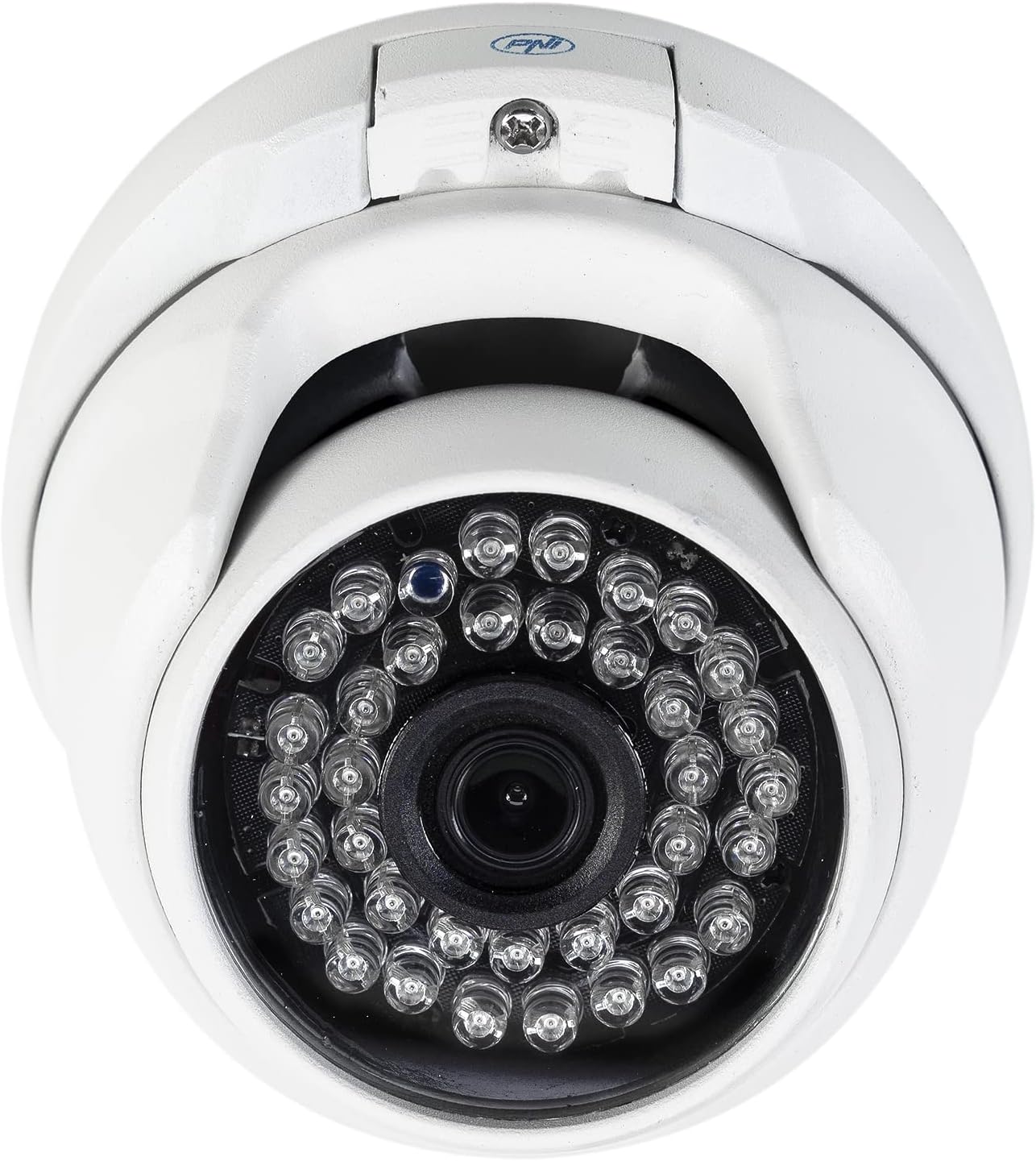
Image 4.1: Close-up front view of the PNI House AHD25 camera, detailing the central lens surrounded by 36 infrared LEDs.

Image 4.2: The PNI House AHD25 camera shown with its integrated BNC video output cable and DC power input cable.
5. Setup
5.1 Mounting the Camera
The PNI House AHD25 camera is designed for both indoor and outdoor ceiling mount installations. Its metal housing and IP66 rating ensure durability in various environments.
- Choose a suitable mounting location that provides the desired field of view and is within reach of power and video cables.
- Use the camera base as a template to mark drilling points on the ceiling or wall.
- Drill pilot holes and insert the provided wall plugs (if mounting on masonry).
- Secure the camera base using the provided screws.
- Adjust the camera's angle to achieve the optimal viewing area.

Image 5.1: Side view of the PNI House AHD25 camera, illustrating its adjustable dome mechanism for precise positioning after mounting.
5.2 Connecting the Camera
The camera requires a 12V DC power supply and connects via a BNC cable for video transmission.
- Connect the DC 12V power adapter (not included) to the camera's power input cable.
- Connect the BNC video output cable from the camera to the corresponding video input on your Digital Video Recorder (DVR) or monitor.
- Ensure all connections are secure to prevent signal loss.
Note: This camera supports AHD, TVI, CVI, and CVBS video signal types. Ensure your DVR is compatible with one of these formats. The camera's video signal type can typically be switched via a small button or OSD menu accessible through a compatible DVR.
6. Operation
6.1 Powering On
Once the camera is securely mounted and connected to power and your DVR, plug in the 12V power adapter. The camera will power on automatically.
6.2 Video Output and Resolution
The PNI House AHD25 provides a 5MP resolution (2560 x 1920 pixels) for clear and detailed surveillance footage. It is compatible with various analog video signal types: AHD, TVI, CVI, and CVBS. This 4-in-1 compatibility allows integration with a wide range of DVR systems.
To ensure optimal image quality, configure your DVR to recognize the camera's 5MP resolution and the correct video signal type. Refer to your DVR's manual for specific settings.
6.3 Night Vision
Equipped with 36 IR LEDs, the camera automatically activates night vision in low-light conditions, providing clear black and white images up to a distance of 25 meters. The IR cut filter ensures accurate color reproduction during daylight hours.
6.4 Motion Detection and Alerts
The camera supports motion-only alerts. When connected to a compatible DVR, you can configure motion detection zones and sensitivity settings. The DVR will then record footage or send notifications upon detecting movement within the specified areas.
6.5 Remote Control and Smartphone Compatibility
While the camera itself is wired, its integration with a Wi-Fi enabled DVR or NVR system allows for remote control and viewing via a smartphone application. Consult your DVR/NVR manual for details on setting up remote access and smartphone compatibility.
7. Maintenance
- Cleaning: Periodically clean the camera lens and housing with a soft, damp cloth. Do not use harsh chemicals or abrasive cleaners.
- Cable Inspection: Regularly check all cables for signs of wear or damage, especially for outdoor installations.
- Firmware Updates: If connected to a network-enabled DVR, check the DVR manufacturer's website for any available firmware updates that might improve camera compatibility or performance.
- Environmental Protection: The IP66 rating protects against dust and powerful water jets. However, avoid prolonged submersion or high-pressure washing.
8. Troubleshooting
| Problem | Possible Cause | Solution |
|---|---|---|
| No image on screen |
|
|
| Poor image quality / blurry image |
|
|
| Night vision not working |
|
|
9. Specifications
| Feature | Detail |
|---|---|
| Model Name | AHD25 |
| Image Sensor Resolution | 5 MP (2560 x 1920 pixels) |
| Lens | 3.6 mm Fixed Lens |
| Night Vision | 36 IR LEDs, up to 25 meters range |
| Minimum Illumination | 0.01 lux |
| Video Signal Types | AHD, TVI, CVI, CVBS (4-in-1) |
| Video Output | BNC Connector (1.0Vp-p, 75Ω) |
| Power Supply | DC 12V ± 10% |
| Max. Energy Consumption | 6 W |
| Operating Temperature | -26°C ~ +80°C |
| Ingress Protection Rating | IP66 (Dust tight and protected against powerful water jets) |
| Housing Material | Metal |
| Dimensions (L x W x H) | 3.94 x 4.13 x 2.76 inches (100 x 105 x 75 mm) |
| Item Weight | 8.6 ounces (245 Grams) |
| Color | White |
| Manufacturer | Onlineshop SRL |
| Date First Available | August 16, 2022 |

Image 9.1: Bottom view of the PNI House AHD25 camera, showing the product label with manufacturer details, voltage, and CE mark. The serial number is 2522031996.
10. Warranty and Support
For warranty information and technical support, please refer to the documentation provided at the time of purchase or visit the official PNI website. Keep your purchase receipt as proof of purchase for warranty claims.
You can also visit the PNI Store on Amazon for additional product information and support resources.


