Introduction
This manual provides comprehensive instructions for the assembly, operation, and maintenance of your Dkelincs 39-inch Z-Shaped Gaming Desk, Model N5643. Please read this manual thoroughly before assembly and use to ensure proper setup and safe operation.

Image: The Dkelincs 39-inch Z-Shaped Gaming Desk, showcasing its design and capacity for a complete gaming setup.
Important Safety Information
To prevent injury or damage to the product, please adhere to the following safety guidelines:
- Always ensure the desk is stable and properly adjusted before use.
- Do not overload the desk with heavy equipment that may cause it to tip over.
- Always follow the assembly instructions carefully to ensure the desk is properly anchored.
- Keep small parts away from children during assembly.
Setup and Assembly
The Dkelincs Gaming Desk is designed for straightforward assembly. It is recommended that one person performs the assembly, which typically takes approximately 15 minutes. All necessary tools are included in the package.
Package Contents:
- Desktop Panel (1)
- Z-Shaped Leg Frames (2)
- Headphone Hook (1)
- Adjustable Leg Pads (4)
- Assembly Hardware Kit (screws, bolts, Allen wrench)
- Instruction Manual (this document)
Assembly Steps:
- Unpack Components: Carefully remove all parts from the packaging and verify against the package contents list. Place them on a soft, clean surface to prevent scratches.
- Attach Leg Frames: Secure the Z-shaped leg frames to the underside of the desktop panel using the provided screws and Allen wrench. Ensure all connections are tight.
- Install Adjustable Leg Pads: Screw the adjustable leg pads into the bottom of the Z-shaped leg frames. These pads help stabilize the desk on uneven surfaces.
- Mount Headphone Hook: Attach the headphone hook to the designated location on the side of the desk using the provided hardware.
- Final Check: Once assembled, gently lift and place the desk in its desired location. Adjust the leg pads as needed to ensure the desk is level and stable.
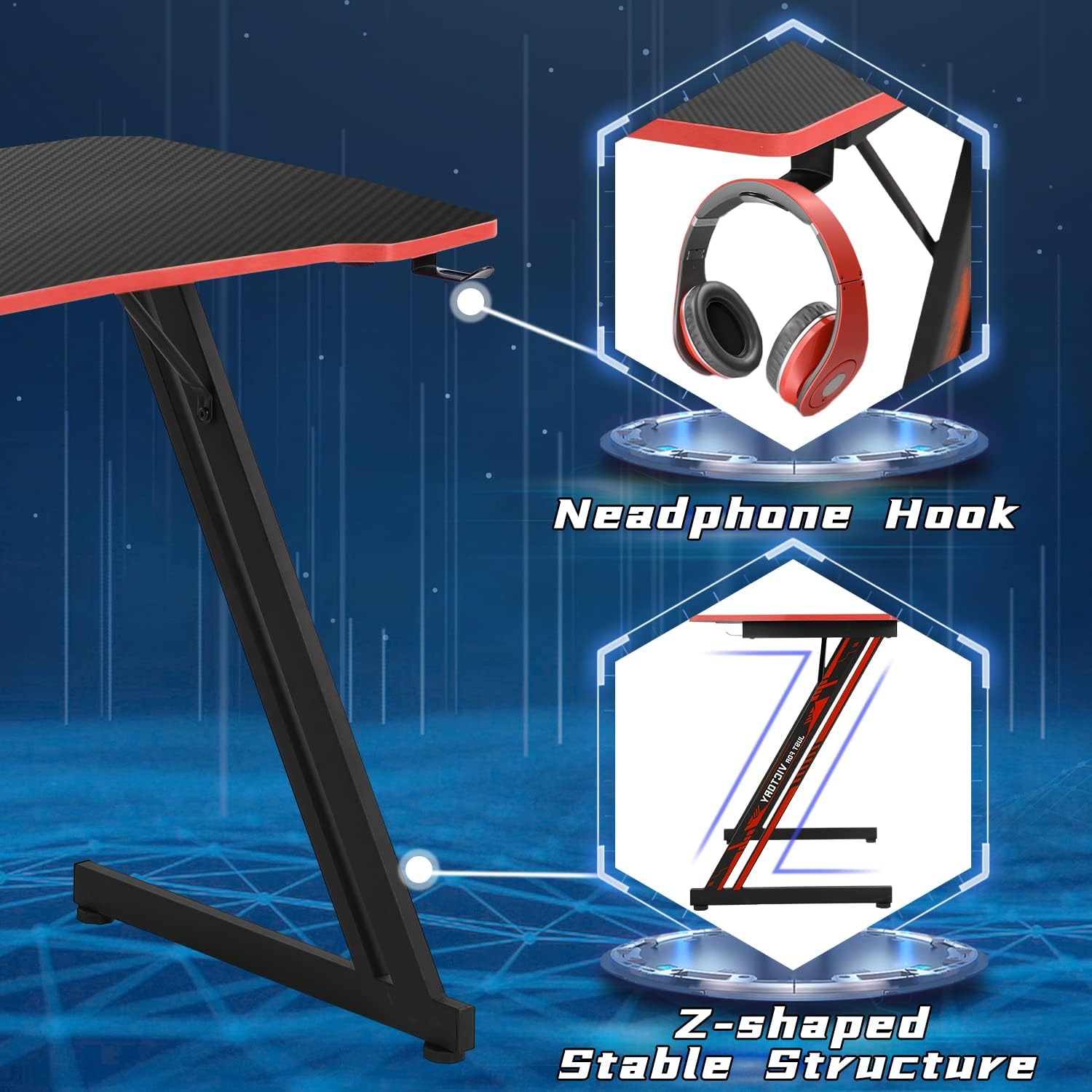
Image: Detail of the Z-shaped leg design for stability and the convenient headphone hook.

Image: Illustration of the desktop thickness and the adjustable feet mechanism for stability on various floor types.
Operating Instructions
The Dkelincs Gaming Desk is designed for versatile use, serving as both a gaming station and a home office workstation.
General Use:
- Place your monitor, keyboard, mouse, and other gaming or office equipment on the spacious desktop.
- Utilize the integrated headphone hook to keep your headphones organized and within easy reach.
- Ensure proper cable management to maintain a tidy and safe workspace.
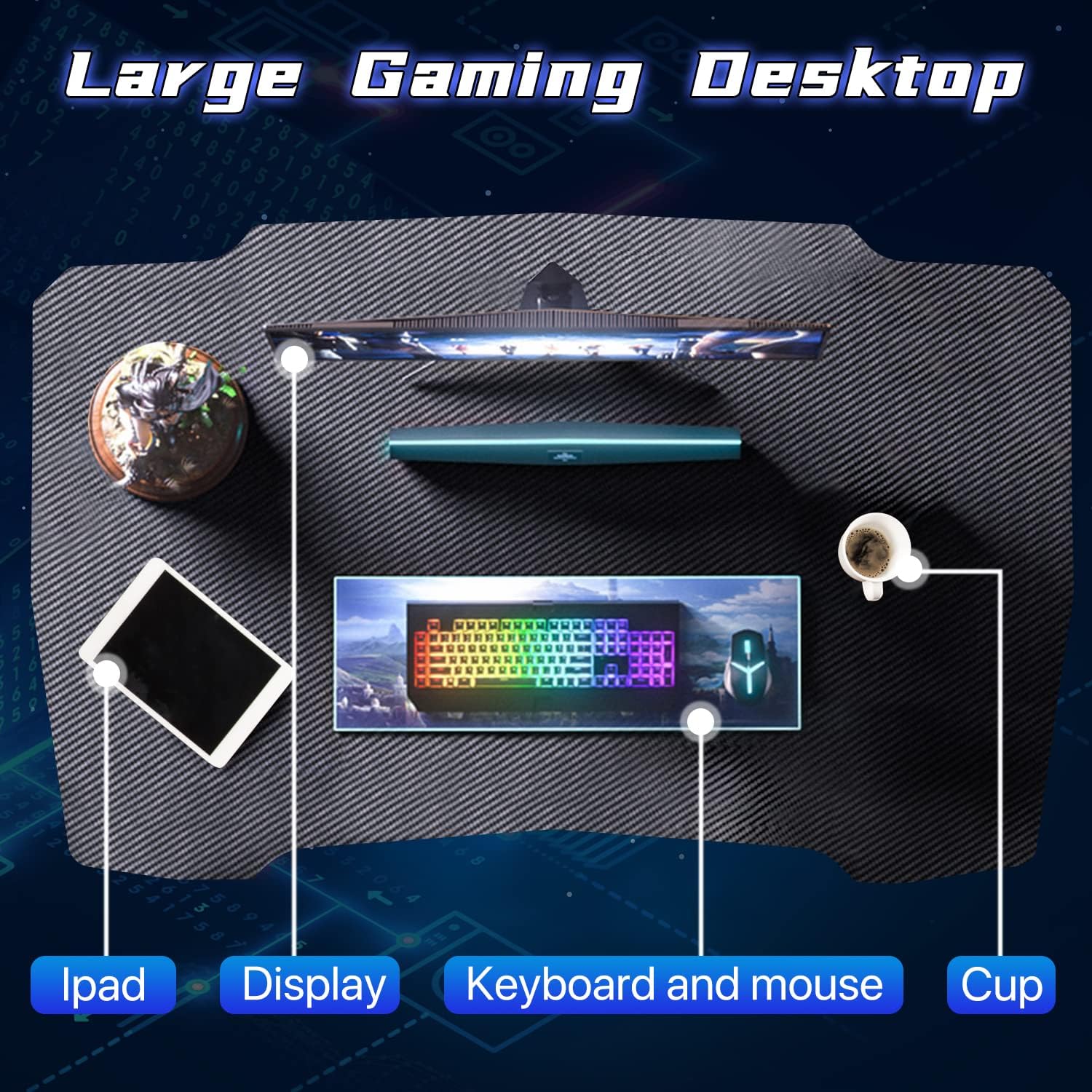
Image: The spacious desktop accommodating multiple devices for gaming or work.
Care and Maintenance
Proper care will extend the life and appearance of your Dkelincs Gaming Desk.
- Cleaning the Surface: The carbon fiber textured desktop is waterproof and sweatproof. Wipe clean with a soft, damp cloth. Avoid abrasive cleaners or harsh chemicals that may damage the finish.
- Preventing Scratches: While the surface is scratch-resistant, use coasters for drinks and mouse pads for prolonged mouse use to further protect the desktop.
- Frame Maintenance: Periodically check all screws and bolts to ensure they remain tight. Tighten if necessary to maintain stability.
- Avoid Extreme Conditions: Do not expose the desk to extreme temperatures or direct sunlight for extended periods, as this may affect the material integrity.

Image: The carbon fiber textured surface, designed for durability and easy cleaning.
Troubleshooting
If you encounter any issues with your Dkelincs Gaming Desk, refer to the following common solutions:
- Desk is Unstable/Wobbly:
- Check that all assembly screws are securely tightened.
- Adjust the leg pads at the bottom of the Z-shaped legs to level the desk on uneven flooring.
- Parts Missing or Damaged:
- Review the package contents list and assembly instructions. If parts are genuinely missing or damaged, contact Dkelincs customer service for assistance.
- Difficulty During Assembly:
- Ensure you are following the steps in the instruction manual precisely. Do not force components together.
- Verify that you are using the correct hardware for each step.
Product Specifications
| Brand | Dkelincs |
| Model Number | N5643 |
| Desk Design | Z-Shaped Gaming Desk |
| Product Dimensions (D x W x H) | 39"D x 23"W x 29"H (99cm D x 58.4cm W x 73.7cm H) |
| Working Surface Diagonal Length | 39.4 Inches (100 cm) |
| Tabletop Thickness | 25 Millimeters |
| Item Weight | 20 Pounds (9.07 kg) |
| Top Material Type | Engineered Wood (P2 MDF with PVC Carbon Fiber Texture) |
| Base Material | Metal |
| Special Feature | Adjustable Leg Pads, Headphone Hook |
| Assembly Required | Yes (Recommended 1 person) |
| Tools Included | Yes |

Image: Dimensional overview of the Dkelincs Gaming Desk.
Warranty Information
Specific warranty details for the Dkelincs Gaming Desk (Model N5643) are not provided in this document. Please refer to the product packaging or contact Dkelincs customer support for information regarding warranty coverage and terms.
Customer Support
For any questions, assistance with assembly, or troubleshooting not covered in this manual, please contact Dkelincs customer service. Contact information can typically be found on the product packaging or the official Dkelincs website.
You may also visit the Dkelincs Store on Amazon for additional product information and support resources.
