Introduction
This manual provides essential information for the proper setup and operation of your new Generic Replacement Remote Control, designed for seamless compatibility with the Thomson THA100 Smart 4K Ultra UHD Streaming Stick Box Android TV. This remote is pre-programmed and requires no additional setup beyond battery installation.
Setup
Package Contents
- 1 x Generic Replacement Remote Control
- Note: Batteries and additional instructions are not included in the package.
Battery Installation
The remote control requires two (2) AAA batteries (not included). Please follow these steps to install the batteries:
- Locate the battery compartment cover on the back of the remote control.
- Gently slide the battery compartment cover downwards or outwards to open it.
- Insert two AAA batteries, ensuring the positive (+) and negative (-) terminals match the diagrams inside the compartment.
- Slide the battery compartment cover back into place until it clicks securely.

Image: Back of the remote control with the battery compartment open, illustrating where to insert the two AAA batteries.
Once batteries are correctly installed, the remote is ready for use. No programming is required.
Operating the Remote Control
This replacement remote control is pre-programmed for immediate use with your Thomson THA100 Smart 4K Ultra UHD Streaming Stick Box Android TV. Simply point the remote at your device and press the desired function button.
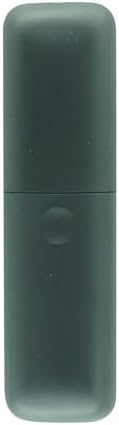
Image: Front view of the remote control, displaying its layout and buttons for various functions.
Key Functions (Typical)
- Power Button: Turns the connected device on or off.
- Navigation Pad (Up, Down, Left, Right, OK): Used to navigate menus and select options.
- Back/Home Buttons: Returns to the previous screen or the main home screen.
- Volume Up/Down: Adjusts the audio volume.
- Mute: Silences the audio.
- App Specific Buttons: May include dedicated buttons for popular streaming services (e.g., Netflix, YouTube).
For specific button functionalities, refer to the user manual of your Thomson THA100 Smart 4K Ultra UHD Streaming Stick Box Android TV.
Maintenance
To ensure the longevity and optimal performance of your remote control, follow these maintenance guidelines:
- Cleaning: Wipe the remote control with a soft, dry cloth. Do not use liquid cleaners or abrasive materials.
- Battery Replacement: Replace batteries when the remote's response becomes sluggish or stops working. Always replace both batteries at the same time with new ones of the same type (AAA).
- Storage: Store the remote in a cool, dry place away from direct sunlight and extreme temperatures.
- Avoid Drops: Protect the remote from physical impact, as drops can damage internal components.
Troubleshooting
If you encounter issues with your remote control, please refer to the following common troubleshooting steps:
- Remote Not Responding:
- Ensure the batteries are inserted correctly with the correct polarity (+/-).
- Replace old batteries with new AAA batteries.
- Check for any obstructions between the remote and the Thomson THA100 device.
- Ensure you are within the effective operating range of the device.
- Intermittent Functionality:
- This often indicates low battery power. Replace the batteries.
- Ensure there is no interference from other electronic devices.
- Specific Buttons Not Working:
- Check for any debris or stickiness around the button. Gently clean if necessary.
- If only one button is unresponsive after trying new batteries, the remote may be faulty.
If the issue persists after trying these steps, please contact the seller for further assistance.
Specifications
| Brand | Generic |
| Compatible Devices | Thomson THA100 Smart 4K Ultra UHD Streaming Stick Box Android TV |
| Connectivity Technology | Bluetooth |
| Special Feature | No Programming Required |
| Max Number of Supported Devices | 1 |
| Batteries Required | 2 x AAA batteries (not included) |
| ASIN | B0B9QVWSYS |
Warranty and Support
Specific warranty information for this Generic Replacement Remote Control is not provided in the product details. For any warranty claims, technical support, or further inquiries, please contact the seller directly through your purchase platform.
Seller: Hotsmtbang


