
Introduction
The HTVRONT Adjustable Phone Case Fixture is a versatile tool designed for heat pressing phone cases, specifically compatible with various iPhone models. Constructed from high-quality aluminum, this fixture ensures even heat distribution and pressure, preventing common issues like deformation, uneven heating, blurred images, or bubbling during the sublimation process. Its adjustable design eliminates the need for multiple fixed-size molds, offering a cost-effective and space-saving solution for crafting personalized phone cases.
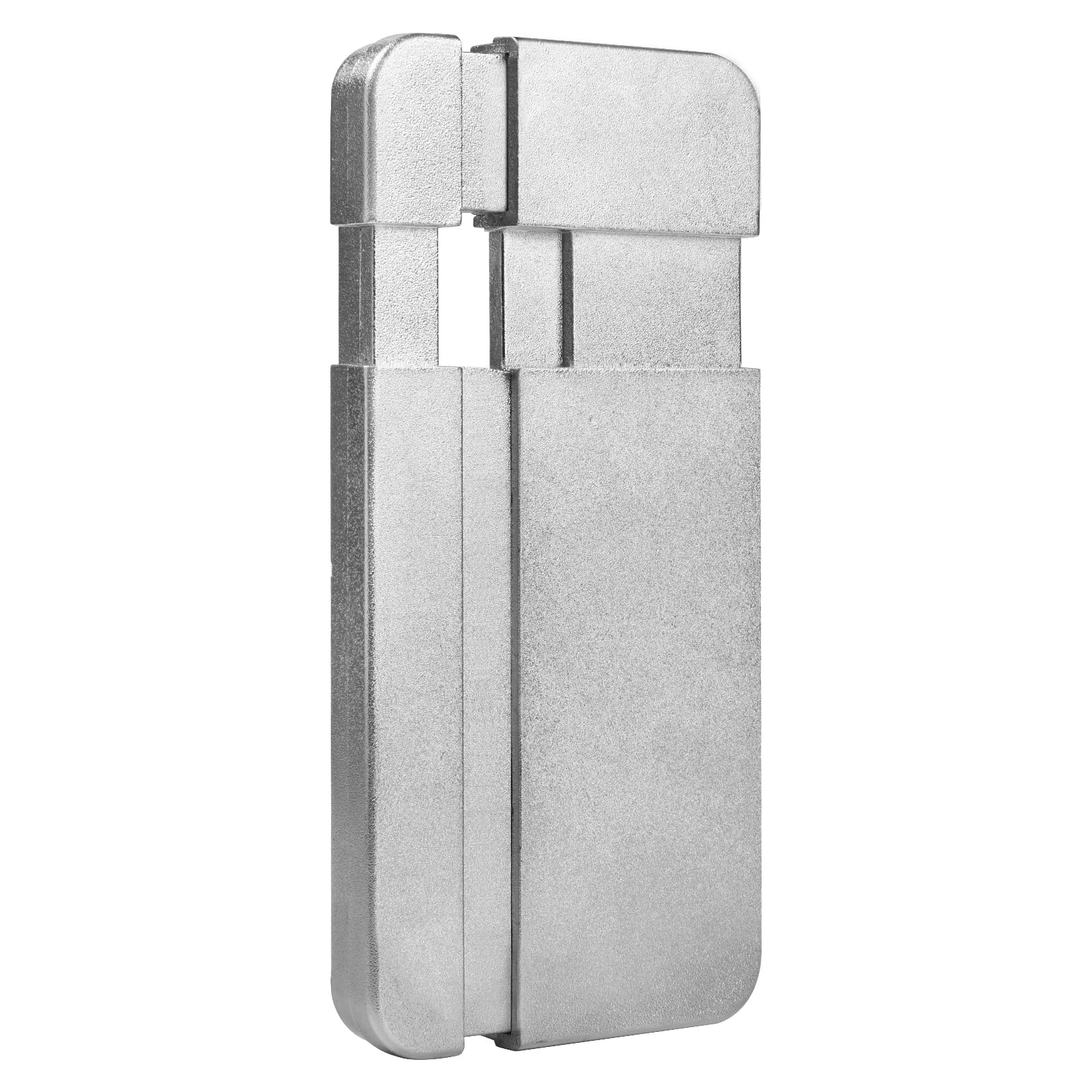
Image: The HTVRONT Adjustable Phone Case Fixture shown alongside a finished, decorated iPhone case.
Product Overview and Components
The fixture features an adjustable design to accommodate various iPhone case sizes. It includes several components to ensure a precise fit and optimal heat transfer.

Image: Exploded view of the fixture components, including the main fixture, lens pads, and filler blocks.
Included Components:
- Phone Case Fixture (x1): The main adjustable aluminum body.
- Lens Pads (x6): Various sizes to fit different camera cutouts on phone cases.
- Filler Blocks (x5): Used to adjust the internal dimensions of the fixture for a snug fit.
Model Compatibility and Adjustment
The fixture is designed for universal size adjustment. Refer to the compatibility chart below to select the correct lens pad and filler block combination for your specific iPhone model. If your model is not listed, choose the closest compatible configuration.

Image: A detailed chart indicating which lens pad and filler block combinations to use for various iPhone models.
The fixture's dimensions can be adjusted to fit cases with a maximum extended length of 6.57 inches (167mm) and a maximum extended width of 3.11 inches (79mm). The minimum shrunk dimensions are 5.71 inches (145mm) length and 2.72 inches (69mm) width, with a thickness of 0.59 inches (15mm).

Image: Visual representation of the fixture's adjustable size capabilities.
Setup and Installation
Proper setup ensures optimal results and safety during the heat pressing process. Always wear heat-resistant gloves when handling the fixture and heat press.
- Install the Fixture: Place the main phone case fixture into your heat press machine.
- Insert Filler Blocks: Based on your phone case size and the compatibility chart, insert the appropriate filler blocks into the fixture to achieve a snug fit.
- Preheat: Close the upper heat plate and allow the heat press to preheat for approximately 5 minutes.
- Apply Lens Pad: Choose the best-fitting lens pad for your phone case's camera cutout and stick it inside the phone case.

Image: Step-by-step visual instructions for preparing the fixture and phone case.
Setup Video Guide:
Video: An instructional video demonstrating the setup and adjustment of the HTVRONT Adjustable Phone Case Fixture for heat pressing.
Operating Instructions
Follow these steps for successful heat pressing of your phone cases. Always wear heat-resistant gloves during the entire operation to avoid burns.
- Mount Phone Case: Firmly press the phone case onto the fixture, ensuring it is securely seated. This helps the fixture contract for a better fit.
- Adjust Film Position: Position your sublimation film or design correctly on the phone case.
- Start Heat Press: When the heat press is ready (after preheating), press the Start button to begin the vacuum sealing and heat transfer process.
- Completion: The ironing process is complete when the red light on the heat press turns green.
- Remove Case: Open the upper heat plate. While wearing heat-resistant gloves, carefully peel off the film and remove the phone case from the fixture.
Operation Video Guide:
Video: A comprehensive guide on how to use the HTVRONT H17 heat press and fixture to create a custom iPhone case.
Maintenance
To ensure the longevity and optimal performance of your HTVRONT Adjustable Phone Case Fixture, follow these maintenance guidelines:
- Cleaning: After each use, allow the fixture to cool completely. Wipe down the aluminum surfaces with a soft, dry cloth to remove any residue or dust. For stubborn marks, a slightly damp cloth can be used, followed by immediate drying.
- Storage: Store the fixture and its components (lens pads, filler blocks) in a clean, dry place away from extreme temperatures and direct sunlight.
- Inspection: Periodically inspect the fixture for any signs of wear, damage, or deformation. Ensure all adjustable parts move smoothly.
- Avoid Abrasives: Do not use abrasive cleaners or harsh chemicals, as these can damage the aluminum finish.
Troubleshooting
This section addresses common issues you might encounter during the heat pressing process with your fixture.
- Uneven Heating or Deformation: Ensure the filler blocks and lens pad are correctly installed to provide a snug fit for the phone case. The aluminum construction is designed to distribute heat evenly; improper fit can lead to pressure inconsistencies. Verify your heat press settings (temperature and time) are appropriate for your materials.
- Blurred Images or Bubbling: This often indicates insufficient pressure or incorrect temperature. Double-check that the phone case is firmly pressed onto the fixture and that the fixture is properly adjusted. Ensure the heat press is applying consistent pressure.
- Color Differences in Sublimation: If your final product shows unexpected color shifts (e.g., yellowish or bluish tints), this may be related to printer settings or sublimation paper quality.
Color Correction Video Guide:
Video: Instructions on how to adjust printer settings to correct color differences during the sublimation process, specifically addressing yellowish or bluish results.
Specifications
| Attribute | Detail |
|---|---|
| Brand | HTVRONT |
| Model Number | 001 |
| Material | Aluminum |
| Color | Silver |
| Product Dimensions (L x W x H) | 6" x 3" x 0.5" (152.4mm x 76.2mm x 12.7mm) |
| Item Weight | 4.48 ounces (127 grams) |
| Recommended Use | Phone Case Heat Pressing / Sublimation |
Warranty Information
The HTVRONT Adjustable Phone Case Fixture comes with a 1-year warranty from the date of purchase. This warranty covers manufacturing defects and material flaws under normal use. It does not cover damage resulting from misuse, accidents, unauthorized modifications, or improper maintenance.
Please retain your proof of purchase for warranty claims.
Customer Support
For technical assistance, troubleshooting, or warranty inquiries, please contact HTVRONT customer support through the following channels:
- Website: Visit the official HTVRONT website for support resources and contact forms.
- Email: Refer to your product packaging or the HTVRONT website for the most current customer service email address.
- Online Store: You can also visit the HTVRONT Store on Amazon for product information and support.
When contacting support, please have your product model number (001) and purchase details ready.