
1. Introduction
1.1 Product Overview
The ZLPOWER UL1741 8KW Solar Off Grid Inverter is a low-frequency, pure sine wave inverter designed for reliable power conversion in off-grid solar systems. It accepts a 48V DC input and provides a 110/120V or 240V AC split-phase output, configurable via the LCD screen. This inverter is equipped with two integrated 80A MPPT solar charge controllers, supporting up to 2x4500W PV input. It is suitable for various battery types, including Lead-Acid, GEL, AGM, and Lithium batteries, and features a maximum charging current of 240A.
1.2 Key Features
- 120/240 Split Phase AC Output: Provides 8KW continuous power with 24KW peak capacity, configurable for 110/120 Vac or 240 Vac output at 50/60Hz.
- Integrated MPPT Solar Charge Controllers: Features two 80A MPPT controllers, capable of handling up to 2x4500W PV input.
- Multiple Working Modes: Offers AC priority, DC priority, and Intelligent modes to optimize power usage.
- Low Frequency Transformer: Built-in pure copper low-frequency transformer for enhanced surge capacity and protection against overload, short circuit, over-temperature, under/over voltage.
- Battery Compatibility: Supports Lead-Acid, GEL, AGM, and Lithium battery types with communication function.
- Smart Features: Includes smart remote control, automatic generator starting (AGS), and smart fan adjustment based on ambient temperature.
- Certifications: ETL certified to UL 1741 standards, ensuring safety and quality.
2. Safety Instructions
Read all instructions and warnings carefully before installation and operation. Failure to follow these instructions may result in electric shock, fire, or severe injury.
- Installation must be performed by qualified personnel in accordance with all local and national electrical codes.
- Ensure the inverter is disconnected from all power sources (PV, battery, AC grid) before performing any wiring or maintenance.
- Do not operate the inverter if it is damaged or appears to be malfunctioning.
- Avoid exposing the inverter to rain, snow, spray, or any liquids.
- Ensure proper ventilation around the inverter to prevent overheating.
- Use appropriate overcurrent protection devices (fuses/breakers) for all DC and AC circuits.
- Verify correct polarity when connecting batteries and PV arrays. Reverse polarity can cause severe damage.
- Keep children away from the inverter and its connections.
3. Product Components

This image displays the ZLPOWER UL1741 8KW Solar Off Grid Inverter, showcasing its blue casing, front LCD display, and the ETL certification mark. An illustration of a smartphone connecting via Wi-Fi is also visible.

A detailed rear view of the ZLPOWER UL1741 inverter, highlighting the various connection terminals for DC input, AC input, AC output, communication ports (CAN, RS485, USB, RS232/WiFi), dual cooling fans, and the input/output AC switches.
The inverter features a robust blue metal casing with a circular LCD display on the front for monitoring and configuration. The rear panel provides access to all necessary connections and controls:
- DC Input Terminals: For connecting the battery bank (48VDC).
- PV Input Terminals: For connecting solar panel arrays.
- AC Input/Output Terminals: For grid connection and AC load distribution.
- Communication Ports: Including CAN, RS485, USB, and RS232/WiFi for monitoring and external device integration.
- AC Switches: Separate switches for AC input and AC output control.
- Cooling Fans: Dual cooling fans ensure optimal operating temperature.
4. Installation Guide
4.1 System Wiring Diagram
Proper wiring is crucial for the safe and efficient operation of your solar power system. Refer to the diagram below for a typical application wiring connection.

This diagram provides a comprehensive overview of how the ZLPOWER UL1741 inverter integrates into a complete solar power system. It shows connections for a PV system with a combiner box, DC disconnect, battery bank, AC grid (utility), AC generator, and various AC loads connected via an AC distribution panel.
4.2 Battery Connection
The inverter is compatible with various battery types. Ensure your battery bank is 48V DC and has sufficient capacity for your energy needs. It is recommended to use batteries with a capacity of more than 200AH.
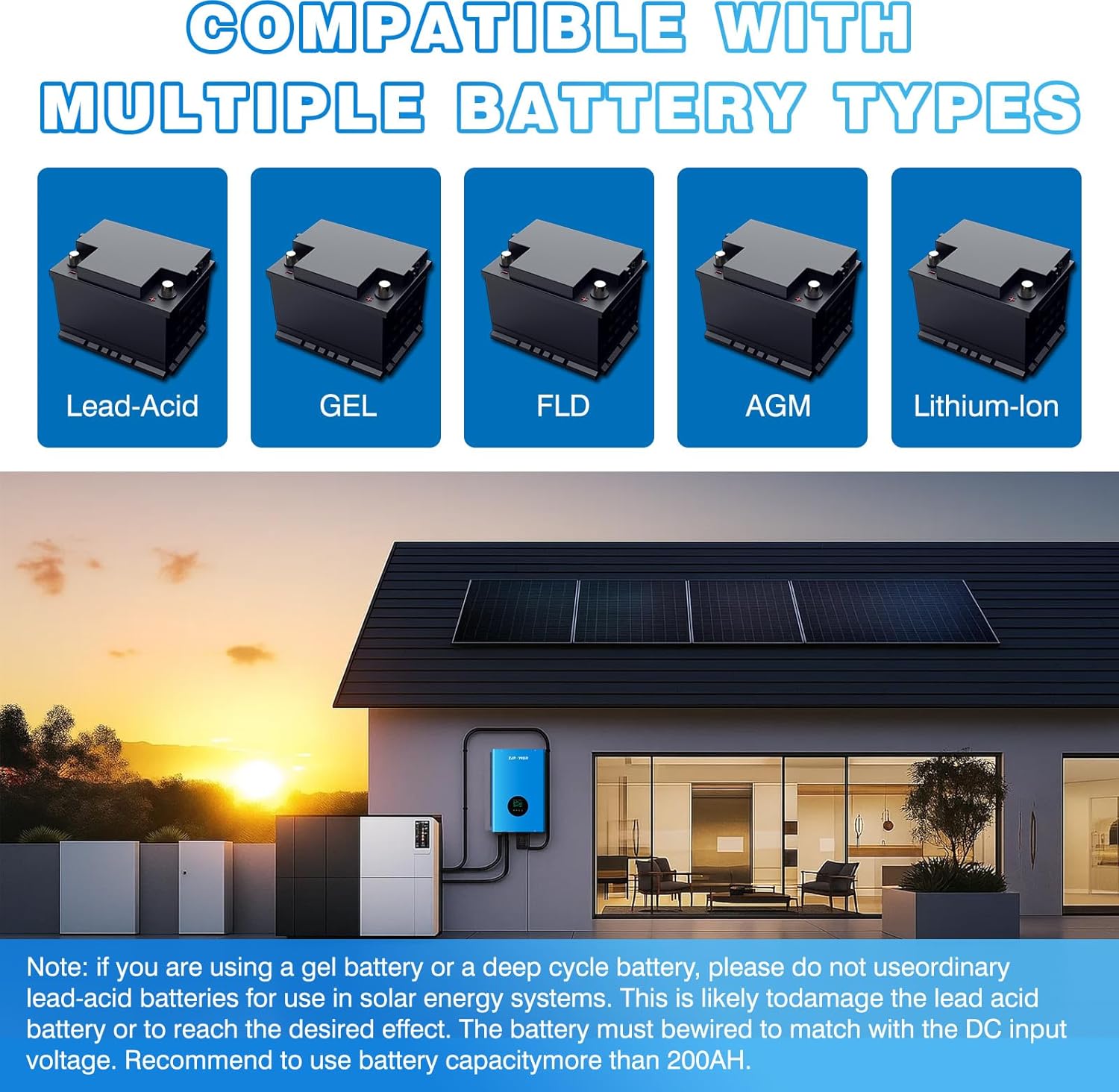
This image illustrates the compatibility of the ZLPOWER UL1741 inverter with multiple battery technologies, including Lead-Acid, GEL, FLD (Flooded), AGM (Absorbent Glass Mat), and Lithium-Ion batteries. A note advises matching battery capacity to DC input voltage.
4.3 Wi-Fi Module Installation
To enable remote monitoring and control, install the optional Wi-Fi Plug Pro module.

This guideline details the quick installation process for the Wi-Fi Plug Pro module. It shows the module's packaging, the module itself, and step-by-step instructions for inserting it into the RS232 interface on the inverter and securing it.
- Unpack the Wi-Fi module and confirm all contents are present.
- Install the Wi-Fi module antenna.
- Locate the RS232 interface on the inverter.
- Insert the Wi-Fi module into the RS232 interface, fix, and lock both sides with screws.
5. Operation
5.1 Working Modes
The inverter offers three primary working modes, selectable via the LCD screen:
- AC Priority: The inverter prioritizes AC input (grid or generator) to power loads and charge batteries.
- DC Priority: The inverter prioritizes DC input (solar or battery) to power loads. AC input is used as a backup.
- Intelligent Mode: The inverter intelligently manages power flow between solar, battery, and AC input based on load demand and battery state of charge.
5.2 LCD Display and Settings
The front LCD display provides real-time system status and allows for configuration adjustments. Use the 'CONF', 'SELECT', and 'ENTER' buttons to navigate menus and change settings.
This video demonstrates the ZLPOWER Solar Hybrid Inverter in operation, showcasing its features and how it powers various appliances. It highlights the LCD display and the process of selecting AC/Solar input via LCD settings.
5.3 App Connection and Monitoring
After installing the Wi-Fi module, download the SmartESS app to monitor and control your inverter remotely.

This diagram outlines the steps for connecting the inverter to a wireless router and setting up the SmartESS application. It includes QR codes for iOS and Android app downloads, instructions for Wi-Fi configuration, account creation, and adding the datalogger.
Download the SmartESS App:
Follow the in-app instructions to connect to your wireless router, create an account, and add your inverter's datalogger for remote monitoring.
6. Typical Applications
The ZLPOWER UL1741 inverter is versatile and suitable for a wide range of applications requiring reliable off-grid power.

This image demonstrates the pure sine wave inverter charger's capability to power various household appliances, including a refrigerator, air conditioner, microwave oven, and electric motor, highlighting its versatility for home use.

A visual representation of the wide range of applications for the ZLPOWER UL1741 inverter, featuring scenarios such as residential power, emergency backup, recreational vehicles (campers), marine vessels, photovoltaic (PV) systems, and utility grid integration.
7. Maintenance
Regular maintenance ensures the longevity and optimal performance of your ZLPOWER UL1741 inverter.
- Cleaning: Periodically clean the exterior of the inverter and ensure ventilation openings are free from dust and debris. Use a dry, soft cloth.
- Connection Checks: Annually inspect all electrical connections (DC, AC, PV, battery) for tightness and signs of corrosion. Tighten any loose connections.
- Battery Health: Monitor battery voltage and state of charge regularly. Follow battery manufacturer guidelines for maintenance.
- Environmental Conditions: Ensure the inverter is operating within its specified temperature and humidity ranges.
- Firmware Updates: Check the manufacturer's website or app for any available firmware updates to ensure the inverter has the latest features and bug fixes.
8. Troubleshooting
If you encounter issues with your ZLPOWER UL1741 inverter, refer to the following general troubleshooting steps. For complex problems, contact technical support.
- No Power Output: Check all input power sources (PV, battery, AC grid) and ensure all breakers and switches are in the 'ON' position. Verify battery voltage is within the operating range.
- Inverter Overheating: Ensure adequate ventilation around the unit. Clear any obstructions from the cooling fans. Reduce load if necessary.
- Error Codes on LCD: Consult the specific error code displayed on the LCD with the detailed manual (if available) or contact support.
- Battery Not Charging: Verify PV input voltage and current. Check connections to the solar panels and MPPT controllers. Ensure AC input is present if charging from the grid.
- Abnormal Noise: A low humming sound is normal for low-frequency inverters. Excessive or unusual noises may indicate a problem; disconnect power and contact support.
9. Technical Specifications
| Specification | Value |
|---|---|
| Model Name | UL1741 |
| Wattage | 8000 watts |
| Power Source | Battery Powered |
| Brand | ZLPOWER |
| Manufacturer | ZLPOWER |
| Color | Black, White |
| Frequency | 60 Hz |
| Item Weight | 142.7 pounds |
| Package Dimensions | 28.5 x 20.5 x 11.5 inches |
10. Warranty and Support
ZLPOWER is committed to providing high-quality products. The UL1741 inverter is manufactured under strict quality control measures, including IOC, IPQC, FQC, OQC, and QA processes, in accordance with ISO9001 standards. The product is ETL certified to UL 1741 standards.
For technical assistance, warranty claims, or any questions regarding your ZLPOWER UL1741 inverter, please contact ZLPOWER customer support. You may also use the WhatsApp link for direct communication:

