
Introduction
The Conceptronic EMRICK07G is a PCI Express expansion card designed to add two SuperSpeed USB 3.2 Gen 2 Type-C ports to your desktop computer. This card provides a maximum data transfer speed of 10 Gb/s, enabling fast copying of large files and documents. It is compatible with standard PCI Express slots and requires driver installation for full functionality.
Package Contents
- Conceptronic EMRICK07G 2-Port USB 3.2 Gen 2 Type-C PCIe Card
- Low profile bracket
- Driver CD
- Multilingual Quick Installation Guide
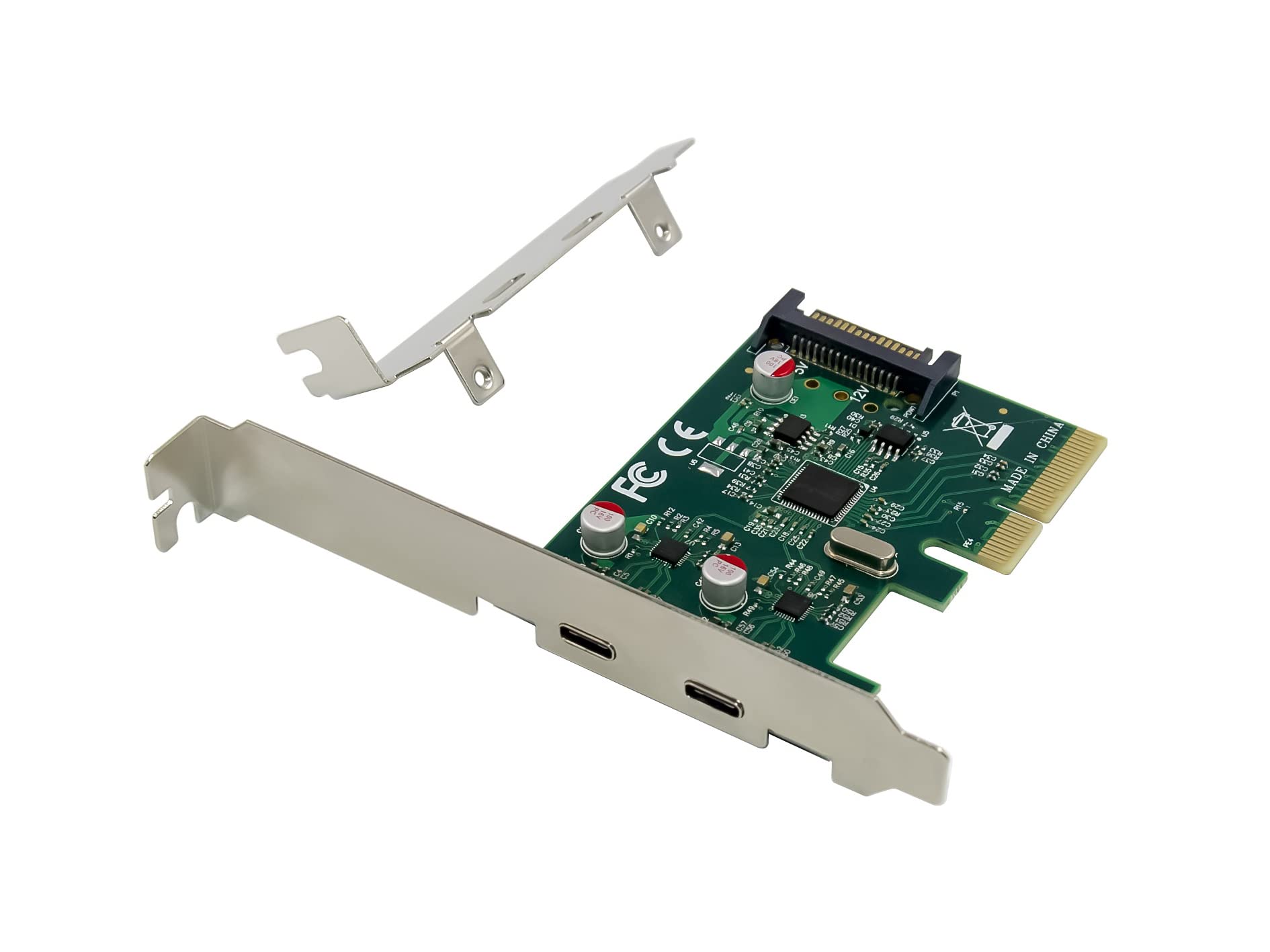
Image: Product packaging for the Conceptronic EMRICK07G PCIe card, illustrating the included components and key features.
Features
- Adds 2 additional USB-C ports to your desktop computer.
- USB 3.2 Gen 2 Super Speed (10Gb/s) data transfer rate.
- Supports hot swapping of USB devices.
- Supports UASP (USB Attached SCSI Protocol) for enhanced performance.
- Power input: 15-pin SATA connector for stable power delivery.
Setup
1. Hardware Installation
- Power Off and Disconnect: Ensure your computer is completely powered off and unplugged from the wall outlet.
- Open Computer Case: Remove the side panel of your computer case to access the motherboard.
- Locate PCIe Slot: Identify an available PCI Express slot on your motherboard. The card is compatible with various PCIe slot sizes.
- Remove Slot Cover: Carefully remove the metal slot cover from the back of your computer case corresponding to the chosen PCIe slot.
- Insert PCIe Card: Align the Conceptronic EMRICK07G card with the PCIe slot and press down firmly until it is securely seated.
- Secure Card: Fasten the card to the computer case using the screw or latch mechanism provided by your case.
- Connect SATA Power: Connect a 15-pin SATA power connector from your power supply unit (PSU) to the SATA power input on the PCIe card. This connection is crucial for stable operation and power delivery to connected USB devices.
- Close Case: Replace the computer case side panel.
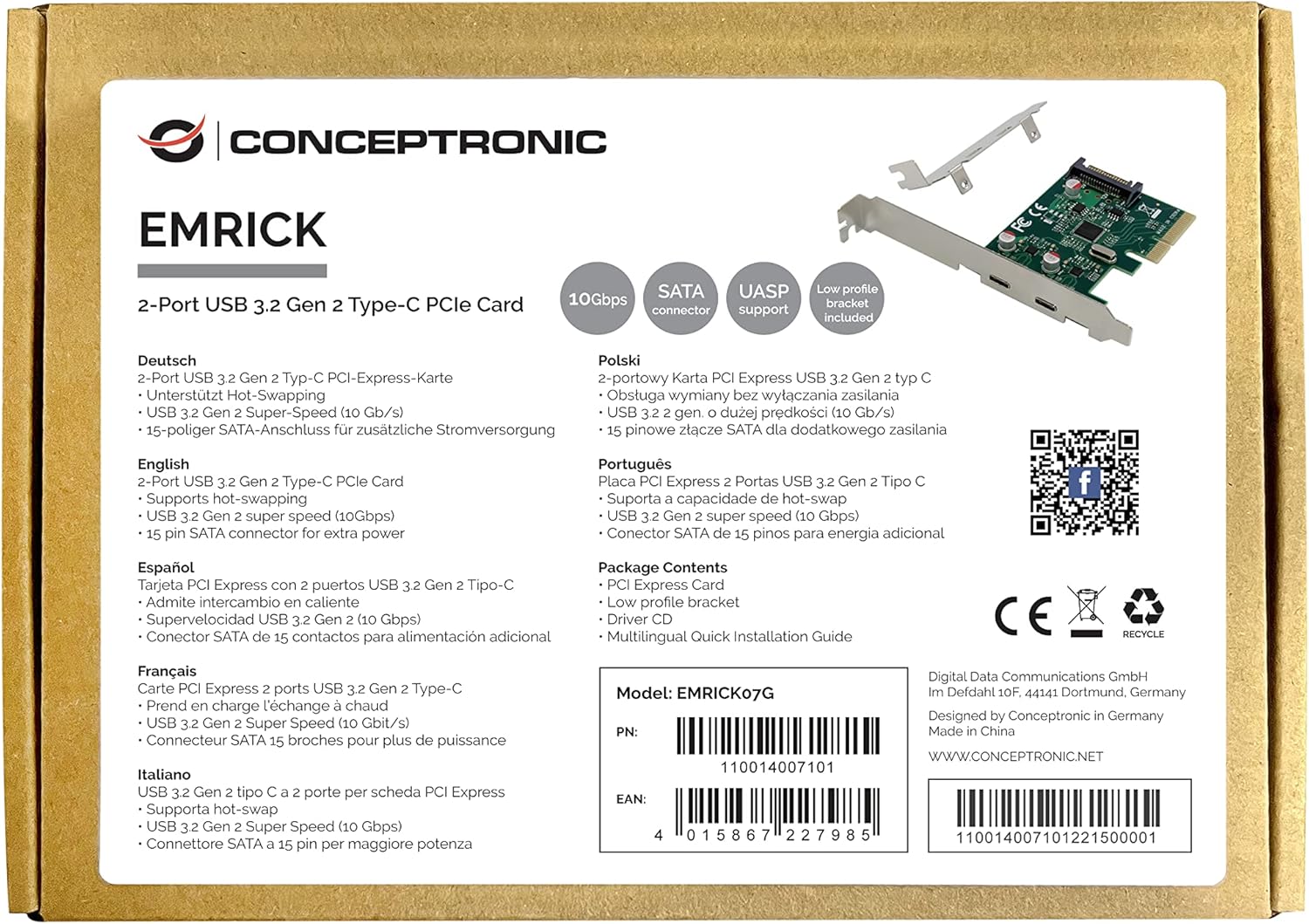
Image: The Conceptronic EMRICK07G PCIe card, illustrating its physical components including the two USB-C ports and the SATA power input.
2. Driver Installation
- Power On: Reconnect your computer's power cable and power it on.
- Insert Driver CD: Insert the provided driver CD into your computer's optical drive.
- Install Drivers: Follow the on-screen instructions to install the necessary drivers for the USB 3.2 Gen 2 PCIe card. If your system does not have an optical drive, you may need to download the latest drivers from the Conceptronic official website.
- Restart Computer: After the driver installation is complete, restart your computer to ensure all changes take effect.
Operating
Once the hardware is installed and drivers are loaded, the two USB 3.2 Gen 2 Type-C ports are ready for use. Connect your USB-C compatible devices to these ports. The card supports hot-swapping, allowing you to connect and disconnect devices without needing to restart your computer. For optimal performance, ensure your connected devices also support USB 3.2 Gen 2 speeds.
Maintenance
The Conceptronic EMRICK07G PCIe card requires minimal maintenance. Ensure your computer's internal environment is kept clean and free of dust to prevent overheating and maintain optimal performance of all internal components. Periodically check for updated drivers on the Conceptronic website to ensure compatibility and performance enhancements.
Troubleshooting
- Card Not Detected: Ensure the card is fully seated in the PCIe slot. Verify that the SATA power connector is securely attached.
- USB Devices Not Working: Confirm that the drivers are correctly installed. Check Device Manager in Windows (or equivalent in other OS) for any error messages related to the USB controller. Try connecting the USB device to another port to rule out device issues.
- Slow Transfer Speeds: Ensure both the connected device and the cable support USB 3.2 Gen 2 (10Gb/s). Older USB devices or cables will operate at their respective lower speeds. Verify UASP support is enabled if applicable.
- Power Issues: If high-power USB devices are not functioning correctly, ensure your PSU has sufficient wattage and that the SATA power cable is properly connected to the card.
Specifications
| Brand | Conceptronic |
| Model Number | EMRICK07G |
| Hardware Interface | PCI Express, USB 3.2 Gen 2 |
| USB Ports | 2 x USB 3.2 Gen 2 Type-C |
| Data Transfer Rate | Up to 10 Gb/s |
| Power Input | 15-pin SATA connector |
| Features | Hot Swapping, UASP Support |
| Compatible Devices | Personal Computer |
| Item Weight | 32 Grams (1.13 ounces) |
| Product Dimensions (LxWxH) | 7.75 x 4.25 x 0.75 inches |
Warranty
For warranty information, please refer to the specific terms and conditions provided by Conceptronic or your retailer at the time of purchase. Typically, warranty details are included in the product packaging or available on the manufacturer's official website.
Support
For further assistance, technical support, or to find the latest drivers, please visit the official Conceptronic website or contact their customer support. You can also find updates and community support via their social media channels:


