1. Introduction
Thank you for choosing the Smartwares LED Table Lamp IDE-60067. This versatile and portable lamp is designed to enhance your indoor and outdoor spaces with both warm white and vibrant colored lighting. Featuring a rechargeable battery and durable construction, it offers convenience and ambiance wherever you need it.

Image 1: The Smartwares LED Table Lamp IDE-60067, a sleek white cylindrical lamp with a stable base.
2. Safety Information
Please read all safety instructions carefully before using the product. Keep this manual for future reference.
- Do not expose the lamp to extreme temperatures or direct sunlight for prolonged periods.
- Do not attempt to disassemble or modify the lamp. This will void the warranty and may cause damage or injury.
- Use only the provided USB cable for charging. Ensure the charging adapter (not included) meets appropriate safety standards.
- Keep the lamp away from flammable materials.
- Although the lamp is IP44 rated for splash resistance, do not submerge it in water.
- This product contains a rechargeable battery. Dispose of the battery responsibly according to local regulations.
3. Package Contents
Ensure all items are present in the package:
- 1 x Smartwares LED Table Lamp IDE-60067
- 1 x USB Charging Cable

Image 2: The included USB charging cable and the lamp, illustrating the charging components.
4. Setup
4.1 Initial Charging
Before first use, fully charge the lamp. This typically takes 4 to 6 hours.
- Locate the charging port on the lamp (usually at the base).
- Connect the small end of the USB charging cable to the lamp's charging port.
- Connect the standard USB end of the cable to a compatible USB power adapter (e.g., phone charger, computer USB port) or a power bank.
- The lamp will indicate charging status (e.g., a small LED light). Once fully charged, the indicator may change or turn off.
A full charge provides approximately 15 hours of operation, depending on the light mode used.
5. Operating Instructions
The lamp is operated via a single button, typically located on the base.
5.1 Power On/Off
- To turn the lamp ON: Press and hold the power button for a few seconds until the light illuminates.
- To turn the lamp OFF: Press and hold the power button again for a few seconds.
5.2 Changing Light Modes
Once the lamp is on, short presses of the power button will cycle through the available light modes:
- Warm White Light: Provides a cozy and intimate atmosphere.
- Fixed Colored Light: Cycles through individual fixed colors (e.g., Red, Green, Blue). Press repeatedly to select your desired fixed color.
- Mixed Colors: Displays a combination of colors simultaneously.
- Fast Color Alternation: Colors change rapidly for a festive ambiance.
- Soft Color Alternation: Colors transition smoothly and slowly.

Image 3: The lamp showcasing its ability to display multiple colors, including warm white, pink, yellow, blue, green, and purple.
6. Maintenance
6.1 Cleaning
To clean the lamp, wipe it gently with a soft, damp cloth. Do not use abrasive cleaners or solvents, as these may damage the surface.
6.2 Storage
When not in use for extended periods, store the lamp in a cool, dry place. It is recommended to fully charge the battery before storing to maintain battery health.
7. Troubleshooting
If you encounter issues with your lamp, please refer to the following common problems and solutions:
| Problem | Possible Cause | Solution |
|---|---|---|
| Lamp does not turn on. | Battery is depleted. | Charge the lamp fully (4-6 hours). |
| Lamp does not charge. | Faulty USB cable or adapter. | Try a different USB cable or power adapter. Ensure connections are secure. |
| Light modes are not changing. | Incorrect button press. | Ensure you are performing short presses to cycle modes, and long presses for power on/off. |
| Lamp flickers or dims unexpectedly. | Low battery. | Recharge the lamp. |
8. Specifications
| Feature | Specification |
|---|---|
| Model Number | IDE-60067 |
| Dimensions (L x W x H) | 17 x 17 x 25.5 cm |
| Weight | 513 grams |
| Material | Plastic |
| Power Source | Battery Powered |
| Battery Life (Max) | Approx. 15 hours |
| Charging Time | 4-6 hours |
| Ingress Protection (IP) Rating | IP44 (Splash resistant) |
| Estimated Lifespan | Approx. 25,000 hours or 15,000 on/off cycles |

Image 4: Diagram illustrating the lamp's dimensions: 17 cm diameter and 25.5 cm height.

Image 5: Icons indicating the lamp's IP44 splash resistance and suitability for both indoor and outdoor environments.
9. Usage Scenarios
The Smartwares LED Table Lamp IDE-60067 is designed for versatile use in various settings:
- Outdoor Spaces: Perfect for garden patios, balconies, or camping, providing ambient light for evening gatherings.
- Indoor Living Areas: Adds a decorative touch and adjustable lighting to living rooms, bedrooms, or children's rooms.
- Bathrooms: Its splash-resistant design makes it suitable for use in bathrooms, adding a soft glow.
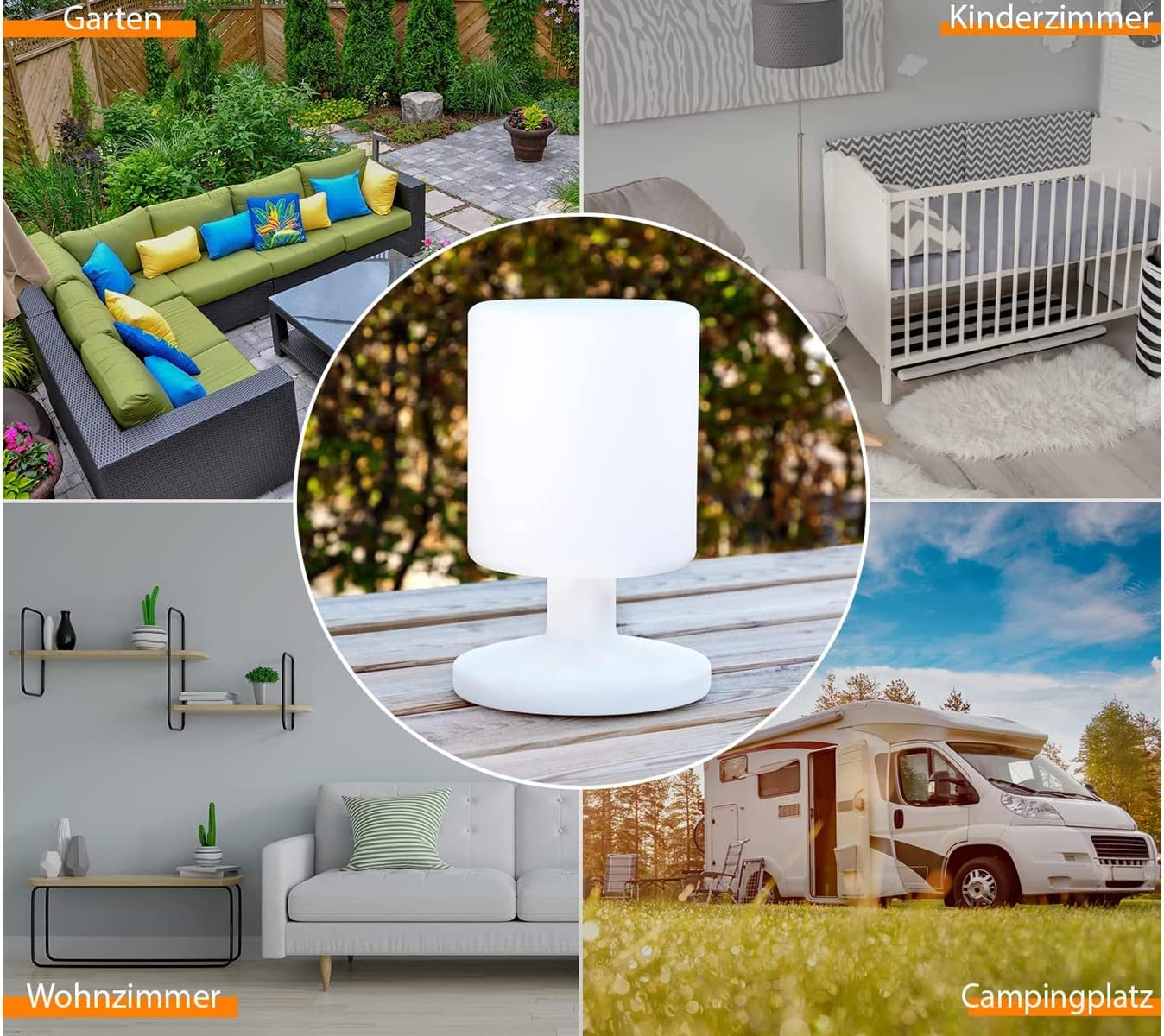
Image 6: Collage showing the lamp in different environments: a garden patio, a child's bedroom, a living room, and a camping site, highlighting its versatility.
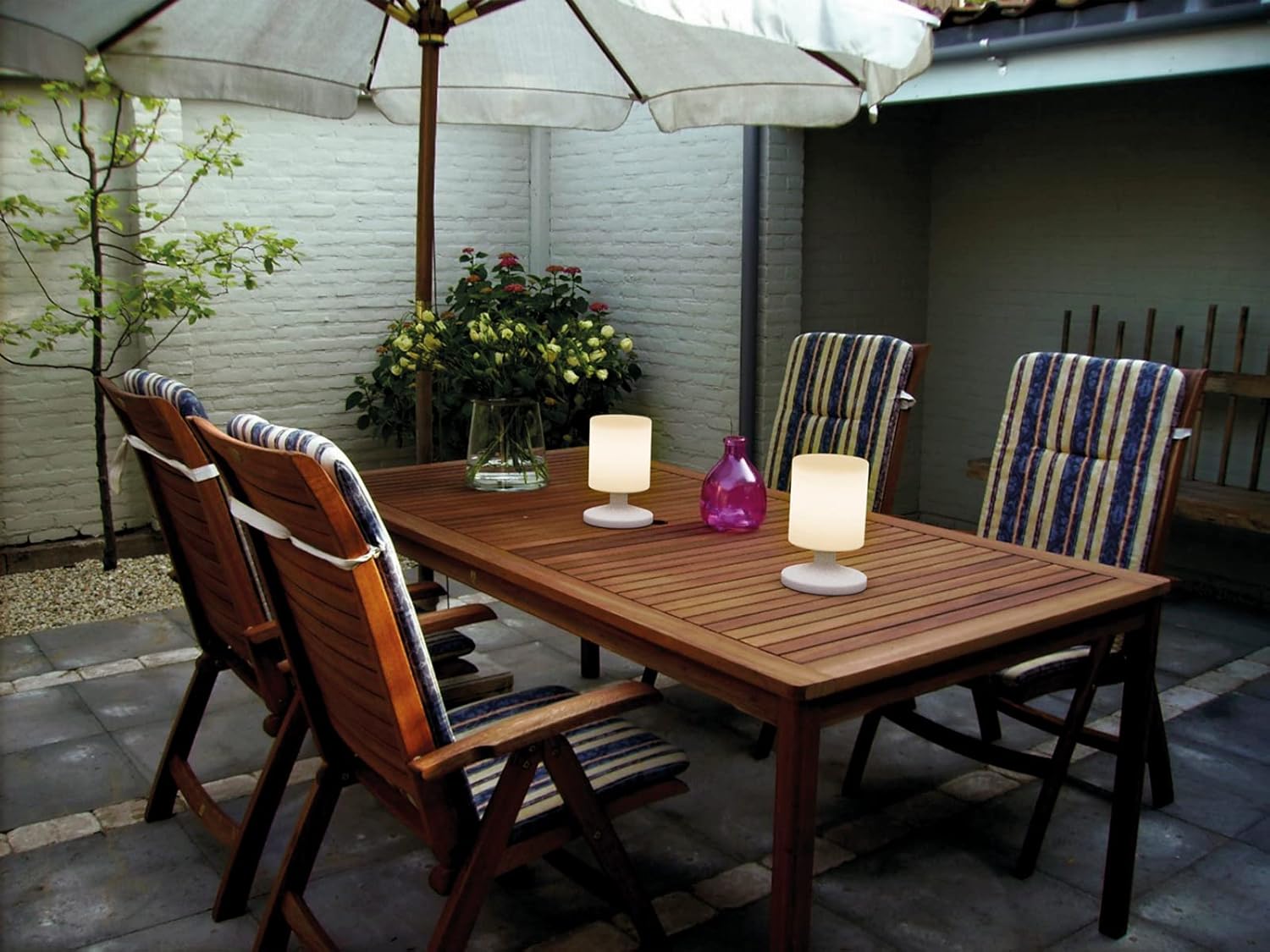
Image 7: Two lamps illuminating an outdoor wooden dining table under an umbrella, creating a pleasant evening atmosphere.

Image 8: The lamp placed on a wooden shelf in a modern bathroom with a white bathtub, demonstrating its suitability for damp environments.

Image 9: The lamp on a bedside table in a bedroom with a large upholstered headboard, showing its use as a stylish bedside lamp.
10. Warranty and Support
For warranty information and customer support, please refer to the documentation provided with your purchase or visit the official Smartwares website. Keep your proof of purchase for any warranty claims.


