1. Product Overview
The LDAILY 32-Pint Dehumidifier is designed to efficiently remove excess moisture from your home or basement, covering areas up to 1750 square feet. It features a quiet operation, multiple modes, and convenient drainage options to improve air quality and comfort.

Figure 1: Front view of the LDAILY 32-Pint Dehumidifier, showcasing its compact design and digital display.
2. Safety Instructions
Please read all instructions carefully before using the dehumidifier to ensure safe operation and prevent damage.
- Ensure the dehumidifier is placed on a stable, level surface.
- Maintain at least 8 inches (20 cm) of space around the unit for proper airflow.
- Do not block air inlets or outlets.
- Do not operate the unit near flammable gases or combustible materials.
- Always unplug the unit before cleaning or performing any maintenance.
- Keep children and pets away from the unit during operation.
- Do not use extension cords. Plug directly into a grounded electrical outlet.
3. Setup
3.1 Unpacking and Placement
- Carefully remove the dehumidifier from its packaging.
- Place the unit upright on a firm, level floor in the desired location.
- Ensure there is adequate space around the unit for optimal performance. The unit is equipped with 4 universal wheels and a recessed handle for easy movement.

Figure 2: Key features for portability and drainage, including the recessed handle, universal wheels, 0.5-gallon water tank, and continuous drainage hole.
3.2 Power Connection
Plug the power cord into a grounded 115V/60Hz electrical outlet. The unit will enter standby mode.
4. Operating Instructions
4.1 Control Panel Overview
The dehumidifier features an LED touch control panel and a 3-color digital display for easy operation and monitoring.

Figure 3: Detailed view of the touch control panel and digital display, indicating Power, Mode, Speed/Lock, Humidity Set, Timer, Sleep Mode, Fan Speed Indicator, Operating Mode Indicator, and Digital Display.
4.2 Basic Operation
- Power On/Off: Press the Power button to turn the unit on or off.
- Mode Selection: Press the Mode button to cycle through the 4 available modes: Auto Sunny, Auto Rainy, Continuous Drying, and Sleeping Mode.
- Fan Speed: Press the Speed/Lock button to select between High and Low fan speeds.
- Humidity Setting: Press the HUM button to adjust the desired humidity level from 20% to 95% in 5% increments. The unit will operate until the set humidity is reached.
- Timer: Press the Timer button to set the auto-off time from 0 to 24 hours.
- Sleep Mode: Press the Sleep button to activate sleep mode, which operates at a lower fan speed and reduced noise level (below 36dB).
- Child Lock: To activate the child lock, press and hold the Speed/Lock button for 3 seconds. Repeat to deactivate.
4.3 3-Color Humidity Indicator Light
The indicator light around the power button changes color to reflect the current humidity level:
- Blue: Humidity levels below 40% Relative Humidity (RH). Flashing blue indicates defrosting is in progress.
- Green: Humidity levels between 40% and 60% RH.
- Red: High humidity, above 60% RH. Flashing red indicates the water tank is almost full.

Figure 4: Explanation of the 3-color indicator light for humidity levels and defrost status.
4.4 Drainage Options
The dehumidifier offers two methods for water drainage:
- Manual Drainage: The unit collects water in its 0.5-gallon (2L) water tank. When the tank is full, the unit will automatically shut off, and the full water indicator (flashing red light) will alert you to empty the tank. Carefully remove the tank and pour out the collected water.
- Continuous Drainage: For continuous operation without manual emptying, attach the included 3.3ft (1m) drain hose to the drainage hole at the back of the unit. Ensure the hose is sloped downwards to allow gravity drainage into a suitable floor drain or container.

Figure 5: Illustration of manual drainage using the water tank and continuous drainage with the included hose.
5. Maintenance
5.1 Cleaning the Air Filter
The dehumidifier is equipped with a detachable and washable filter to remove dust. Regular cleaning ensures efficient operation.
- Unplug the dehumidifier from the power outlet.
- Locate and remove the air filter (typically at the back or side of the unit).
- Wash the filter with warm, soapy water. Rinse thoroughly.
- Allow the filter to air dry completely before reinserting it into the unit.
- Re-install the dry filter and plug the unit back in.
5.2 Cleaning the Unit Exterior
Wipe the exterior of the dehumidifier with a soft, damp cloth. Do not use harsh chemicals or abrasive cleaners.
5.3 Storage
If storing the unit for an extended period, ensure the water tank is empty and clean, and the filter is clean and dry. Store in an upright position in a cool, dry place.
6. Troubleshooting
Refer to the following table for common issues and their solutions.
| Problem | Possible Cause | Solution |
|---|---|---|
| Dehumidifier does not turn on. | No power; Power cord not plugged in; Water tank full or incorrectly placed. | Check power connection; Empty and correctly re-insert water tank. |
| Unit is running but not collecting water. | Humidity setting is higher than ambient humidity; Room temperature too low; Air filter clogged. | Lower the humidity setting; Ensure room temperature is above 41°F (5°C); Clean the air filter. |
| Unit is noisy. | Unit not on a level surface; Air filter clogged; Obstruction in fan. | Place on a level surface; Clean the air filter; Check for and remove any obstructions. |
| Water leaks from the unit. | Water tank not properly seated; Continuous drain hose loose or clogged. | Ensure water tank is correctly inserted; Check continuous drain hose connection and clear any blockages. |
| Defrost indicator (flashing blue) is on. | Unit is automatically defrosting. | This is normal operation. The unit will resume dehumidifying once defrosting is complete. |
7. Specifications
Detailed technical specifications for the LDAILY 32-Pint Dehumidifier.
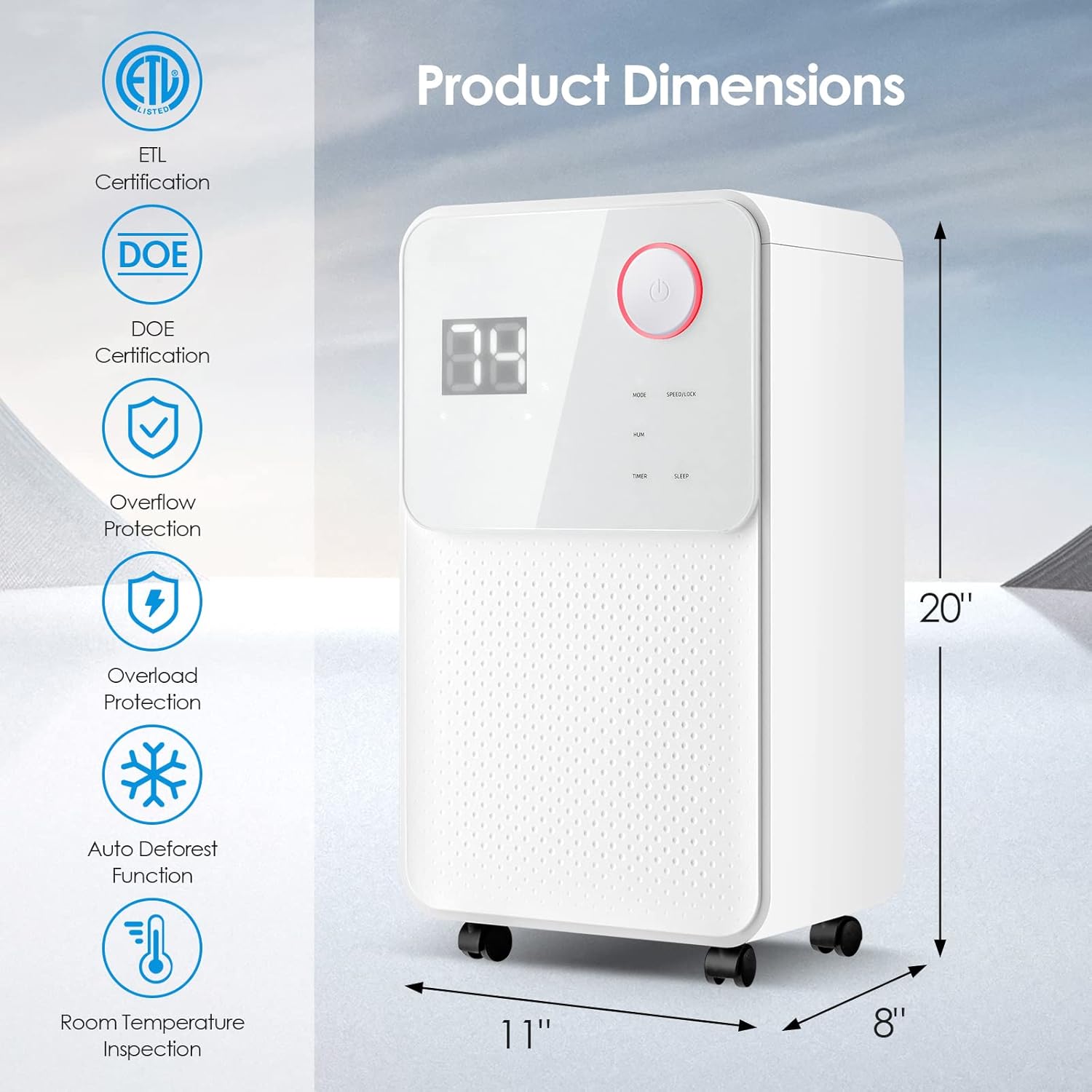
Figure 6: Product dimensions (11"W x 8"D x 20"H) and certifications including ETL and DOE.
- Brand: LDAILY
- Model: 32-Pint 1750 Sq. Ft Dehumidifier
- Coverage Area: Up to 1750 Square Feet
- Dehumidification Capacity:
- 32 Pints/Day (95℉, 90% RH)
- 25 Pints/Day (86℉, 80% RH)
- 9 Pints/Day (DOE Standard)
- Rated Power: 172 W (80.6℉, 90% RH)
- Voltage: 115V/60Hz
- Water Tank Capacity: 2 Liters (0.5 Gallons)
- Noise Level: ≤36dB
- Product Dimensions (L x W x H): 11" x 8" x 20"
- Net Weight: 11 kg (24 lbs)
- Timer: 0-24 Hours
- Humidity Setting Range: 20% - 95%
- Special Features: Automatic Shutoff, Digital Display, Quiet Operation, Auto Defrost, Child Lock, Overflow Protection, Overload Protection, Room Temperature Inspection.
8. Warranty and Support
For warranty information or technical support, please contact LDAILY customer service. Refer to your purchase documentation for specific warranty terms and contact details.
You may also visit the official LDAILY store for additional product information and support resources: LDAILY Store on Amazon


