
Introduction
This manual provides essential instructions for the safe and effective use of your Homebuds Digital Bathroom Scale HB902. Please read this manual thoroughly before first use and retain it for future reference. This scale is designed to measure body weight and analyze various body composition metrics through its companion application.

Image: The Homebuds Digital Bathroom Scale, showing its sleek design and the associated mobile application interface with detailed body composition readings.
Setup
1. Unpacking and Battery Installation
Carefully remove the scale from its packaging. The Homebuds HB902 scale requires 3 AAA batteries, which are included. Locate the battery compartment on the underside of the scale. Open the cover, insert the batteries according to the polarity indicators (+/-), and close the cover securely.
2. Initial Placement
Place the scale on a hard, flat surface. Avoid carpets or uneven flooring, as this can affect measurement accuracy. Ensure the scale is stable before use.
3. App Download and Pairing
To utilize the full body composition analysis features, download the Vitafit app from your device's app store (Apple Health, Google Fit, and Fitbit compatible). Follow the in-app instructions to create an account and pair your scale via Bluetooth. The app will guide you through the process of adding your device and setting up user profiles.

Image: Visual guide illustrating the five steps for easy setup: Download Vitafit App, Sign Up, Create Accounts for Users, Add Device, and Start to Use.
Operating Instructions
1. Taking a Weight Measurement
- Ensure the scale is on a hard, flat surface.
- Step onto the scale barefoot and stand still. The scale will automatically turn on.
- Your weight will be displayed on the LED screen.
- For body composition analysis, ensure your feet are in full contact with the four metal electrodes on the scale surface.
2. Unit Switching
The scale supports weight units in pounds (lb), kilograms (kg), and stones (st). A unit switch button is located on the underside of the scale, near the battery compartment. Press this button to cycle through the available units.
3. Body Composition Analysis (via App)
After pairing with the Vitafit app, step onto the scale barefoot. The scale will measure your weight and send data to the app for comprehensive body composition analysis. The app provides 13 key measurements including:
- Weight
- BMI (Body Mass Index)
- Body Fat
- Muscle Mass
- Body Water
- Protein
- Bone Mass
- BMR (Basal Metabolic Rate)
- Metabolic Age
- Fat-Free Body Weight
- Visceral Fat
- Subcutaneous Fat
- Skeletal Muscle
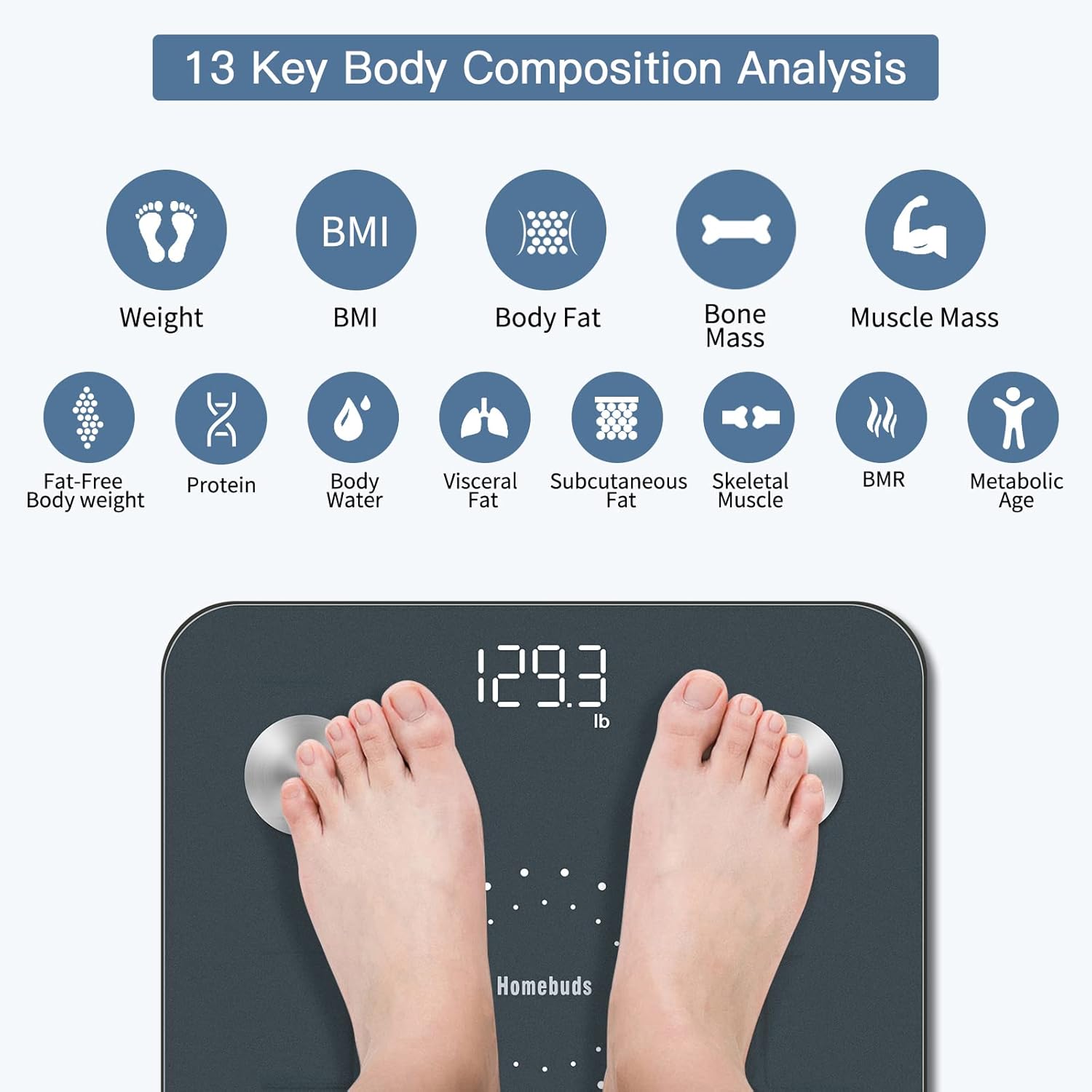
Image: An infographic detailing the 13 body composition metrics measured by the Homebuds scale and analyzed by the app.
4. Multi-User and Special Modes
The Vitafit app allows for the creation of unlimited user profiles, making it suitable for families. It also includes special modes such as:
- Weight Only Mode: For users who prefer only weight measurement.
- Baby Mode: For weighing infants or small children by first weighing an adult, then the adult holding the baby.
- Child Mode: For measuring weight and BMI for children.

Image: A family scene demonstrating the multi-user capability of the Vitafit app, allowing various profiles for different family members.
Key Features and App Integration
High Accuracy
The Homebuds HB902 scale provides weight measurements with an increment of 0.1lb/0.05kg, ensuring precise tracking of your progress.
Smart App Connectivity
The Vitafit app offers a professional user interface and seamlessly syncs your data with popular fitness applications such as Apple Health, Google Fit, and Fitbit. This allows for convenient viewing of your fitness graphs and progress over time.

Image: A visual representation of the Vitafit app's 'Sync and Share' features, highlighting compatibility with major health platforms and social media.
Automatic Functions
The scale features auto step-on activation and auto power-off, conserving battery life and providing a user-friendly experience.
Maintenance
Cleaning
To clean the scale, use a soft, damp cloth. Avoid abrasive cleaners or harsh chemicals, as these can damage the surface and electronic components. Do not immerse the scale in water.
Storage
Store the scale in a cool, dry place. Avoid extreme temperatures or direct sunlight. Do not place heavy objects on the scale when not in use.
Battery Replacement
When the battery indicator appears on the display or in the app, replace the 3 AAA batteries. Ensure correct polarity during installation.
Troubleshooting
- Scale does not turn on:
- Check if batteries are installed correctly and are not depleted. Replace batteries if necessary.
- Inaccurate readings:
- Ensure the scale is placed on a hard, flat, and level surface. Avoid carpets. Recalibrate by stepping on and off the scale quickly. Ensure you are standing still and centered on the scale.
- App not connecting to scale:
- Ensure Bluetooth is enabled on your smartphone. Make sure the Vitafit app is open and the scale is active (step on it briefly). Try restarting both the app and your phone. Ensure the scale is within Bluetooth range.
- Body composition data not appearing:
- Ensure you are stepping on the scale barefoot, with your feet making full contact with all four metal electrodes. Ensure the scale is properly paired with the app and the app is open during measurement.
- "Lo" or "Err" displayed:
- "Lo" indicates low battery; replace batteries. "Err" indicates an overload (weight exceeds maximum capacity) or an error in measurement; step off and try again.
Specifications
| Model: | HB902 |
| Weight Capacity: | 400 lb / 182 kg / 28 st |
| Weight Increment: | 0.1 lb / 0.05 kg |
| Units: | lb / kg / st |
| Dimensions: | 11.02 x 11.02 x 1.18 inches (280 x 280 x 30 mm) |
| Power: | 3 x AAA batteries (included) |
| Display: | LED Backlit Display |
| Special Features: | Auto Shut Off, Auto Step-on, Body Fat Analysis, Genuine BIA Technology, User-Friendly App, Precision Balanced |

Image: The bottom of the Homebuds scale, detailing its physical features and dimensions.
Warranty
Homebuds products are manufactured with a commitment to quality. For specific warranty details, please refer to the warranty card included with your product or contact Homebuds customer support. Keep your purchase receipt as proof of purchase for warranty claims.
Customer Support
If you have any questions, concerns, or require assistance with your Homebuds Digital Bathroom Scale HB902, please contact our customer support team. Refer to the contact information provided in your product packaging or visit the official Homebuds website for support resources.


