
1. Introduction
This manual provides detailed instructions for the installation, operation, and maintenance of your LWOHSI A103S Wireless Home Security Alarm System. This system is designed to provide comprehensive security for your home or small business, featuring motion detection, door/window sensors, a siren, and app notifications. It is compatible with Alexa and operates without monthly fees.

Image: Overview of the LWOHSI A103S alarm system components, including the main panel, door/window sensors, motion sensor, remote controls, and RFID tags.
2. Package Contents
The LWOHSI A103S system typically includes the following components:
- 1 x A103S Alarm Host (Main Unit)
- Door/Window Sensors
- Motion Detectors (PIR)
- Remote Controls
- RFID Tags
- Power Adapter
- Mounting Hardware
3. Setup and Installation
The LWOHSI A103S system is designed for quick and easy self-installation, requiring no monthly fees or complex contracts. All necessary hardware is included and can be set up in under 30 minutes, making it ideal for various living situations, including rental properties.
3.1 Initial Setup Steps
- Unpack and Inspect: Carefully remove all components from the packaging and inspect for any damage.
- Power On the Main Unit: Connect the alarm host to a power source using the provided adapter. Ensure it powers on correctly.
- Download the App: Download the "Smart Life" application from your smartphone's app store.
- Connect to Wi-Fi: Follow the in-app instructions to connect the alarm host to your home Wi-Fi network.
- Pair Sensors: Pair the door/window sensors and motion detectors with the main unit according to the app's instructions. Ensure each sensor is placed in its intended location.
- Test the System: Perform a full system test to ensure all sensors are communicating with the main unit and that alarms and notifications are functioning correctly.

Image: Close-up of the LWOHSI A103S main alarm panel with its touchscreen interface and keypad.
3.2 Connecting to the App
The "Smart Life" app serves as your central control hub. After downloading, create an account and add your A103S alarm host as a new device. The app will guide you through the Wi-Fi connection process.

Image: Screenshot of the "Smart Life" app interface showing device management and control options for the alarm system.
3.3 Pairing Sensors
Follow the app's instructions to add each sensor (door/window, motion detector) to your system. Ensure each sensor is placed in an optimal location for detection and within the wireless range of the main unit. The unit can transmit up to 50-80 meters (164-262 feet) with obstacles and up to 100 meters (328 feet) in open areas.

Image: Illustration showing the installation of a door/window sensor on a door frame, with the main unit and a smartphone displaying the app interface.
4. Operating Your LWOHSI A103S System
The LWOHSI A103S system offers multiple ways to control and monitor your home security.
4.1 Arming and Disarming
- Via App: Use the "Smart Life" app to arm or disarm the system remotely from anywhere.
- Via Keypad: Enter your security code on the main unit's keypad to arm or disarm.
- Via Remote Control: Use the provided remote controls for quick arming and disarming.
- Via RFID Tag: Tap an RFID tag on the main unit's RFID reader to disarm the system.
- Scheduled Arm/Disarm: Set up automatic arming and disarming schedules through the app to match your daily routine.

Image: Display of the alarm system's screen showing options for scheduled arming and disarming, illustrating how to set specific times for these actions.
4.2 Notifications and Alerts
When an alarm is triggered (e.g., a door/window opens or motion is detected), the system will:
- Sound a 120 dB siren.
- Send instant push notifications to your smartphone via the "Smart Life" app.
- Initiate alarm calls and send SMS messages to pre-programmed phone numbers.

Image: A smartphone displaying a real-time alert notification from the alarm system, indicating a triggered sensor and offering options to silence or remove the alarm.
Setting Up Alarm Calls and Text Messages
To receive alarm calls and SMS notifications, you need to program the desired phone numbers into the system. Ensure the SIM card (if used) has its PIN disabled and sufficient credit.
Video: This video demonstrates the process of setting up alarm calls and text messages on the LWOHSI A103S Smart Alarm System. It guides users through the menu to input phone numbers and activate notification preferences.
4.3 Anti-Tamper Function
The main unit features an anti-demolition alarm function. If the device is maliciously removed from its mounting, the host will beep an alarm and send a call or text message to the owner, providing an additional layer of security.

Image: Diagram illustrating the anti-demolition alarm function, showing a screwdriver attempting to remove the main unit and a phone receiving a call/SMS notification.
4.4 Language Settings
The system supports 9 languages, allowing you to freely switch the multi-language menu display, voice operation prompts, and alarm SMS settings to suit your preference.
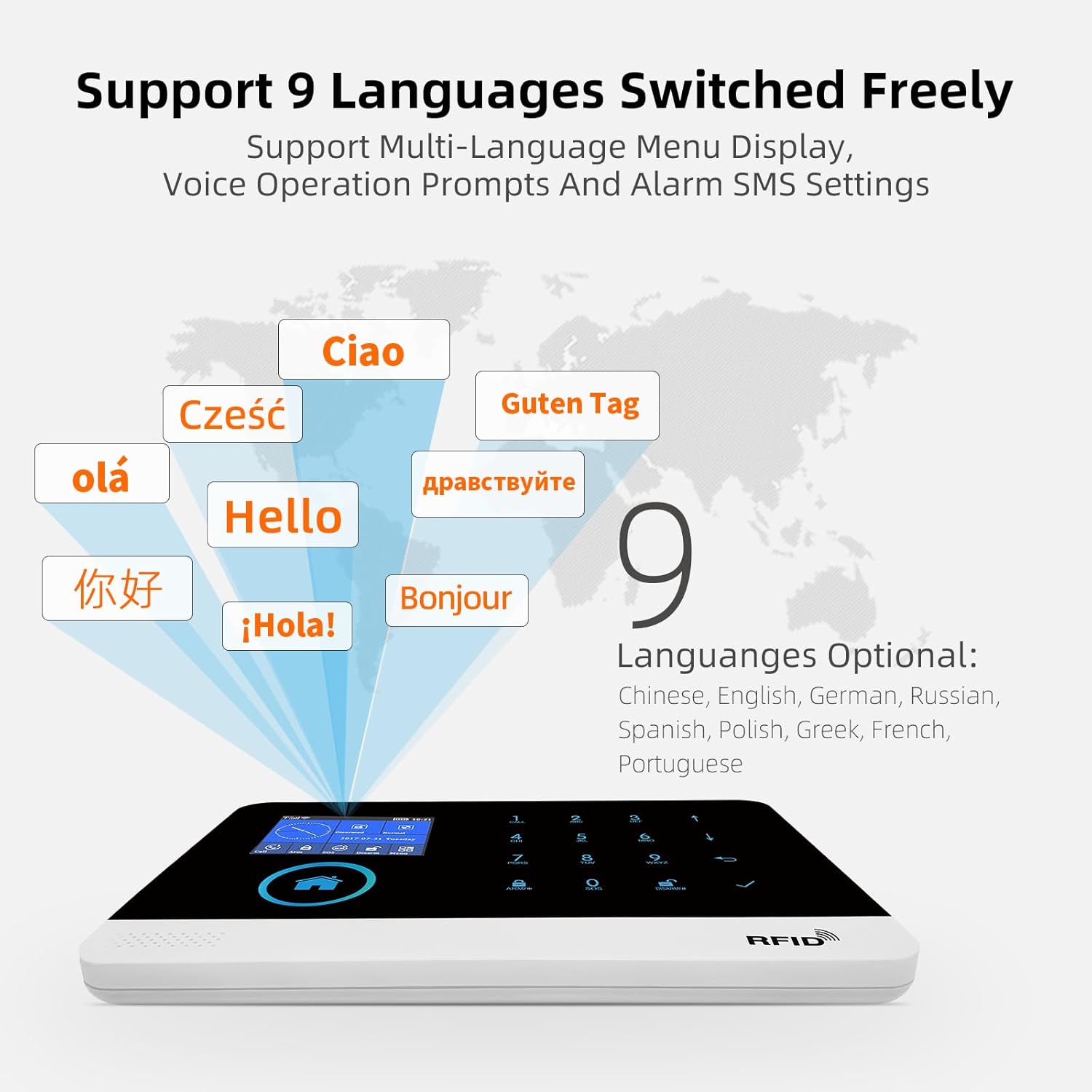
Image: Display of the alarm system's screen showing various language options, including Chinese, English, German, Russian, Spanish, Polish, Greek, French, and Portuguese.
4.5 Managing Sensors
You can easily edit the name of each door/motion sensor through the app to facilitate better management and identification of each room or zone.
5. Maintenance
Regular maintenance ensures the optimal performance and longevity of your LWOHSI A103S security system.
- Battery Check: Periodically check the battery levels of all wireless sensors and remote controls. Replace batteries as needed to prevent system failures. The main unit uses a Lithium-ion battery.
- Cleaning: Gently clean the main unit and sensors with a soft, dry cloth. Avoid using abrasive cleaners or solvents.
- Firmware Updates: Check the "Smart Life" app regularly for any available firmware updates for the alarm host. Keeping the firmware updated ensures access to the latest features and security enhancements.
- Sensor Placement: Ensure all sensors remain securely mounted and their detection paths are unobstructed.
- Wi-Fi Connectivity: Verify that the main unit maintains a stable Wi-Fi connection for reliable remote monitoring and notifications.
6. Troubleshooting
This section addresses common issues you might encounter with your LWOHSI A103S system.
6.1 System Not Responding
- Check Power: Ensure the main unit is properly connected to power and its internal battery is charged.
- Restart: Try restarting the main unit by disconnecting and reconnecting the power.
- App Connection: Verify your smartphone has an internet connection and the "Smart Life" app is updated.
6.2 Sensors Not Triggering Alarm
- Battery Check: Replace batteries in the affected sensors.
- Pairing: Re-pair the sensors with the main unit if they have become disconnected.
- Placement: Ensure sensors are placed correctly and within range of the main unit. Door/window sensors should have their two parts aligned. Motion sensors should have a clear line of sight.
6.3 No Phone Calls or SMS Alerts
- SIM Card: Ensure a valid and active SIM card is inserted into the main unit (if applicable for GSM models) and has sufficient credit/data.
- PIN Code: If using a SIM card, ensure its PIN code has been disabled using a mobile phone before inserting it into the alarm host.
- Phone Numbers: Verify that the alarm phone numbers are correctly programmed in the system settings.
- Call/SMS Function: Check that the call and SMS functions are enabled for the programmed numbers in the system settings.
6.4 False Alarms
- Sensor Sensitivity: Adjust the sensitivity settings of motion detectors if they are being triggered by pets or environmental factors.
- Placement: Ensure motion sensors are not facing direct sunlight, heat sources, or moving objects like curtains.
- Door/Window Alignment: Check that door/window sensors are properly aligned and securely attached.
6.5 App Control Issues
- Wi-Fi Signal: Confirm the alarm host has a strong Wi-Fi signal.
- Router Settings: Ensure your router is not blocking the device or app.
- App Permissions: Grant all necessary permissions to the "Smart Life" app on your smartphone.
7. Specifications
| Feature | Detail |
|---|---|
| Brand | LWOHSI |
| Model Number | A103S |
| Color | White |
| Power Source | Battery Powered |
| Compatible Devices | Multiple |
| Item Dimensions (L x W x H) | 18.5 x 12.5 x 1.5 cm |
| Connectivity Technology | Wireless |
| Installation Type | Self-installation |
| Alert Type | Audio and Motion |
| Item Weight | 1.15 Kilograms |
| Control Method | Application |
| Noise Level | 120 Decibels |
| Sensor Technology | Passive Infrared (PIR) |
| Battery Type | Lithium-ion |
| Recommended Uses for Product | Home Security |
| Manufacturer | LWOHSI |
| Country of Origin | China |
8. Warranty and Support
For warranty information and technical support, please refer to the documentation included with your product or contact LWOHSI customer service. Keep your purchase receipt as proof of purchase for warranty claims.
For further assistance, visit the official LWOHSI website or contact their support channels.
