
GYMAX GYMAX Folding Treadmill
GYMAX Folding Treadmill User Manual
Model: GYMAX Folding Treadmill
Brand: GYMAX
Product Overview
The GYMAX Folding Treadmill is a versatile fitness machine designed for home use, offering a comprehensive workout experience. It features a powerful 4.75HP motor, automatic incline adjustments, and a multi-layer running belt for comfortable and effective exercise. The integrated LED monitor and Bluetooth app control provide real-time data tracking and personalized workout programs.

This image shows the GYMAX Folding Treadmill in its operational state with a user, and also its compact folded state, highlighting its space-saving design.
- Auto Incline & 20 Preset Programs: Customize workout intensity with 1-15% (0-8.5°) incline and a 0.6-12 mph speed range. Includes 20 preset programs for varied training.
- LED Monitor & Smart App Control: Track time, distance, steps, calories, and pulse on the large LED monitor. Connect via Bluetooth to the Gymax App for control, data sharing, and courses.
- 4.75HP High Performance & Anti-shock Running Belt: Enjoy smooth and silent operation with the powerful motor. The 51.5” x 19.7” running belt is wear-resistant and shock-absorbing.
- Folding Design with Soft Dropping System: Easily fold for storage with a hydraulic soft-dropping system. Built-in wheels allow for effortless movement, ideal for small spaces.
- Built-in Speaker & Cup Holder: Connect your device to the built-in speakers for entertainment. A convenient cup holder keeps hydration within reach.
Safety Information
Please read all instructions carefully before using the treadmill. Adhere to the following safety guidelines to prevent injury and ensure proper operation:
- Ensure the treadmill is placed on a flat, stable surface with adequate clearance around it.
- Always attach the safety key to your clothing before starting the treadmill. The safety key will immediately stop the machine if detached.
- Do not exceed the maximum weight recommendation of 265 pounds.
- Keep children and pets away from the treadmill during operation.
- Wear appropriate athletic footwear.
- If you feel faint, dizzy, or experience pain, stop your workout immediately.
- Unplug the treadmill from the power outlet when not in use or before cleaning/maintenance.
Setup
The GYMAX Folding Treadmill comes largely pre-assembled. Follow these steps for initial setup:
- Unfolding: Gently kick the hydraulic soft-dropping system to lower the running deck. Ensure it locks securely into place.
- Placement: Position the treadmill on a level surface. Its built-in wheels allow for easy movement and relocation, making it suitable for various home gym setups.
- Power Connection: Connect the power cord to a standard 110V outlet.
- Safety Key: Locate the red safety key and ensure it is properly inserted into its designated slot on the console.
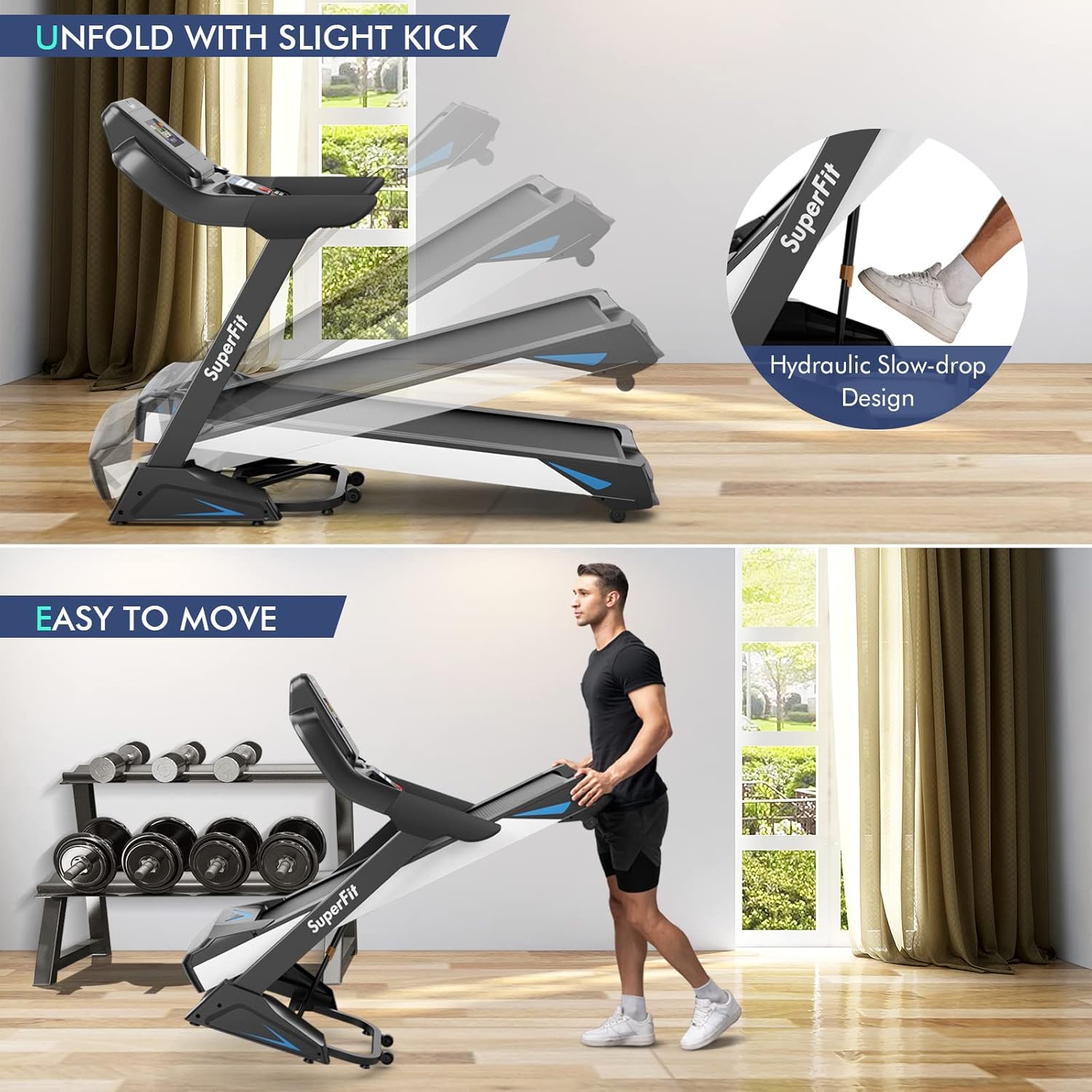
The treadmill features a hydraulic soft-dropping system for safe and easy unfolding.
Operating Instructions
Familiarize yourself with the treadmill's controls and features for an optimal workout.
Console and Display
The large LED monitor displays key workout metrics:
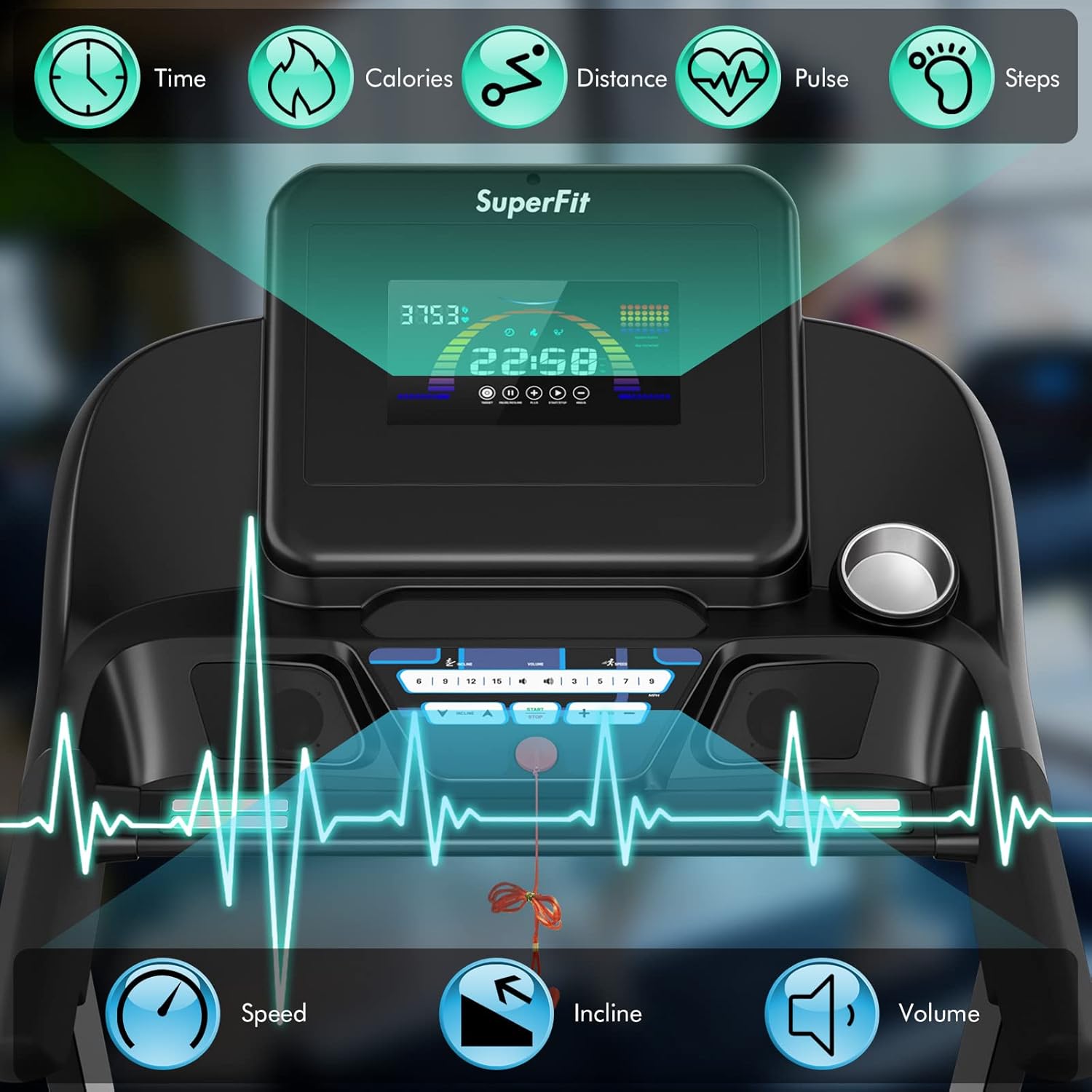
The LED monitor provides real-time feedback on your workout progress.
- Time: Duration of your workout.
- Distance: Total distance covered.
- Steps: Number of steps taken.
- Calories: Estimated calories burned.
- Pulse: Your heart rate (requires holding the pulse grips).
Starting a Workout
- Ensure the safety key is in place.
- Press the "Start" button to begin. The belt will start moving at a low speed.
- Adjust speed using the "+" and "-" buttons or quick-speed buttons (e.g., 3, 6, 9, 12 mph). Speed range: 0.6-12 mph.
- Adjust incline using the "Incline ▲" and "Incline ▼" buttons or quick-incline buttons (e.g., 3, 6, 9, 12, 15%). Incline range: 1-15% (0-8.5°).
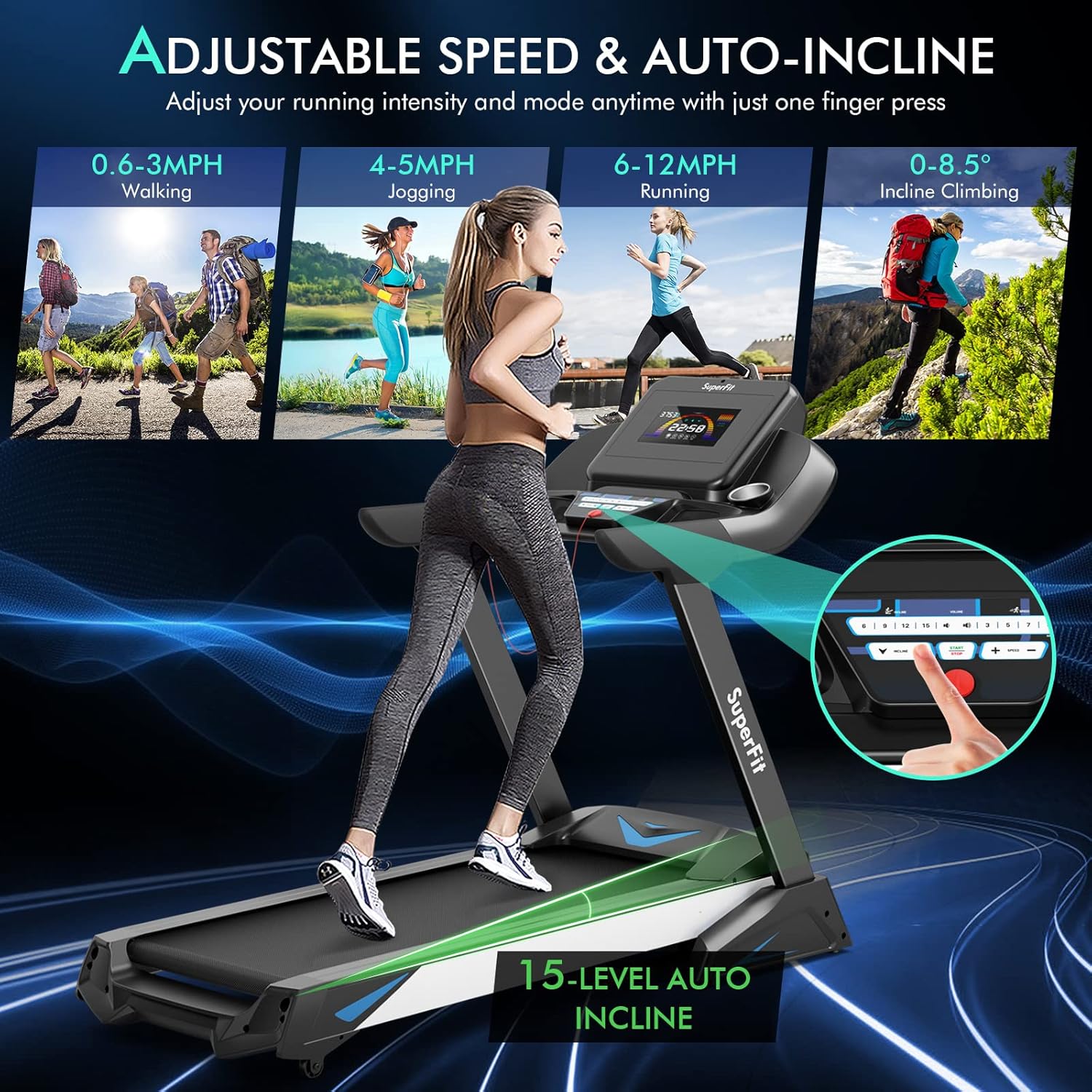
Easily adjust speed and incline to match your workout intensity.
Preset Programs
The treadmill offers 20 preset programs (P1-P20) designed for various fitness goals. Select a program using the "Program" button on the console.
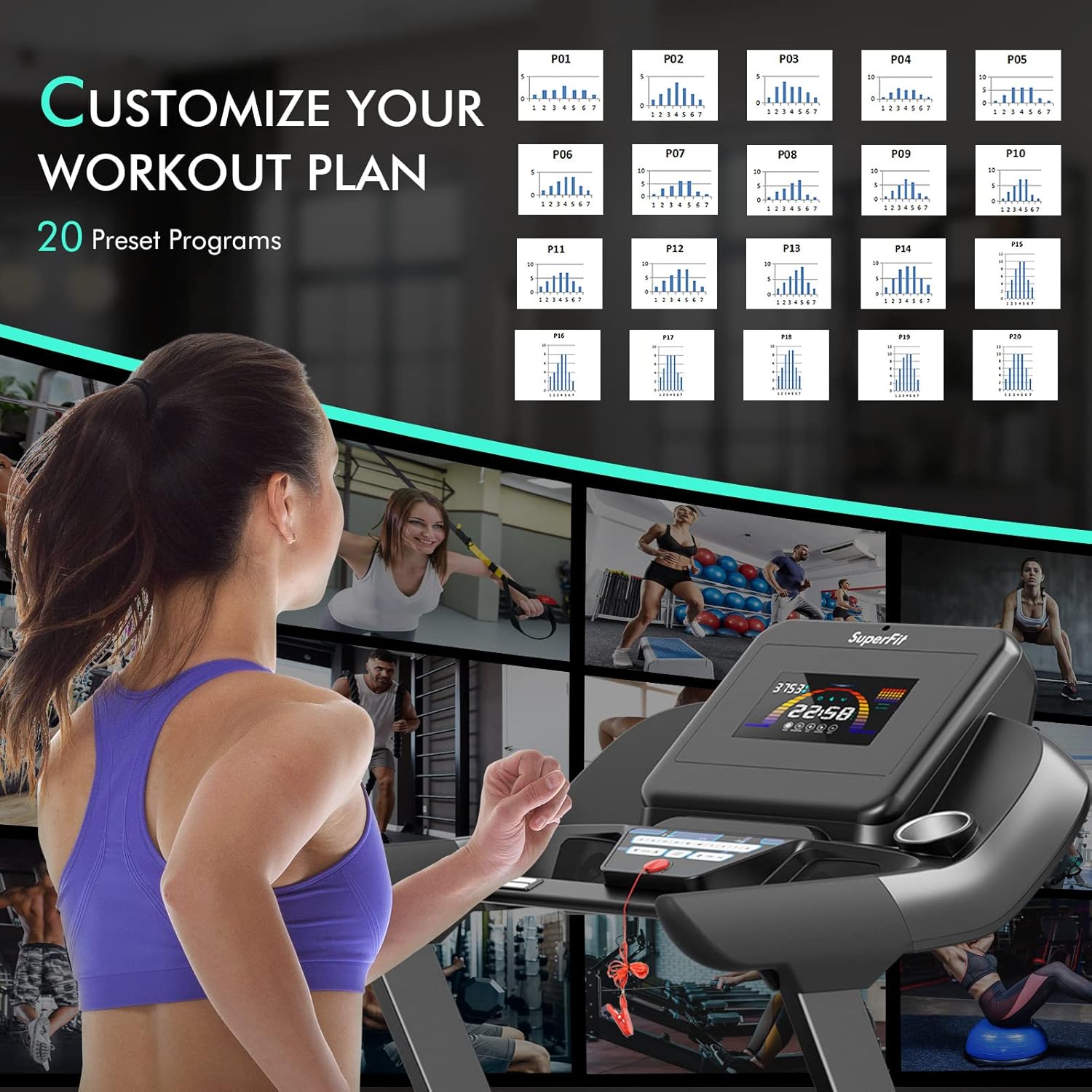
Choose from 20 preset programs to diversify your training routine.
Pause Function
Press the "Pause/Resume" button to temporarily stop your workout without losing your progress data. Press it again to resume.
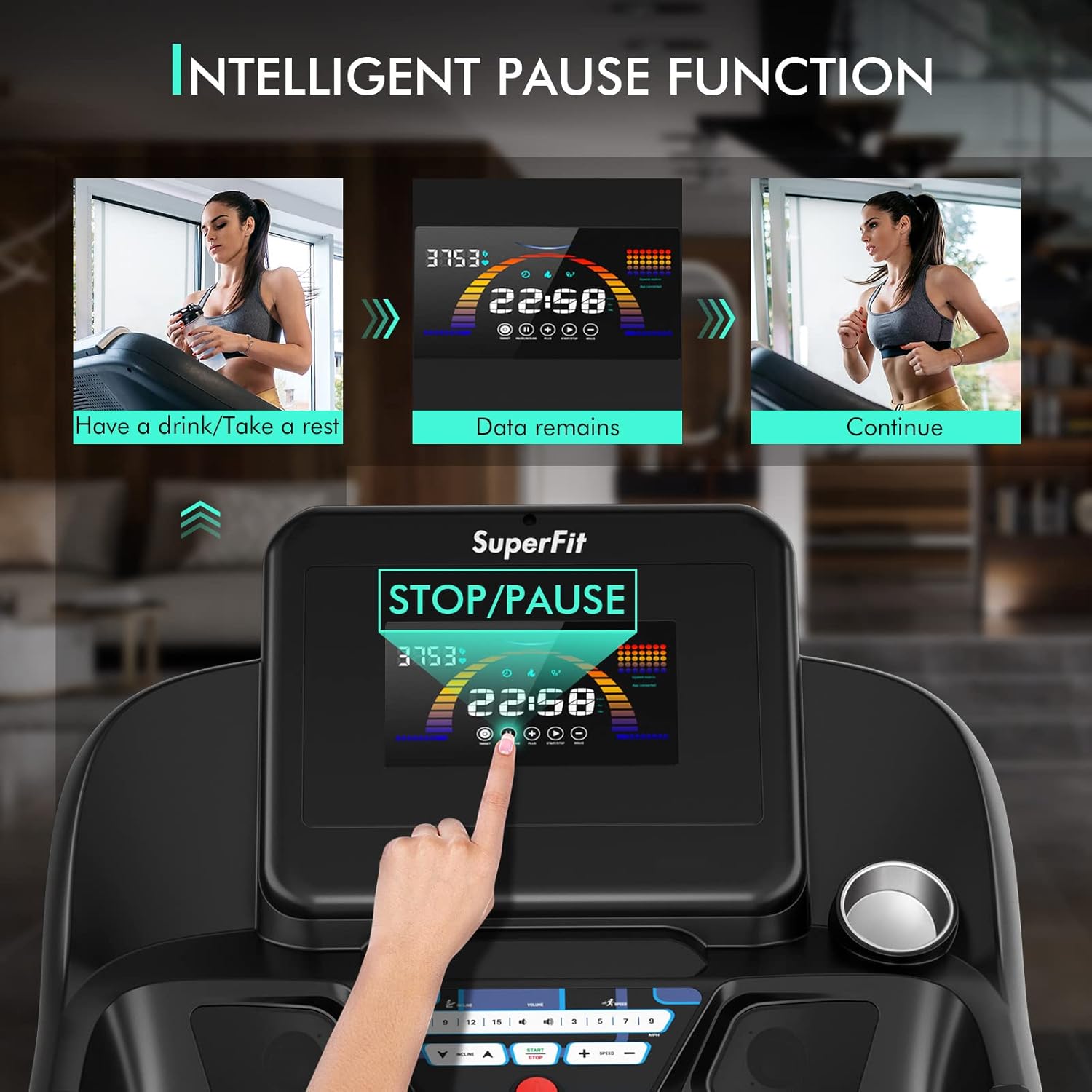
The intelligent pause function allows you to take short breaks without losing your workout data.
Bluetooth Connectivity & App Control
Connect your mobile device to the treadmill via Bluetooth to the Gymax App. This allows you to:
- Control the treadmill remotely.
- Track and store your exercise data.
- Share your workout achievements with the community.
- Access guided courses.

Control your treadmill and track progress using the Gymax App via Bluetooth.
Heart Rate Sensor
Grasp the pulse grips on the handlebars to measure your heart rate, displayed on the LED monitor.
Bluetooth Speaker
Connect your device to the treadmill's built-in speakers to enjoy music or other audio during your workout.
Official Product Video
This video demonstrates the key features and operation of the GYMAX Auto Incline Folding Treadmill, including its folding mechanism, display, and various functions.
Maintenance
Regular maintenance ensures the longevity and optimal performance of your treadmill.
- Cleaning: Wipe down the treadmill after each use with a damp cloth to remove sweat and dust. Avoid abrasive cleaners.
- Lubrication: Periodically lubricate the running belt with methyl silicone oil as instructed in the included user manual (refer to the specific manual for frequency).
- Belt Adjustment: Check the running belt tension and alignment regularly. Adjust if necessary to ensure smooth operation and prevent wear.
- Inspection: Routinely inspect all nuts, bolts, and moving parts for tightness and wear.
Troubleshooting
If you encounter issues with your treadmill, refer to the following common troubleshooting tips:
- Treadmill not starting: Ensure the power cord is securely plugged in and the safety key is properly inserted. Check the circuit breaker.
- Belt slipping or hesitating: The running belt may need lubrication or adjustment. Refer to the maintenance section.
- Unusual noises: Check for loose parts or foreign objects under the belt. If the noise persists, contact customer support.
- App connectivity issues: Ensure Bluetooth is enabled on your device and the Gymax App is updated. Try restarting both the treadmill and your device.
For persistent issues or complex problems, please contact GYMAX customer support.
Specifications
| Feature | Detail |
|---|---|
| Brand | GYMAX |
| Color | Black |
| Product Dimensions (L x W x H) | 73"D x 32"W x 52.7"H |
| Folded Size (L x W x H) | 51.5" x 32.5" x 52.7" |
| Material | Alloy Steel, Engineered Wood |
| Maximum Horsepower | 4.75 HP |
| Speed Range | 0.6 - 12 Miles per Hour |
| Maximum Incline Percentage | 15% (0-8.5°) |
| Number of Programs | 20 |
| Running Belt Dimensions | 51.5" x 19.7" |
| Maximum Weight Recommendation | 265 Pounds |
| Display Type | LED |
| Connectivity Technology | Bluetooth (Gymax fitness APP) |
| Included Components | Safety Key, Methyl Silicone Oil, User Manual |
| Assembly Required | No |

Detailed dimensions of the treadmill for planning your space.
Warranty and Support
GYMAX is committed to providing quality products and customer satisfaction.
- Returns: This product is eligible for 30-day easy returns.
- Protection Plans: Optional 2-Year Protection Plan and Complete Protect plans are available for extended coverage.
- Customer Support: For any inquiries, technical assistance, or warranty claims, please contact GYMAX customer support. You can also visit the official GYMAX Store on Amazon for more information.
Related documentsGYMAX Folding Treadmill


Ask a question about this manual
Ask about setup, troubleshooting, compatibility, parts, safety, or missing instructions. Manuals+ will review the question and use this page’s manual context to help answer it.