
VBGK DT3
VBGK Electric Cooktop User Manual
Model: DT3
1. Introduction
Thank you for choosing the VBGK Electric Cooktop. This appliance is designed for efficient and convenient cooking with its dual heating zones, knob and touch controls, and multiple safety features. Please read this manual thoroughly before operation to ensure safe and proper use, and keep it for future reference.

Image: VBGK Electric Cooktop with a red pot, showcasing its sleek design and dual cooking zones.
2. Safety Information
Your safety and the safety of others are very important. Please observe all safety precautions listed below.
General Safety
- Ensure the cooktop is connected to a 110-120V power supply.
- Do not touch hot surfaces. Use handles or knobs.
- Supervise children closely when the appliance is in use.
- Do not immerse the cord, plugs, or appliance in water or other liquid.
- Unplug from outlet when not in use and before cleaning. Allow to cool before putting on or taking off parts.
- Do not operate any appliance with a damaged cord or plug, or after the appliance malfunctions or has been damaged in any manner.
- Do not use outdoors.
Child Safety Lock
The cooktop features a Child Safety Lock to prevent accidental operation. Activate this feature to lock the controls when not in use, especially in households with children or pets.

Image: Detail of the Child Safety Lock feature on the control panel.
Overheat Protection & Residual Heat Indicator
The cooktop is equipped with overheat protection to automatically shut down if it detects excessive temperatures. A residual heat indicator (displaying 'H') will illuminate when a cooking zone is still hot after use, even if the power is off. Exercise caution when this indicator is on.

Image: The 'H' symbol indicating residual heat on the cooktop display.
3. Product Overview
The VBGK Electric Cooktop features a durable glass-ceramic panel and intuitive controls for a seamless cooking experience.
Key Features:
- Dual Cooking Zones: Two independent heating areas (1200W + 1200W) for simultaneous cooking.
- Knob Control: Easy-to-use rotary knobs for precise power level selection.
- 9 Power Levels: Versatile heat settings for various cooking needs (braise, fry, simmer, steam, boil, stir-fry, roast).
- Kids Lock & Timer: Enhanced safety and convenient cooking duration management.
- LED Touch Control: Additional touch controls for functions like power and timer.
- Overheat Protection: Automatic shutdown for safety.
- Hot Surface Indicator: Visual warning for hot cooking zones.
- Energy Efficient: Direct heating to cookware minimizes energy waste.
- Universal Cookware Compatibility: Works with all types of flat-bottomed cookware.

Image: Overview of the cooktop's features including knob controls, child safety lock, and timer settings.
4. Setup
Before first use, ensure the cooktop is placed on a stable, flat surface with adequate ventilation. Connect the cooktop to a grounded 110-120V AC power outlet.
Placement:
- Place the cooktop on a dry, level, and heat-resistant surface.
- Ensure there is sufficient space around the cooktop for proper ventilation. Do not block the bottom cooling fan.
- Keep the cooktop away from water sources and flammable materials.
Power Connection:
- Verify that your power supply matches the cooktop's requirements (110-120V).
- Plug the cooktop into a dedicated grounded electrical outlet.
5. Operating Instructions
Operating your VBGK Electric Cooktop is straightforward. Follow these steps for safe and effective cooking.
Turning On/Off:
- Press the ON/OFF touch button to turn on the cooktop. The display will light up.
- To turn off, press the ON/OFF touch button again.
Selecting Power Levels:
- Place appropriate cookware on the desired cooking zone.
- Rotate the corresponding knob to select a power level from 1 to 9. Level 9 is the highest power setting.
- Adjust the knob as needed during cooking.

Image: Detailed view of the control panel with options for 9 heating levels, timer, and child lock.
Using the Timer:
- With the cooktop on, press the Timer touch button.
- Use the Up or Down touch buttons to set the desired cooking time (0-180 minutes).
- The cooktop will automatically turn off once the set time has elapsed.

Image: The timer function set to 180 minutes, indicating automatic shut-off.
Activating Child Lock:
- To activate the child lock, press and hold the Lock touch button for a few seconds until the lock indicator appears.
- To deactivate, press and hold the Lock touch button again until the indicator disappears.
Cookware Compatibility:
The VBGK Electric Cooktop is compatible with all types of flat-bottomed cookware, including:
- Aluminum pans
- Copper pans
- Cast iron frying pans
- Non-magnetic stainless steel pans
- Glass pots
- Ceramic pots
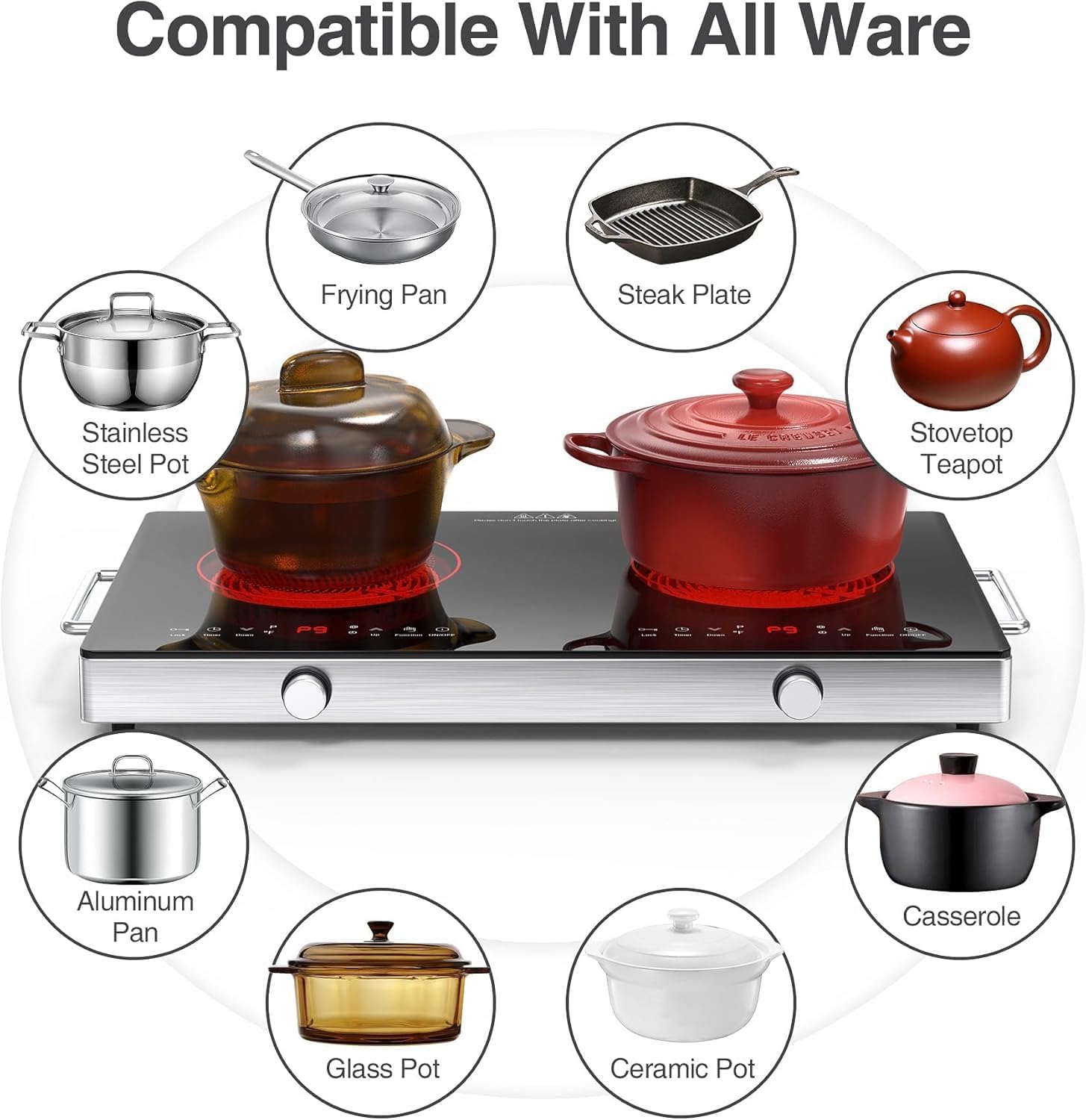
Image: Visual guide to the types of cookware compatible with the electric cooktop.
6. Maintenance and Cleaning
Proper maintenance ensures the longevity and optimal performance of your cooktop.
Cleaning the Cooktop:
- Always ensure the cooktop is cool and unplugged before cleaning.
- Wipe the glass-ceramic surface with a clean, damp cloth and mild detergent.
- For stubborn stains, use a ceramic cooktop cleaner.
- Do not use abrasive cleaners, scouring pads, or iron scrapers as they can damage the surface.
- Dry thoroughly after cleaning.

Image: Demonstrating how to clean the cooktop surface with a soft cloth, emphasizing not to use iron scrapers.
Bottom Cooling Fan:
The cooktop has a bottom cooling fan to dissipate heat. Ensure the fan vents are not obstructed during use.
7. Troubleshooting
If you encounter issues with your VBGK Electric Cooktop, refer to the following common problems and their solutions. For problems not listed here, please contact customer support.
Error Codes:
| Error Code | Description | Possible Solution |
|---|---|---|
| E1 | Low voltage protection (<70V) | Check power supply voltage. Ensure it is within the specified range. |
| E2 | High pressure protection (>145V) | Check power supply voltage. Ensure it is within the specified range. |
| E6 | Thermocouple is loose or damaged, or mainboard is damaged | Contact customer support for assistance. |
| E7 | Thermocouple short circuit | Contact customer support for assistance. |
Other Issues:
- Cooktop not turning on: Ensure the power cord is securely plugged into a working outlet. Check the circuit breaker.
- No heat: Ensure cookware is properly placed on the cooking zone and the power level is set.
- Controls unresponsive: Check if the Child Safety Lock is activated. Deactivate it if necessary.
8. Specifications
| Feature | Specification |
|---|---|
| Model Number | DT3 |
| Color | Black |
| Material | Glass |
| Heating Elements | 2 |
| Product Dimensions | 22.2"D x 14"W x 3.14"H |
| Wattage | 2400W (1200W + 1200W) |
| Controls Type | Knob + Touch |
| Voltage | 110-120 Volts |
| Burner Type | Radiant |
| Item Weight | 11.13 pounds (5.06 Kilograms) |
| Power Source | AC |
9. Warranty and Support
VBGK is committed to providing high-quality products. For specific warranty details and customer support, please refer to the warranty card included with your product or visit the official VBGK website. If you encounter any issues or have questions, please contact our customer service team for prompt assistance.
Manufacturer: VBGK
Date First Available: August 11, 2022
For further assistance, please contact the seller or manufacturer directly.
Ask a question about this manual
Ask about setup, troubleshooting, compatibility, parts, safety, or missing instructions. Manuals+ will review the question and use this page’s manual context to help answer it.